


Perplexity Group Buy and Cheap Pro Accounts 2026: What Is Real, What Is Risky and How to Pay Less Legitimately
Perplexity is an AI answer engine that searches the web, cites sources and helps with research, writing and analysis. Its paid plans unlock more powerful models, more advanced searches and extra tools, and that has led to a market of listings with names like “Perplexity group buy”, “cheap Perplexity Pro account” and “buy Perplexity account”. This guide explains what those offers really are, what Perplexity officially charges in 2026, why shared and resold accounts tend to fail, and how you can legitimately pay less. Prices and limits change often, and the numbers below are in US dollars based on the information available when we researched. Always verify them on the official pricing page before you pay. For a breakdown of payment methods and billing, see our Perplexity payment guide.
What the official plans cost
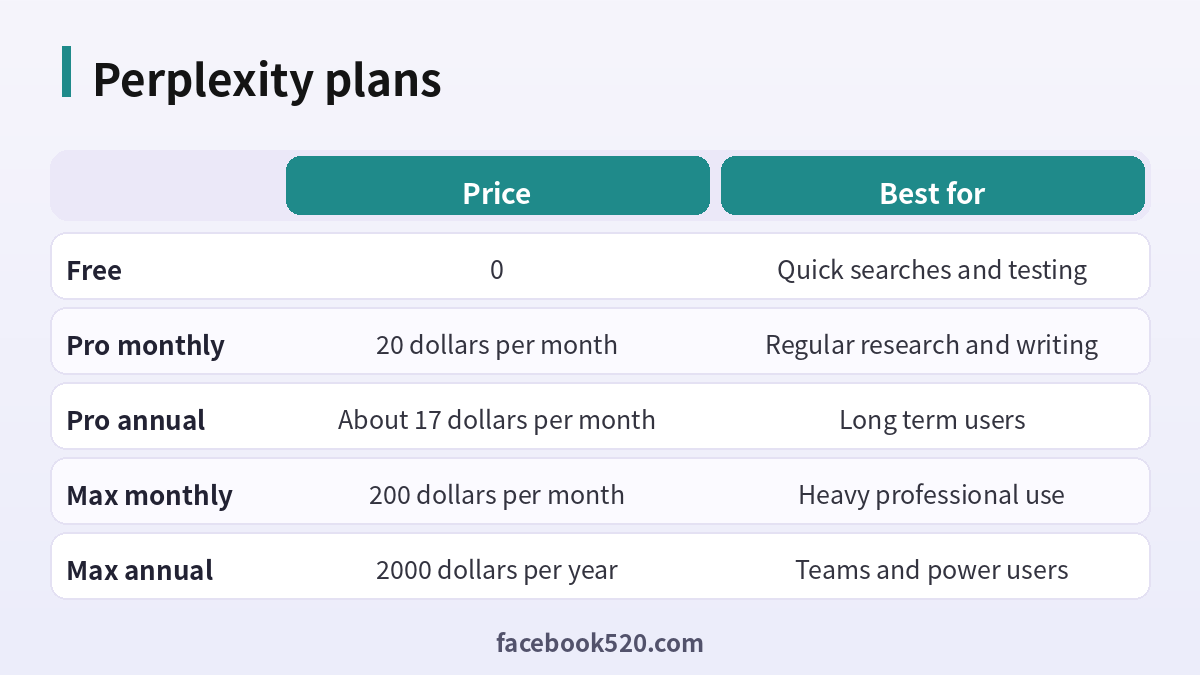
Perplexity offers a Free plan with limited use of advanced features. Perplexity Pro costs 20 dollars per month, or about 17 dollars per month when paid annually. The higher Max tier costs 200 dollars per month, or 2,000 dollars per year, and is designed for heavy professional use with the highest limits and early access to new features. Enterprise and team offerings are available for organisations and are quoted separately. Local prices and taxes can differ, and mobile app store purchases may cost more than purchases on the website.
| Plan | Price | Best for |
|---|---|---|
| Free | 0 | Quick searches and testing |
| Pro monthly | 20 dollars per month | Regular research and writing |
| Pro annual | About 17 dollars per month | Long term users |
| Max monthly | 200 dollars per month | Heavy professional use |
| Max annual | 2000 dollars per year | Teams and power users |
What a “group buy” actually is
A group buy usually means that several people split the cost of one subscription and share the login. In some cases the seller offers a “seat” in a shared account for a small monthly fee. In other cases, the seller resells accounts that were created with discount codes, trial offers or, worse, stolen payment methods. The pitch is that you pay a fraction of the official price for the same features. The reality is that you rely on a stranger who controls the email address, the password and the payment method behind the account.
Why shared and resold accounts fail
There are several practical problems. First, the account owner can change the password, remove your access or cancel the subscription at any time, and you have no way to complain. Second, if the account was bought with a stolen card or a fraudulent promotion, the subscription can be reversed and the account suspended. Third, everyone sharing the account can see the search history, which may include private questions, work files and personal information. Fourth, sharing a login violates the terms of service, so Perplexity can disable the account when it detects unusual use from several places. Fifth, when something breaks, there is no support, no refund and no recourse. A low price does not compensate for these risks.
Common scams to watch for
- Listings that ask for payment in an unusual method with no buyer protection.
- Sellers who refuse to let you set up the account under your own email.
- Offers that promise “lifetime Pro” for a one-time low fee.
- Requests to share a verification code, which gives the seller control of your own accounts.
- Fake screenshots of Pro features or of satisfied customers.
If you see any of these signs, stop and do not send money. Treat a promise of lifetime access with extreme caution, because the official plans are subscriptions.
Legitimate ways to pay less
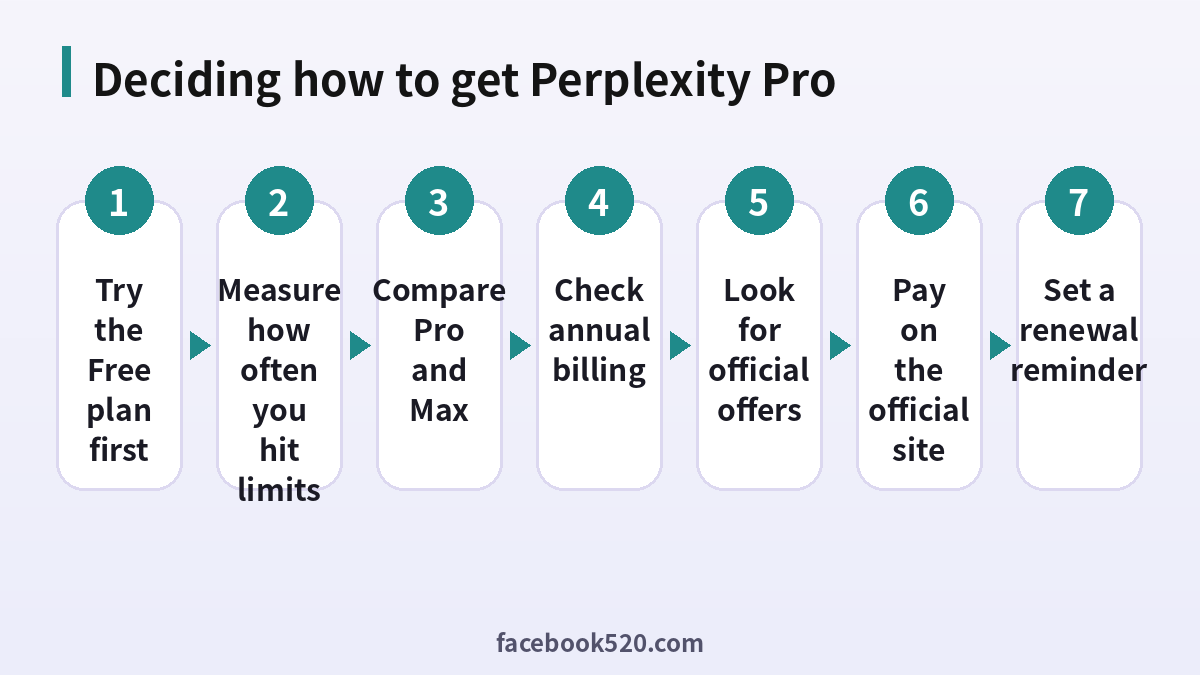
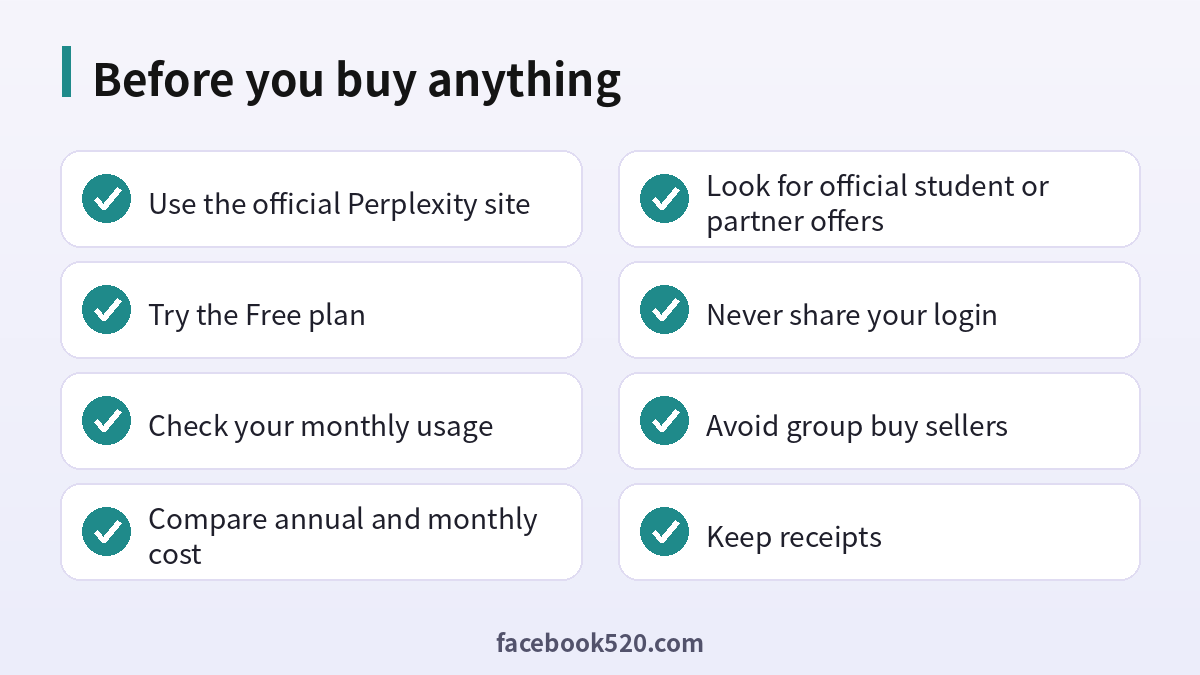
Start with the Free plan and track how often you hit limits. If you rarely do, you do not need Pro at all. If you use Perplexity several times a week, annual billing reduces the monthly cost to about 17 dollars. Check whether your employer, school or university offers a plan, since many organisations provide seats. Watch the official site and the app for student programmes, promotions and partner offers, which change over time and may be available through certain telecom, bank or software partners. If you subscribe through an offer, read the conditions, because some promotions apply only to new accounts and end with automatic renewal.
Step by step: subscribing safely
- Sign up or log in at the official Perplexity website with your own email or Google account.
- Open the account settings and choose the upgrade option.
- Choose monthly or annual billing.
- Check the price, currency and any taxes before entering payment details.
- Pay with your own card or another supported method.
- Save the receipt and the confirmation email.
- Add the renewal date to your calendar and decide in advance whether to keep the plan.
Free features you may be missing
Many people pay for Pro before using everything the Free plan offers. Try the focused search modes, source filters and collections to organise research. Use follow-up questions to refine answers instead of starting a new search each time, and check the citations directly. You can also compare answers with those of other assistants for free before deciding whether a paid plan improves your work. If you want a concrete test, set a one-week goal and count how often you reach a limit.
Pro or Max
Pro is enough for most students, writers and professionals. Max makes sense if your income depends on heavy daily research and the extra capacity saves you hours, or if you need the highest limits for demanding workflows. At 200 dollars per month, it is a business tool rather than a casual upgrade. If you are unsure, start with Pro and upgrade only after you consistently reach the limit.
What to do if you already bought a shared account
If you already paid for a group buy, do not enter payment details or reuse your password there. Change the password of any account that shares the same credentials, remove sensitive questions from the history, and consider asking the seller for a refund through the platform where you bought it. Create your own account and move to a plan that you control. If you gave a verification code to a seller, secure your email and phone right away.
Protecting your account and data
Use a unique password, turn on extra verification when available, and avoid pasting confidential documents into any AI tool unless your organisation has approved it. Check the privacy settings to decide whether your searches may be used to improve the product, and delete threads that you no longer need.
Common mistakes to avoid with Perplexity
Most problems come from a handful of avoidable habits. People reuse the same password across several services, ignore security notices, click links in unexpected messages, install unofficial apps that promise extra features, or buy accounts and access from resellers. Others skip reading the terms, which leads to restrictions they did not expect, or forget to write down renewal dates and recovery details. Spend a few minutes reading the official help pages, keep your details up to date and treat anything that sounds too good to be true as a warning sign.
Helping family members and colleagues
If you are setting up Perplexity for someone else, such as a parent, a teenager or a coworker, guide them rather than doing everything silently. Explain why strong passwords and two-step verification matter, show them how to recognize suspicious messages and agree on who to ask before they click or pay for anything. For minors, follow age requirements and use the available parental or family controls. For teams, document who owns the account, who can approve spending and what to do when someone leaves.
Devices, apps and browsers
Use the latest version of the official app or a modern browser when working with Perplexity. Keep your operating system updated, install security patches and avoid rooted or modified devices, which weaken protection. Browser extensions can read pages you visit, so remove those you do not trust. On mobile, download apps only from official stores, review the permissions they ask for and turn off those that are not needed. Lock your device with a PIN or biometrics so that a lost phone does not become a lost account.
Quick recap checklist
Before you finish, confirm the essentials for Perplexity:
- You are using the official website or app.
- Your password is unique and two-step verification is on.
- Recovery email and phone are current.
- Privacy settings match what you are comfortable sharing.
- You know the price, renewal date and how to cancel if money is involved.
- You saved receipts, confirmation emails and backup codes in a safe place.
- You know where to find the official help center.
Official sources versus unofficial offers
When you search for help with Perplexity, you will find both official pages and third-party offers. The comparison below shows why it pays to stay with official channels.
| Aspect | Official source | Unofficial offer |
|---|---|---|
| Price | Clearly shown at checkout | Often unclear or too low |
| Support | Documented help channels | Unreliable or none |
| Account safety | Protected by the platform | Risk of bans and data theft |
| Refunds | Governed by published terms | Rarely honored |
| Updates | Always current | Outdated or wrong |
Troubleshooting checklist
If something does not work as expected with Perplexity, go through the basics in order before contacting anyone:
- Check your internet connection and try again on a different network.
- Update the app or refresh the page, then restart the device.
- Clear the cache or try a private browser window without extensions.
- Confirm that you are signed in with the correct account and email.
- Look for the exact error message and search the official help center for it.
- Wait a short time before repeating an action, since repeated attempts can trigger temporary limits.
- If nothing helps, collect screenshots and contact official support.
Recognizing scams and fake offers
Scammers often imitate well-known brands such as Perplexity. Typical signs are urgent messages, requests for passwords or verification codes, links to look-alike websites, promises of free upgrades or guaranteed results, and payment requests through unusual channels. Always type the official address yourself or use a saved bookmark, check the sender of every email and never pay through a link sent by a stranger. If you think you were tricked, change your password, review recent activity, contact your bank if money was involved and report the message to the platform.
Privacy and personal data
Before you enter personal information anywhere, ask what is really required. Use only the details that Perplexity needs, review the privacy settings after setup and limit who can see your profile, activity and contact information. Avoid posting documents, addresses, financial data or photos that reveal your location. Check which third-party apps are connected to your account and remove those you no longer use. If you work with client or company data, follow your organization’s policy and do not mix it with personal accounts.
When to contact official support
Contact support when you have tried the basic fixes and the problem remains, when you see an unexpected charge, when you suspect your account was accessed by someone else or when you are locked out. Prepare the account email, the date and time of the problem, the exact message you saw and screenshots. Describe what you did step by step and what you expected to happen. Use only the contact methods listed on the official site and ignore anyone who offers to fix things for a fee through social media or private messages.
Account security basics for Perplexity
Protect your Perplexity account before anything else. Use a long, unique password stored in a password manager, turn on two-step verification, and make sure the recovery email and phone number are ones you control. Review the list of devices and active sessions every few months and sign out of any you do not recognize. Never share one-time codes, even with someone who claims to work for support, because genuine support teams never ask for them. If you sign in on a shared or public computer, log out afterwards and avoid saving passwords in the browser.
A monthly review habit
Set a reminder once a month to review your Perplexity setup. Check your security settings, payment method, connected apps and notification preferences. If you pay for anything, compare the charge with what you actually used and decide whether to keep, change or cancel. Update your recovery details if you changed phone number or email. Delete old data you no longer need. Ten minutes a month prevents most surprises and keeps your costs and risks under control.
Keeping up with changes
Features, prices and rules around Perplexity change more often than most people expect. Follow the official blog, release notes or help center, and read the emails you receive about policy updates instead of deleting them. When a guide such as this one gives a number or a menu name, treat it as a starting point and confirm it on the official site. If a change affects you negatively, you can usually adjust your plan, settings or usage, so act early rather than waiting for a problem.
How to evaluate whether Pro pays for itself
Put a simple number on it. If Perplexity saves you two hours of research per month and your time is worth more than ten dollars per hour, the Pro subscription has already paid for itself. If you only run a handful of searches a week, a free tool or the Free plan is likely enough. Review the decision every quarter, cancel when a project ends and re-subscribe when you need it again. A short, planned subscription that you own is almost always cheaper than a permanent shared account that may vanish.
Frequently asked questions
Is a Perplexity group buy legal or safe?
Sharing a paid login breaks the terms of service and carries serious risks of loss, bans and exposure of your data. It is not recommended.
How much does Perplexity Pro cost?
20 dollars per month, or about 17 dollars per month when billed annually.
How much is Perplexity Max?
200 dollars per month or 2,000 dollars per year.
Can I get Perplexity Pro for free?
The Free plan is always available. Pro may be offered free through official promotions or through your school or employer.
Is there a lifetime plan?
Official plans are subscriptions. Offers for lifetime access from third parties are a warning sign.
Can I share my account with a friend?
No. Sharing violates the terms and can lead to suspension.
What is the safest way to pay?
Use the official website with your own card, and keep the receipt.
How do I cancel Pro?
Open account settings, go to the subscription section and cancel before the renewal date. If you used an app store, cancel there.
Is annual billing worth it?
It lowers the monthly cost to about 17 dollars, but you pay once for the year. Choose it only if you use Perplexity regularly.
What if a seller disappears?
Contact the payment provider or marketplace, secure your accounts, and avoid buying again from the same source.
Summary
A Perplexity group buy looks cheap, but you give up control, privacy and support. The official plans are clear: Free, Pro at 20 dollars per month or about 17 dollars annually, and Max at 200 dollars per month. Use the Free plan, annual billing and genuine offers, and keep your account in your own hands.
