


Kling AI Pricing 2026: Standard, Pro, Premier and Ultra+ Plans, Credit Costs, Free Plan Limits, API Pricing Basics and How to Cancel Your Subscription
Kling AI is one of the most talked-about AI video generators, and its pricing can look confusing at first: several plan names, monthly and yearly billing, first-month discounts, credits that expire and separate rules for the API. This guide explains the structure in plain English using the figures shown on Kling’s official membership page in late October 2026. Prices, credit amounts and promotions change often, particularly around new model launches, so use the numbers here as a snapshot and confirm them on the official page before you pay. All amounts are in US dollars and were shown to signed-out visitors in the United States. Taxes and regional pricing may differ.
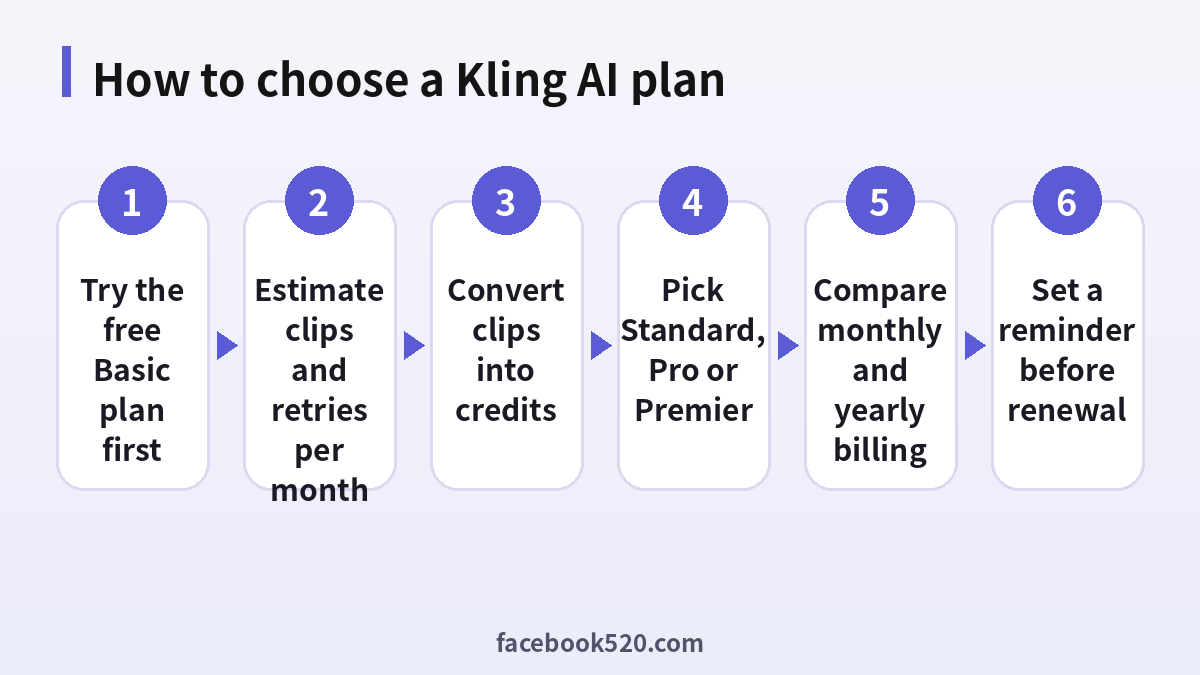
How Kling AI pricing works
Kling charges through credits. Each generation, whether it is an image, a video clip or an extension, costs a number of credits that depends on the model, the length, the resolution and the mode you choose. A subscription gives you a fixed number of credits every month, plus features such as watermark removal, higher resolution and priority access to new tools. When the monthly credits run out, you can wait for the next cycle, upgrade or buy additional credits.
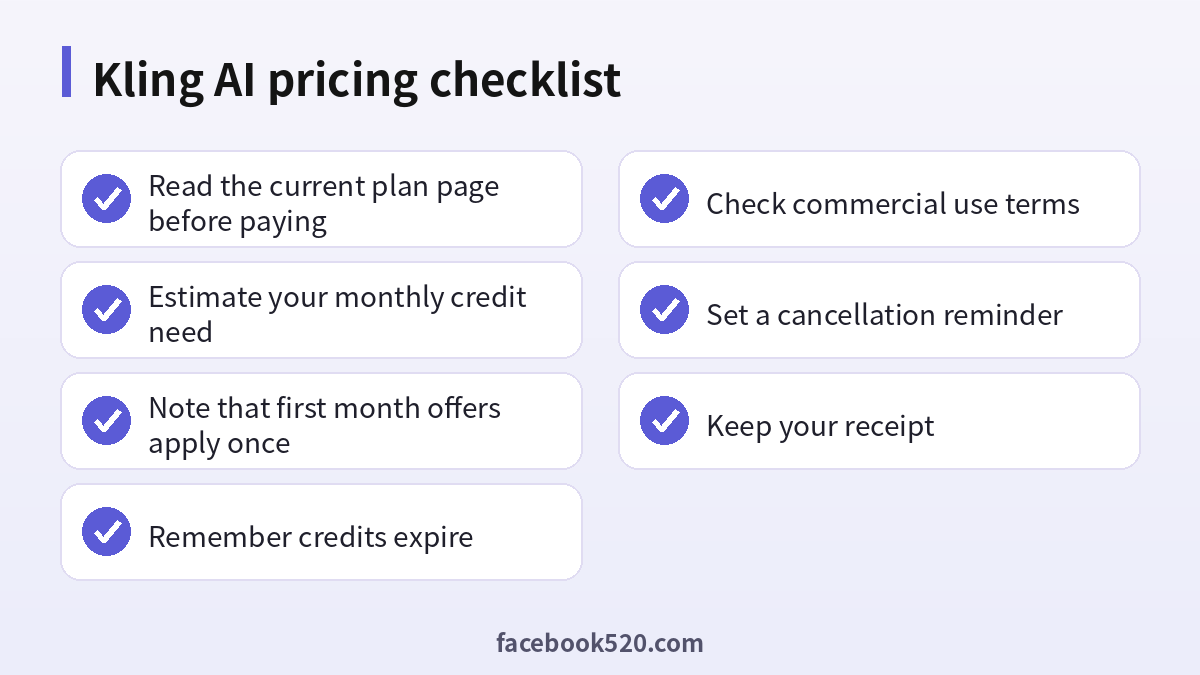
The most important thing to understand is that credits are not a savings account. Monthly credits are valid for a limited time, reported as 31 days, and unused monthly credits are lost when the subscription ends. Credits bought separately last longer, but they cost extra. Because of this, buying the biggest plan “just in case” usually wastes money.
The plans in late October 2026
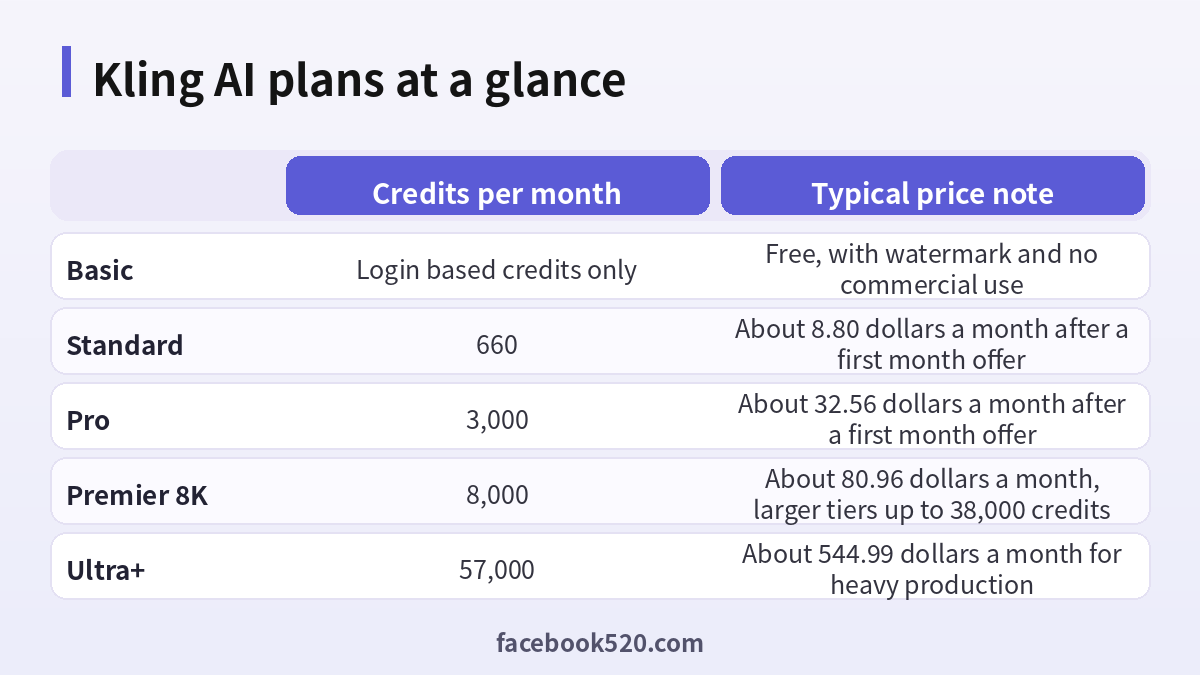
At the time of writing, the membership page showed a free Basic plan and a ladder of paid plans. The table below summarises the structure. First-month offers are one-time discounts for new subscribers, and the renewal price is what you pay from the second month onward.
| Plan | Credits per month | First month | Monthly renewal | Notes |
|---|---|---|---|---|
| Basic | No fixed monthly allowance | Free | Free | Watermarked output, no commercial use |
| Standard | 660 | About 6.99 dollars | About 8.80 dollars | Entry paid tier |
| Pro | 3,000 | About 25.99 dollars | About 32.56 dollars | Priority access to new features |
| Premier 8K | 8,000 | About 64.99 dollars | About 80.96 dollars | Larger tiers available |
| Premier 18K to 38K | 18,000 to 38,000 | Higher first month offers | About 182 to 377 dollars | For studios and heavy users |
| Ultra+ | 57,000 | About 402 dollars | About 544.99 dollars | Top individual tier |
Yearly billing is cheaper per month. On the official page, Standard was shown at around 79.20 dollars per year and Pro at around 293.04 dollars per year, which works out to roughly a third below the struck-through list prices and about a quarter below twelve monthly renewals. The older Ultra tier was closed to new subscribers when Ultra+ launched, although existing Ultra subscribers can keep it as long as their subscription does not lapse.
What the free Basic plan gives you
The Basic plan is free forever, but it is limited. Output carries a watermark, commercial use is not allowed and the plan table does not list a fixed monthly credit allowance. Logging in can unlock small amounts of credits or the chance to try member-only features, and promotions sometimes add temporary free credits. Treat Basic as a way to test the interface and the quality of the results, not as a production plan. If you publish videos for a business or a client, you need a paid plan that removes the watermark and allows commercial use.
Standard versus Pro versus Premier
The right plan is a question of volume. A Standard plan with 660 credits suits someone who generates a handful of short clips per month and is happy to iterate slowly. Pro, with 3,000 credits, suits a creator who posts regularly, tests several prompts per clip and wants priority access to new features. Premier plans are meant for people whose income depends on video: agencies, marketing teams and filmmakers who need thousands of credits per month. Ultra+ is for studios that treat Kling as a core production tool.
Price per credit falls as you move up. Reported figures show roughly a dollar and a third per hundred credits at Standard renewal, falling to about a dollar at Pro and slightly under a dollar at higher Premier tiers. That discount only matters if you actually use the credits, so decide based on your realistic monthly consumption.
| Creator type | Likely plan | Reason |
|---|---|---|
| Hobbyist testing ideas | Basic or Standard | Low volume and low cost |
| Social media creator | Standard or Pro | Regular posting with retries |
| Freelance video editor | Pro or Premier 8K | Client work needs more credits |
| Agency or brand team | Premier tiers | High volume and priority access |
| Studio with daily production | Ultra+ | Maximum monthly credits |
How many clips does a plan really give you
Credits per clip vary, so test before you calculate. Generate one clip at your usual settings and note the credit cost. Multiply by the number of clips you plan to publish, then multiply by the average number of attempts you need before one is good enough, which is often two to four. That final number is your monthly credit need. For example, if a clip costs a certain number of credits and you expect three attempts per finished clip, ten finished clips need thirty generations. Compare that with the monthly allowance of each plan, and add a margin of ten to twenty percent for experiments.
Professional mode, higher resolution, longer duration and the newest models usually cost more credits. Use cheaper settings for drafts and reserve the expensive ones for final renders. Reference images and start and end frames improve consistency, which reduces wasted attempts.
Credit expiry, refunds and renewals
According to Kling’s published terms and FAQ, monthly subscription credits expire after 31 days, credits purchased separately last longer, and the credits that expire soonest are consumed first. Fees for paid services are generally non-refundable once activated, and subscriptions renew automatically until you cancel. The terms also warn that cancelling very close to the end of a billing cycle may come after the payment has already been taken. The practical lesson is to cancel at least a few days before the renewal date if you do not want to continue.
If you have a legacy Ultra subscription, read the terms carefully: renewing keeps the old terms, but if you cancel or a payment fails, you may not be able to subscribe to that discontinued tier again.
How to cancel a Kling AI subscription
- Sign in to your Kling account on the official website, using the same login that you subscribed with.
- Open the profile menu and go to the membership or subscription management page.
- Find your current plan and choose the option to cancel or turn off auto-renewal.
- Confirm the cancellation and read the message that shows your end date.
- Check your email for a confirmation, and save a screenshot of the confirmation page.
- If you subscribed through an app store, cancel in that store’s subscription settings instead.
- Check your card statement after the next billing date to make sure that no new charge appears.
After cancelling, you can usually continue using the plan until the paid period ends, but unused monthly credits are lost at that point.
Kling AI API pricing basics
The API is priced separately from the consumer subscription. Developers buy resource packs or pay according to the usage terms in the developer portal, and the cost per video depends on the model, length and resolution. A consumer membership does not include API credit. If you plan to integrate Kling into an app, read the developer pricing page, calculate the cost per generated second at your preferred settings, add retries and budget for peak demand. Some third-party platforms resell access to Kling models at their own prices, so compare the official rate with the reseller’s terms, and check reliability and licensing.
Money-saving tips
Start with the free Basic plan to confirm the output fits your needs. Take advantage of the first-month offer once, but remember that the price rises on renewal and put a reminder in your calendar. Use annual billing only after you have used the service for a few months. Draft with cheap settings and finish with expensive ones. Keep prompts in a document so successful ideas can be reused. If you have a quiet month, cancel and resubscribe later, remembering that first-month offers apply only once. And ignore sellers offering “unlimited” or “lifetime” Kling accounts at low prices, since these are unauthorised and often reversed.
Worked examples: what you might actually pay
Consider three typical users. The first is a hobbyist who wants to animate a few photos a month. With the free Basic plan they can test results, but watermarks make the clips unsuitable for public use. A single month on Standard, using the first-month offer, costs less than a streaming subscription and lets them export clean clips. If they only need one burst of work, they can cancel straight after, making sure to do so before the renewal date. The second user is a social creator who posts four or five AI clips each week. They need many attempts per clip, so Pro is a better fit, and yearly billing starts to look attractive after a few months of steady use. The third user is a small agency that delivers client videos. Their cost per finished clip includes retries, review rounds and the cost of failed generations, so a Premier tier with a larger allowance is cheaper per credit and gives them priority access.
| User | Monthly goal | Suggested path | Budget note |
|---|---|---|---|
| Hobbyist | A few short clips | Basic, then Standard for one month | Use the first-month offer once |
| Social creator | Weekly posts | Pro, annual after a trial | Track credits used each week |
| Freelancer | Client deliverables | Pro or Premier 8K | Include retries in quotes |
| Agency | Many projects | Premier tiers | Allocate credits per project |
Reading the fine print on plans and promotions
Promotions on the membership page can be confusing. A large struck-through number is the list price, a large highlighted number is the first-month or first-year offer and a small line explains the renewal price. Read all three. First-month discounts apply once per account, so repeated sign-ups to claim them are not allowed and can lead to restrictions. Launch promotions for new models may offer a percentage off the credit cost of a new model for a limited time, which can be useful if you plan to test it, but they should not drive you to buy a larger plan than you need. Also check whether the price includes taxes. In some regions, VAT or sales tax is added at checkout.
Comparing Kling with other AI video tools
Kling is one of several strong options, and the sensible approach is to compare cost per usable clip rather than the headline price. Different tools price by credits, seconds or subscriptions, and they differ in motion quality, prompt adherence and character consistency. Use the same prompt and reference image on the free tier of each tool you are considering, judge the results and then compare the cost of generating, say, ten finished clips. Be sure to account for resolution, duration, watermark rules and commercial licensing. Do not assume that the cheapest plan is the best value if it produces more rejected takes.
Payment methods and billing problems
Payment options on the official site generally include major credit and debit cards, and in some regions other methods or app store billing. Prices on the web may differ from those in an app store, which can add platform fees. If a payment fails, check that your card allows international online transactions, that the billing address matches the one on file at your bank and that you completed any extra authentication step. Avoid retrying many times in a row, because repeated failures can trigger a temporary block. If you are charged but your plan does not appear, wait a few minutes, sign out and in again and then contact support with your receipt. Keep the confirmation email, because it contains the order number that support will ask for.
Using your credits efficiently
Efficiency comes from planning. Write prompts that describe the subject, action, camera movement and style in a few clear sentences. Start with short drafts to test motion and composition. Use image-to-video when you need a specific look, since a good reference reduces randomness. Save the settings of successful clips so you can repeat them. When a result is almost right, extend or edit it instead of starting over. Review your credit history at the end of each week to see which settings consume the most and whether they produced results that justify the cost.
| Habit | Effect on credits |
|---|---|
| Draft in short, low cost modes | Fewer wasted credits |
| Use clear, specific prompts | Fewer retries |
| Reuse proven prompts | Consistent results |
| Review usage weekly | Better planning |
| Cancel unused plans | No wasted renewals |
Staying safe when buying Kling access
Only buy from the official site or the official app. Search results and social posts sometimes advertise “Kling Pro accounts” or discounted credit packs from third parties. These offers are not authorised, the accounts can be suspended and any payment you made is unlikely to be refunded. Some sellers collect your login details, which puts your email and other accounts at risk. If you need to cut costs, use the first-month offer, choose annual billing after a trial, and look for official announcements of promotions instead of third-party deals. Keep your credentials private, enable any available extra login protection and review your subscription page regularly.
Frequently asked questions
How much does Kling AI cost?
The paid plans start at around 6.99 dollars for the first month of Standard and rise to hundreds of dollars for higher Premier tiers and Ultra+. Check the official page for the current price.
Is there a free plan?
Yes. Basic is free, but its output is watermarked and commercial use is not allowed.
What does the Standard plan include?
About 660 credits per month plus features such as watermark removal and higher quality options.
Do credits roll over?
Monthly credits expire after about 31 days. Separately purchased credits last longer.
Is the first-month price permanent?
No. It is a one-time offer for new subscribers, and the renewal price is higher.
Is yearly billing cheaper?
Yes. It is about a quarter cheaper than twelve monthly renewals according to the official page.
Can I get a refund?
The terms say fees are non-refundable once the paid service is activated, so read before you buy.
How do I cancel?
Turn off auto-renewal in the membership page, or in the app store if you subscribed there.
Can I use videos commercially?
Paid plans allow commercial use, while the free plan does not. Read the current terms.
Is the API included in my subscription?
No. API access is billed separately.
Which plan should a beginner choose?
Test the free plan, then try Standard for a month and track how many credits you use.
Are third-party Kling accounts safe?
No. Unauthorised accounts can be cancelled or banned without refund.
Conclusion
Kling AI pricing is simple once you think in credits. Test for free, estimate your monthly need, choose the smallest plan that covers it and keep an eye on renewal dates. Confirm all numbers on the official page, because plans and offers change quickly.
