


Manus AI Pricing (2026): Free, Pro and Team Plan Comparison, Credits Explained, Add-On Credits, Annual Discount, How to Subscribe and Pay, and How to Cancel
Manus is an AI agent that can plan and carry out multi-step tasks on its own, such as researching a topic, building a slide deck, analyzing data or putting together a simple website. Because each task can involve many steps and a lot of computing, Manus uses a credit system rather than a flat promise of unlimited use. That is the main reason people search for Manus AI pricing: they want to know what a plan costs, how long the credits last, what happens when credits run out and whether a paid plan is worth it. This guide explains the pricing in plain English based on the information on the official pricing page and help center in October 2026. Plans, credits and promotions change often, so always confirm the numbers on the live pricing page before you pay. All prices below are in US dollars before tax.
How Manus pricing works in one minute
Manus charges through a membership plus credits. A plan gives you a set amount of credits, and each task you run uses some of them. A short, simple question uses very little. A long research job, a presentation with many pages or a task that runs code and browses many sites can use a great deal more. The credits you receive are based on the plan you choose, and a higher plan provides more credits and more concurrent tasks. If you run out, you either wait for the next refresh, buy add-on credits where allowed, or move to a higher plan.
There are three main plan groups. The Free plan gives you a small number of credits each day so you can try the product. Pro is the individual paid plan, offered in tiers that scale the number of monthly credits. Team is the plan for organizations, with seats, a shared pool of credits and administration features.
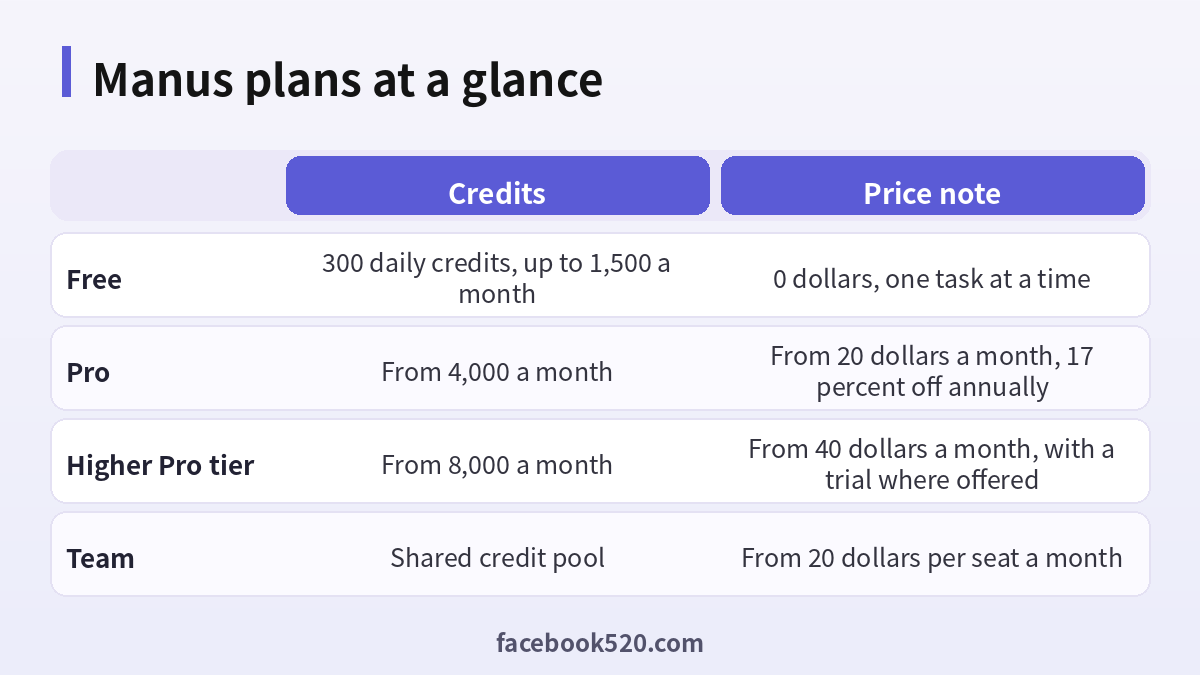
Manus plans compared
The table shows the picture from the official help center in October 2026. The exact credits and extras may vary by promotion and region.
| Plan | Price | Credits | Who it suits |
|---|---|---|---|
| Free | 0 dollars | 300 credits a day, with a monthly cap of 1,500 | People who want to try Manus |
| Pro, first tier | From 20 dollars a month | From 4,000 a month | Individuals who use Manus regularly |
| Pro, higher tier | From 40 dollars a month | From 8,000 a month | Heavy users who run big tasks |
| Team | From 20 dollars per seat a month | Shared pool, based on 4,000 per seat | Teams that need collaboration and admin controls |
| Enterprise | Contact sales | Custom | Large organizations |
Paying annually usually brings a discount of around 17 percent compared with paying month to month, and the Team page shows an annual price of about 200 dollars per seat. The Pro tiers can scale up further, and higher-priced tiers are available at checkout for users who need much more capacity.
The Free plan
The Free plan is a real way to test whether Manus fits your work. It gives you a daily refresh of credits, enough for simple questions and short tasks, along with limits on concurrent tasks and scheduled automations. The daily credits are intended for the lighter models, so complex jobs may not be available or may need a paid plan. Because the monthly cap on the free daily credits is lower than what a busy user might need, the free plan works best for evaluation rather than for daily production work. A good way to use it is to run three or four typical tasks from your actual job, note how many credits each one uses, and multiply by the number of times you would run them per month.
What the Pro plan adds
Pro is built for people who use the agent regularly. It raises the number of monthly credits, allows more concurrent tasks and scheduled automations, and unlocks heavier features such as advanced research, wide research that spreads a job across many sub-tasks, slide generation, website deployment and early access to beta features. The first Pro tier is priced from 20 dollars a month for around 4,000 credits, and a higher tier from 40 dollars a month doubles the credits. Choose the tier by your real credit use rather than by the size of the name. If you find that you consume only a small share of your credits each month, you are overpaying and can step down. If you run out every few days, step up.
Team plans and shared credits
The Team plan is aimed at organizations. Each seat brings a base amount of credits to a shared pool, so if one person uses fewer, others can use the surplus. Team plans add single sign-on, usage analytics, internal access control, a data training opt-out and shared templates. Owners and administrators can purchase add-on credits and, in some cases, turn on automatic purchase so that work is not interrupted when the pool runs low. This is more convenient than giving every employee a personal subscription because you get central billing, a single place to remove people when they leave and clearer control over company data.
| Feature | Pro | Team |
|---|---|---|
| Billing | Per person | Per seat with central billing |
| Credits | Individual allocation | Shared pool |
| Admin controls | Basic | Access control and analytics |
| Data privacy options | Standard | Training opt-out and SSO available |
| Best for | Freelancers and individuals | Companies and departments |
How credits are spent and refreshed
Credits are consumed according to the work a task requires. The main drivers are the language model tokens used for planning and writing, the cloud machine time used for running code or browsing, and any paid third-party data sources the task calls. There is no fixed price per task, so two tasks that look similar can cost different amounts if one needs more steps.
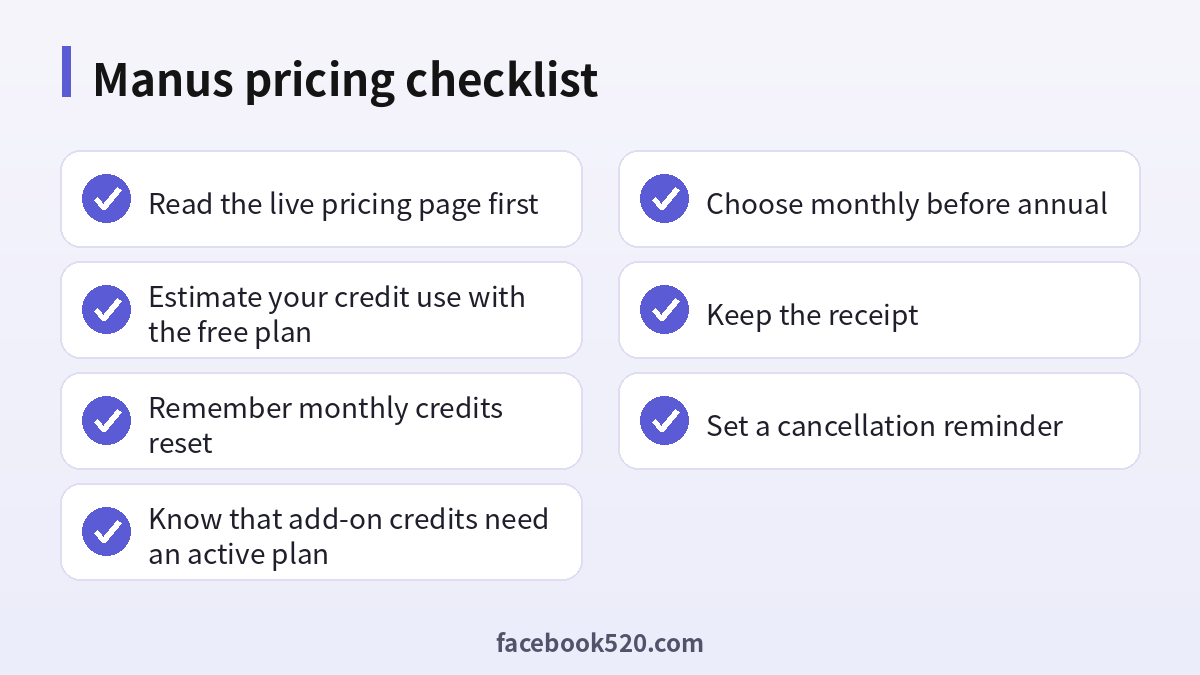
Several rules matter when you plan a month. Monthly credits refresh on the same date as your subscription started, and unused monthly credits do not roll over. Add-on credits you buy separately can carry over from cycle to cycle, but only while you hold an active paid subscription; if the subscription lapses or you return to Free, they become inactive. Free credits do not expire. When you use credits, they are drawn in a set order, with promotional credits first, then daily credits, then monthly credits, then add-on credits. Because of this order, your purchased add-on credits are the last to be used, which is helpful when you want them to last.
How to subscribe and pay
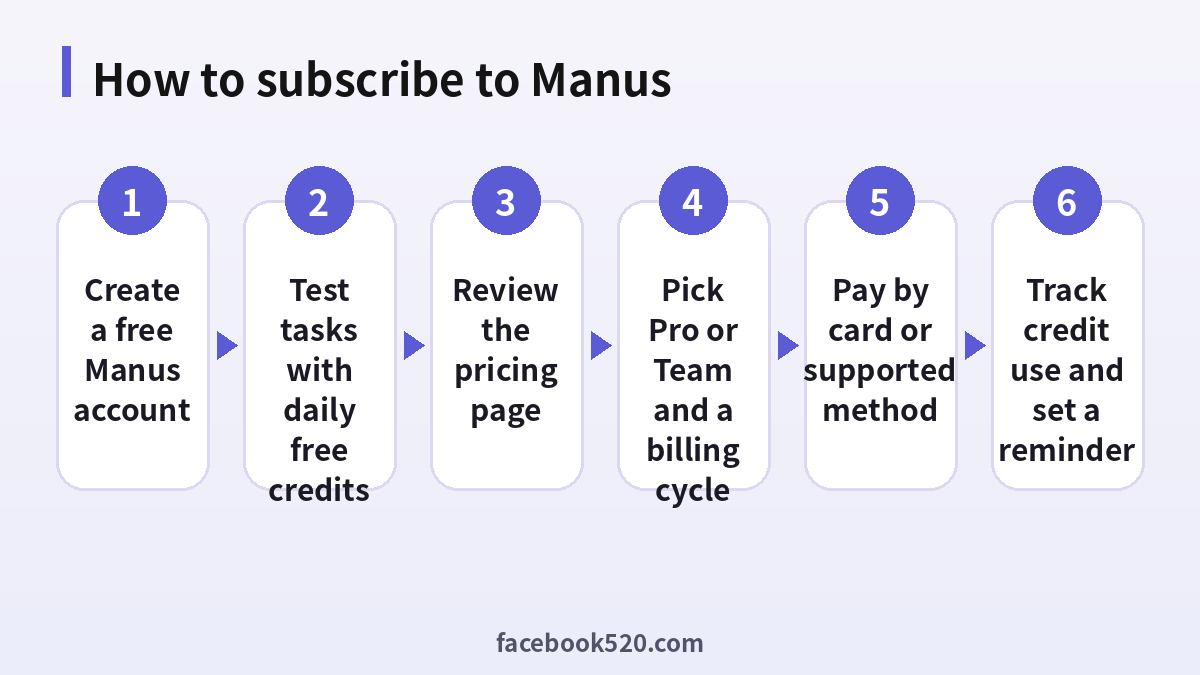
- Create a Manus account with an email address or a supported social login, and use the Free plan for a few tasks.
- Open the pricing page from the website or the app, and read the plan details for your country.
- Choose Pro or Team, then select a credit tier if more than one is offered.
- Pick monthly or annual billing. If this is your first time, monthly is the safer choice.
- Enter your payment details. The checkout usually accepts major credit and debit cards, and some regions may offer app store billing or other local methods.
- Review the total with tax and confirm the purchase.
- Open your account settings to check that the plan and credits are active, and keep the receipt.
- Set a reminder for the renewal date.
Billing problems and fixes
| Problem | Likely reason | What to try |
|---|---|---|
| Card declined | Bank blocks international payments or details do not match | Contact the bank or try another card |
| Charged but no credits | Delay in processing | Refresh, check the email receipt and contact support |
| Credits disappeared | Monthly cycle reset | Check the refresh date in your plan |
| Cannot find the upgrade button | Wrong page or app store billing | Use the pricing page for your sign-up method |
| Double charge | Two purchases or a pending hold | Compare receipts and ask the bank or support |
How to cancel
Cancel from the account or billing settings in the same place where you subscribed. If you subscribed on the web, cancel on the web. If you used an app store, you must cancel there. After you cancel, you can normally keep using the plan until the end of the paid period, but purchased add-on credits may no longer be usable once the subscription ends, so use them first. Always save the cancellation confirmation.
Tips to save credits
Break big jobs into smaller steps and review the plan before letting the agent run a long process. Be specific about the format, length and sources you want, because vague prompts lead to extra steps and rework. Use the lighter modes for simple questions. Avoid re-running a whole task when you only need a small change; ask for the edit instead. Finally, remember that a task that fails halfway may still have used credits, so check intermediate results.
Estimating your monthly credit needs
The most reliable way to decide on a plan is to measure. Pick five tasks that represent your normal week, such as a market research summary, a short slide deck, a spreadsheet analysis, a competitor comparison and a small web page. Run each once on the Free plan or a trial, and note how many credits each used. Add them up, multiply by the number of weeks in a month, and add about 25 percent to cover retries and edits. If the total is under a few thousand credits, the first Pro tier is likely enough. If it approaches eight thousand, consider the higher tier, or look at whether some tasks can be made cheaper by being more specific.
| Task type | Typical effort | Credit risk |
|---|---|---|
| Quick question or short summary | Low | Small, often covered by free credits |
| Multi-source research report | Medium to high | Grows with the number of sources visited |
| Slide deck with many pages | Medium to high | Grows with page count and design steps |
| Data analysis with code | Medium | Depends on file size and number of runs |
| Website build and deployment | High | Many steps and testing runs |
| Scheduled recurring automation | Cumulative | Small per run but adds up over a month |
Scheduled automations deserve a special warning. A task that runs every day looks cheap on its own, but thirty runs a month can consume a surprising share of your credits. Review automations regularly and pause the ones you no longer read.
Manus compared with other AI subscriptions
It helps to compare the cost model with other tools you may already pay for. A chatbot subscription typically gives you a fixed monthly price with soft usage limits, and the cost is predictable. Manus is closer to a pay-for-work model: you pay for the effort of an agent that plans, browses, runs code and produces files. For one-off complex projects, that can be cheaper and faster than doing everything by hand or hiring help. For simple Q and A, a regular chatbot is usually cheaper. Many people use both: a general assistant for everyday questions and Manus for the occasional heavy task. If you already use credit-based tools, our guides to Cursor pricing in (https://www.facebook520.com/ai-tools-guide/ai-chat-search/8288.html) and Grok pricing in (https://www.facebook520.com/ai-tools-guide/ai-chat-search/8306.html) show how other products structure their credits, which can help you judge whether Manus fits your budget.
Privacy, files and company use
An agent that browses the web and handles files raises questions that a simple chatbot does not. Before you upload client documents, contracts or personal data, read the privacy settings and the data policy. Team plans offer an opt-out from training on your data and administrative controls, which are the right choice if you handle confidential material. On a personal plan, remove sensitive details from files before you upload them, and delete tasks and files that you no longer need. If your employer has a policy on AI tools, follow it, and do not put company data into a personal account. Always review what the agent produced before you send it to a client, since agents can make mistakes in numbers, citations and summaries.
Common pricing mistakes to avoid
The first mistake is buying annual billing before you know your usage; a discount is not a bargain if you stop using the product after two months. The second is assuming that unused monthly credits will accumulate, which they do not. The third is buying add-on credits and then canceling, which can leave those credits inactive. The fourth is sharing a login among colleagues, which breaks the terms and exposes everyone’s work to each other. The fifth is trusting resellers who offer discounted credits or accounts, because there is no way to verify the source and no protection if the account is revoked. Sticking to the official pricing page avoids all of these problems and gives you a clear billing history if something goes wrong.
A simple decision path
If you are curious, sign up for Free and run a few real tasks this week. If those tasks work well and you keep running out of daily credits, try the first Pro tier for one month and watch how much of the allowance you use. If you use almost all of it before the month ends, consider the higher tier or add-on credits. If you manage a group, evaluate Team before buying separate subscriptions. At every step, rely on the official pricing page, keep your receipts and set a reminder before each renewal, so that the subscription always matches the amount of work you are really doing.
Frequently asked questions
How much does Manus cost?
The Free plan costs nothing, Pro starts from 20 dollars a month and a higher tier from 40 dollars, and Team starts from 20 dollars per seat a month, according to the official help center in October 2026.
Is there a Manus free subscription?
Yes. The Free plan provides daily credits with a monthly cap, which is enough to test the product.
Do Manus credits roll over?
Monthly credits do not roll over. Add-on credits can carry over while you keep an active paid subscription.
Is annual billing cheaper?
Yes, the discount is around 17 percent, but monthly billing is safer when you are still learning how many credits you need.
What happens if I run out of credits?
You can wait for the refresh, buy add-on credits where available or upgrade your plan.
Can I use Manus for free forever?
The Free plan is available as long as Manus offers it, but it has limits that are meant for trying the product.
Does Manus offer a trial?
Some tiers show a trial period at checkout. Offers vary, so read the terms.
Can several people share a Pro account?
It is better to use a Team plan, which is designed for multiple users and keeps data under admin control.
How do I cancel?
Open billing settings in the place you subscribed and cancel before the renewal date.
Is it safe to buy Manus credits from a third party?
No. Use the official checkout. Resold credits or accounts can be revoked, and sharing credentials exposes your tasks and files.
Summary
Manus pricing is easiest to understand as a membership with a credit allowance. Start with the Free plan, measure what your real tasks cost, choose the smallest Pro tier that fits, and consider Team plans if several people need access. Pay only through the official pricing page, remember that monthly credits reset, and cancel before renewal if you no longer need the plan. Prices can change, so recheck the live page before you decide.
