


Threads Account for Creators 2026: How to Set Up a Profile That Grows, Use Topic Tags and Insights, Share to the Fediverse, Cross Post With Instagram, Schedule Safely and Avoid Fake Follower and Account Sales
Most guides explain how to sign up for Threads. This one starts after that moment. Once the account exists, the real work is to turn it into a profile that people want to follow. Threads is a text first social network from Meta, and it rewards short, clear and conversational posts. In this guide, you will learn how to set up a creator friendly profile, use topic tags, read Insights, understand fediverse sharing, cross post with Instagram, schedule posts in a safe way and avoid tactics that put your account at risk. The information reflects what could be verified in October 2026. Features differ by country and app version, so confirm each one inside your own app.
Start with a profile that explains itself
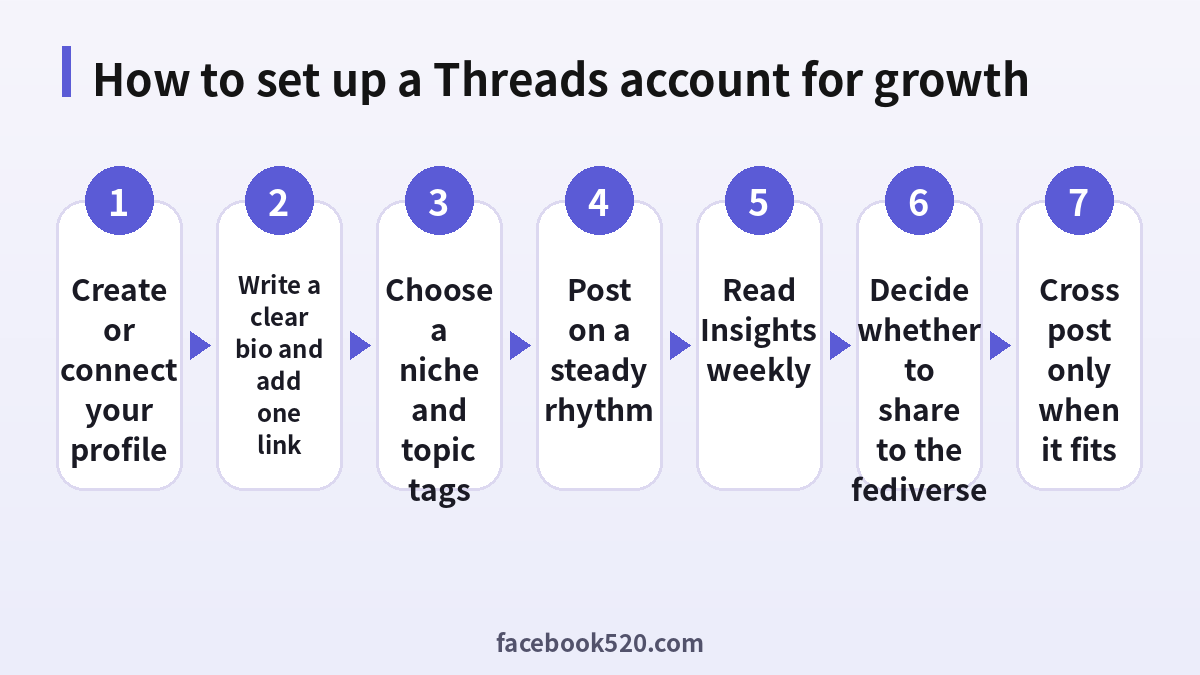
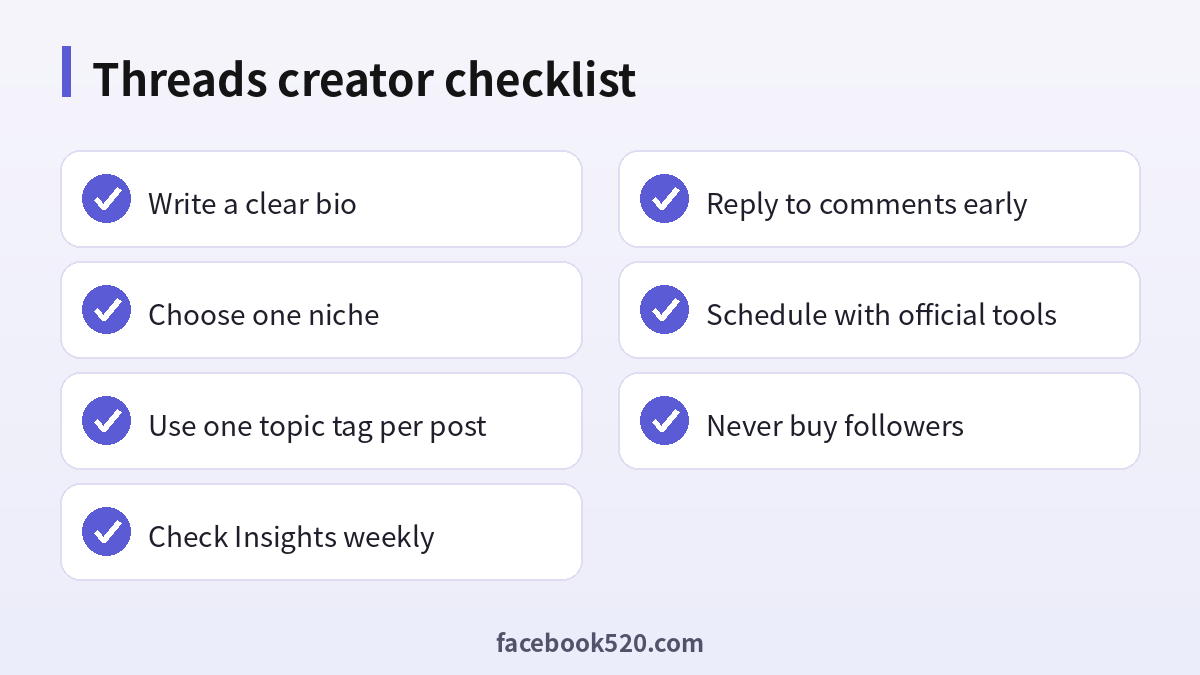
A new visitor decides within seconds whether to follow you. Your profile photo, display name and bio do most of the work. Use a clear photo or logo, a display name that matches your other platforms and a bio that answers three questions: who you are, what you post about and why a reader should follow. Add one link, such as a website or a landing page, and keep it consistent with your other accounts. If your handle is different from your brand, consider changing it early, because a handle that people already know is hard to replace later.
| Profile element | Good practice |
|---|---|
| Photo | Clear face or simple logo |
| Display name | Same as your other platforms |
| Bio | Who you are, what you post, why follow |
| Link | One link that matches your goal |
Pick a niche and a posting rhythm
Accounts that post about everything attract no one in particular. Choose a niche in which you can post at least thirty times without repeating yourself, and write down five recurring post types, for example a tip, a question, a short story, a quick opinion and a link with context. Then choose a rhythm that you can keep. One or two posts per day is enough for most creators, as long as you reply to comments. Consistency matters more than volume, and a plan on paper prevents you from vanishing after two weeks.
- Choose one main niche.
- List five recurring post types.
- Set a realistic daily or weekly rhythm.
- Draft a week of posts in advance.
- Reply to comments within the first hour when you can.
- Review what worked every Sunday.
Topic tags: find readers beyond your followers
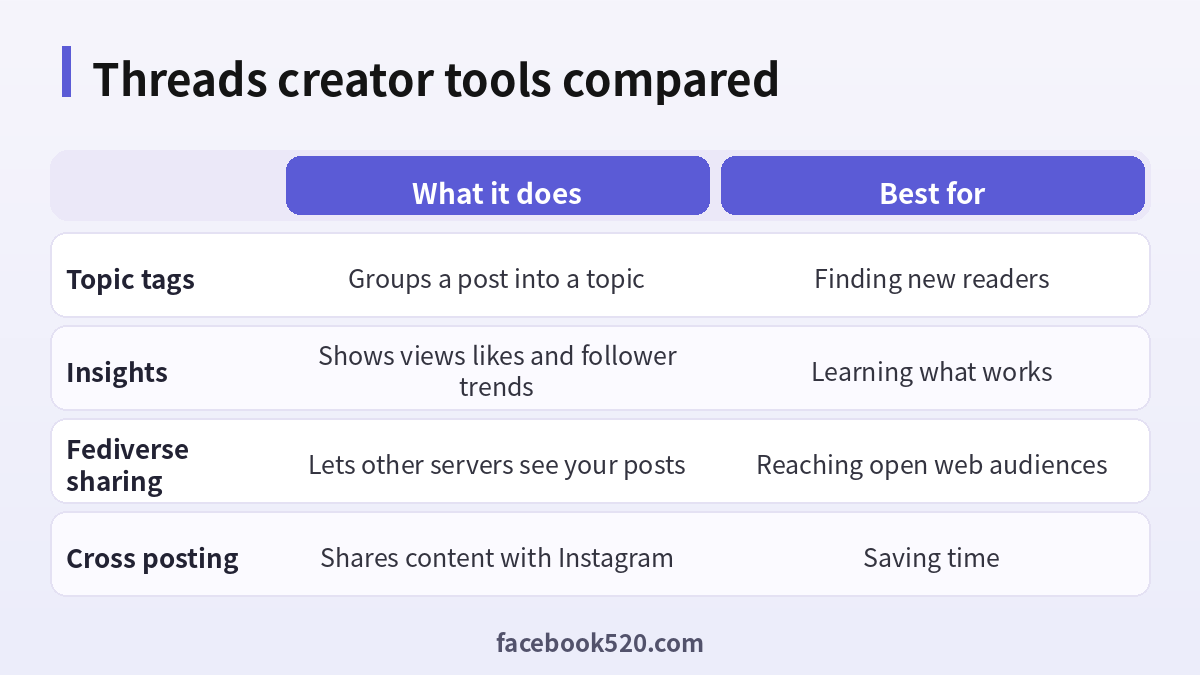
Threads supports topic tags that can be attached to a post. A tag works like a label that groups conversations, so that people who are interested in a subject can find posts about it. Use one relevant tag per post, written in plain words, instead of stuffing several. Pick tags that people would actually search for, and avoid tags that have nothing to do with your content, since that reads as spam and may reduce reach. Over time, notice which tags bring replies from new people and use them more often.
| Tag habit | Result |
|---|---|
| One relevant tag per post | Cleaner and more discoverable |
| Several unrelated tags | Looks like spam |
| Vague tags | Little discovery |
| Consistent niche tags | Builds topic authority |
Read Insights without overreacting
Insights show how many people viewed, liked, replied to or reposted your posts, and how your followers change over time. Do not react to a single post. Look at a week at a time and compare similar types of posts. Ask which posts started conversations, which ones were saved or shared, and which times brought more views. Then repeat the format that performs best, and reduce the ones that do not. If your numbers drop suddenly, check whether you posted less, changed your topic or broke a community rule before assuming that the platform is hiding you.
| Metric | What it suggests |
|---|---|
| Views | Reach of the post |
| Replies | Whether the post sparks conversation |
| Reposts | Whether the post is worth sharing |
| Follower trend | Whether your profile converts visitors |
Sharing to the fediverse
Meta has been testing and rolling out the ability to share Threads posts with the fediverse, the network of independent servers that use open protocols. When this option is available to you, you can choose to let people on supported servers follow and see your posts. It is an opt in feature, and availability and details vary by region and app version. Before you turn it on, consider the trade offs: your posts may travel beyond Threads, replies from other servers can appear, and deleting or editing content may not be reflected everywhere at the same speed. If you post sensitive or personal content, keep the setting off. If your audience includes open web users, it can broaden your reach.
Cross posting with Instagram
Because Threads and Instagram are connected, you can share some content between them. This saves time, but a copy and paste approach rarely works well. A photo that performs on Instagram may need a short caption and a question to start a conversation on Threads. Treat cross posting as a starting point, then adapt the wording. Keep in mind that deleting your Threads profile does not delete your Instagram account according to Meta, although you should read the screen before you confirm any action.
Scheduling and tools: stay inside the rules
Many creators like to schedule posts, and there are official features and approved third party tools that do it. Use only tools that connect through the official login screen, and never give away your password. Avoid bots that follow, like or reply automatically, because aggressive automation may lead to restrictions. Scheduled posts should still look human. Review them before they go live so that you do not publish a cheerful message during a breaking news event.
- Use official scheduling features when available.
- Authorize third party tools only through Meta login screens.
- Never share your password.
- Avoid auto follow and auto reply bots.
- Review scheduled posts on the day they publish.
Avoid bought followers and bought accounts
Marketplaces sell Threads followers, likes and even aged accounts. These offers are tempting but harmful. Fake followers do not read, reply or buy, and they distort your Insights, so you can no longer tell what works. Aged accounts may have been stolen, and the original owner can take them back. Platforms can also restrict accounts that show signs of inauthentic activity. Real growth comes from useful posts, replies and collaboration with other creators in your niche.
| Offer | Problem |
|---|---|
| Bought followers | Fake engagement and risk of restriction |
| Aged accounts | Possibly stolen and recoverable by the owner |
| Engagement pods | Look artificial and distort data |
| Auto follow bots | May break platform rules |
Writing posts that start conversations
Threads is built around replies, so the best posts invite them. A strong post usually does one of four things: it asks a specific question, shares a small lesson learned, takes a clear but respectful position, or offers a useful tip that readers can try today. Open with the most interesting sentence, because most people read only the first line. Keep paragraphs short and avoid hashtags that look like leftovers from other platforms. If you want to share a link, give the reader a reason to click by summarizing the main idea in the post itself, since posts that only contain a link tend to feel like advertising.
After you post, stay available. Reply to early comments, thank people who add value and ask a follow up question. A conversation that goes back and forth several times tells the platform and your readers that the post is worth attention. Be careful with controversial topics. A calm, factual tone protects your reputation and reduces the chance of reports.
| Post type | Example opening | Goal |
|---|---|---|
| Question | What is the one tool you could not work without? | Replies |
| Lesson | I wasted a month on this mistake. | Saves and reposts |
| Opinion | Here is why I disagree with that advice. | Discussion |
| Tip | Try this three minute habit today. | Shares |
Building relationships with other creators
Growth on Threads is social. Follow people in your niche, read what they write and reply with substance rather than a single emoji. A thoughtful reply under a larger account can put your profile in front of many readers, but only if it adds something new. Avoid copying the same comment across many posts, because it looks automated. Over time, build a small circle of creators who support each other by sharing useful posts, answering questions and joining each other’s conversations. Collaboration works best when it is genuine and when both sides benefit.
- Follow ten accounts in your niche.
- Reply with a specific insight to two posts a day.
- Share other creators’ useful posts with a comment.
- Invite a peer to a joint conversation or Q and A.
- Thank people who help you.
Handling criticism and harassment
As your account grows, you will meet negative comments. Decide in advance how you will respond. Constructive criticism deserves a polite reply or a thank you. Trolls deserve no attention. Use the tools that Threads offers: restrict or block accounts, hide replies, set reply permissions and add hidden words to filter offensive terms. Report content that breaks the rules, and keep screenshots if the behavior is serious. Looking after your mental health matters too. If the comments are draining you, take a break, mute notifications for a day or limit the time you spend in the app.
| Situation | Suggested response |
|---|---|
| Honest disagreement | Reply calmly with facts |
| Spam or insults | Hide, restrict or block |
| Harassment | Report and keep evidence |
| Burnout | Take a break and mute notifications |
Account safety for creators
A creator account is a business asset, so protect it. Use a unique password and enable two factor authentication on the Instagram or Meta account that your Threads profile depends on. Review linked devices and apps regularly and remove anything you do not recognize. Be wary of messages from people claiming to offer verification, brand deals or copyright warnings, because phishing messages often copy these themes. Never click links that ask you to log in through a page that does not belong to the official domain. If you lose access, use the official recovery tools and contact support through the app, not through social media strangers who promise to recover it for a fee.
- Enable two factor authentication.
- Use a unique password in a password manager.
- Review linked apps and devices every month.
- Treat brand deal and copyright messages with suspicion.
- Use only official recovery tools.
Monetization: what is realistic
Threads itself does not pay most creators directly, and any program that does may be limited to certain regions or accounts, so check current offers inside the app. For most people, income comes indirectly: clients who find you through your posts, newsletter subscribers, product sales, affiliate links that follow disclosure rules, or sponsorships once you have a loyal audience. Be honest about sponsored content, and follow the advertising rules in your country. Avoid anyone who sells a secret method for earning large sums quickly on Threads, because these promises usually end with you paying for a course or an account that does not deliver.
A thirty day plan for a new creator account
In the first week, focus on setup: finalize the profile, choose your niche and follow thirty relevant accounts. Post once a day and reply to every comment. In the second week, test different post types from the list above and note which ones receive replies. In the third week, add topic tags consistently and look at Insights to find your best posting times. In the fourth week, review everything. Keep the formats that worked, drop the ones that did not and set a goal for the next month, such as a number of replies per post or a number of profile visits. The goal does not need to be large. It needs to be specific, so that you can tell whether you are improving.
| Week | Focus | Output |
|---|---|---|
| Week one | Profile and niche | Ready profile and first posts |
| Week two | Test post types | Notes on what works |
| Week three | Tags and timing | Insights review |
| Week four | Review and plan | Goals for next month |
Content ideas you can reuse
If you run out of ideas, look at the questions that people ask you in comments and direct messages. Each question can become a post. Turn lessons from your work into short stories, share a behind the scenes moment, compare two tools or methods, or summarize a long article in five lines and credit the author. Keep a running note on your phone where you jot down thoughts during the day. At the end of the week, pick the best ones and polish them. This habit gives you a steady supply of material and keeps your voice authentic.
- Collect questions from readers.
- Write down daily observations.
- Turn one lesson into three posts.
- Summarize long content and credit sources.
- Review and polish before posting.
Common mistakes to avoid
Creators often repeat the same errors. They post only links, ignore replies, copy content from other platforms without adapting it, chase every trend even when it does not fit their niche, and judge success by follower counts alone. They also change their bio and topic so often that new readers cannot tell what the account is about. Another frequent mistake is to post in bursts and then disappear for weeks. Avoid these habits and you will already be ahead of most accounts. Stay patient, because trust builds slowly, and a modest but engaged audience is more valuable than a large but silent one.
| Mistake | Better habit |
|---|---|
| Only posting links | Add context in the post |
| Ignoring replies | Respond early |
| Copying other platforms | Adapt the format |
| Chasing every trend | Stay within your niche |
| Posting in bursts | Keep a steady rhythm |
Final thought
Treat your Threads account as a long term project. Show up regularly, help readers with something useful in every post, protect the account with strong security and keep learning from your own data. Small improvements, repeated for months, are what turn a new profile into a trusted voice, and they cost nothing except attention and patience.
Frequently asked questions
Is a Threads creator account different from a normal one?
There is no separate creator signup. You use the same account and its creator tools.
Where do I find Insights?
Open your profile and look for the Insights option. Availability may depend on your version.
How many topic tags should I use?
Use one relevant tag per post.
Is fediverse sharing mandatory?
No. It is opt in and may not be available in every region.
Can I post to Threads and Instagram at once?
Some sharing options exist, but adapt the content for each platform.
Does deleting Threads delete Instagram?
According to Meta, no, but read the confirmation screen carefully.
Can I schedule posts?
Official features and approved tools exist, depending on your region and version.
Is it worth buying followers?
No. They do not engage and may put your account at risk.
How often should I post?
Choose a rhythm you can keep, often one or two posts a day.
Why did my reach drop?
Check your posting rhythm, topics and rule compliance before blaming the platform.
Summary
A strong Threads account starts with a clear profile, a focused niche and a steady rhythm. Use topic tags and Insights to learn, use fediverse sharing and cross posting thoughtfully, schedule only through safe tools and never buy followers or accounts.
