


KakaoTalk Account Guide for Visitors and Expats 2026: Kakao Account vs KakaoTalk ID, Phone and Email Changes, Multiple Devices and PC Login, Backup and Restore, Account Deletion and Why Bought Accounts Are a Bad Idea
If you live in Korea, study there, travel often or do business with Korean partners, KakaoTalk is the messaging app that you will use almost every day. Many people create an account in a hurry at the airport or on their first day at school and then discover that they do not understand how it works: what is the difference between a Kakao Account and a KakaoTalk ID, what happens when the phone number changes, how to log in on a computer, and what to do when the account is locked. This guide explains how the account works and how to manage it, based on public information available in October 2026. Interface names and rules can change, so confirm details inside the app and in the Kakao help center.
Kakao Account versus KakaoTalk ID
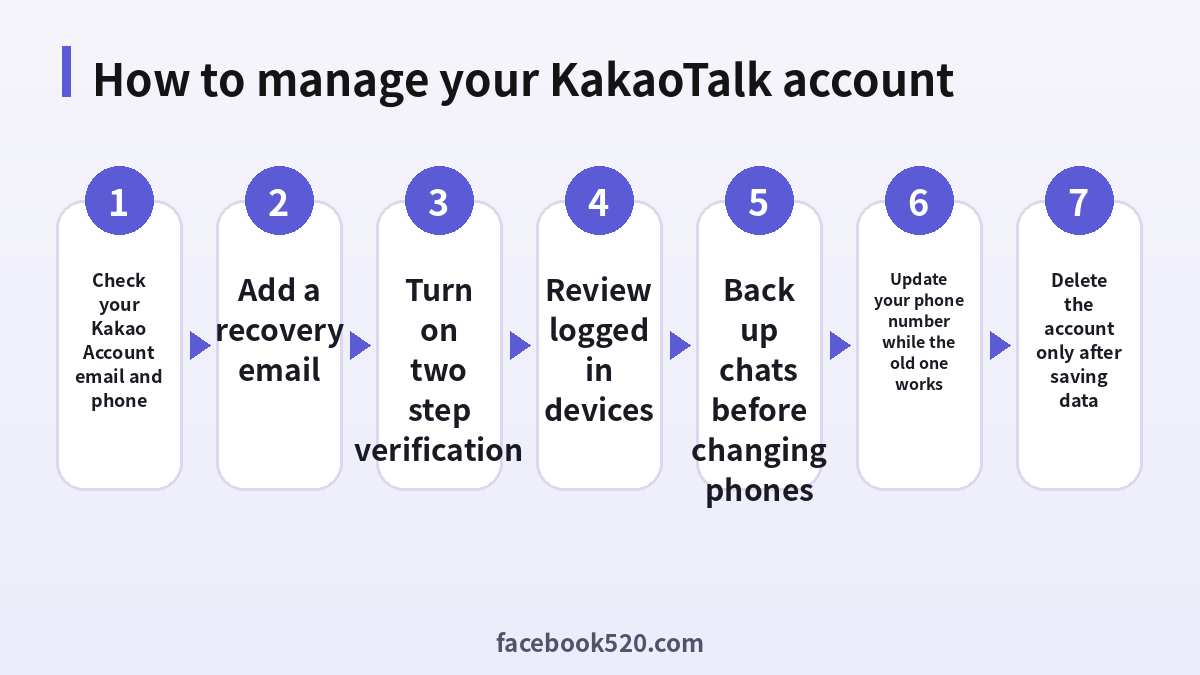
These two terms confuse a lot of people. A Kakao Account is the login for Kakao’s services, and it is based on an email address and a password. KakaoTalk is the messaging service that uses that login, and it is connected with the phone number that you verified when you signed up. A KakaoTalk ID is an optional name that other people can use to search for you, and it is not the same as your login email. You can choose whether others can find you by ID, phone number or email, so check these options in the privacy settings.
| Item | What it is | Used for |
|---|---|---|
| Kakao Account | Email and password login for Kakao services | Signing in and security |
| KakaoTalk ID | Optional search name for friends | Letting others find you |
| Phone number | Verification contact | Sign up and recovery |
| Display name | Name friends see | Everyday chat identity |
What to check right after you sign up
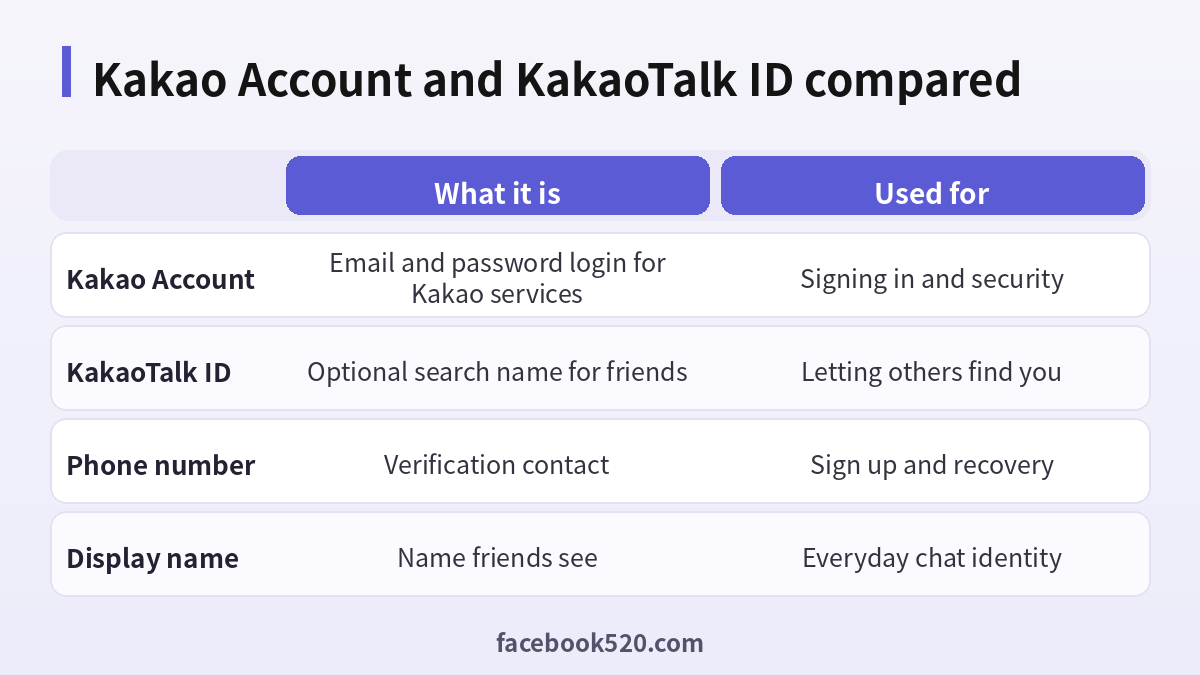
Open the settings and look at the account section. Confirm that the Kakao Account email is one that you can still open next year. Add a recovery email if the app offers it, and turn on two step verification. These steps take only a few minutes and save a lot of trouble if you lose a phone or change a number. Then review the privacy options: who can find you, who can invite you to group chats, and whether your phone contacts are synced. Finally, set a screen lock if the app supports it, so that nobody can read your chats on an unlocked phone.
- Open the settings and find the account section.
- Confirm the email and phone number on the account.
- Add a recovery email.
- Turn on two step verification.
- Review who can find you and invite you.
- Set a screen lock for the app.
Changing your phone number
Visitors and expats often change their numbers, for example when they swap a roaming SIM for a local one. The safest way is to update the number inside the app while the old number can still receive text messages. If the old number is already gone, you may need to verify your identity through the Kakao Account email, which is why a working email matters so much. Do not uninstall the app and sign up again with the new number, because that can create a separate account with no chat history. Also remember that service providers can recycle old numbers, so remove the number from your account before you cancel the line.
| Situation | Best action |
|---|---|
| New SIM, old number still works | Update the number in the app |
| Old number already cancelled | Use the Kakao Account email to recover |
| Leaving Korea | Keep a way to receive codes |
| Lost phone | Log in on a new device and review sessions |
Using KakaoTalk on a computer or tablet
KakaoTalk offers desktop apps and tablet versions. To log in on a computer, you usually enter the Kakao Account email and password, and then confirm the login on your phone. This is a good way to type long messages and share files. Remember to log out on shared computers, and review the list of logged in devices from time to time. If you see a device that you do not recognize, log it out and change your password at once. Sync rules differ between devices, so some chat history may not appear on a new computer, depending on the settings and the time of the messages.
Backing up and restoring chats
Chat history is stored mainly on your device, so a backup is important before you change phones. The app provides backup options, and the available methods depend on your operating system and app version. Before you wipe an old phone, run the backup, confirm it finished, and keep the old phone until the new one has restored the chats. Photos and files may expire on the server after some time, so save important documents and images separately.
- Update KakaoTalk on the old phone.
- Run the chat backup from the settings.
- Check that the backup completed.
- Install the app on the new phone and log in.
- Restore the backup and verify the important chats.
- Only then reset the old phone.
If your account is locked or hacked
Signs of trouble include login alerts that you did not trigger, messages that you did not send, or a sudden logout on all devices. Change the password immediately, log out other sessions, check the email and phone number on the account, and enable two step verification. Then report the issue through the official help center. Warn your contacts so that nobody sends money or codes to someone who is pretending to be you. If the account is restricted, read the notice for the reason, and use the official appeal route rather than opening a new account to get around it.
| Warning sign | What to do |
|---|---|
| Unknown login alert | Change the password and log out other devices |
| Strange messages sent | Warn contacts and contact support |
| Locked account | Follow the recovery steps with your email |
| Request for money from a friend | Confirm by phone before paying |
Deleting your account
You can delete your KakaoTalk account from the settings, but the step is usually permanent. Save chats, photos and files first, and check whether you have unused balances or services tied to the Kakao Account. If you only want a break, uninstalling the app or logging out is safer than deleting. After deletion, friends may see changes, and you may lose access to all history, so read every warning on the screen before you confirm.
Why a bought account is a bad idea
Some online shops sell ready made KakaoTalk accounts, sometimes with friends or old chat history attached. These are risky. The original owner may recover the account later, the seller may keep access, and your chats can be read by someone else. Using an account that does not belong to you can break the terms of service and lead to a ban. The right way is simple: install the official app, verify your own mobile number, create your own Kakao Account and secure it.
| Offer | Risk |
|---|---|
| Ready made account | Original owner can reclaim it |
| Account with friends | Privacy and legal risk |
| Verification code service | Codes can be abused |
| Modified app | Malware and account theft |
Everyday features that depend on a healthy account
A well managed account makes the rest of the app more useful. In Korea, many shops, delivery services, clinics, schools and government offices send notices through official KakaoTalk channels. You can follow a channel to receive parcel updates, appointment reminders and payment notices. Group chats are used for classes, offices, neighborhood activities and clubs, so it helps to know how to mute a noisy group, leave politely, or pin an important message. Voice and video calls work over mobile data or Wi-Fi, which makes them handy for talking to family abroad, although call quality depends on your connection.
Some features, such as sending gifts or paying through Kakao services, may ask you to link a payment method and verify your identity. Treat these requests carefully. Make sure the screen comes from the official app, never pay through a link sent by a stranger, and read the terms before you confirm. If you are a visitor, some payment or identity features may be limited, so check what is available for your situation instead of relying on forum posts that may be out of date.
| Feature | Why it matters | Safety tip |
|---|---|---|
| Official channels | Receive notices from shops and services | Follow only verified channels |
| Group chats | Classes, work and clubs | Mute or leave noisy groups |
| Calls | Free voice and video over data | Use a stable connection |
| Gifts and payments | Convenient in daily life | Pay only inside the official app |
Privacy settings worth reviewing
Take five minutes to review privacy after signing up. Decide whether people can find you by phone number or email. Choose who may add you and who may invite you into group chats, since unwanted invitations are a common way for spam to reach new users. Look at your profile photo, status message and background picture, and remove details that you do not want strangers to see, such as your workplace or home area. If you use the contacts sync, understand that it lets the app match your address book with registered users. You can adjust or turn it off if you prefer to add friends manually.
- Open the privacy section in settings.
- Limit who can find you by phone or email.
- Control who can invite you into group chats.
- Review the profile photo and status message.
- Decide whether to sync your contacts.
- Turn on a screen lock for the app.
Staying safe from scams
Messaging apps attract scammers, and KakaoTalk is no exception. Common patterns include a friend who suddenly asks for urgent money, a stranger who invites you to a group promising guaranteed investment returns, a message that claims you won a prize, and a fake delivery notice with a link. The pattern is always the same: pressure, urgency and a request for money, a code or personal data. Slow down, and verify through another channel, such as a phone call. Never share the verification code that arrives by text message, even with someone who says that they work for the company. A real support agent does not need your code.
If you join an investment or job group and notice that members push you to transfer money, leave the group and report it. Save screenshots and transaction records. If you have already sent money, contact your bank immediately and report the case to the police. Acting quickly can make a difference. Keep in mind that hidden fees, fake apps and fake customer service accounts are often part of the same scheme.
| Scam pattern | Red flag | Response |
|---|---|---|
| Friend asks for money | Urgent tone, new account | Call the friend to confirm |
| Investment group | Guaranteed profits | Leave and report |
| Prize message | Link and personal data request | Ignore and delete |
| Fake delivery notice | Unknown link | Use the carrier’s official app |
| Code request | Someone asks for your SMS code | Never share it |
Travelling and roaming tips
Visitors should plan for the account before they arrive. If you rely on your home number, make sure that it can receive text messages abroad, or use a method that keeps the number reachable. Do not remove your home SIM before verification is complete. After you sign up, add a recovery email so that you can still log in if you change SIMs. If you buy a local SIM during the trip, update the number in the app only when you are sure you will keep that line. When you leave, decide whether to keep the local number active or move the account back to your permanent number, since a number that expires can be recycled and may allow someone else to receive verification texts.
Business use and customer accounts
Companies that deal with Korean customers often use KakaoTalk Channels rather than personal accounts. A channel lets a business publish announcements, answer questions and send notifications, while keeping personal chats separate from customer service. If you represent a small business, create the channel through the official tools, assign roles to team members and avoid sharing a personal login. Keep the team informed about response times, working hours and escalation rules so that customers know what to expect. Do not import customer phone numbers or message people who have not agreed to receive your messages, because marketing and privacy rules apply in Korea and in other countries.
Individuals who do freelance work may also use KakaoTalk with clients. In that case, confirm important agreements by email and keep invoices and contracts in a separate system. Chat messages can be edited or lost, so they should not be your only record. A tidy profile photo, a clear display name and a polite first message go a long way in building trust with Korean partners.
| Use case | Recommended setup |
|---|---|
| Small business | Official channel with assigned roles |
| Freelancer | Personal account plus email for contracts |
| Team support | Shared inbox tools, not shared passwords |
| Marketing | Only message people who agreed |
Troubleshooting login and verification issues
When login fails, work through the basics before you panic. Check that you typed the email correctly, that the keyboard language is right, and that the password is not hidden by an autofill mistake. If you do not receive the code, check the country code, the number format and the signal, then wait a few minutes before requesting another. Repeated requests can trigger temporary limits. If the app says that the number is already registered, it may belong to an existing account of yours, so try to log in instead of creating a new one.
- Verify the email, number and country code.
- Check signal strength and data connection.
- Wait several minutes between code requests.
- Update the app and restart the phone.
- Try the password reset with your email.
- Contact the help center with screenshots if it still fails.
A quick quarterly review
Every three months, check that your phone number and email still work, review logged in devices, update the app, and run a chat backup. Delete groups you no longer need and remove old files to free storage. Reading the latest notices from Kakao also helps you notice changes to terms or features before they affect you. This small routine keeps your account tidy, safe and ready for whatever you need it for next, whether that is a class group, a business call or a message home.
Frequently asked questions
Is a KakaoTalk account free?
Yes, signing up and basic chat are free.
Do I need a Korean phone number?
Numbers from many countries are supported. Choose your own country code in the app.
Can I use a virtual number?
It is usually not accepted, and it makes recovery harder.
What is the difference between Kakao Account and KakaoTalk ID?
The Kakao Account is your login, and the ID is an optional search name.
Can I log in on a computer?
Yes. Use the desktop app and confirm on your phone.
How do I change my phone number?
Update it in the app while the old number still works.
Can I recover chats after changing phones?
Only if you backed them up and the restore method supports it.
What if I forget my password?
Use the password reset with your Kakao Account email.
Can I own two accounts?
Rules are set by Kakao. Follow the official terms.
Is it safe to buy an account?
No. It can be taken back and puts your privacy at risk.
Summary
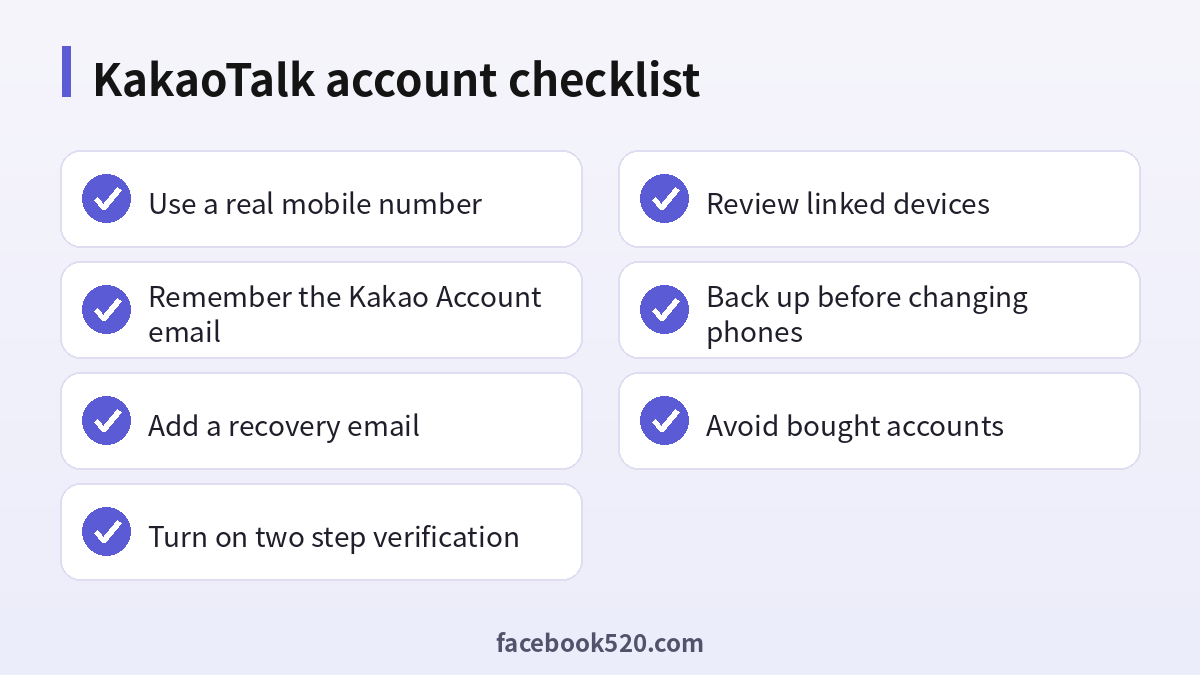
Treat your KakaoTalk account like any important login. Understand the difference between the Kakao Account and the ID, keep your phone and email current, turn on two step verification, back up before moving phones, and never rely on bought accounts.

