


Telegram Premium Subscription 2026: What It Includes, Ways to Pay, Gifting, Cancelling and Whether Telegram Costs Money
Telegram is free to download and use, and that surprises people who assume a messaging service with so many features must charge something. At the same time, a paid tier called Telegram Premium exists, which is why searches such as telegram premium subscription, does telegram cost money and how to cancel telegram premium are common. This guide explains what is free, what Premium adds, the official ways to pay, how gifting works, how to cancel and what to do when a payment fails. Prices are not quoted because they vary by country, currency and store and change over time; trust only the figure shown inside your own app at the moment you subscribe.
Does Telegram cost money
No. Creating an account, sending messages, making calls, joining groups and channels, sharing files and using bots are all free. Telegram has said for years that basic features will stay free. Premium is an optional subscription for people who want higher limits and a few extras. Nothing in the base app stops working if you do not subscribe. That is worth remembering when you see messages claiming that you must pay to keep your account, because those are typically phishing attempts. Details about the app are collected on the page for Telegram.
What Premium adds
Premium raises several limits and adds features. You can upload larger files, download files faster, follow more channels, create more chat folders, pin more chats and use more reactions. It includes voice to text for voice messages, a Premium badge next to your name, extra stickers and emoji, profile and chat customization options, and a reduction of ads in some channels. The list changes as the app develops, so read the Premium screen in your app for the current features rather than relying on an old article.
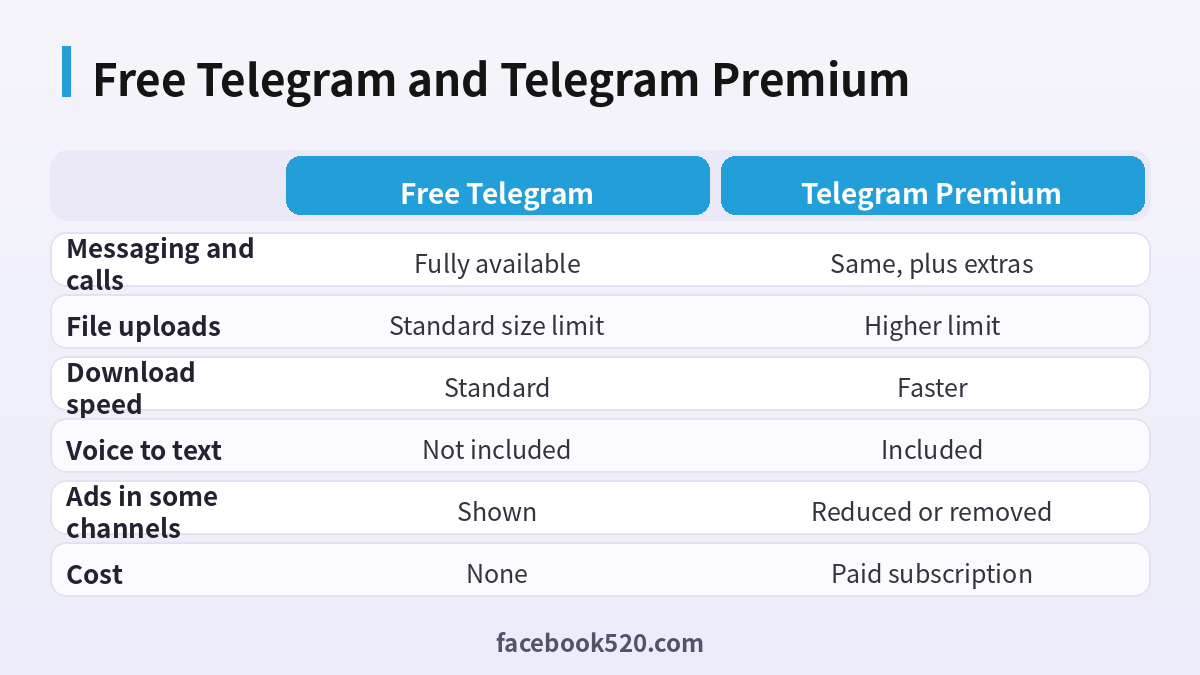
Free Telegram compared with Premium
| Area | Free Telegram | Telegram Premium |
|---|---|---|
| Messaging and calls | Fully available | Same, plus extras |
| File uploads | Standard size limit | Higher limit |
| Download speed | Standard | Faster |
| Voice to text | Not included | Included |
| Ads in some channels | Shown | Reduced or removed |
| Cost | None | Paid subscription |
Who actually needs Premium
Premium suits people who move big files, run many chats or communities, or enjoy customization. A designer sending large project files, a student who follows many channels or a community manager juggling dozens of folders may find the limits worth removing. Someone who only chats with friends and family will probably be fine on the free tier. A sensible approach is to look at which limit you actually hit, then decide whether paying removes that frustration. If you have not hit a limit, you do not need it.
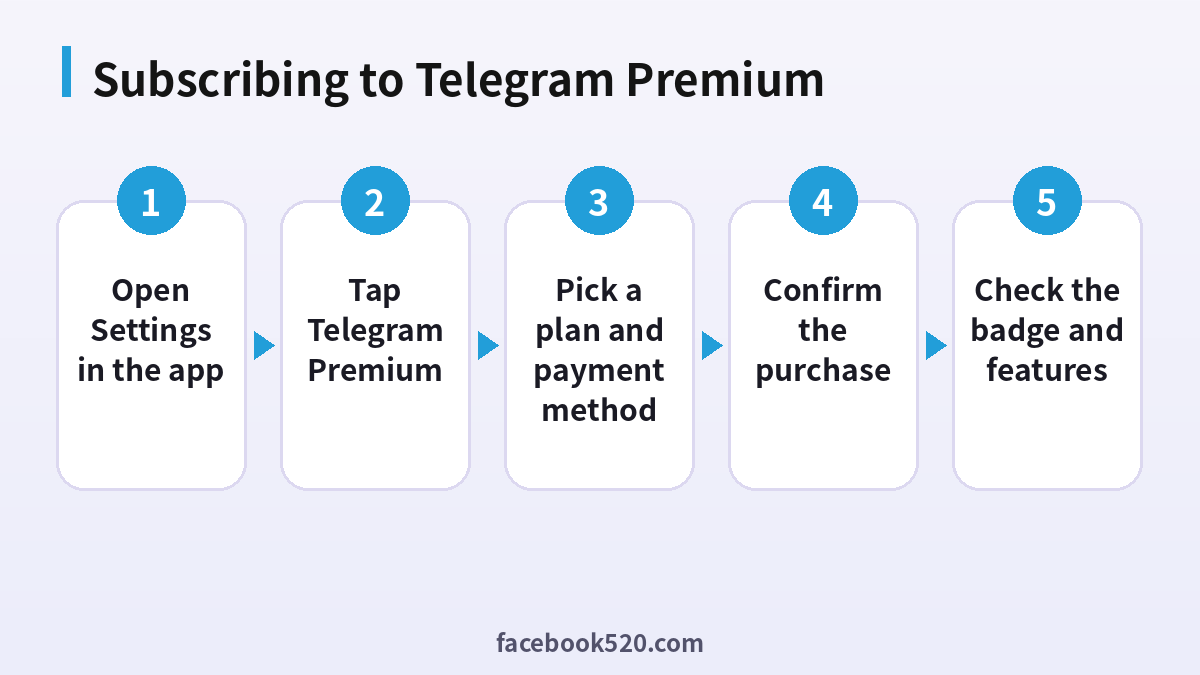
Step by step: subscribe to Telegram Premium
- Open Settings in the app. Tap the menu or the settings tab depending on your device.
- Tap Telegram Premium. The screen lists the features and the subscription options.
- Pick a plan and payment method. Choose a monthly or longer period shown in your app and select the payment route offered.
- Confirm the purchase. Authenticate with your store account or the bot checkout.
- Check the badge and features. A badge appears next to your name and the extra limits become available.
Where you can pay
There are two official routes. The first is through the app store of your device, where the purchase is billed to your store account and managed in its subscription settings. The second is through an official Telegram bot for Premium, which accepts other payment methods in some regions. The options vary, so look at what your own Premium screen offers. Avoid paying anywhere that is not shown inside the app or announced by Telegram itself. Marketplaces and chat groups that sell Premium logins or codes are not official and carry risk.
Paying by app store versus the official bot
| Point | App store | Official bot |
|---|---|---|
| Billing relationship | With Apple or Google | With Telegram through the bot |
| Payment methods | Whatever your store supports | Methods offered in the bot for your region |
| Where to cancel | Store subscription settings | Subscription controls in Telegram |
| Refund handling | Store policy | Telegram support and the payment provider |
| Good for | Simple, familiar billing | People without a usable store payment method |
Gifting Telegram Premium
You can give Premium to a contact. In the gift option you pick a recipient and a duration, pay through the same kind of checkout and the recipient gets a notification that unlocks Premium on their account. Gifts are tied to the account of the person receiving them, so you never need their password. If a stranger offers to sell you gift links at a discount, treat it as a scam. The safest way is to use the gift button in a chat with the person and pay only in the official flow.
How to cancel Telegram Premium
Cancelling depends on how you paid. If you subscribed through the app store, open the subscription settings in your Apple or Google account, find Telegram and cancel there. Deleting the app does not cancel anything. If you paid through the bot or another Telegram route, open the Premium or subscription section in Telegram’s settings and look for the control to stop renewal. After cancelling, Premium usually remains active until the end of the paid period. Take a screenshot of the confirmation and note the end date.
What happens after Premium ends
When the period ends, your account returns to the free limits. Your messages and chats stay, and files you have already uploaded do not vanish. You lose access to the extras: larger uploads, voice to text and the badge. If you had more folders or pinned chats than the free limit allows, the extra ones may be locked until you reduce them or resubscribe. Plan before the date if you rely on the higher limits for a project.
Payment problems and fixes
| Problem | Likely cause | What to try |
|---|---|---|
| Premium option does not appear | Old app version | Update the app |
| Payment declined | Card or store payment issue | Check the payment method in your store account |
| Charged but no Premium | Delay or wrong account | Restart the app and check you are logged into the same account |
| Cannot find the cancel button | Paid via the other route | Check both the store and Telegram settings |
| Double charge | Two purchase routes used | Cancel one and contact the relevant support |
Different countries and prices
The same plan can display different amounts depending on your country, store and currency, and local taxes may be included or added. Some regions have limited payment methods in the store. If a price looks very different from what a friend in another country reports, that is normal. Do not try to bypass regional settings using unofficial tools, because stores and payment providers can block the purchase or the account. Check the amount on the confirmation screen before you tap pay.
Safety around Premium offers
Scammers use the name Premium to steal accounts. A common trick is a message claiming you won a free year and asking you to log in on a lookalike web page or to share a login code. Telegram will never ask you for your login code. Another trick is a bot that promises cheap Premium and then asks you to send money to a personal account. Stay inside the official Premium screen and the official bot linked from it. Turn on two step verification so that a stolen code alone does not give access.
Premium and business or community use
If you run a channel or group, Premium for yourself can ease admin tasks, but it does not change what members see. Features such as paid reactions or other creator tools are separate topics with their own conditions. For community managers the main benefits are folder limits, pinned chats and file sizes. Do not ask members to pay you for Premium status because it is bought from the platform, not from admins. More background appears at Telegram.
How to decide in five minutes
Open the Premium screen and read each feature. For every one, ask whether you have actually been blocked by the matching limit in the last month. Voice to text helps if you receive many long voice messages. A larger upload limit helps if you send videos or archives. Faster downloads help if you pull large files often. More folders and pins help if you manage many conversations. If you answer yes to none of these, skip Premium. If you answer yes to one or two, start with a short plan and measure whether your habits really change.
Using the extra features well
If you subscribe, spend a few minutes configuring things. Reorganize your chats into folders by topic, so that work, family and communities are separated. Try voice to text on your next long voice note and see whether it is accurate enough in your language. Explore the profile customization options, but keep your public profile professional if you use the account for work. Review the reactions and sticker sets you have access to, and turn off anything that distracts you. Little tweaks like these are how a subscription becomes useful rather than decorative.
Premium on several devices
Your subscription belongs to your Telegram account, not to one phone. Sign in on a tablet or computer with the same account and the features are available there too. If you bought through an app store, the billing still sits with that store account on the original device, so remember where you subscribed. If you change phones, restore the app, log in with your number and the Premium status should appear. If it does not, check that you are logged into the correct account and that the subscription is active in the store or bot.
Refunds and disputes
Refund rules depend on where you paid. App store purchases follow the store’s refund process, which you request through the store, not through Telegram. For purchases through the bot, contact Telegram support and the payment provider with your receipt. Refunds are never guaranteed, so avoid buying more than you need. If an unauthorized charge appears on your card, contact your bank promptly and change your Telegram two step verification password.
Premium alternatives and free options
Before paying, see whether free options solve your problem. For large files, you can share a link from cloud storage. For transcription, many phones offer built-in voice transcription. For organization, the free folder limit may be enough if you archive old chats. Premium is a convenience, not a requirement. Choosing it because you like the extras is fine; choosing it out of fear of losing your account is not necessary, since your free account is unaffected.
Choosing a plan length
Short plans are flexible and let you test whether the extras help. Longer plans may be priced lower per month, but they commit you for the whole period and may be harder to leave early. If you are unsure, start with the shortest plan, use it for a month and look at which features you used. Set a reminder a few days before renewal to decide again. This avoids paying for months you do not need.
Keeping your account secure while subscribed
Premium does not change the basic security setup, so review it. Enable two step verification with a password you will remember. Check the list of active sessions and end the ones you do not recognize. Hide your phone number from people who do not need it. Do not share login codes. If you pay through a store, protect that store account too, since anyone with access could buy or cancel on your behalf.
Three short examples
A photographer. Elena sends large raw files to clients and keeps hitting upload limits. She subscribes for a month during a big project and cancels when it ends.
A student. Haruto follows many study channels and gets annoyed by ads. He tries Premium for a short period and decides the free tier is enough, so he cancels before renewal.
A gift for a parent. Lucia sends a Premium gift to her mother using the gift button in their chat, without asking for any password or code.
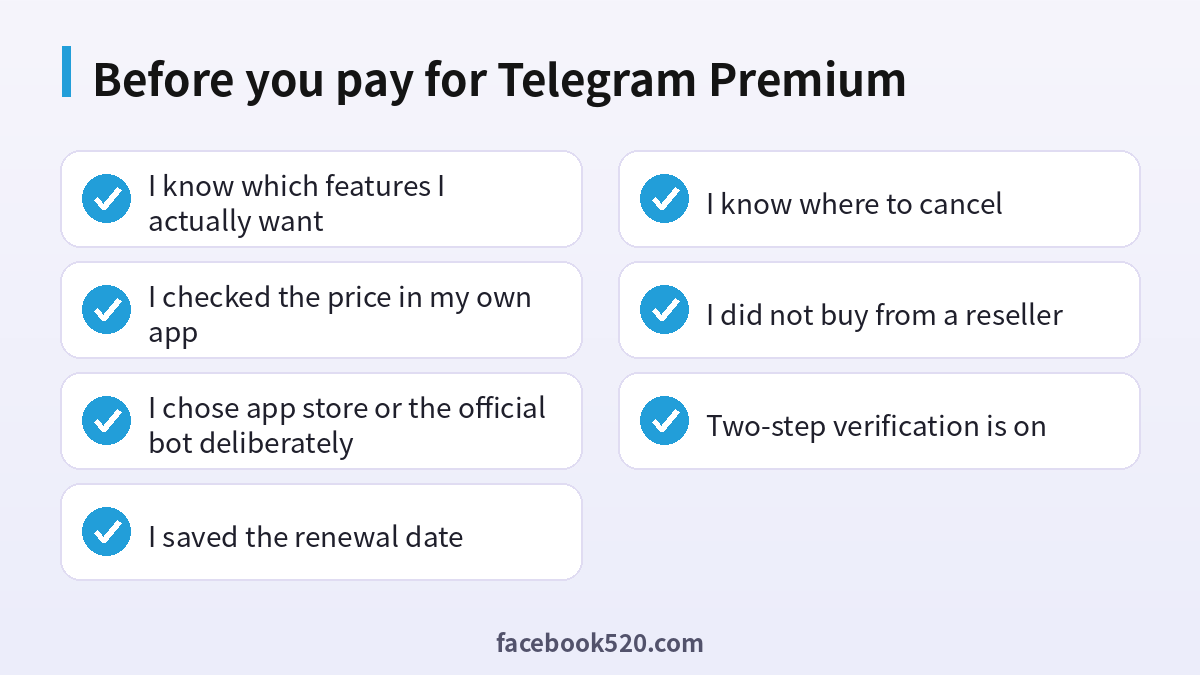
Before you pay for Telegram Premium
- I know which features I actually want
- I checked the price in my own app
- I chose app store or the official bot deliberately
- I saved the renewal date
- I know where to cancel
- I did not buy from a reseller
- Two-step verification is on
Questions people ask
Do you have to pay for Telegram?
No. Telegram is free for messaging, calls, groups and channels. Premium is an optional paid tier.
What does Telegram Premium include?
Higher limits, faster downloads, voice to text, a badge, extra reactions and stickers, customization and reduced ads in some channels. The list may change.
How do I upgrade Telegram to Premium?
Open Settings, tap Telegram Premium, choose a plan and pay through the options your app shows.
How do I cancel Telegram Premium?
If you paid through an app store, cancel in your store subscription settings. If you paid through Telegram’s bot, use the subscription controls in the app.
Will I lose my chats if I cancel?
No. Your messages and files remain. You lose the extra limits and features after the paid period ends, and anything above the free limits, such as extra folders or pinned chats, may be locked until you reduce it or subscribe again.
Can I gift Telegram Premium?
Yes. Use the gift option in a chat, choose a duration and pay in the official checkout. The recipient does not need to share a password, and the gift is attached to their own account once they accept it, so you never need any access to it.
Why is the price different in another country?
Prices depend on country, store, currency and taxes. Use the amount shown in your own app, and do not trust screenshots from friends in other countries as a guide to what you will pay.
Is it safe to buy Premium from a seller on a marketplace?
No. Only buy inside the app or through the official bot, because third party sellers can leave you without Premium or compromise your account.
Why was I charged but did not get Premium?
There may be a delay, or you may be logged into a different account. Restart the app, confirm that the subscription shows as active in the store or bot, then contact support with your receipt, the date and time of the purchase and the phone number of the account that should have received Premium.
Do I need Premium to use bots or channels?
No. Bots, channels and groups are free to use without Premium. Some bots offer their own paid features, but those are separate from the platform subscription and are billed by the bot owner.
Does deleting the app cancel the subscription?
No. You must cancel through the store or the Telegram subscription settings.
Can I try Premium for a short time?
Yes. Choose the shortest plan available to you and cancel before renewal if you do not need it. Put the renewal date in your calendar on the day you subscribe so that the decision is made deliberately and not by default.

