


Telegram Account 2026: How to Create, Secure, Upgrade and Manage Your Telegram Account, Phone Number Rules, Premium and Why Buying Accounts Is Risky
A Telegram account is tied to a phone number, which makes it different from many other services that start with an email address. That simple design explains most of what people ask about Telegram accounts: how to create one, whether a username can replace a number, how to keep the account safe, what happens if you lose your SIM card, how paid features such as Premium work and why buying someone else’s account is a bad idea. This hub article collects the essentials. Features and prices change, so confirm details inside the app and on Telegram’s official pages. For a step-by-step sign-up walkthrough, see our guide (https://www.facebook520.com/article/8160.html), and for a Chinese-language explainer of the risks of purchased accounts, see (https://www.facebook520.com/article/8140.html).
What a Telegram account is
Your Telegram account is the combination of your phone number, your profile, your chats and your settings. Cloud chats are stored on Telegram’s servers so that you can read them from several devices at once, while secret chats are device specific and end-to-end encrypted. You can sign in on a phone, a tablet and a computer at the same time, and the list of connected devices is visible in the settings. Groups, channels and bots are all built on top of the account, so losing control of it can also mean losing communities you administer.
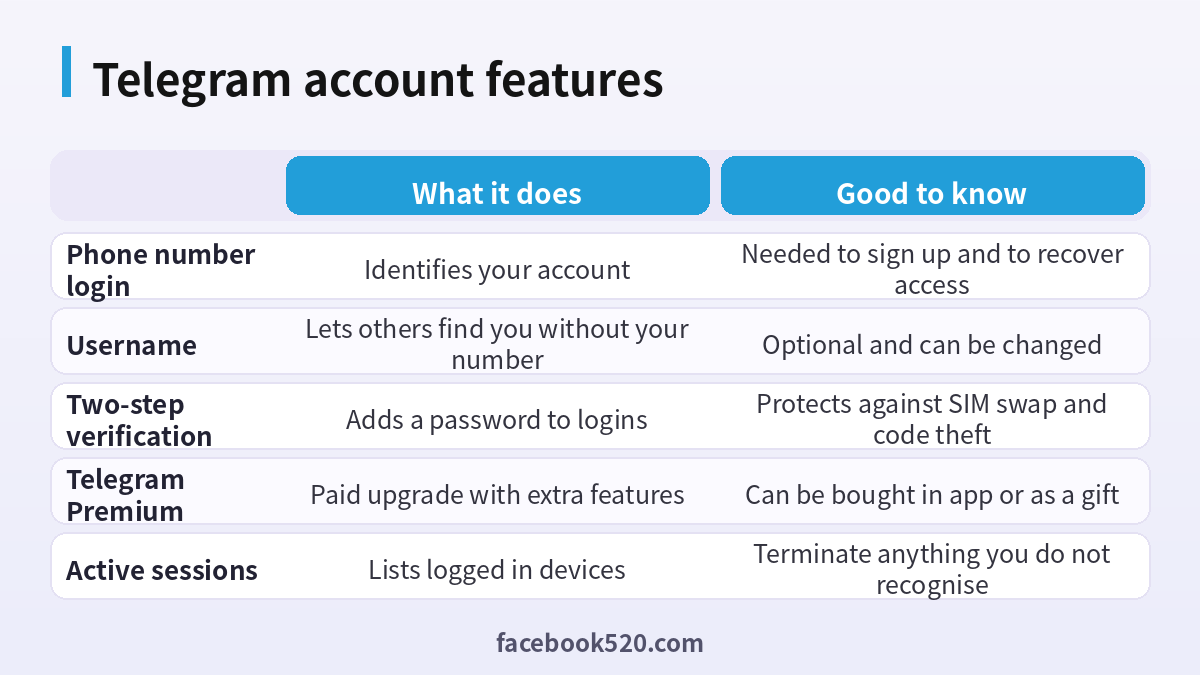
Because the phone number is the key, the safest account is one that uses a number you control for the long term. A prepaid number that may be recycled by your carrier can end up in the hands of a stranger, who could then request a login code for your account. This is one of the main reasons for enabling two-step verification, which is covered below.
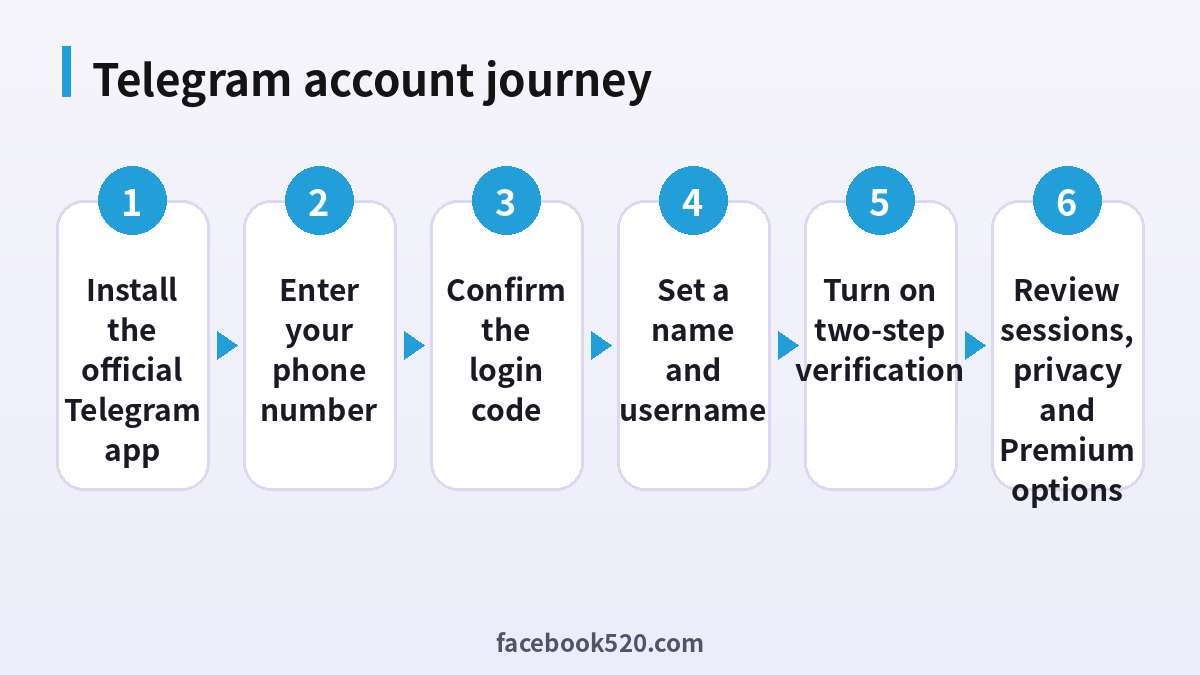
How to create a Telegram account
The sign-up flow is quick. Always download the app from the official store or the official website, because modified clients exist and some contain malware.
- Install the official Telegram app on your phone, or open the official desktop or web client.
- Tap start messaging and enter your phone number with the correct country code.
- Wait for the login code, which arrives in an existing Telegram session or by text message, and enter it.
- Add your first name, optionally a last name, and a profile photo.
- Allow or deny contact access depending on whether you want friends to find you automatically.
- Open the settings, choose a username if you want one and review your privacy options.
- Enable two-step verification before you start using the account seriously.
If the code does not arrive, check that the number is entered correctly, that your signal is stable and that the number can receive messages. Wait a few minutes before asking for another code, because repeated requests can cause a temporary delay.
Username versus phone number
A username lets people find and message you without learning your phone number. Set one in the profile settings, then restrict who can see your number under privacy. Many people use a public username for groups and business contacts while keeping the number private. Usernames are unique, so your first choice may be taken, and some short names are traded on marketplaces. Be careful about paying for a username outside official channels, since scams are common in that area.
| Setting | Recommended choice | Reason |
|---|---|---|
| Phone number visibility | Nobody or my contacts | Reduces unwanted contact and doxxing |
| Username | Set one | Lets others reach you without your number |
| Who can add me to groups | My contacts | Avoids spam invitations |
| Last seen | Contacts only or nobody | Improves privacy |
| Profile photo | Contacts or everyone, as you prefer | Balance between privacy and recognition |
Security: two-step verification and sessions
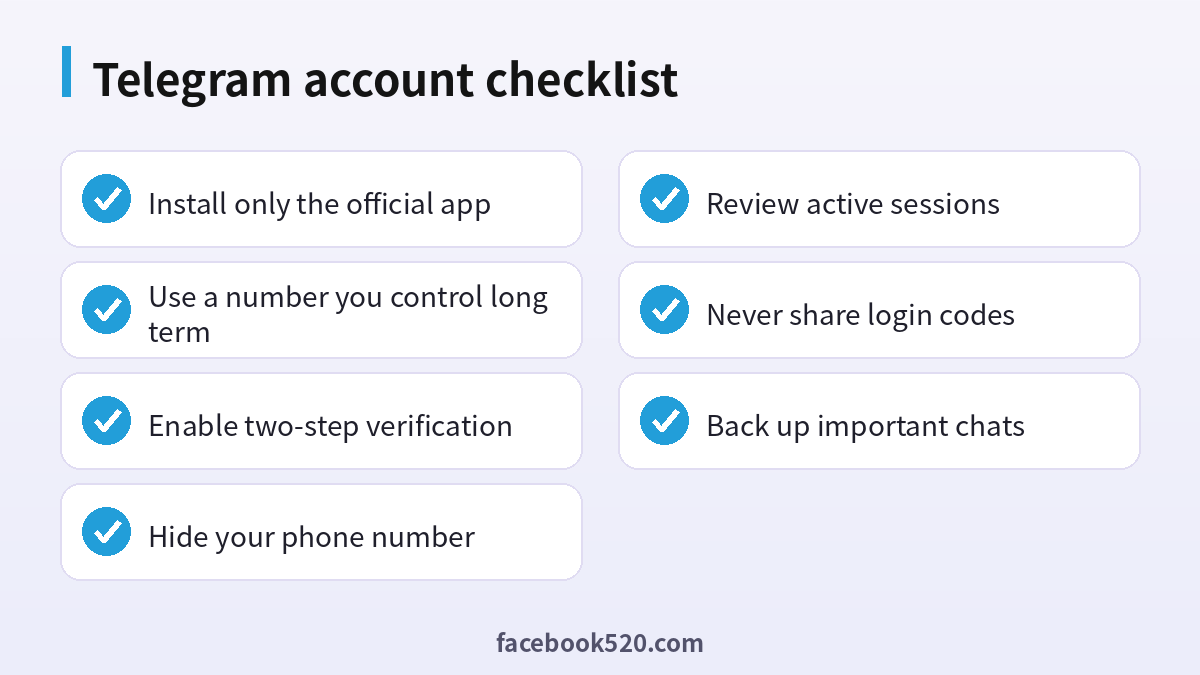
Two-step verification adds a password that Telegram requests in addition to the login code. Turn it on in the privacy and security settings, choose a strong password that you do not use elsewhere and add a recovery email that you can access. If someone obtains a login code, for instance through a phishing page or a SIM swap, they still cannot enter without this password. Do not store the recovery email on a service that depends on the same phone number.
Open the active sessions list regularly. It shows each device, location and last activity. Terminate any session that you do not recognise, and consider terminating all other sessions after a suspicious event. Also set a local passcode on your phone for the app, which prevents someone with physical access from reading chats.
Never share login codes, not even with a person who claims to be from support. Telegram will not ask for your code. A very common scam is a message from a hacked friend asking you to “vote” or “verify” using a link; the link leads to a page that steals your login. Check links carefully, and when in doubt confirm with the friend by another channel.
Telegram Premium, Stars and payments
Telegram Premium is an optional subscription that adds features such as larger upload limits, faster downloads, extra reactions, voice-to-text and other perks. It can be bought inside the app through your device’s store, and in some regions through other official methods. Gift subscriptions let you give Premium to a contact. Telegram Stars are a virtual currency used for digital goods, tipping creators and paying for features offered by bots and mini apps. Prices vary by region and platform, and app store purchases can cost more because of platform fees.
Pay only through the official app or the official purchase pages. If a stranger offers cheap Premium, bulk Stars or a “gift link” outside the app, assume it is risky: the payment could be reversed, the gift could be a phishing page or the seller might ask for your login code. To cancel an app store subscription, use that store’s subscription management page.
| Item | Where to buy | Safety tip |
|---|---|---|
| Premium subscription | Inside the app or the official site | Check the price and the renewal date |
| Gift Premium | Official gift option | Use the official flow only |
| Stars | In app purchase | Spend on services you trust |
| Ad platform balance | Official ad tools | Keep invoices for accounting |
| Usernames and numbers | Official auction pages | Beware of private resales |
Managing channels, groups and bots
If you run a channel or group, make sure that more than one trusted administrator exists, so a lost account does not mean a lost community. Limit admin rights to what each person needs. Be careful with bots that request broad permissions, and remove those you do not use. Turn on two-step verification for each admin account, and consider keeping a backup of important content such as pinned posts and member rules.
Recovering a lost or hacked account
If you lose access because you changed your SIM card or lost your phone, first try to sign in on another device. Request a login code, which may arrive in an existing session or by text. If you have two-step verification and forgot the password, use the recovery email option. If you do not have either, you may need to wait a period of time for a reset, during which the owner of any other active session can deny the request. Contact official support only through the in-app help or the official support page. Never trust a stranger who offers to “recover” a Telegram account for payment.
If your account was hacked, change the two-step password, terminate all other sessions, warn your contacts and review the groups and channels you administer for unauthorised changes.
Automatic deletion and inactivity
Telegram lets you set an account to self-destruct after a period of inactivity, which is six months by default and can be changed in the privacy settings. If you rarely open the app but want to keep the account, consider extending the period and opening the app occasionally. If you want to leave, use the official deactivation page and remember that deletion removes your data and cannot be undone.
Why buying a Telegram account is a bad idea
Marketplaces list Telegram accounts by country, by age and by number of groups. Buyers believe they get a ready-to-use identity. In reality, the seller often still controls the phone number, which is the master key. They can request a login code at any time, and if you did not enable two-step verification yourself, they can sign back in and take it back. Accounts created in bulk are frequently flagged for spam, and Telegram may limit or ban them. Using an account that belongs to another person also violates the terms and can expose you to legal problems if it was used for fraud before you got it. Your own messages could be read by the seller if they keep a session open. The savings are tiny compared with these risks, and creating your own account takes about two minutes.
Privacy settings worth reviewing once a year
Privacy on Telegram is customised rather than fixed, so review the settings occasionally. Check who can see your phone number, last seen time, profile photos, forwarded messages and bio. Decide who can call you and who can add you to groups. If you receive many spam invitations, restrict group invitations to contacts only. For channels and groups you manage, check the member list permissions and the join request settings. Consider using the option that archives and mutes chats from unknown people, which keeps your main list cleaner and reduces exposure to scams.
| Area | Question to ask | Safer choice |
|---|---|---|
| Phone number | Who can find me by my number | My contacts or nobody |
| Calls | Who can call me | Contacts only |
| Groups | Who can invite me | Contacts only |
| Forwarded messages | Can others link back to me | Hide the link if privacy matters |
| Bio and photo | Who can see them | Contacts, if you are not a public figure |
Telegram for business and creators
Many small businesses use Telegram channels and bots to share updates, take orders and offer customer support. If you do this, create the account with a business email and a dedicated phone number rather than a personal one, so that changes of staff do not cut you off. Document who has admin rights, keep records of invoices for any paid services and put your policy about privacy and refunds in a pinned message. For advertising, use the official tools and keep billing under the company name. Do not buy followers or members. Fake audiences hurt your reach, can violate the rules and rarely lead to real sales.
Common scams to recognise
Scammers favour Telegram because it is easy to reach strangers. Typical schemes include fake investment groups that promise guaranteed returns, impersonators of support staff who ask for codes, fake airdrop or giveaway links, job offers that ask you to pay a deposit, and romance scams that move to crypto. Defend yourself with simple rules: never share login codes, never send money to someone you have not met in a verified way, do not click links from unknown senders and be sceptical of anything that promises easy profit. Report suspicious accounts using the in-app report tool.
Backing up and moving to a new phone
Before changing devices, make sure that you can receive the login code on the new phone, that you remember your two-step password and that you can access your recovery email. Install the official app on the new device, sign in and check that your chats appear, since cloud chats sync automatically. Secret chats do not move between devices, so export anything you need to keep. If you want a local copy of your data, use the export option in the desktop app, which can save messages, photos and files. After the move, review the active sessions and terminate the old device if you are no longer using it.
Using Telegram in a company or school
If your organisation uses Telegram groups, agree on rules early. Decide who creates groups, who has admin rights, how members are added and removed, and what information may be shared. Remember that messages in cloud chats are accessible to anyone with access to the account, so a departing employee should hand over group ownership before leaving. For sensitive subjects, consider an approved platform that offers logging and compliance features instead of public messengers.
Notifications and focus
Telegram can become noisy, especially if you belong to many groups. Mute large groups, use folders to separate work from personal chats and schedule quiet hours. Reducing notifications also lowers the chance that you will tap a malicious link in a rush. Take a few minutes each month to leave groups that you no longer read and to delete old bots that you no longer use.
Checking whether a Telegram message is genuine
A few quick checks help you spot fakes. Look at the username and compare it carefully with the real one, since scammers swap similar characters. Verified badges and official channels are listed on the organisation’s own website, so confirm there. Be careful with messages that create urgency, such as account suspension warnings or claims that you have won a prize. If a contact suddenly asks for money or a code, call them or use another app to confirm. Legitimate companies do not ask for passwords or login codes in chat.
Final tip for new users
Spend ten minutes after sign-up on security and privacy, because that small investment prevents most of the problems described above.
Frequently asked questions
How do I create a Telegram account?
Install the official app, enter your phone number, confirm the code and set up your profile.
Do I need a phone number?
Yes. Telegram uses it for sign-up and recovery, though a username can hide it from other users.
Can I use Telegram on several devices?
Yes. You can sign in on multiple devices and manage them in the active sessions list.
What is two-step verification?
An extra password that Telegram requests in addition to the login code.
What if I lose my SIM card?
Try signing in on another device, use the recovery email if set, or follow the official waiting period process.
Is Telegram Premium worth it?
It depends on whether you need larger uploads, faster downloads and other perks. Compare the features with your needs.
How do I pay for Premium?
Through the official app purchase flow, which uses your device’s store.
Is it safe to buy a Telegram account?
No. The seller may keep access through the phone number, and accounts can be banned.
How do I hide my phone number?
Open privacy settings, choose who can see your number and set a username.
How do I delete my account?
Use the official deactivation page or the self-destruct setting for inactivity.
Why was my login code not delivered?
Check the number and signal, wait a few minutes and avoid repeated requests.
Can I recover deleted messages?
Not from your side after deletion, so back up important chats first.
Conclusion
A Telegram account is easy to create, and it is worth protecting because the phone number is the key. Use the official app, set a username, turn on two-step verification, review your sessions and handle payments only inside official flows. Avoid purchased accounts and anyone who asks for a login code.
