


Sora 2 Sign Up in 2026: What Happened to the Sora App, Why You Can No Longer Create a New Account, How to Handle Old Credits and Data, and Which Video Tools to Use Instead
If you typed “Sora 2 sign up” into a search engine in late 2026, you are probably looking for a way to create an account for OpenAI’s video generator. Here is the short answer: you cannot sign up for a new Sora account any more. OpenAI announced that the Sora web app and mobile app were discontinued on April 26, 2026, and that the Sora API would follow on September 24, 2026. This article explains what that means in practice, why you should ignore anyone selling Sora invitations or “ready-made” accounts, how to deal with old credits, subscriptions and videos, and which active tools can take over the same jobs. The details below follow the OpenAI Help Center article about the Sora discontinuation as it stood in October 2026. Company policies can change, so always confirm on the official page before you act.
What happened to Sora
Sora 2 launched in late 2025 as a standalone app and web experience that could generate short videos with synchronized audio from a text prompt or a reference image. It quickly became popular, with a social feed, “cameo” features and a lot of invite code trading. In 2026, OpenAI decided to wind the product down. According to the help center notice, the consumer apps and website stopped working on April 26, 2026, and the developer API was retired on September 24, 2026. After those dates, new videos cannot be generated, and new accounts cannot be created.
That makes the search term “sora 2 sign up” a dead end for new users. It also explains why you now see so many suspicious pages that claim to offer “Sora access”, “Sora invite codes”, or “unlimited Sora credits”. They are either outdated pages that nobody removed, or deliberate attempts to collect payments or personal data.
The timeline in one table
| Date | Event | What it means for you |
|---|---|---|
| Late 2025 | Sora 2 app and web launch | Access was limited and often invite based |
| Early 2026 | Wider availability and paid tiers | Plans were sold through ChatGPT and in app purchases |
| April 26, 2026 | Web and app discontinued | No new generations, no new sign ups |
| September 24, 2026 | API discontinued | Developers had to move to other models |
| Now | Only help center pages and data export steps remain | Use the notice to manage old data and billing |
If your memory of the dates differs, trust the official help center page, not forum posts, because the notice also describes how long you can still download your content.
Why you should not buy a Sora account or invite code
During the invitation period, sellers offered codes and accounts for money. Today, any listing that claims to give you working Sora access is either false or sells an account that cannot generate anything. There are four practical risks.
First, there is nothing left to buy. The service is gone, so you would be paying for a login that leads to a closing notice. Second, sellers often ask for payment through channels that cannot be reversed. Third, they may ask you to log in through a link they provide, which is a classic phishing method that steals your OpenAI credentials, and those credentials also protect your ChatGPT subscription and API billing. Fourth, if the account was obtained by someone else’s stolen login, you are holding a compromised asset.
If a page promises free credits or a “Sora crack”, the risk is even higher because the file or link may install malware. For the Chinese readers on this site, we explain the same issue in our guides about Sora recharge status (https://www.facebook520.com/ai-tools-guide/ai-chat-search/9741.html) and Sora account purchases (https://www.facebook520.com/ai-tools-guide/ai-chat-search/9791.html).
What to do with your old Sora data
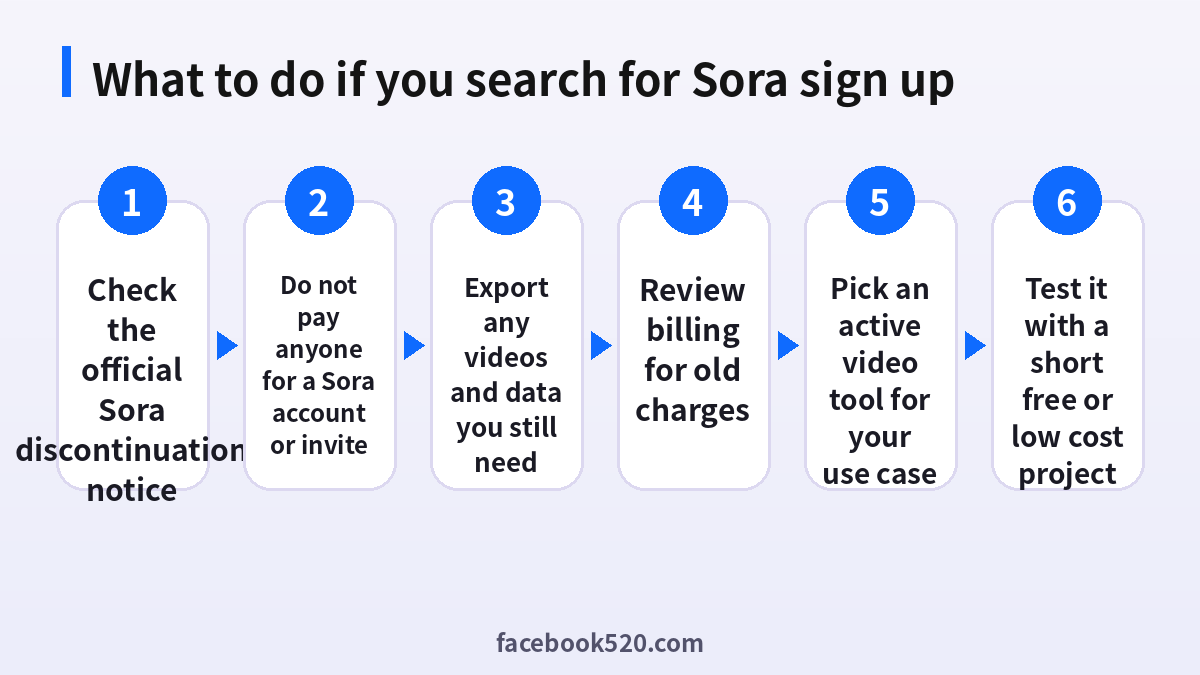
If you used Sora while it was available, check whether you still have anything you need. Follow this order.
- Open the official OpenAI Help Center and search for the Sora discontinuation article.
- Read the section about downloading your content and the dates on which downloads may stop working.
- Sign in to your OpenAI account through the official site, not through a link in an email.
- Export or download your generated videos, prompts, and any other content the notice lists.
- Store copies in your own cloud storage or hard drive.
- Confirm in your account settings that no Sora related subscription or add on is still active.
Keep in mind that videos you generated may include likenesses, music or branded material. Before you reuse them in public or commercial projects, review the content and licensing rules that applied when you created them.
Credits, subscriptions and refunds
People often ask whether unused Sora credits can be refunded. The honest answer is that it depends on how you paid and on the terms OpenAI published in the notice. Typically the questions break down like this.
| Situation | What to check | Where to ask |
|---|---|---|
| You paid for a ChatGPT plan that included Sora | Whether the plan itself continues | OpenAI billing settings |
| You bought extra video credits | Whether the help center offers a refund or conversion | OpenAI help center |
| You paid through Apple or Google | Whether the store allows a refund request | The App Store or Google Play billing support |
| You paid a third party reseller | Whether a payment dispute is possible | Your card issuer or payment platform |
Do not contact random “refund agents” on social platforms. Genuine refunds only come from OpenAI, the app store or your payment provider.
How to tell if a Sora site is fake
Because the product is gone, any page that still looks like a sign up form should make you suspicious. Check these signals: the domain should belong to OpenAI and not to a lookalike; the page should not ask for a password outside the official sign in flow; it should not ask you to pay in cryptocurrency or gift cards; it should not claim “limited time invitation codes”; and it should not request your phone verification code. If you already entered a password on a doubtful site, change your OpenAI password at once, enable two factor authentication and review active sessions.
Which tools can replace Sora in 2026
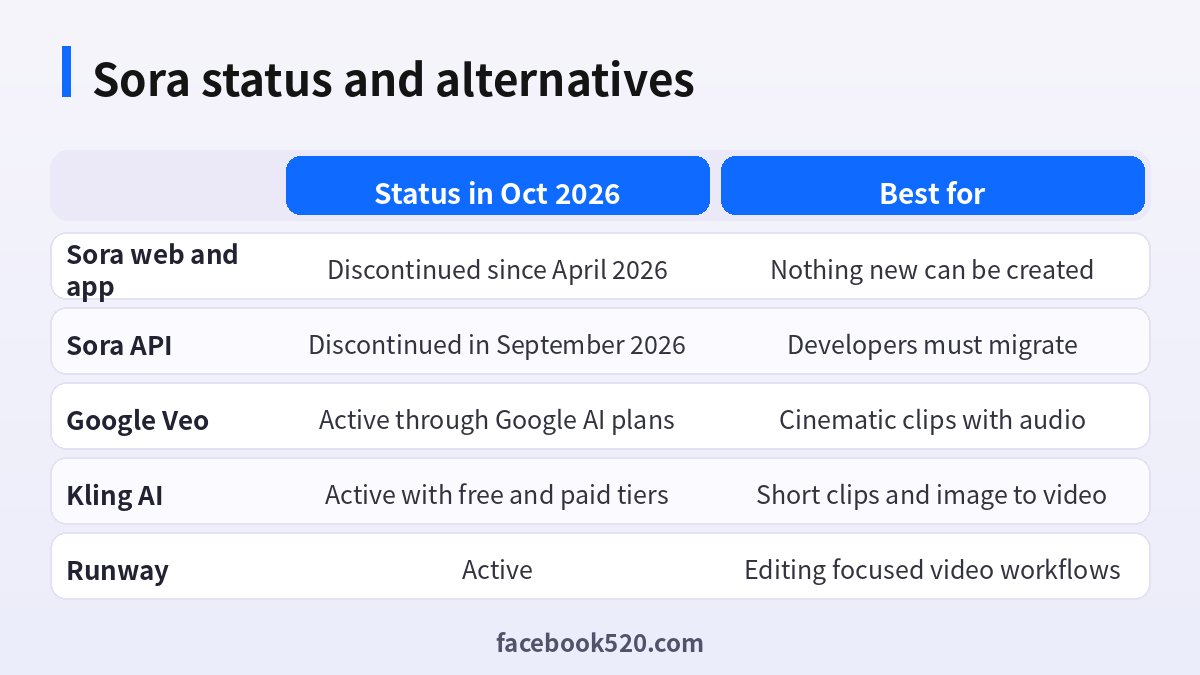
If your goal is to make AI videos, you have several active options. The right one depends on whether you care about cinematic quality, speed, editing control or cost. The prices below are snapshots from public pages in October 2026 and may change.
| Tool | Strength | Pricing note |
|---|---|---|
| Google Veo through Google AI plans | Cinematic motion with audio | Google AI Plus from about 4.99 dollars, Pro about 19.99 dollars, Ultra higher |
| Kling AI | Image to video and short clips | Free tier with limited credits, paid plans from about 6.99 dollars for the first month |
| Runway | Editing oriented workflows | Subscription tiers based on credits |
| HeyGen | Avatar and presenter videos | Free tier, Creator from about 29 dollars |
| CapCut | Editing with built in AI features | Free tier, Pro about 19.99 dollars per month |
For a deeper look at one alternative, read our guide to Google AI plans in German (https://www.facebook520.com/article/9474.html), or the Kling oriented articles that appear in this series. Each tool has different commercial usage rules, so read the terms before you publish anything for a client.
How to choose an alternative step by step
Choosing a replacement is easier when you start from your project rather than from a brand name.
- Write down the output you need: duration, aspect ratio, whether audio is required, and where the video will be published.
- Decide how much control you need. If you only want a short clip from a prompt, a text to video model is enough. If you need consistent characters or precise edits, look for tools with reference images and timelines.
- Try the free tier first and generate three test clips with the same prompt.
- Compare quality, speed and the number of credits each attempt costs.
- Read the commercial use section of the terms of service. Free tiers often restrict commercial use.
- Subscribe monthly rather than yearly until you are sure the workflow fits.
- Keep your prompts and outputs in your own storage so you can switch tools easily in future.
Prompting tips that transfer between tools
Most of what you learned from Sora carries over. Describe the subject, the action, the camera movement, the lighting and the style in a single paragraph. Mention the lens or the shot type, for example a slow dolly in or a handheld close up. If the tool supports audio, describe the ambient sound separately. Use short clips and stitch them together rather than asking for a long scene. Save the prompts that work, because you can reuse them with other models.
Common mistakes to avoid
People who search for Sora sign up now often make a few predictable mistakes. They click on sponsored results that look official. They pay for a login that does not work. They paste their OpenAI password into a lookalike page. They ignore the data export dates and lose their videos. Or they assume that every AI video tool has the same licensing rules. Slow down, verify the source, and keep records of what you paid.
If you built something on the Sora API
Developers who integrated Sora into a product had a shorter runway than consumers. With the API retired on September 24, 2026, any request to the old endpoints now fails, so the practical work is migration. Start by listing every place in your codebase or no code automation that calls a video endpoint. Then decide whether you need a like for like replacement or a different workflow. Many teams discovered that they were using only a subset of features, such as short text to video clips, and that a different provider covers that subset at lower cost.
When you compare providers, test the same five prompts on each, record the latency and cost per clip, and check the rate limits. Review the terms around content ownership and moderation, because they differ and can affect how your own users may use the output. Keep an abstraction layer in your code, for example a single function that takes a prompt and returns a video URL, so that changing providers later takes hours rather than weeks. Finally, communicate clearly with your customers about the change, including how long old generated assets will remain available.
| Migration step | Why it matters |
|---|---|
| Inventory every call to the old API | Finds hidden dependencies |
| Test candidate models on the same prompts | Gives a fair comparison |
| Compare cost per finished clip | Avoids surprise bills |
| Add an abstraction layer | Makes future switches easy |
| Update your terms and notices | Keeps users informed |
Licensing and safety questions to ask any video tool
Whichever tool you pick, ask the same questions. Who owns the output, and can you use it commercially on the plan you pay for? Are there restrictions on depicting real people, public figures or branded characters? Does the tool add a watermark on free plans, and can it be removed on paid plans? How long are your generations stored? Is there a content provenance label such as metadata that marks the clip as AI generated? Answering these before you publish protects you and your clients, and it keeps your channel in line with the rules of the platforms where you upload the videos.
A realistic workflow for short AI videos in 2026
A reliable workflow does not depend on one model. Write a short script with a clear beat for each shot. Generate each shot separately, using a reference image when you need a consistent character or product. Pick the best take for every shot, then assemble them in an editor such as CapCut, add a voice over or music that you have the rights to use, and export in the aspect ratio of your target platform. Keep a spreadsheet that lists the prompt, tool, settings and result for each clip, so you can reproduce your best work later. This habit is what experienced creators carried over from the Sora period, and it makes switching tools painless.
Staying informed without falling for rumors
Rumors about a “Sora comeback” or “Sora 3 early access” appear regularly. Treat them with skepticism until OpenAI announces something on its own blog or help center. Bookmark the official pages, follow the company’s verified accounts, and ignore any message that offers early access for a fee. If OpenAI ever launches a new video product, it will be announced publicly and will not require buying a code from a stranger.
Quick scenarios: what should you do today?
If you are a hobbyist who only wanted to try AI video, skip the search for Sora and test a free tier of an active tool this week. If you are a freelancer who delivered Sora clips to clients, contact them, explain the change, and offer a replacement workflow with a short sample. If you are a student, look at education discounts offered by several AI plans before paying full price. If you are a marketer, plan a small pilot with one alternative, measure the cost per usable clip, and only then scale up. In every scenario the same principle applies: pay only through official checkout pages, keep receipts, and never share your verification codes with anyone who contacts you about Sora.
Frequently asked questions
Can I still sign up for Sora 2 in 2026?
No. OpenAI discontinued the Sora web and app on April 26, 2026, and the API on September 24, 2026, so new accounts cannot be created.
Is there a Sora 2 invite code I can use?
No. Invite codes no longer have a purpose. Anyone selling one is likely scamming you.
Are Sora accounts for sale legitimate?
No. The service no longer generates videos, and buying a login exposes you to payment and phishing risks.
Can I still download my old Sora videos?
Check the official help center notice for the export window and instructions, and download your content as soon as possible.
Will I get a refund for unused Sora credits?
It depends on the terms in the official notice and on how you paid. Ask OpenAI, the app store or your card issuer, and never a third party agent.
What is the best Sora alternative?
It depends on your goal. Google Veo suits cinematic clips, Kling suits image to video, Runway suits editing, and HeyGen suits avatar videos.
Is the Sora API still available?
No. It was discontinued on September 24, 2026.
Does ChatGPT still include video generation?
Check your plan details in the OpenAI pricing page, because features can change at any time.
How do I avoid fake Sora websites?
Only use openai.com, never enter passwords on lookalike domains, and avoid any offer of free credits.
Can I use old Sora videos commercially?
Review the content rules that applied when you created them, and check for third party likenesses or music before publishing.
Summary
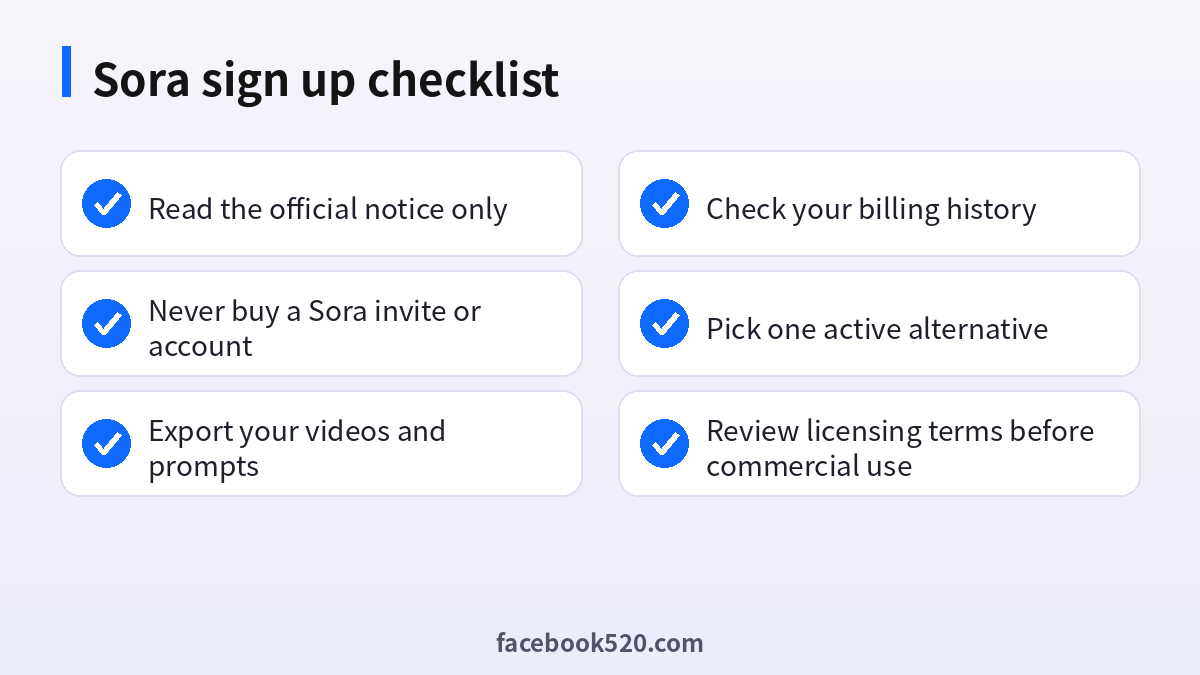
A Sora 2 sign up is no longer possible because OpenAI discontinued the web and app in April 2026 and the API in September 2026. Do not pay for invitation codes or accounts, protect your OpenAI login, download any data you still need, and check your billing history for leftover charges. Then choose an active video tool by testing a short project on a free tier, reading the commercial terms, and subscribing only when the results justify it.
