


HeyGen Free Plan in 2026: What You Get for 0 Dollars, Limits on Length, Watermarks and Credits, How to Sign Up, How to Make the Most of Your Free Videos, and When Paying Starts to Make Sense
HeyGen is a popular AI video platform that turns a script into a presenter style video with a realistic avatar and a natural voice. Many people searching for “heygen free plan” simply want to know what they can do without paying, whether the output is good enough to use, and when it makes sense to upgrade. This guide answers those questions with the information on HeyGen’s public pricing and help center pages as of October 2026. Plans, credit counts and limits change often, so treat the numbers as a snapshot and verify them on the official pricing page before you rely on them. You will learn what the free plan includes, what it does not, how to sign up safely, how to get the most from the small number of free videos, how the paid plans compare, and how to avoid the scams that promise unlimited free credits.
What the HeyGen free plan includes
HeyGen’s free plan costs nothing and does not use the credit system that paid plans use. According to the pricing page and the help center, it typically gives you a small number of videos each month, with the page listing three, and each video can be around one minute long. The videos include a HeyGen watermark. You can choose from a library of stock avatars, and the free plan includes access to multiple languages for voices and translations. Some advanced features, such as the newest avatar models and video agent tools, are available only in limited form or are reserved for paid plans.
Because the exact free allowance can differ by region, account type or the date of a promotion, always confirm it inside your account dashboard. If a help article and the pricing page disagree, trust what your own dashboard shows.
Free plan summary table
| Feature | Free plan | Notes |
|---|---|---|
| Price | 0 dollars | No credit card is required to start |
| Number of videos | A few per month | The pricing page lists three |
| Length per video | About one minute | Short scripts work best |
| Watermark | Yes | Removed on paid plans |
| Avatars | Stock avatars and one custom option | Limited access to premium avatar models |
| Languages | Many languages for voice and translation | Quality varies by language |
| Commercial use | Check the terms | Free content may carry restrictions |
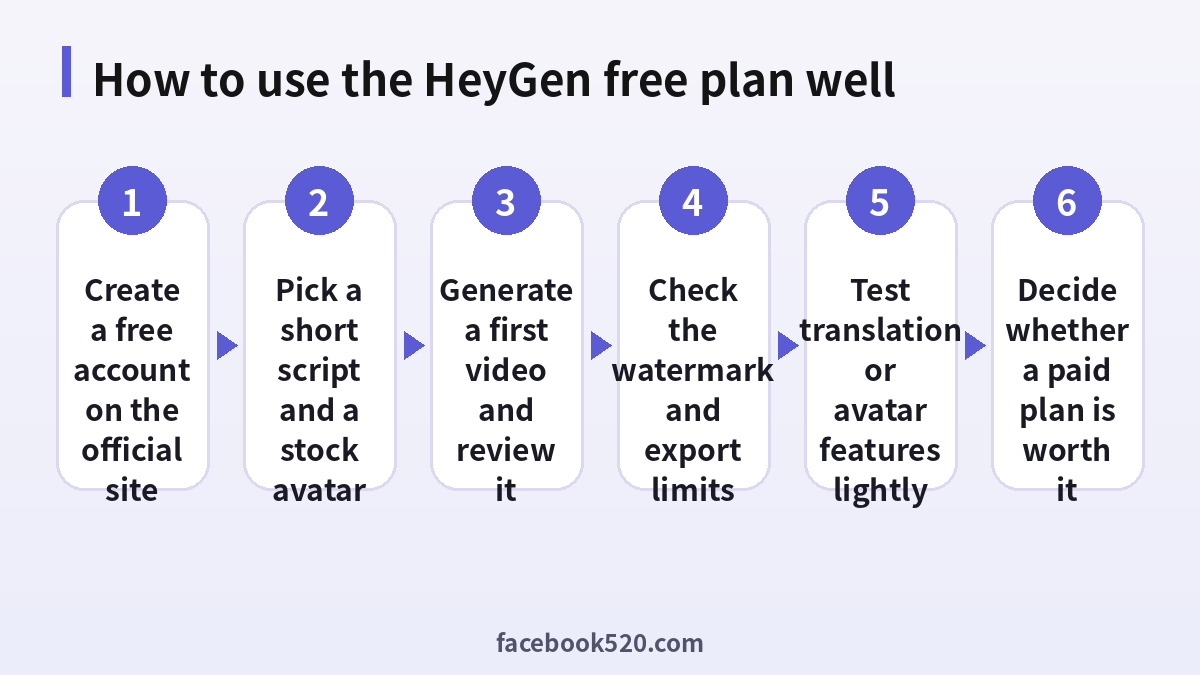
How to sign up for the free plan
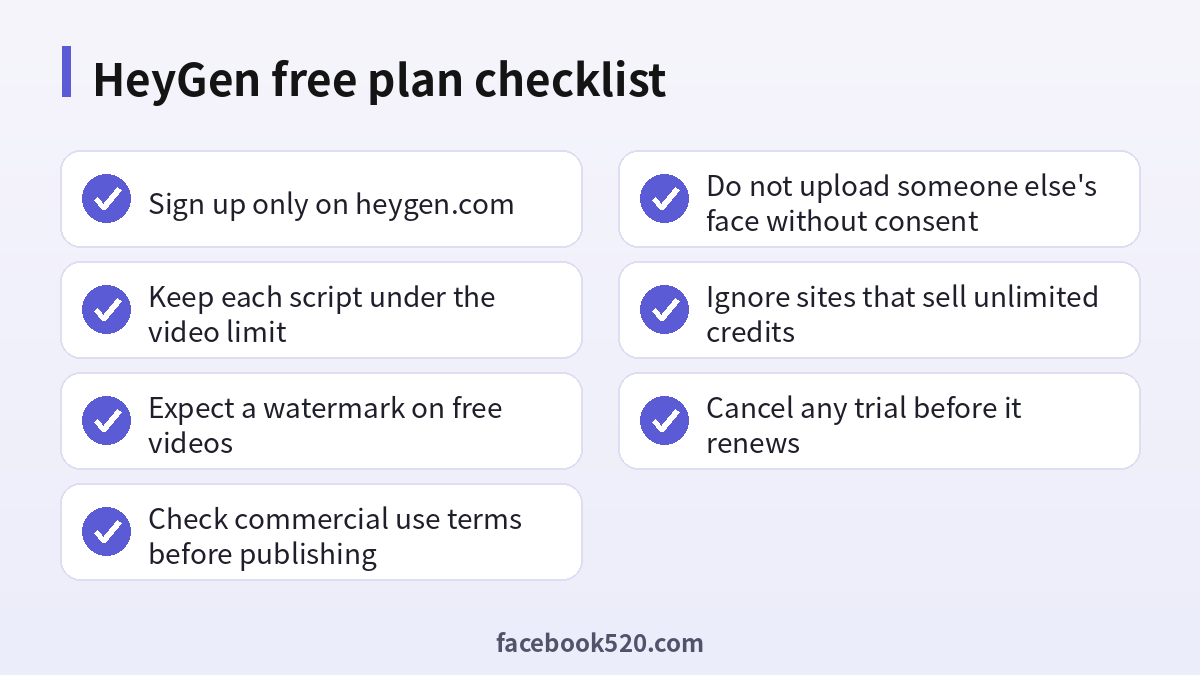
- Open the official HeyGen website by typing the address into your browser, not by clicking an advertisement.
- Choose to sign up and select email, Google or another supported login method.
- Confirm your email address if asked and complete the short onboarding questions about how you plan to use the tool.
- Look at the dashboard and confirm that your plan is shown as free. If you see a free trial of a paid plan, note the end date.
- Open the create video option and pick a template or start from scratch.
- Choose an avatar, paste a short script and select a voice.
- Generate the video and wait for processing. Short clips are usually ready in a few minutes.
- Preview the result before you share or download it.
Who the free plan is for
The free plan is best for evaluation. If you want to see how the avatars look, how the lip sync handles your language, or whether the interface suits you, three short videos are enough. It also suits students who want to try a class project, and small business owners who want a quick explainer for a social media post, provided the watermark and the length limit are acceptable. If you need longer videos, higher resolution, custom avatars of yourself or your team, or content without a watermark, the free plan will feel limiting very quickly.
How to get the most from your free videos
Since the number of free videos is small, planning matters. Spend your time on the script before you click generate. Write short sentences that sound natural when spoken. Read the script aloud once and remove tongue twisters. Keep the video to a single message so that you stay below the length limit. Choose an avatar whose style matches your topic, for example a friendly presenter for tutorials or a formal one for announcements.
- Write a script of about 120 to 150 words for a one minute video.
- Remove abbreviations and numbers that the voice might read awkwardly, and spell them as you want them spoken.
- Pick the voice and language before you generate, because changes require a new render.
- Use one scene with a plain background to avoid layout problems.
- Download the result and review the audio and lip sync carefully.
- Save the script, so you can regenerate it later on a paid plan without rewriting.
Understanding credits and why free has none
Paid HeyGen plans are built around credits. Creating a video consumes credits depending on its length and the features you use, and extras such as translation or premium avatar models may cost more. The free plan avoids this system and instead sets fixed limits. When people search for “heygen free credits”, they often mean the allowance at the start of a trial or a promotional bonus. Such offers appear from time to time on the official site. Anything that is not on heygen.com or in your own dashboard should be treated as unofficial.
Comparing free with the paid plans
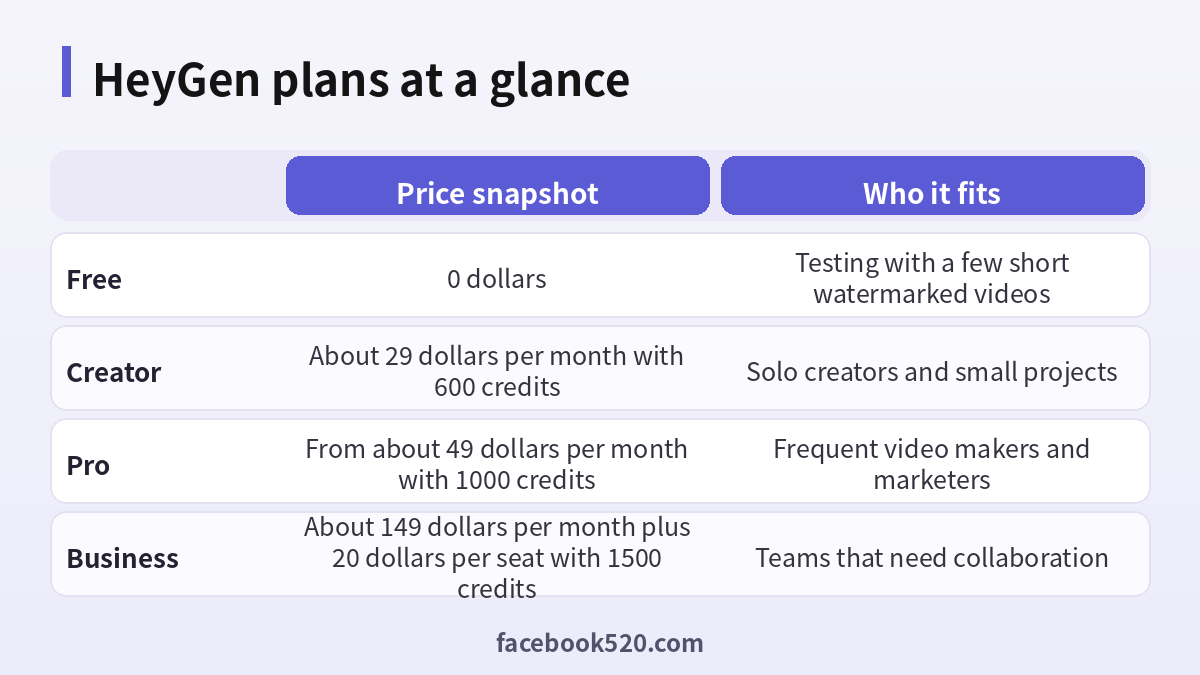
The plans below are snapshots of the public page in October 2026. Annual billing is usually cheaper per month than monthly billing, and prices may vary by region and promotion.
| Plan | Price snapshot | Credits | Main benefits |
|---|---|---|---|
| Free | 0 dollars | None | A few short watermarked videos |
| Creator | About 29 dollars per month | About 600 credits | No watermark and longer videos |
| Pro | From about 49 dollars per month | About 1000 credits | More credits, faster processing and extra features |
| Business | About 149 dollars per month plus 20 dollars per seat | About 1500 credits | Team tools and collaboration |
Business accounts can also buy extra credits in packs, for example about 5 dollars for 100 credits. If you only need a few videos a month, the Creator plan is usually the first step. If you produce training videos or marketing content every week, compare the cost per finished minute across plans, and include the time you save compared with filming and editing yourself.
When paying starts to make sense
Consider upgrading when at least one of these is true. You need to publish videos without a watermark. You need videos longer than the free limit. You want to create a digital twin of yourself and use it repeatedly. You translate videos into several languages. You publish at least a few videos a month, so the cost per video is lower than paying a freelancer. If none of these applies, stay on the free plan and use it occasionally. Always check the cancellation policy and set a reminder for the day before your trial or subscription renews.
Safety, consent and licensing
AI avatars raise important questions. If you upload a photo or video of a real person to create an avatar, you must have that person’s consent. Do not create content that impersonates a real individual without permission, and do not use avatars to mislead viewers. Check the platform’s terms about commercial use and about the rights to avatars and voices. Disclose AI generated content where the platforms you publish on require it. Keep the scripts free of confidential information, because they are processed on the provider’s servers.
Scams that promise unlimited free credits
Search results and social posts often promote sites that claim to give unlimited HeyGen credits, cracked accounts or lifetime deals at a fraction of the price. They are risky for several reasons. Shared or stolen accounts are removed quickly, and you lose what you paid for. Some sites ask you to download a program that contains malware. Others collect your login or payment details. The only legitimate ways to get more credits are to subscribe or buy credit packs on the official site, or to use an official promotion that is clearly announced there.
| Claim | Reality |
|---|---|
| Unlimited free credits | Not offered by the company |
| Cracked premium account | Illegal and unstable |
| Lifetime access for a small fee | Usually a scam or a shared account |
| Free watermark remover | Often malware, and against the terms |
Alternatives if the free plan is not enough
If you only need short clips with an avatar, other tools may fit better or cost less. Some editors include text to speech and simple avatars in their own free tiers, and several AI video platforms have free credits for new users. Evaluate by uploading the same short script to each tool and comparing realism, speed, language support and price. Our guides to other AI subscriptions, such as Perplexity pricing (https://www.facebook520.com/ai-tools-guide/ai-chat-search/8348.html) and Suno pricing (https://www.facebook520.com/ai-tools-guide/ai-chat-search/8418.html), show how we compare plans in a similar way.
Practical use cases you can test on the free plan
Even with only a few videos, you can validate real use cases before you spend money. A product explainer is the easiest: write a short script that states the problem, shows the solution and ends with a call to action. A training snippet is another good test, for example a one minute welcome message for new employees or a short safety reminder. A language test is useful for teams that sell in several markets: generate the same script in two languages and ask a native speaker to rate the voice and the lip sync. A social media teaser, such as a announcement of an event, shows whether the avatar style suits your brand.
For each test, write down what worked and what did not. Note the processing time, any mispronounced names, the look of the avatar’s gestures and how readable the watermark is. These notes make it easy to decide whether to upgrade, and they give you a checklist if you later compare HeyGen with another tool.
| Use case | What to check | Free plan fit |
|---|---|---|
| Product explainer | Clarity and pacing | Good for a first test |
| Employee welcome message | Tone and avatar style | Good for a pilot |
| Multilingual announcement | Voice quality per language | Good for sampling |
| Social media teaser | Branding and watermark impact | Limited because of the watermark |
| Course lesson | Length and consistency | Limited by the length cap |
Preparing assets that make the output look better
Good input improves every AI video. Use a clean logo in a transparent format, and keep brand colors consistent. If you add slides or screenshots, export them at high resolution and keep the text large enough to read on a phone. Avoid long paragraphs on screen, and let the avatar speak the details. Prepare a pronunciation list for brand names and technical terms, and test them in the script by spelling them phonetically if needed. Finally, choose music that you have the rights to use, and keep it quiet so that the voice stays clear.
- Gather your logo, brand colors and any images in advance.
- Write the script and a short pronunciation list.
- Choose a plain background that does not compete with your slides.
- Preview the audio before you export the final video.
- Store all assets in a folder so you can reuse them with another tool.
Mistakes that waste free videos
The most common mistake is generating a video before the script is final. Each render uses one of your few free videos, so edit the text carefully first. The second mistake is choosing a long script and then discovering that it exceeds the limit; count the words before you paste. The third is picking an avatar and voice that do not match the language, which can produce odd intonation. The fourth is forgetting to check the license when sharing, especially if the video will appear in a paid advertisement. The fifth is ignoring the account security basics: use a unique password and enable two factor authentication if the platform offers it, because your scripts and avatars are stored in the account.
A simple decision framework
Ask three questions. First, how many videos do you need each month? If the answer is fewer than three short ones, the free plan may be enough. Second, does the watermark matter for your channel? If you publish publicly under a brand, it probably does. Third, will you reuse the avatar and templates? If yes, a paid plan saves time. When you answer, add up the monthly cost and compare it with the hours you spend filming, recording and editing yourself. For many small teams, even one saved hour per video justifies a Creator subscription, while hobbyists can stay on the free plan and treat it as a sandbox.
| Question | If yes | If no |
|---|---|---|
| Need more than three videos a month? | Consider Creator | Stay on Free |
| Need no watermark? | Upgrade | Free is fine |
| Need your own digital avatar for regular use? | Upgrade | Use stock avatars |
| Need team collaboration? | Look at Business | Individual plan |
Keeping records of what you produce
Create a simple log with the date, script, avatar, voice and use of each video. This log helps you stay within the free allowance, shows your team what has been tested, and provides evidence of consent and licensing if you ever need it.
Frequently asked questions
Is HeyGen really free?
Yes, there is a free plan that costs nothing, but it has limits on the number and length of videos and adds a watermark.
How many videos can I make for free?
The pricing page lists a small number per month, with three shown in October 2026. Check your dashboard for your allowance.
Does the free plan have a watermark?
Yes. Paid plans remove it.
Can I use free videos commercially?
Read the current terms. Free content often has restrictions, and you should not assume you can use it in advertising without checking.
Does HeyGen give free credits?
The free plan does not use credits. Occasional promotions or trials may include credits, but only the official site can confirm them.
How long can a free video be?
Around one minute, according to the public information, but check the dashboard.
Can I cancel at any time?
You can cancel a paid plan in your account billing settings, and the plan generally continues until the end of the paid period.
Is it safe to buy a cheap HeyGen account?
No. Shared or resold accounts can be removed, and the sellers may steal your information.
Can I make an avatar of myself for free?
The free plan includes limited custom avatar access. Check the details and make sure you follow the consent rules.
What is the best way to compare plans?
Calculate the cost per finished minute, include the features you need, and test with the free plan first.
Summary
The HeyGen free plan is a safe way to try AI avatar videos: you get a small number of short, watermarked videos and access to stock avatars and many languages. Plan your scripts carefully, review the output, and read the licensing terms before you publish. Upgrade only when you need longer videos, no watermark, custom avatars or higher volume, and avoid any site that sells unlimited credits or cracked accounts.
