


Kling AI Free Credits in 2026: How Daily Credits Work, What the Free Plan Includes, Watermark and Queue Limits, Paid Plan Snapshots, Why Free Credit Generators Are Scams and How to Spend Credits Wisely
Kling AI, the video generation service from Kuaishou, attracts a lot of searches for free credits. That is natural: video generation is expensive, and each clip can use a significant number of credits. This guide explains how the free side works as of October 2026, what you can realistically make without paying, how paid plans are structured, why websites that promise unlimited free credits are scams, and how to get the most from a small budget. Numbers come from the official pages and public reports that we checked at the time of writing. Credit amounts, plan names and promotions change often, so confirm everything in the app before you decide. For comparison with other AI tools, see our guide to Perplexity pricing (https://www.facebook520.com/ai-tools-guide/ai-chat-search/8348.html) and Suno pricing (https://www.facebook520.com/ai-tools-guide/ai-chat-search/8418.html).
What free means on Kling AI
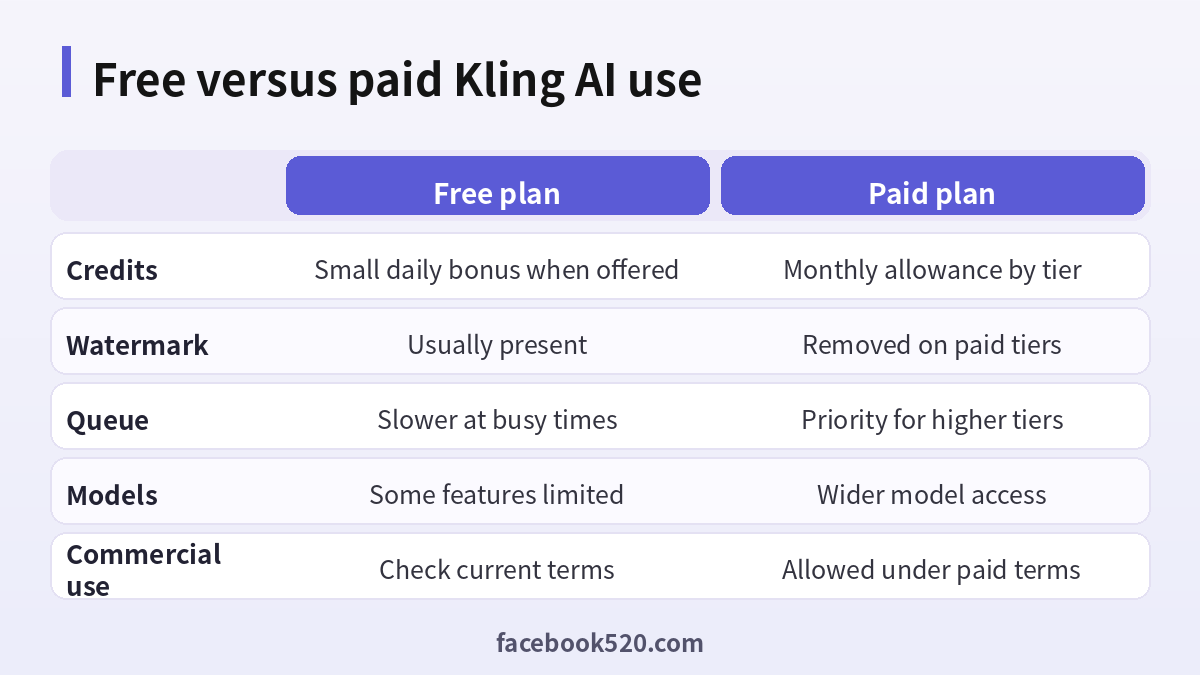
Free on Kling AI does not mean unlimited. In most periods, the service gives registered users a small bonus of credits, often tied to daily login or to a promotion. These credits can be used to generate short image or video clips with certain models. The free credits typically have an expiry period, and unused amounts do not accumulate indefinitely. Free outputs usually carry a watermark, and generation can be slower when demand is high. The company may change these rules at any time, and offers may differ by region and platform, such as the website and the mobile app.
How credits are consumed
Each generation consumes credits depending on several variables: the model version, the quality mode, the length of the clip and whether you use extras such as lip sync, extension or camera controls. A short clip in a standard mode costs far less than a longer clip in a professional mode. This means the most important way to stretch free credits is to choose cheaper settings while you test your idea, and to use the higher modes only for the final version.
| Factor | Effect on cost |
|---|---|
| Model version | Newer models can cost more |
| Quality mode | Professional modes cost more than standard |
| Clip length | Longer clips use more credits |
| Extra features | Lip sync and extension add cost |
| Failed generations | Policy may refund or not, check the app |
Step by step: using the free credits
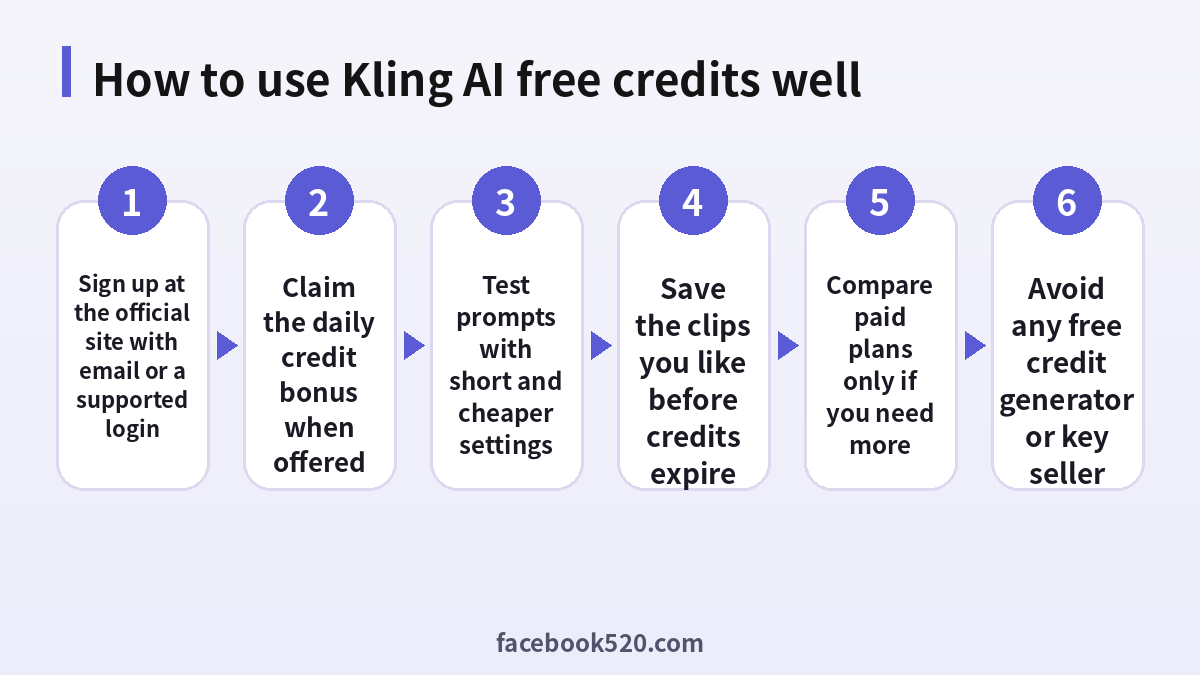
- Create an account on the official Kling AI website or app with an email address or a supported login option.
- Open the credits or account page and check your balance and expiry dates.
- Claim the daily bonus or promotional credits if they are shown.
- Write a short, concrete prompt and run a low cost test.
- Refine the prompt, and only then use a higher quality mode.
- Download the clips you like quickly, because assets and credits can expire.
Writing prompts that waste fewer credits
Many failed generations come from vague prompts. A good prompt names the subject, the action, the setting, the camera movement and the style in one or two sentences. For example, describe a person walking along a rainy street at night with a slow tracking shot and neon reflections. Avoid asking for too many events in one short clip, because the model may blend them. If you start from an image, choose a sharp image with a clear subject and ask for simple motion. When the result is not right, change one element at a time, so you learn which words matter.
| Prompt element | Example |
|---|---|
| Subject | A red kite |
| Action | Rising over a beach |
| Camera | Slow upward tilt |
| Style | Soft morning light, cinematic |
| Limits | One main motion only |
Paid plans in brief
Kling AI offers subscription tiers with larger monthly credit allowances, no watermark, priority queues and access to the newest models. Public pricing in 2026 has ranged from a small entry tier of under ten dollars a month to premium tiers well above one hundred dollars. Annual billing usually lowers the monthly rate. Credit packs may be sold separately for users who do not want a subscription. Because plan names and prices change, check the pricing page inside the product. Compare the cost per clip rather than the headline price, and consider whether you will use the full allowance each month.
| Tier type | Who it suits |
|---|---|
| Free | Testing the service |
| Entry paid | Hobby creators with a few clips a week |
| Mid tiers | Regular creators and small studios |
| High tiers | Heavy users and teams |
Why free credit generators are scams
Search results are full of pages that promise unlimited Kling AI credits, hacked accounts, license keys or a free credit generator. None of them are legitimate. Credits are held on the company’s servers, and no outsider can create them from a web form. The usual aims of these pages are to collect your login, to push you through surveys that pay the operator, to install malware or to sell you a shared account that is cancelled within days. Accounts sold on marketplaces may be created with stolen cards and are removed once the chargeback arrives. Using them can also violate the terms and put your own account at risk.
| Claim | Reality |
|---|---|
| Unlimited credits | Not possible without paying |
| Free generator | Phishing or malware |
| Cheap shared account | Can disappear at any time |
| Credit key from a stranger | Not an official product |
Official ways to get more value
There are legitimate ways to extend your budget. Watch the official announcements for promotions around new model launches or holidays. Use the daily bonus consistently if it is available. Take advantage of the first purchase discounts that the platform sometimes offers. Choose annual billing only if you are sure to use the service, since refunds are limited. Look for education or creator programs that the company may run, and read their conditions carefully. Finally, reduce waste by planning a storyboard before generating.
Commercial use and rights
If you plan to use clips for a business, a client or a monetized channel, read the current terms about commercial use, attribution and watermarks. Free outputs may have restrictions that paid outputs do not. Keep a record of your prompts and the date of generation. Avoid using the faces or voices of real people without permission, and do not generate content that violates local law or the platform’s policies. When in doubt, ask your legal adviser or choose a plan with clearer rights.
A sample budget for one hundred free credits
Suppose a promotion gives you one hundred credits and you want to learn as much as possible. Do not spend them on one long clip. Instead, split the budget into stages. Use about thirty credits on three low cost tests with different prompts for the same idea, so that you can see which wording gives the best motion. Use about twenty credits for an image to video test, starting from a clean still image, because this mode often produces more stable results. Reserve about forty credits for one higher quality render of the best prompt. Keep the remaining ten credits for a small fix, such as extending a clip by a second or two. This structure turns a small allowance into a learning process, and you end with one usable clip rather than five unusable ones.
| Stage | Share of credits | Goal |
|---|---|---|
| Cheap text tests | 30 percent | Find the best wording |
| Image to video test | 20 percent | Check stability of motion |
| Final render | 40 percent | Produce the clip you will use |
| Reserve | 10 percent | Fix or extend |
Image to video versus text to video
Text to video gives the model freedom, which can create surprising results but also random errors in faces, hands and objects. Image to video anchors the first frame, so the subject stays consistent, and you control the style by choosing the picture. For product shots, characters and logos, starting from an image is usually more efficient. For landscapes, abstract scenes and mood pieces, text to video is often enough. Whichever mode you choose, keep the motion simple. One camera move and one subject action are easier for the model than a sequence of events.
Common reasons for failed or wasted generations
Several issues repeat. Prompts that ask for text inside the video often produce unreadable letters. Crowds and fast action may create artifacts. Prompts that conflict with the content policy are rejected, and depending on the rules, credits may or may not be returned. Overlong prompts can confuse the model. Low resolution reference images lead to blurry results. Before you spend credits, check the prompt for these problems. If a generation fails because of a service error, look at the history or support page to see whether credits were refunded, and contact support through the official channel if they were not.
Organizing your outputs
Good habits save credits in the long run. Create a simple folder structure with the project name, the date and the prompt that produced each clip. Keep a text file with the prompts that worked well, and add notes on the model and mode. When you find a prompt pattern that produces the style you want, reuse it for other scenes by changing only the subject. Download clips at the highest quality available as soon as they finish, because stored items may be removed or become unavailable after your credits or plan change. If you plan to edit the clips later, export a few seconds of extra footage at the start and end, which makes transitions easier.
| Habit | Benefit |
|---|---|
| Save prompts | Reuse what works |
| Name files by project and date | Easy to find later |
| Download promptly | Avoid losing assets |
| Record the model and mode | Reproduce results |
Combining Kling AI with other free tools
You can extend a small budget by using other tools for the parts that do not need expensive generation. Write scripts and shot lists with a chatbot, make still images with an image generator, create music with a service that offers a free tier, and edit clips in a regular video editor. Use Kling AI only for the shots that truly need motion. This keeps the credit spend focused. If you need a soundtrack, see our guide to music tools and their pricing (https://www.facebook520.com/ai-tools-guide/ai-chat-search/8418.html), and if you need research for your script, a search assistant can help (https://www.facebook520.com/ai-tools-guide/ai-chat-search/8348.html).
- Write a short script and a numbered shot list.
- Prepare reference images for the key shots.
- Generate only the shots that require motion.
- Edit and add sound in a regular editor.
- Export and review before spending more credits.
Safety and privacy when using AI video tools
Do not upload photos of other people without their permission, especially minors. Avoid uploading private documents or confidential company material as references. Read the data and privacy policy to understand how uploads and prompts are stored and whether they can be used to improve the service. Use a strong, unique password and enable any available extra protection on your account. Be cautious about browser extensions or desktop programs that claim to add credits, since they may steal session data.
Use cases that work well on a small budget
Some projects fit a limited allowance better than others. Short social clips of three to five seconds, animated backgrounds for presentations, concept visuals for a pitch, product teasers and mood loops are all realistic. Long narrative films with consistent characters across many shots are expensive and hard to control, so build them gradually or use another approach. Think about the final format first. A vertical clip for a short video app needs a different framing from a wide landscape shot for a website banner, and choosing the correct aspect ratio before generating prevents waste.
| Project | Suitability for a small budget |
|---|---|
| Short social clip | High |
| Presentation background | High |
| Product teaser | Medium, needs a good reference image |
| Concept visual for a pitch | High |
| Long multi shot story | Low, needs a bigger budget |
When to move to a paid plan
Consider a subscription when you generate clips every week, need the watermark removed for client work, or wait too long in the queue. Before you pay, estimate how many clips you will make in a month and divide the price by that number. If the cost per clip is lower than what you would pay for stock footage or a freelancer, the subscription makes sense. If you only need one clip, buy a small pack or use the free credits for a single carefully planned attempt. Review the plan after the first month and cancel if you did not use at least half of the credits.
What to do if your account has a problem
If you cannot log in, use the password reset on the official site. If credits are missing, check the credits history for expiry or usage, then contact support with the date and a screenshot. If your account is restricted, read the message, remove any content that may violate the rules, and appeal once through the official channel. Do not create additional accounts to collect repeated free credits, since the platform may detect and restrict such behavior and you may lose your work.
Keeping up with changes
AI video tools change monthly. New models appear, old ones are retired, and credit costs are adjusted. Follow the official announcements and the in-app notices rather than forum posts, which are often outdated. When a new model is released, run the same test prompt on the old and new models and compare the results and credit cost. That small experiment tells you whether to switch. Revisit your plan every quarter, and cancel anything that no longer fits.
| Review item | How often |
|---|---|
| Credit balance and expiry | Weekly |
| Pricing and plan changes | Monthly |
| Model comparison | When a new model appears |
| Subscription value | Every quarter |
Final advice
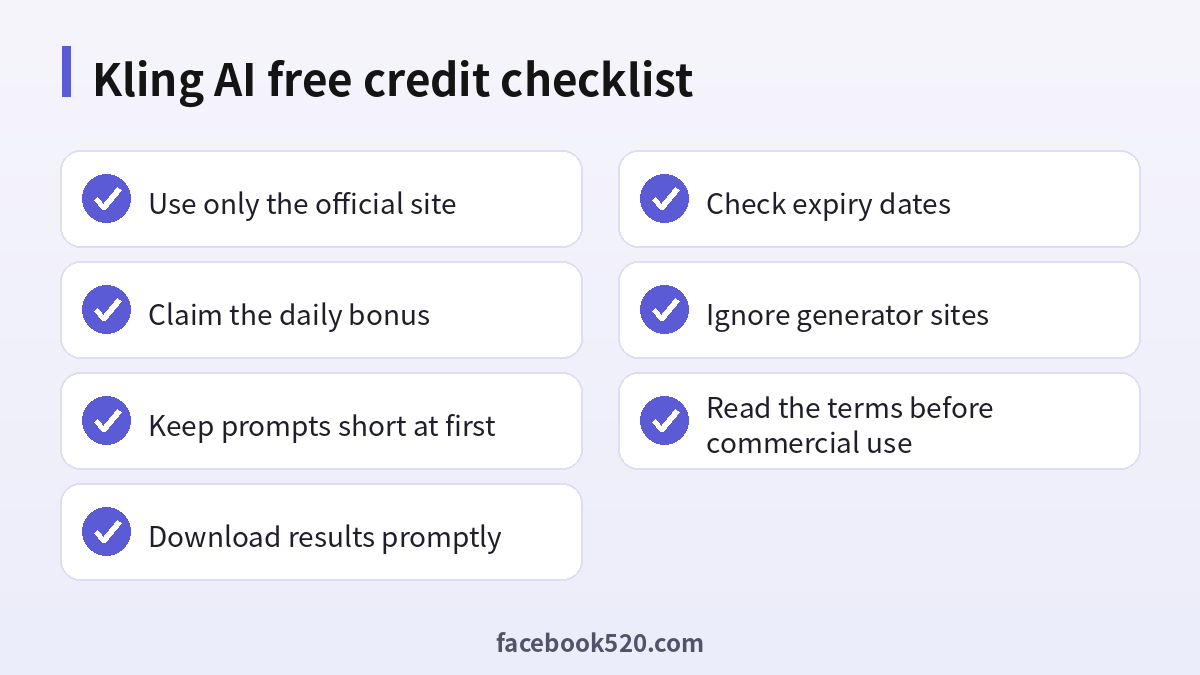
Treat free credits as a trial, plan every generation, avoid scams and decide on a paid plan only after you know your real monthly need. A short checklist before each session helps: define the shot, write the prompt, choose the cheapest mode that can answer your question and save the result immediately.
Frequently asked questions
Does Kling AI have a free plan?
Yes, in the form of limited free credits for registered users, with restrictions.
Are the daily credits permanent?
They are typically time limited and can change, so check the credits page.
Do free clips have a watermark?
Usually yes. Paid tiers remove it.
Can I get unlimited free credits?
No. Any site claiming this is not official.
Is a Kling AI credit generator safe?
No. It is a common scam.
Can I use free clips commercially?
Check the current terms. Paid plans normally give clearer rights.
How many credits does a video cost?
It depends on the model, mode and length. The app shows the cost before you generate.
Do credits expire?
Often yes. Check the expiry date on your credits page.
Is buying a shared account a good idea?
No. It can be removed without warning.
How do I pay safely?
Only through the official website or the app store.
Summary
Kling AI’s free credits are enough to test the service, not to run a production workflow. Use official channels, plan your prompts, begin with cheap settings and avoid anything that promises unlimited credits. If you need more, compare paid plans by the cost per finished clip.
