


Gemini Pro (2026): Plans, Pricing & How to Pay
“Gemini Pro” can mean two different things, and that is the source of most confusion. It can refer to the Gemini Pro model family, the underlying AI models from Google, or to the paid Google AI Pro subscription that unlocks the stronger models and extra features inside the Gemini app. This guide focuses on the subscription: what is included, how it compares with other plans, how to pay, and what to do when something goes wrong.
Google updates its plans, model names and promotions frequently, and offers differ by country. Use this article as a guide to how things work, and confirm exact prices on Google’s official plan page.
What Gemini Pro includes
The paid Google Gemini Pro plan, currently sold as Google AI Pro, generally includes:
- Higher usage limits for the more capable Gemini models, including newer generations such as Gemini 3 Pro where available.
- Longer context for working with large documents and long conversations.
- Deep research and advanced reasoning tools.
- Image and video generation features, with usage limits that depend on the plan.
- Gemini inside Google apps such as Gmail, Docs and Drive.
- Extra Google One storage, which is usually bundled with the plan.
Model names move quickly, so do not buy a plan only for a specific version number. Check what the plan page lists for your account on the day you subscribe.
Google Gemini plans compared
| Plan | Best for | Typical highlights |
|---|---|---|
| Free | Everyday questions and light tasks | Basic access with lower limits |
| Google AI Pro | Individuals who use Gemini daily | Higher limits, stronger models, bundled storage and Google app integration |
| Google AI Ultra | Heavy users and professionals | The highest limits and the newest experimental features at a much higher price |
| Workspace plans | Teams and companies | Admin controls and Gemini features managed through Google Workspace |
If you mostly write, research and summarize, AI Pro is typically enough. Ultra is for people who regularly hit the Pro limits or need early access to the newest tools.
Gemini Pro pricing
Google AI Pro is sold as a monthly subscription, and in many countries there is also an annual option. In the United States it has been priced at roughly twenty dollars a month, but the number differs by country, currency and tax. Many regions offer a free trial period for new subscribers.
Because the Google Gemini pricing page is localized, the only reliable number is the one you see after signing in with your own account. Look for the total including tax, the billing period, and the date the trial ends.
Gemini Pro for students
Google has repeatedly run promotions that give Gemini Pro for students a free trial period or a discounted rate, usually in selected countries and for a limited time. To qualify you typically need to verify student status with a school email or a verification service.
Because these offers are time-limited and region-specific, check the official student offer page before you plan around one. If you do not qualify, the regular AI Pro plan is still available.
Accepted payment methods
- Credit and debit cards. Visa, Mastercard and American Express are widely accepted.
- Google Play balance and gift cards. Useful when you subscribe from an Android phone.
- Apple billing. If you subscribe through an iPhone, the charge goes through your Apple ID.
- Local payment methods. Some countries support PayPal, carrier billing or bank-based payment options.
- Virtual cards. They can work if they support recurring online charges and 3-D Secure.
Your Google account country and the billing profile country both matter. If they do not match, or if the plan is not available in your region, the subscribe button may not appear or the payment may be declined.
How to pay for Gemini Pro step by step
- Sign in to the Gemini website or app with your Google account.
- Select the upgrade option, or open the Google One plans page.
- Choose Google AI Pro and pick monthly or annual billing.
- Check whether a free trial is offered, and note when billing will begin.
- Add or choose a payment method and confirm your billing address.
- Review the total and confirm.
- Complete any bank verification, then refresh Gemini to see the new features.
The subscription usually activates within seconds to a few minutes. If you do not see the change after an hour, check the subscription status in your Google One or Google Play settings.
Billing and invoices
Billing history is available in Google One, Google Play or your Google payments profile, depending on how you subscribed. To cancel, open the subscription management page and turn off renewal. You normally keep access until the end of the paid period. Watch the end date of the free trial, because it converts into a paid plan automatically unless you cancel first.
Payment failed? Fixes that work
- Check international payment settings with your bank.
- Match the billing address to the card statement.
- Complete 3-D Secure promptly.
- Confirm your account region supports the plan.
- Try another payment method if a virtual card is rejected.
- Avoid repeated attempts in a short time.
- Charged but not active? Confirm you are signed in with the right Google account and review the subscription list.
Gemini by Use Case
- Everyday users who already live in Google apps: If you use Gmail, Docs and Drive daily, Gemini inside those apps may matter more than the standalone chat. Check which Google AI plan includes the app integrations you actually open, rather than buying the highest tier by default.
- Students: Google has run time-limited promotions for students on its AI plans in selected countries. Eligibility, duration and verification method change by region, so always read the official student page on the day you apply.
- Creators who need image and video generation: Higher tiers have historically carried more generous limits for image and video features. Compare the monthly generation allowances in the plan comparison table, because that is where tiers differ most in practice.
- Developers: The Gemini API through Google AI Studio and Google Cloud is billed on usage and is separate from consumer Google AI plans. A Google AI Pro subscription does not replace API billing.
Gemini at a Glance
- Typical use: search-grounded Q&A, writing, image understanding and Google ecosystem integration.
- What you need: a Google account and, for paid tiers, a Google subscription payment method.
- Common friction: region and age limits, student-offer verification, and overlap with a Google One subscription.
- Security tools: Google two-step verification and activity-history settings.
Gemini Options Compared, With a Verdict
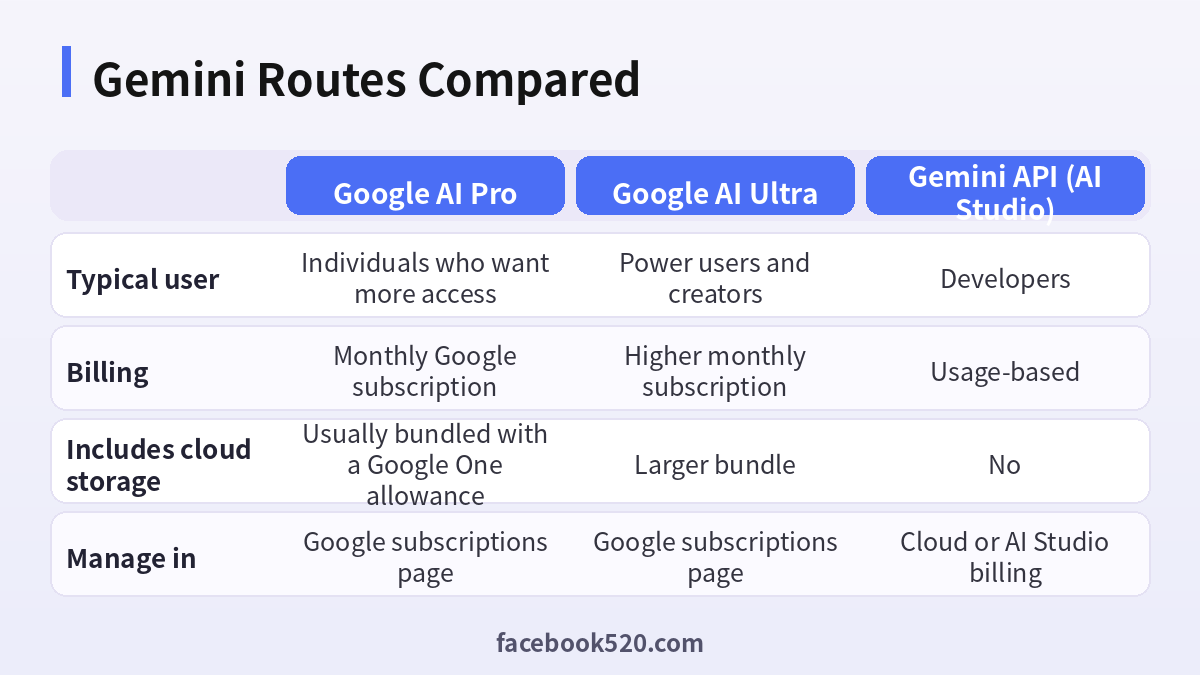
| Factor | Google AI Pro | Google AI Ultra | Gemini API (AI Studio) |
|---|---|---|---|
| Typical user | Individuals who want more access | Power users and creators | Developers |
| Billing | Monthly Google subscription | Higher monthly subscription | Usage-based |
| Includes cloud storage | Usually bundled with a Google One allowance | Larger bundle | No |
| Manage in | Google subscriptions page | Google subscriptions page | Cloud or AI Studio billing |
Verdict: For most individuals, start with the free Gemini app, then Google AI Pro if you hit limits or want the Workspace integrations. Consider Ultra only if the extra generation allowances are something you will use every week. Developers should budget the API separately. Verify exact tier names and prices on the official Google page, since they are updated often and differ by country.
Subscribe to Gemini the careful way
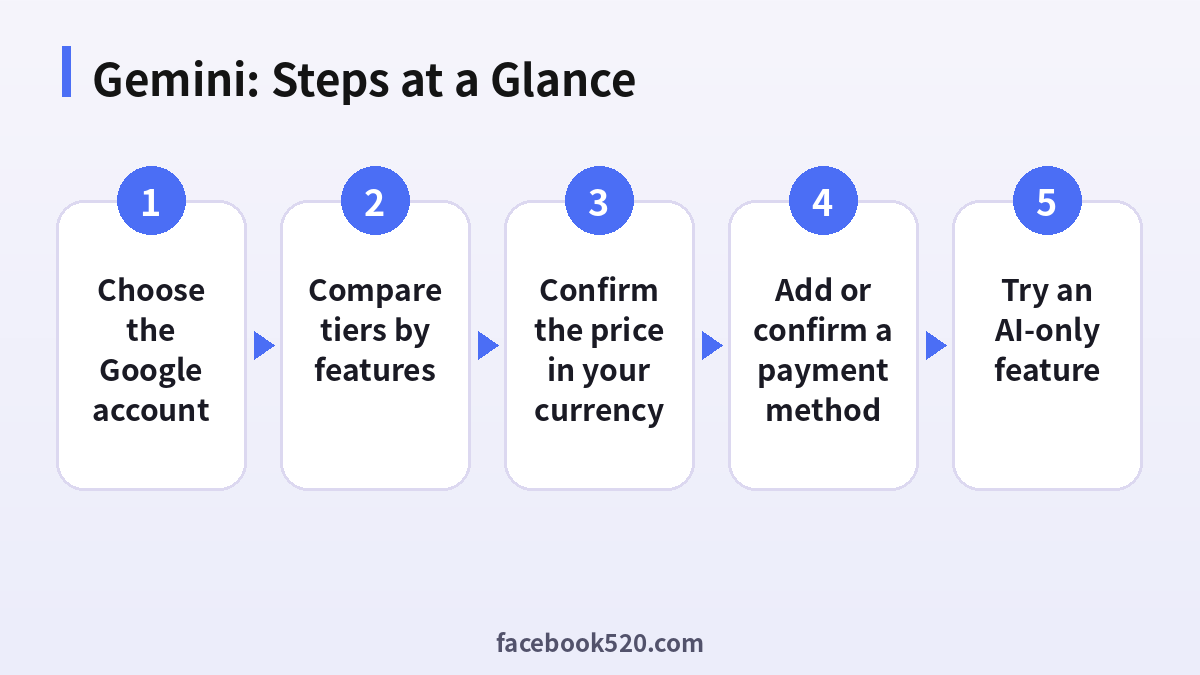
- Choose the Google account: Decide which Google account will hold the subscription and sign in with it first. Family or work accounts may have different rules.
- Open the official Gemini subscription page: Start from gemini.google.com or the Google One page so you are paying Google directly, not a reseller.
- Compare tiers by features: Read what each tier includes, especially storage, generation limits and app integrations.
- Confirm the price in your currency: Look at the line items on the checkout screen, including tax.
- Add or confirm a payment method: Google Pay profiles are shared across Google services, so double check the country and address.
- Finish checkout and check the status: Open the Google subscriptions page to confirm the plan name, billing cycle and next charge.
- Try an AI-only feature: Open Gemini and use a feature that was locked before to confirm the upgrade is attached to the right account.
Gemini Troubleshooting Table
| Symptom | Likely cause | What to do |
|---|---|---|
| This plan is not available in your country | Gemini plans roll out region by region | Check the official availability list and avoid workarounds that risk the account. |
| Payment profile error | The Google Pay profile country does not match the card | Update the profile address or use a card issued in that country. |
| Student offer cannot be verified | The verification method failed or you are not eligible | Retry once with the official method and contact support if it still fails. |
| Subscription active but features missing | You are signed in with a different Google account | Switch accounts in the profile menu and refresh the page. |
| Charged twice | Subscribed on the web and in an app store | Cancel one of the two and request a refund if needed. |
| Storage full warnings continue | Storage is shared across Gmail, Drive and Photos | Clean up files or check which bundle your plan includes. |
Storage is part of the deal
Many Google AI plans are bundled with Google One storage. That means the value is partly the storage allowance, not only the AI features. If you already pay for a large storage plan, check whether an AI plan replaces it or stacks on top before paying twice.
Gemini app versus Gemini in Workspace
Consumer Google AI plans and Gemini included in Google Workspace business plans are managed in different places. Workspace admins control the business offering, and an individual plan will not change what an organization account can do.
Student promotions
When Google offers a free period for students, it normally requires verification through a recognized method and a payment method on file, and it renews at the normal price afterwards unless cancelled. Put the end date in your calendar the day you start.
Managing family and shared access
Some Google subscriptions can be shared with family group members. Whether Google AI features can be shared depends on the specific plan and country, so check the plan details before assuming your family gets access.
What to do if the price looks different
Prices can differ by country, by tax and by the platform you use to subscribe. Compare the final total at checkout, not the headline number.
Cancelling cleanly
Cancel from the Google subscriptions page, not from within an unrelated app. You usually keep access until the end of the paid period. If you used a promotional period, cancel before the trial ends to avoid the first charge.
Why not trust old screenshots
Plan names, limits and prices change several times a year. Use this guide for the decision logic and the official page for the numbers.
A simple monthly usage review
After the first month, write down how many days you opened Gemini, which features you used, and whether you hit a limit. If most days were light usage, downgrade at the next renewal. Subscriptions are easier to cancel than to justify, so make the review a habit rather than an afterthought.
Gemini in Chrome, Android and Search
Gemini shows up in several Google surfaces, and not all of them require a paid plan. Before paying for access, check whether the feature you want, such as assistance inside Chrome or on Android, is already available at no cost in your region.
Long context and file uploads
One of the most practical reasons to upgrade is working with long documents, large PDFs or many attachments. If you mostly ask short questions, this benefit will not matter to you, so weigh it honestly against price.
Comparing against doing nothing
Before paying, list the three tasks you would do with the plan. If you cannot name them, you are buying a feeling rather than a capability. A good rule is to make the upgrade earn its place within the first billing month, with a note of what it saved you.
Why Gemini results differ between tiers
Different plans can expose different models and different limits. If you are comparing answers with a friend and see a difference, check which model each of you selected and whether the feature is enabled on your plan before concluding that one account is worse.
Keeping records for expenses
Download the receipt from the Google payments center and store it with the date, plan name and purpose. If you claim the subscription as a business expense, a consistent file of receipts saves a lot of time at the end of the year.
Gemini Checklist
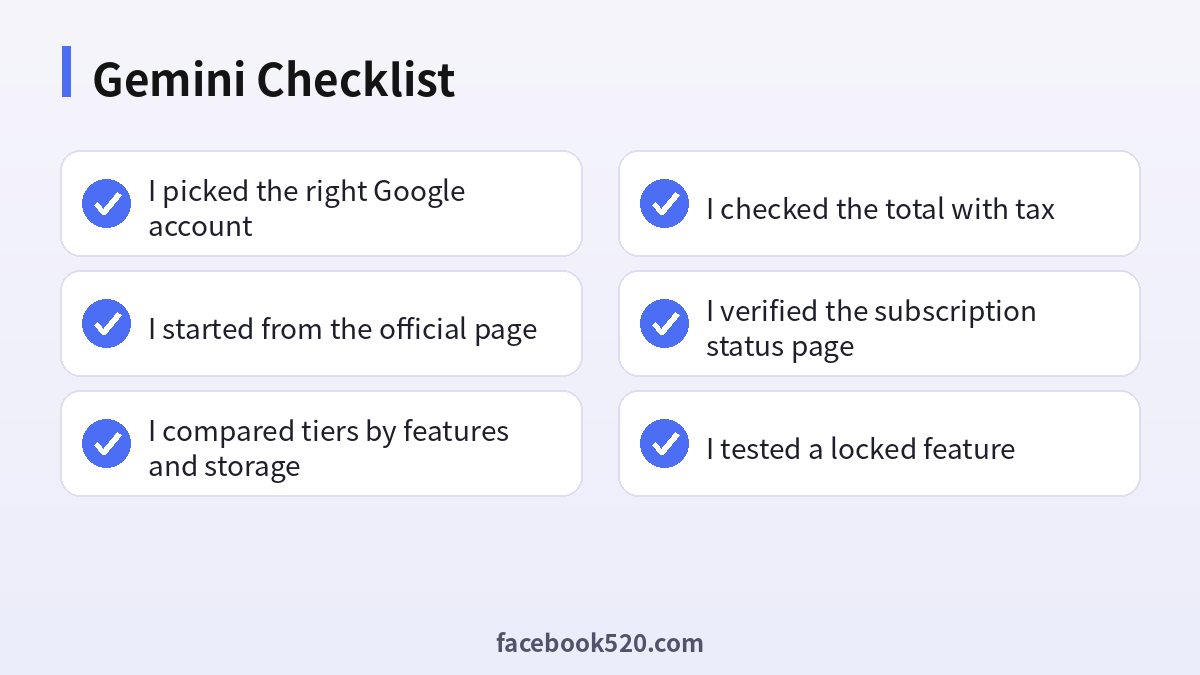
- I picked the right Google account
- I started from the official page
- I compared tiers by features and storage
- I checked the total with tax
- I verified the subscription status page
- I tested a locked feature
- I noted the renewal or trial end date
Related guides
- Chinese guide: Gemini订阅充值与付款教程.
- Compare plans for other assistants: Claude Pricing 2026 and ChatGPT Subscription 2026.
- Need a Google account first? See How to create a Google Business account.
FAQ
Is Gemini Pro free?
The basic Gemini app is free. Gemini Pro, as the paid subscription, costs money, although new subscribers may get a trial.
What is the difference between Gemini Pro and Gemini Ultra?
Ultra offers higher limits and the newest features at a significantly higher price.
Can I share Gemini Pro with my family?
Some Google One plans allow family sharing. Check the plan details for your country.
How do I cancel?
Open Google One or Google Play subscriptions, select the plan and cancel renewal.
Does Gemini Pro include storage?
Most Google AI Pro plans bundle Google One storage, but the amount depends on the plan and region.
Is Gemini Pro the same as Google AI Pro?
People use the names loosely. The Gemini app plan is sold as a Google AI tier, so use the exact name shown on the official subscription page.
Can I use Gemini Pro with a work Google Workspace account?
Workspace accounts follow organization policy. Ask your admin whether Gemini is enabled and how it is billed.
Does Gemini Pro give me API credits?
No. API usage is billed in AI Studio or Google Cloud and is separate.
Will I lose my Drive files if I cancel?
Your files stay but you may exceed the free storage limit, which can block uploads and sending email until you free space or buy storage.
Is there a free trial?
Google sometimes offers trials for new subscribers. Availability changes, so check the checkout page rather than relying on older posts.
Why is Gemini slower sometimes even on a paid plan?
Speed depends on the model selected, load and the task. Choosing a faster model option can help.
Which payment methods does Google accept?
Cards, Google Pay balance and some local methods depending on country. The checkout page lists exactly what is available to you.
Does a higher tier mean better answers?
Higher tiers mostly mean higher limits and extra features, not a smarter default model in every case. Read the plan comparison for what changes.
Where do I get invoices?
Google payments center shows receipts and invoices for your subscriptions.
Can I switch from Google AI Pro to Ultra later?
Yes, plans can generally be changed from the subscription page, with billing adjusted according to Google’s rules shown at that moment.
Does the free version of Gemini have limits?
Yes. Free access is limited by usage and by the models and features available, and those limits can change.
