


Claude Account 2026: How to Create, Secure, Upgrade and Manage Your Anthropic Account, Plans, API Console Basics and Why Buying Accounts Is a Bad Idea
A Claude account gives you access to Anthropic’s AI assistant on the web, on mobile and on desktop, and it is also the starting point for tools such as Claude Code and for projects, file analysis and integrations. People search for the topic for many reasons: they want to sign up for the first time, work out which plan is worth paying for, understand how the API console differs from the chat product, secure their login, recover access or decide whether it is safe to buy an account from a seller. This hub article answers those questions in one place. Plans, limits and prices change regularly, so treat the details below as a practical framework and check Anthropic’s official pages for current figures. For plan costs in more depth, see our pricing guide (https://www.facebook520.com/ai-tools-guide/ai-chat-search/8142.html), for developer billing see the API credits article (https://www.facebook520.com/ai-tools-guide/ai-chat-search/9510.html), and for sign-up troubleshooting see our walkthrough (https://www.facebook520.com/ai-tools-guide/ai-chat-search/9514.html).
What a Claude account is and what it includes
When you create an account, Anthropic stores your login, your settings, your conversation history, any projects you create and the files you upload. If you subscribe, the subscription is attached to the same account. The account works across the website, the mobile apps and the desktop app, so a conversation started on a laptop can be continued on a phone. Different products can share one login, but billing is not always shared: the chat subscription and the API console are separate things. A chat plan does not include API credit, and API credit does not unlock paid chat features. Keep this distinction in mind whenever you read pricing pages.
Accounts are intended for individuals, so each person should hold their own. A personal account is different from a team workspace, in which an administrator invites members, assigns seats and controls settings.
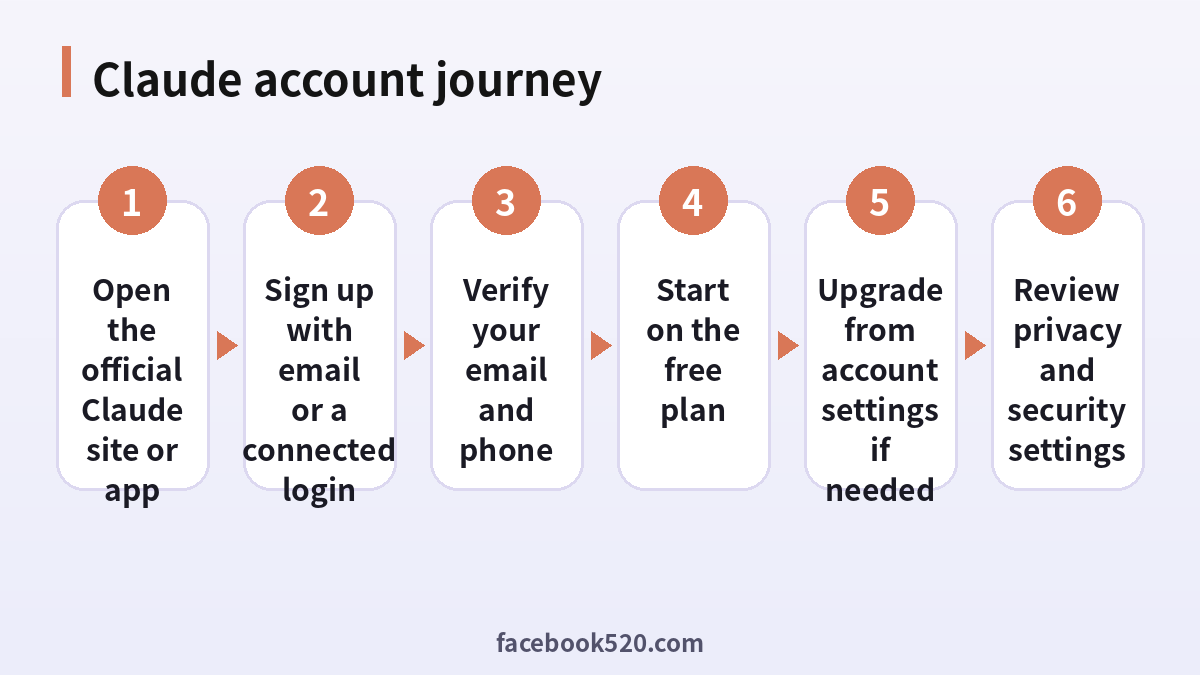
How to create a Claude account
The sign-up process is short, and it is the same whether you use a browser or a phone. Start from the official website or the official app in your device’s store, because look-alike sites exist.
- Open the official Claude website or install the official app.
- Choose to sign up and pick a method, such as a Google login or an email address.
- If you use email, type the address, then open the message from Anthropic and follow the link or enter the code you receive.
- Provide your name and confirm that you meet the age requirement.
- Verify a phone number if asked. Verification rules can vary by region and may change.
- Accept the terms, read the short introduction and start your first conversation.
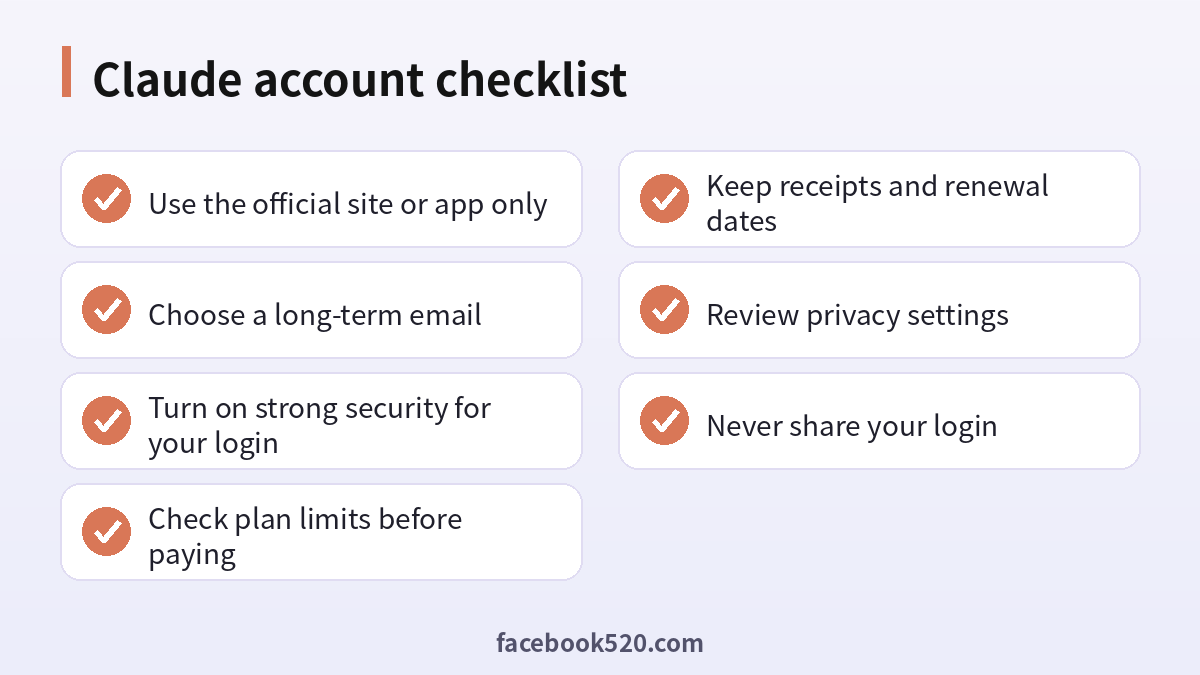
If the email does not arrive, check your spam folder, confirm the spelling of the address and wait a few minutes before requesting another message. Use a mailbox that you will keep for years, since password resets and billing notices depend on it.
Free and paid plans
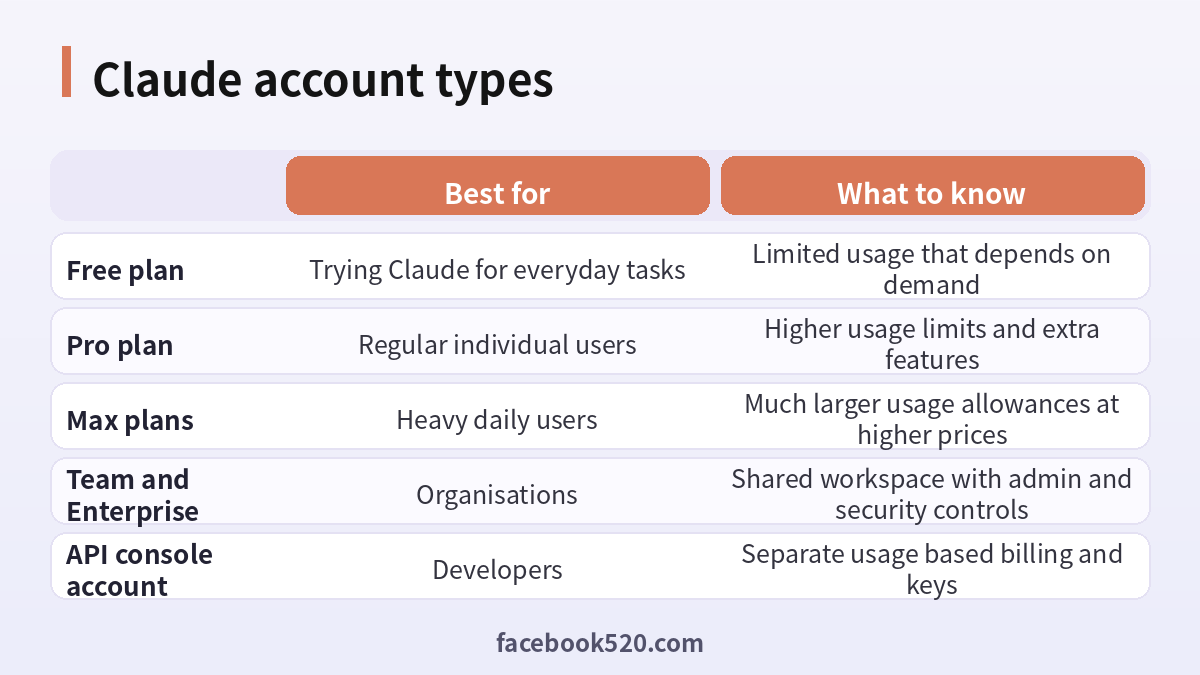
New accounts begin on a free plan with limited usage. Paid individual plans raise the usage limits and add features, and higher tiers are aimed at people who use Claude heavily throughout the day, for example for coding or long document analysis. Organisation plans add a shared workspace, central billing and security controls. The exact names, prices and allowances evolve, so always read the plan comparison inside your account before you pay.
| Plan | Typical user | Main benefit | Check before paying |
|---|---|---|---|
| Free | Beginners | Try the assistant at no cost | Daily usage limits |
| Pro | Regular users | More usage and extra features | Monthly versus annual price |
| Max | Power users and developers | Large usage allowances | Which tier matches your workload |
| Team | Small businesses | Seats, shared projects, admin tools | Minimum seats and data policy |
| Enterprise | Large organisations | Contracts and advanced security | Procurement terms |
Usage limits in chat plans are typically measured in messages or a usage window that resets over time, and long conversations with big attachments consume more. If you notice that you often hit the limit, either shorten conversations, start fresh chats for new topics or consider a higher tier.
Paying for a plan safely
Upgrade from inside your own account. Open the settings, choose the billing or plan section, select a plan and pay with a card or another method offered in your region. If you subscribe through an app store, billing runs through Apple or Google, and you manage and cancel it there. Save your confirmation email and note the next renewal date. Do not pay a stranger to “upgrade” your account for a discount, and do not hand over a password. Such arrangements often use stolen cards or shared logins, and the payment can be reversed after you have started to depend on the service.
To cancel, go to the subscription settings in the place where you paid. Cancelling usually keeps your benefits until the end of the paid period. If you plan to use Claude for work, consider a team plan so that each user has an individual seat and the company controls billing.
The API console is a different account area
Developers use the Anthropic console to create API keys, set spending limits and view usage. Billing there is prepaid or usage based according to your settings, and it is independent from the chat plan. Keep your keys secret: store them in environment variables or a secrets manager, never in public code repositories, and rotate them if they leak. Set a monthly spend limit so that a bug in your code cannot generate an unexpected bill. If you only want to chat with Claude, you do not need the console at all.
| Need | Use the chat account | Use the API console |
|---|---|---|
| Talk to Claude in a browser or app | Yes | No |
| Upload documents to analyse | Yes | Through your own code |
| Build your own product | No | Yes |
| Pay a fixed monthly fee | Yes | No |
| Pay by usage | No | Yes |
Security settings you should enable
Protect the login with a unique password kept in a password manager. If you signed up through a Google account, secure that Google account with multi-factor authentication, since it is the real key to your Claude account. Review where you are signed in and log out of devices that you no longer use. Be careful with browser extensions or third-party apps that ask for broad permissions, and only connect integrations from sources that you trust. Revoke connections you no longer need.
Your conversations may contain confidential work and personal information, so think of the account as you would your email. Do not share it with colleagues or family members. Shared logins mix histories, expose private details and make any security review impossible.
Privacy, data and responsible use
Look at the privacy settings and the data controls in your account. Check how conversations may be used, how long they are retained and how to delete them. Avoid pasting passwords, private keys, customer records or confidential contracts unless your organisation’s plan and policy allow it. If you use Claude at work, follow your employer’s AI policy, and prefer the company workspace to a personal account. Treat answers as drafts that need verification, especially for legal, medical, financial or technical decisions.
Why buying a ready-made Claude account is risky
Marketplaces and social posts sell Claude accounts, sometimes with a “Pro” subscription already attached. These offers are risky for several reasons. The seller usually retains the recovery email and can reset the password at any time. The subscription might have been paid with a stolen or later-reversed card. Anthropic can suspend accounts that violate its terms, and you would have no standing to appeal because the account is not yours. Previous conversations may still sit in the account, and your own work could be exposed to the seller. The savings are small compared with the risk of losing access and data. A safer way to save money is to start on the free plan, upgrade only when needed and look for legitimate education or organisation offers announced by Anthropic itself.
Choosing the right plan without overpaying
The right plan is the cheapest one that removes the friction you actually feel. Begin by noticing what blocks you on the free plan. Do you hit the usage limit in the middle of a task? Do you need to work with long documents or large codebases? Do you want extra features such as projects, integrations or access to the most capable models? If none of these bother you, stay on the free plan. If you do run into limits regularly, try a paid individual plan for a month and track how often you use the extra capacity. The highest tiers are designed for people who use Claude for hours every day, so most users should not begin there.
For small teams, compare the cost of several individual plans with a team plan. A team plan usually costs more per seat, but it adds central billing, a shared workspace and clearer data handling, which is worth it for any business that works with client information. Students and educators should look for education offers announced by Anthropic and should be cautious of any website that sells fake student discounts.
| Situation | Sensible choice | Reason |
|---|---|---|
| Curious beginner | Free plan | No cost and enough for learning |
| Frequent personal user | Pro plan | Higher limits and extra features |
| Developer using Claude all day | Higher tier | Larger usage allowance |
| Small company | Team plan | Seats, billing and admin control |
| Building an app | API console | Usage billing and keys |
Getting more from your account
A few habits make any plan more useful. Start a new conversation for each separate task, because very long conversations consume more of your usage allowance and can become harder for the model to follow. Use projects to keep related files and instructions together, so you do not need to explain the context every time. Write clear instructions: state your role, the audience, the format and any constraints. Ask for step-by-step reasoning on difficult problems, and verify important facts yourself. When you upload documents, make sure that you are allowed to share them. For repeated tasks, such as meeting summaries or code reviews, save a reusable prompt and refine it over time.
Mobile and voice features are helpful for brainstorming while you walk or commute, but remember that those conversations are stored according to your settings. Review the data controls before you discuss anything sensitive.
Billing problems and how to solve them
The most common billing problems are a declined card, an unexpected renewal, a duplicate charge and a subscription that does not appear after payment. For a declined card, check the number, expiry date and security code, confirm that online and international payments are allowed on the card and ask your bank whether it blocked the transaction. For an unexpected renewal, open the subscription page, look at the renewal date and cancel before the next cycle if you no longer need the plan. For a duplicate charge, compare your statement with the receipts in your inbox, because one of the entries may be a temporary authorisation that disappears after a few days. If a paid plan does not show up, sign out and in again, make sure that you are using the login method you paid with and contact support with your receipt.
Keep your receipts for each month. If you use the plan for business, make sure that the invoice shows the right company name and tax details, since correcting them later can be awkward.
Using Claude at work or school
Follow the rules of your employer or institution. Do not paste confidential information into a personal account, disclose AI assistance wherever it is required and review outputs before sharing them. Students should read the course policy about AI tools and acknowledge assistance if the policy says so. Treat generated text, code and analysis as drafts, check them for accuracy, bias and copyright issues, and keep your own judgment in the loop. Responsible use protects your account, your reputation and the people who rely on your work.
Desktop, mobile and browser: where to use it
The browser is the most flexible way to use Claude and the best place to manage billing and settings. The mobile app is convenient for quick questions, photos and voice. The desktop app adds shortcuts and integrations that keep the assistant close while you work. Whichever you choose, download only from official sources, keep software updated and sign out on shared computers.
Recovering a locked account
If you cannot sign in, start with the password or email login flow on the official page and use the same method you originally chose. Many people forget whether they signed up with Google or email, so try both. If you suspect that someone else has accessed your account, reset your password, sign out of all sessions, secure your email and check for unfamiliar messages. If the problem persists, contact support through the official help centre with the email address on the account and a description of what happened. Never pay a stranger who promises to recover an account.
Frequently asked questions
How do I create a Claude account?
Open the official website or app, choose sign up, pick a Google login or email, verify your email and follow the prompts.
Is Claude free to use?
There is a free plan with limited usage. Paid plans add more usage and features.
Do I need a phone number?
You may be asked to verify one, and requirements can differ by region.
Does a Claude subscription include API credit?
No. The API console is billed separately by usage.
How do I cancel a subscription?
Cancel where you paid, either in your account settings or in the app store, before the renewal date.
Can I share one account with a colleague?
It is not recommended. Use a team plan so each person has a seat.
How do I protect my account?
Use a unique password, secure the email or Google account you used to sign up, review your sessions and avoid unknown extensions.
Can I use Claude on my phone and computer with the same account?
Yes. Sign in with the same login on each device.
Is it safe to buy a Claude account from a seller?
No. Purchased accounts can be taken back by the seller or suspended, and your data may be exposed.
What should I do if I forget how I signed up?
Try each login method, such as Google and email, on the official page and use the reset option for the one that works.
Where do I manage billing?
In the account settings under billing or plan, or in your app store if you subscribed there.
Can I delete my data?
Yes. Use the privacy and data controls to delete conversations, and contact support for account deletion.
Conclusion
A Claude account is easy to create and worth protecting. Begin with the free plan, upgrade from within your own account when the limits become a real obstacle, keep the API console separate and secure your login. Avoid shared and purchased accounts, keep your receipts and rely on the official help centre for any problem.
