


Buy a Midjourney Account in 2026: Official Plans, Pricing, Payment Options, and Why Cheap Accounts for Sale Are a Bad Idea
Search for Midjourney and you will quickly run into listings that say “Midjourney accounts for sale”, “cheap Midjourney account” or “shared Pro account, lifetime access”. They look tempting, because image generation subscriptions are not free and generating many images can feel expensive. This 2026 guide explains how to buy Midjourney the right way: what the official plans are, how pricing generally works, how to pay with a card, how to manage and cancel a subscription, and why buying an existing account from a third party is almost always a bad deal. We also cover the legitimate ways to lower your cost and a few related terms people search for, such as mood boards and personalization. Plans, prices and limits change often, so confirm every number on the official subscription page before you pay. If you want the payment walkthrough in more depth, read our Midjourney payment guide.
What you actually get when you subscribe
Midjourney is an AI image generator. A subscription gives you time on the platform’s GPUs to generate images from text prompts, plus access to features such as upscaling, variations, image prompts, style references, personalization and an editor. Higher tiers give you more fast-generation hours, the ability to run several jobs at once and private generation. Free trials have come and gone over the years, so check whether one is currently offered, but do not assume it exists.
A few general points hold across plans:
- Billing is a recurring subscription, monthly or yearly, and a yearly plan is usually cheaper per month than a monthly plan.
- Each plan includes a fixed amount of “fast” GPU time; when it runs out you can often continue in a slower relaxed mode on higher tiers or buy extra fast time.
- Privacy features, such as generating images that are not displayed in the public gallery, are generally reserved for the higher tiers.
- Commercial use rights depend on the plan and on the size of the company using the images, so read the current terms of service.
Official plans compared
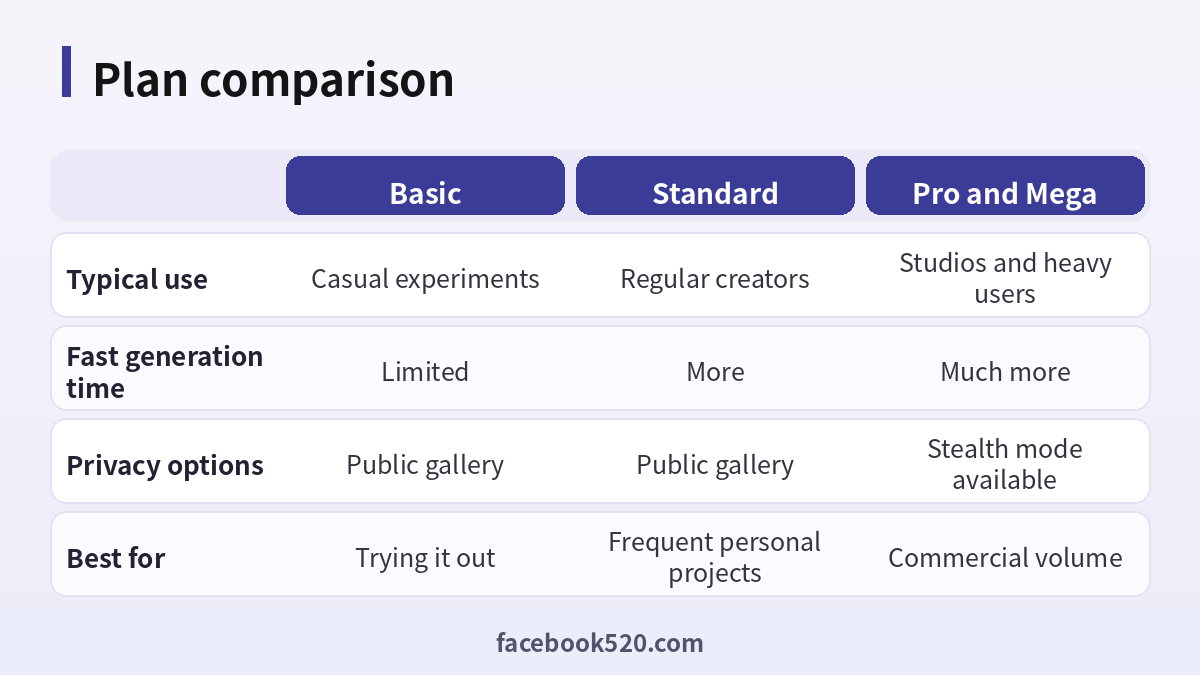
| Feature | Basic | Standard | Pro and Mega |
|---|---|---|---|
| Typical use | Casual experiments | Regular creators | Studios and heavy users |
| Fast generation time | Limited | More | Much more |
| Relaxed mode | No | Yes | Yes |
| Privacy options | Public gallery | Public gallery | Stealth mode available |
| Concurrent jobs | Few | More | Most |
| Best for | Trying it out | Frequent personal projects | Commercial volume |
The exact monthly price of each tier is shown in dollars on the subscription page, and may differ slightly by billing period. Do not rely on a price quoted in a video or blog post from months ago.
How to buy Midjourney step by step
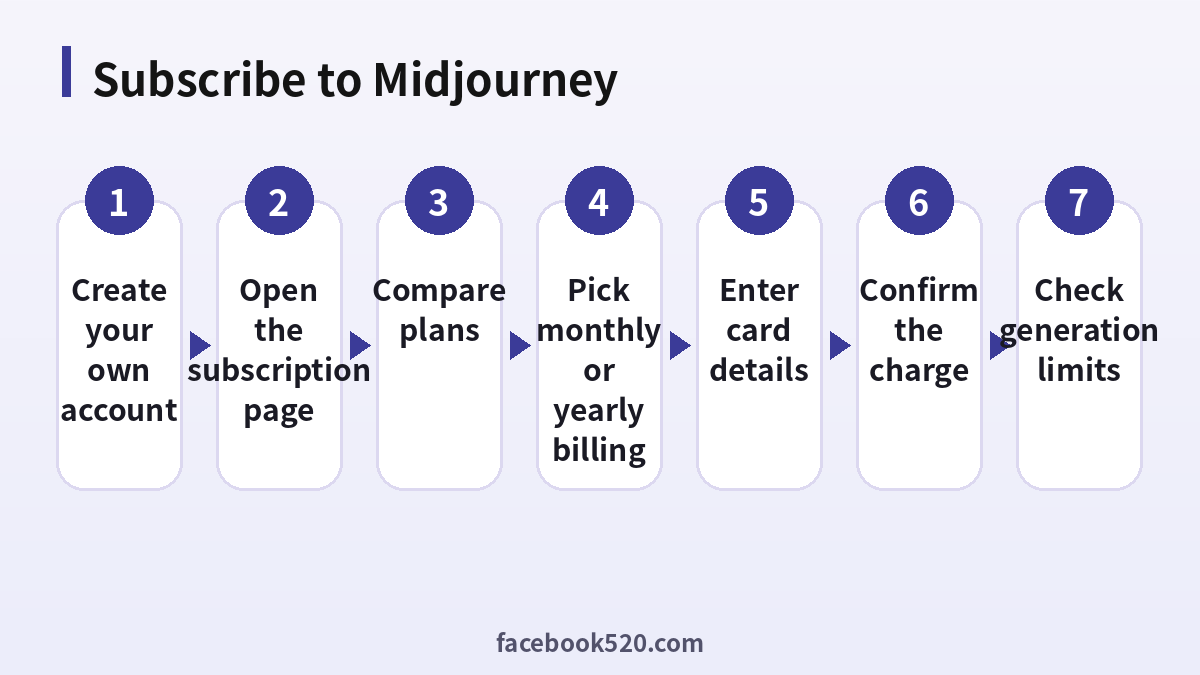
- Create your own Midjourney account on the official website. Registration normally uses a Discord or Google login, so make sure that account is yours and is secured with two-factor authentication.
- Open the subscription or account page and compare the plans for your region.
- Choose monthly or yearly billing. If you are not sure you will keep using the tool, choose monthly first.
- Select the plan and continue to checkout.
- Enter your card details and billing address. Complete the extra verification (3-D Secure) if your bank asks.
- Confirm the payment and wait for the confirmation email.
- Open the app or website, check that your plan shows as active, and look at your remaining fast hours.
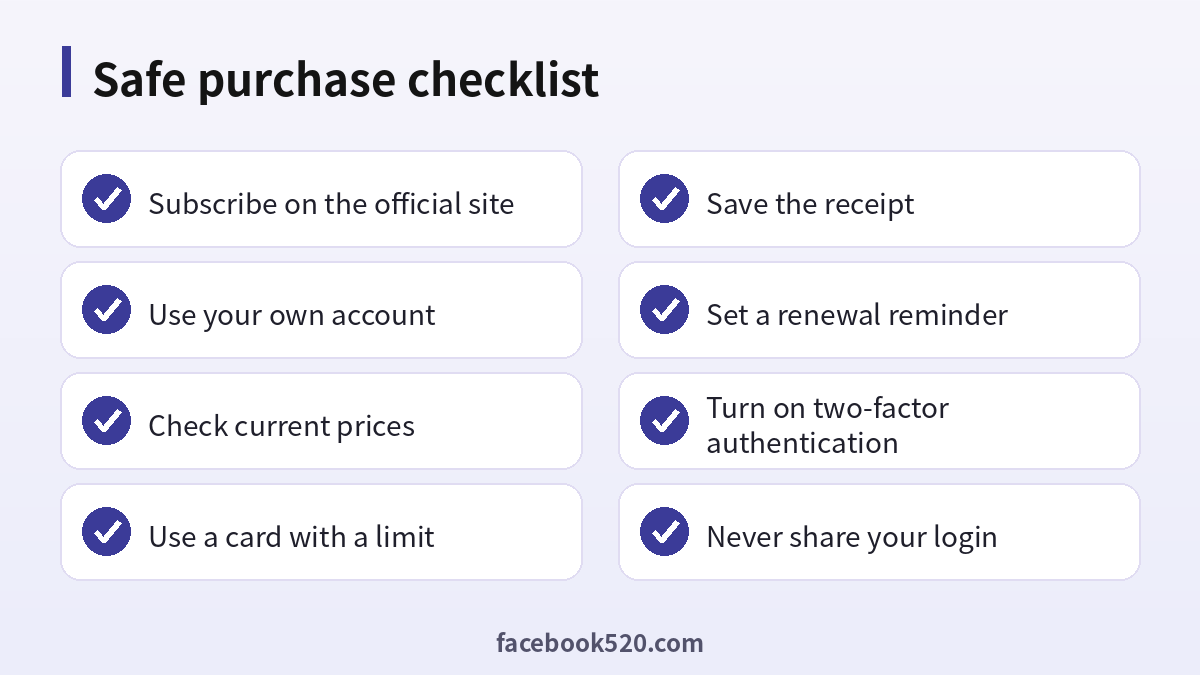
- Save the receipt, and set a reminder one or two days before renewal.
Why “Midjourney accounts for sale” is a bad idea
It is understandable to look for a bargain, but buying an already-created account or a shared login carries real problems:
- You do not own it. The email address and recovery details stay with the seller, who can take the account back at any time.
- Accounts can be banned. Many resold accounts are paid for with stolen cards or shared among too many people. When the payment is reversed or the account violates the rules, it is closed, and your images and history disappear with it.
- Your prompts and images are visible to others. On a shared account, other people can browse your history, reuse your prompts and see your private work.
- No support. Midjourney’s team will not help you with an account you did not register yourself.
- Scams are common. “Lifetime” offers, advance payments, and sellers who vanish after the transfer are typical patterns.
- Terms of service. Buying, selling or sharing accounts generally breaks the platform’s rules, which can lead to losing access to everything.
If a price is far below the official price, the money has to come from somewhere, and it is usually your risk.
| Option | Cost | Risk | Verdict |
|---|---|---|---|
| Official subscription | Official price | Low | Recommended |
| Bought or resold account | Often cheap | High: ban, takeback, privacy | Avoid |
| Shared group account | Split cost | High: privacy, rule breaking | Avoid |
| Free alternatives | Free | Limited features | Fine for testing |
Paying with a card
Midjourney bills in US dollars through a standard online payment processor, so your card must allow international online payments. A credit card is usually the smoothest route. Debit cards often work too, but some banks block recurring foreign charges until you enable them. Virtual cards from regulated banks or fintech apps can work if they allow subscriptions, but acceptance depends on the issuer, and prepaid cards sometimes fail at renewal when the balance is low. Keep a small buffer for currency conversion fees. Never send your card number or one-time codes to a “seller” who offers to subscribe on your behalf.
Why a payment gets declined
- International online payments are switched off on the card.
- The bank’s fraud filter blocked the charge; call or use the banking app to approve it.
- The 3-D Secure code was not entered in time.
- The billing address does not match the bank record.
- The balance or credit limit is too low.
- Too many failed attempts in a row triggered a temporary lock.
- A VPN or unusual network location made the transaction look suspicious.
Wait a little, fix the cause and try again. If you were charged but the plan does not appear, check your email for a receipt, wait a few minutes and then contact official support with the receipt attached.
Managing, changing, and cancelling your plan
Open the account page and look for the manage subscription option. You can switch between plans, change billing frequency or cancel the renewal. Cancelling stops future charges but normally keeps access until the end of the paid period. If you upgrade mid-cycle, the platform usually prorates the difference. Check the refund policy before you ask for money back: refunds are not guaranteed and rules vary.
Mood boards, personalization, and style references
Some people search for “Midjourney mood boards for sale”. Mood boards are really a creative workflow rather than a product you buy from the platform. In Midjourney you can collect images you like, use style references to steer a look, and use personalization to train the model on your ratings so that it better matches your taste. Anything sold under the name of “mood boards” or prompt packs outside the platform is a third-party product: collections of prompts, reference images, or templates. Some are useful starting points, but treat them like any other digital product. Check reviews and the seller’s reputation, and do not pay for something you can easily build yourself with a few hours of experimentation. Make sure that you have the rights to any reference images you upload, especially when you plan to use the output commercially.
How to save money legitimately
- Start on the lowest plan and upgrade only if you run out of fast time.
- Choose yearly billing if you are sure you will use it all year.
- Use relaxed mode where your plan allows it and keep fast hours for important work.
- Write precise prompts and iterate with variations rather than regenerating from scratch.
- Cancel in months when you will not use the tool.
- Compare with other image generators that offer free tiers for simple tasks.
- For a team, compare one higher-tier plan with several lower plans to see what fits your volume.
Security tips after you subscribe
Use a unique password, turn on two-factor authentication on the login provider you use, and avoid logging in from shared computers. Be wary of emails and Discord messages that claim to be from Midjourney staff and ask for payment details; the real team will not ask for your card number in a direct message. Review the devices and connected apps on your login account every few months.
| Problem | Likely cause | What to do |
|---|---|---|
| Card declined | International payments off | Call the bank |
| No plan after payment | Processing delay | Wait, check email, contact support |
| Double charge | Two subscriptions | Cancel one and ask for a refund |
| Account banned | Rule violation or shared account | Appeal through the official channel |
Getting more value from each fast hour
Whatever plan you choose, the way you work determines how far your fast time goes. Most beginners burn through their allowance by generating dozens of near-identical images while they figure out what they want. A better workflow is to explore broadly in relaxed mode when your plan allows it, shortlist the two or three directions you like, and then switch to fast mode only for the final refinements and upscales. Keep a text file of prompts that worked, together with the settings you used, so you can reproduce a look later without starting from scratch.
Prompting itself matters. Describe the subject first, then the setting, the lighting, the camera or art style, and the mood. Be specific about what you want and use negative or exclusion parameters for things you do not want. Use image prompts and style references when a look is hard to put into words, and change one variable at a time so you learn what each change does. Variations and the editor let you correct a small part of an image instead of generating a new one, which saves time and GPU minutes.
| Habit | Why it saves money | How to start |
|---|---|---|
| Explore in relaxed mode | Keeps fast hours for finals | Check your plan allows it |
| Save good prompts | Avoids repeated experiments | Keep a prompt notebook |
| Change one variable at a time | Fewer wasted generations | Edit a single phrase |
| Use variations and editing | Fixes details cheaply | Pick the closest result first |
| Batch your work | Reduces idle subscription time | Plan a project week |
Is a monthly or a yearly plan better for you?
A yearly plan usually lowers the effective monthly price, but it asks you to pay a larger amount up front and commit to a year. It makes sense if you already know that you will use the tool most months, for example as a designer, a marketer or a content creator who publishes images every week. It makes less sense if your use is seasonal, such as a hobbyist who makes art in bursts or a student with a single project. In that case a monthly plan, paused or cancelled between projects, can cost less over the year even though the monthly rate is higher. Do the simple arithmetic: multiply the monthly price by the number of months you really expect to use it, compare that with the yearly price, and add a margin for the chance that you will switch tools.
Also think about team needs. If several people in your company need access, check whether each person must have a separate plan, and whether a higher tier with more concurrent jobs would make a single account more productive for a studio setting. Sharing credentials between people is not a way to save money; it breaks the rules and exposes your data.
Using your images responsibly
Generating images is the easy part. Using them responsibly takes a little more thought. Check the rights that come with your plan before using images for commercial work such as product packaging, ads or client deliverables. Avoid prompts that imitate a living artist’s style too closely for commercial projects, and never present generated images as photographs of real events. If your work involves real people, brands or logos, get the necessary permissions. Keep records of your prompts and generation dates, because they help you demonstrate how a piece was made if a client or platform asks. When you publish AI-generated images, consider labelling them as such, which builds trust with your audience and follows the rules of many platforms.
Finally, review your subscription every quarter. Look at how many images you actually used, whether the fast hours were enough, and whether competing tools now offer features you need at a lower price. Tools in this field change quickly, and an annual review keeps you from paying for capacity you do not use or sticking with a plan that no longer fits your work.
Frequently asked questions
Is it safe to buy a Midjourney account from a third party?
No. You do not own the account, it can be reclaimed or banned, and your data can be seen by others.
How much does Midjourney cost?
Prices depend on the plan and billing period and are listed in dollars on the subscription page. Check it before you pay.
Is there a free Midjourney plan?
Free trials have appeared at times, but availability changes. Check the current official page.
Which plan should I choose?
Start with the lowest plan for light use. Move to a higher plan if you run out of fast hours or need private generation.
Can I pay with a debit card?
Often yes, if international online payments are enabled. Some banks block recurring foreign charges.
Do virtual cards work?
Many do, but acceptance depends on the issuer. Test with a small plan and keep a buffer for renewals.
Can I use Midjourney images commercially?
Commercial rights depend on your plan and company size. Read the current terms of service.
How do I cancel?
Open the account page, choose manage subscription and cancel the renewal. Access continues until the period ends.
What is Stealth mode?
It is a privacy feature on higher plans that keeps your generated images out of the public gallery.
Are Midjourney mood boards sold separately?
Not as an official product. Third-party prompt packs exist, but evaluate them carefully.
Can two people share one subscription?
Sharing a login breaks the platform’s rules and risks both your privacy and your account. Each user should have their own plan.
What if I was scammed by an account seller?
Contact your bank or card issuer immediately, keep screenshots of the conversation, and report the seller to the marketplace.
Conclusion
The safest and cheapest way to use Midjourney in the long run is to subscribe yourself through the official site. Compare the plans, pick the lowest one that covers your needs, pay with a card that allows international online payments, and set reminders for renewal. Avoid accounts for sale, shared logins and “lifetime” offers: the savings are small compared with the risk of losing the account, your images and your money. With a clear plan and sensible habits, you can get the most from Midjourney in 2026 without paying more than you need to.
