


Sora Verification Code Not Received in 2026: Why It Happens After the Shutdown, What to Do About Suspended Account Appeals and How to Export Your Data
If you are searching for “Sora verification code not received” or “Sora account suspended appeal” in late 2026, the most important fact is that Sora no longer exists as a product. OpenAI announced in March 2026 that it was shutting down the Sora video app and web experience. The Sora web and app experiences were discontinued on April 26, 2026, and the Sora API followed on September 24, 2026. That changes how you should read every older tutorial about codes, logins and appeals. This guide explains why codes do not arrive, why an unexpected Sora code is a warning sign, what to do about account problems and how to protect the data and money connected to the old product. The facts come from OpenAI’s official help center and major news reports from 2026. For background on what happened to the product, see our guide on what happened to Sora sign up.
The short answer
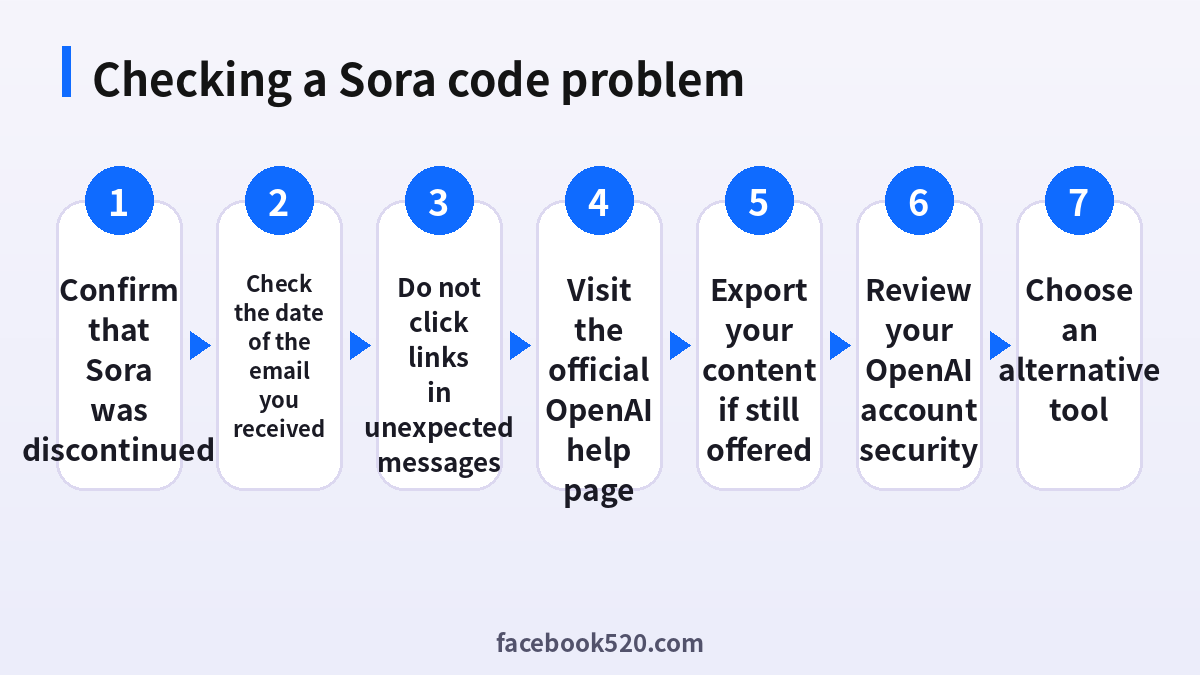
You do not receive a Sora verification code because there is no longer a Sora sign-in to verify. Retrying, switching browsers, using a VPN or changing email addresses will not fix this. Articles that describe a code arriving in your inbox were written while the product was live. If you are being asked to type a Sora code somewhere, the request is either old or fraudulent.
What happened to Sora
OpenAI said on March 24, 2026, that it was saying goodbye to the Sora app, and it later set the dates for the shutdown. The company said that it wanted to focus on other areas such as coding tools, business customers and robotics. Image creation inside ChatGPT was not affected by the closure. The Sora product page now states that the product is no longer available, and OpenAI published a help article that describes the discontinuation and the export of data.
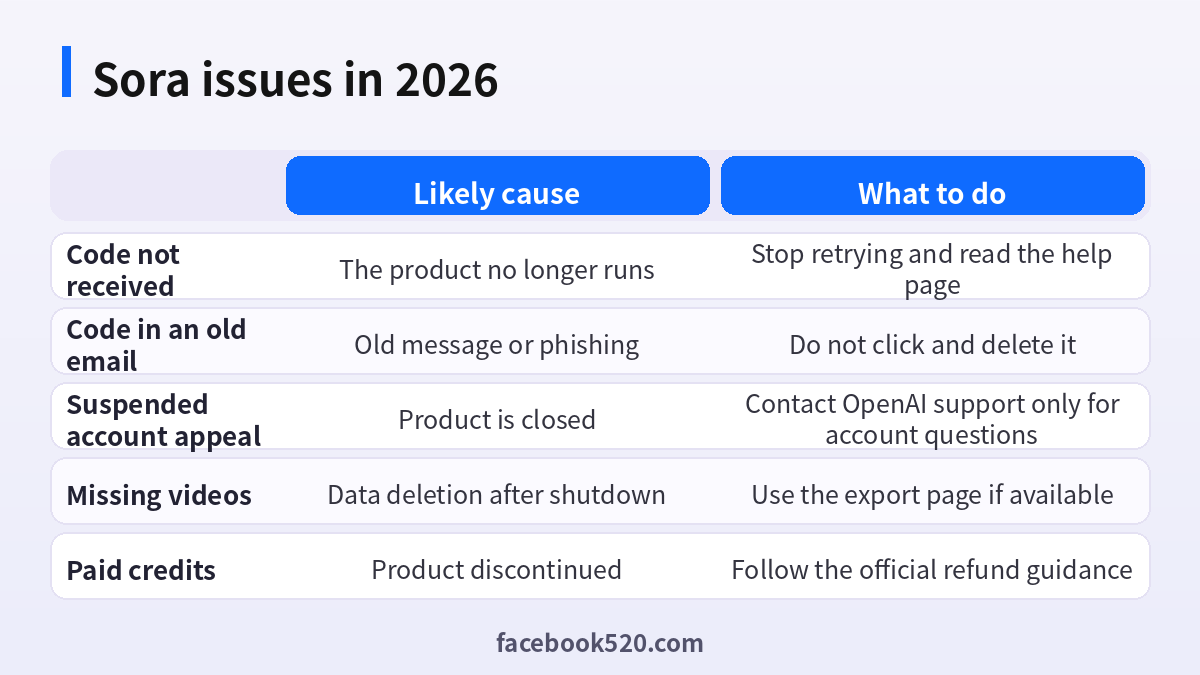
| Issue | Likely cause | What to do |
|---|---|---|
| Code not received | The product no longer runs | Stop retrying and read the help page |
| Code in an old email | Old message or phishing | Do not click and delete it |
| Suspended account appeal | Product is closed | Contact OpenAI support only for account questions |
| Missing videos | Data deletion after shutdown | Use the export page if available |
| Paid credits | Product discontinued | Follow the official refund guidance |
Why an unexpected Sora code can be dangerous
Scammers know that people were used to Sora and Sora 2 invite codes and sign-in codes. Messages that say you must verify your Sora account, that your Sora account has been suspended or that your Sora videos will be deleted unless you log in at a link are often phishing. The goal is to steal your OpenAI or email password, or to make you pay for a fake recovery. Any genuine notice from OpenAI would be sent to the email address on the account, and you can confirm shutdown details on OpenAI’s official help pages. Even then, go to the official site by typing the address yourself, and never log in through an email link.
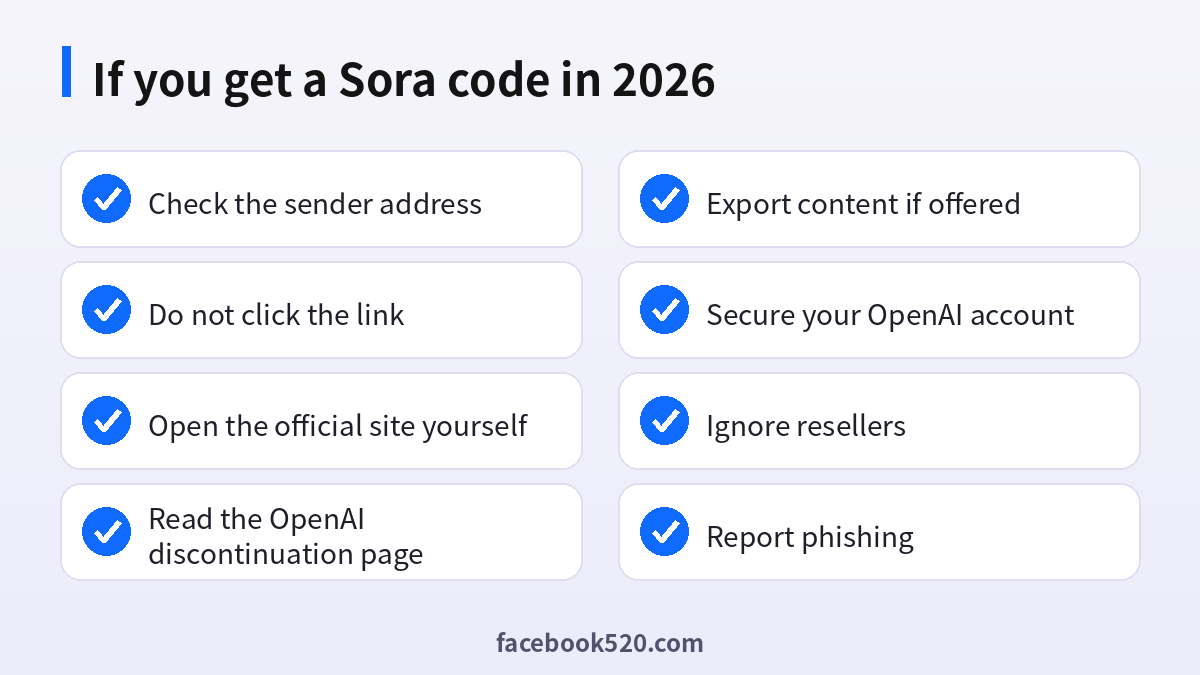
- Look at the sender address and the link destination without clicking.
- Open a new browser tab and type the official OpenAI address yourself.
- Compare the message with the help center article about the discontinuation.
- If the message asks for a password, a payment or a code, treat it as phishing.
- Report the email to OpenAI and your email provider.
- If you already clicked and typed a password, change that password on the real site immediately.
- Turn on two-step verification for your OpenAI and email accounts.
Suspended account appeals
You may have seen guides that explain how to appeal a Sora suspension. With the product closed, there is nothing to reinstate. If you had a paid ChatGPT or OpenAI account that was affected by a policy action, that is a separate matter, and you should use the official OpenAI help center and the appeal options listed there. Do not pay anyone who claims that they can reinstate a Sora account or buy you a new one. Sellers who offer Sora accounts, credits or invitation codes in 2026 are selling something that does not exist.
Exporting your content
OpenAI provided a page for exporting Sora content, reachable through the Sora sunset page. You choose export, and an email is sent when the file is ready. OpenAI also said that, after the discontinuation and any final export window, it would permanently delete data associated with Sora. If a final window is offered, the company said that it would notify account holders by email before it begins. If you still need your videos, check the official help article today instead of waiting. Videos you downloaded earlier remain yours under the terms that applied.
Credits, subscriptions and refunds
If you paid for credits or a plan connected to Sora, read the official discontinuation article for the guidance on refunds and subscriptions. Check the billing section of your OpenAI account and your app store subscriptions to be sure that no recurring charge remains. If you were charged after the shutdown and cannot see why, contact support through the official help center with the receipt.
What to use instead
Several other tools create video from text or images, such as Kling AI, Runway, Google Veo and others, and each has its own pricing and credit rules. Compare quality, price, commercial rights and data practices before you subscribe. Try the free plans first, and avoid buying yearly plans for a tool that you have not tested. Our guide to buying Sora accounts and codes explains why those offers are scams in 2026.
Protecting your OpenAI account
Because Sora used an OpenAI login, the account that matters now is your OpenAI or ChatGPT account. Use a unique password, enable multi-factor authentication, review active sessions and remove old connected apps. Check the email address on the account and make sure that you control it. A hijacked email account is the easiest way for an attacker to reset other passwords.
Privacy and personal data
Before you enter personal information anywhere, ask what is really required. Use only the details that Sora needs, review the privacy settings after setup and limit who can see your profile, activity and contact information. Avoid posting documents, addresses, financial data or photos that reveal your location. Check which third-party apps are connected to your account and remove those you no longer use. If you work with client or company data, follow your organization’s policy and do not mix it with personal accounts.
Troubleshooting checklist
If something does not work as expected with Sora, go through the basics in order before contacting anyone:
- Check your internet connection and try again on a different network.
- Update the app or refresh the page, then restart the device.
- Clear the cache or try a private browser window without extensions.
- Confirm that you are signed in with the correct account and email.
- Look for the exact error message and search the official help center for it.
- Wait a short time before repeating an action, since repeated attempts can trigger temporary limits.
- If nothing helps, collect screenshots and contact official support.
Devices, apps and browsers
Use the latest version of the official app or a modern browser when working with Sora. Keep your operating system updated, install security patches and avoid rooted or modified devices, which weaken protection. Browser extensions can read pages you visit, so remove those you do not trust. On mobile, download apps only from official stores, review the permissions they ask for and turn off those that are not needed. Lock your device with a PIN or biometrics so that a lost phone does not become a lost account.
Quick recap checklist
Before you finish, confirm the essentials for Sora:
- You are using the official website or app.
- Your password is unique and two-step verification is on.
- Recovery email and phone are current.
- Privacy settings match what you are comfortable sharing.
- You know the price, renewal date and how to cancel if money is involved.
- You saved receipts, confirmation emails and backup codes in a safe place.
- You know where to find the official help center.
Recognizing scams and fake offers
Scammers often imitate well-known brands such as Sora. Typical signs are urgent messages, requests for passwords or verification codes, links to look-alike websites, promises of free upgrades or guaranteed results, and payment requests through unusual channels. Always type the official address yourself or use a saved bookmark, check the sender of every email and never pay through a link sent by a stranger. If you think you were tricked, change your password, review recent activity, contact your bank if money was involved and report the message to the platform.
Keeping up with changes
Features, prices and rules around Sora change more often than most people expect. Follow the official blog, release notes or help center, and read the emails you receive about policy updates instead of deleting them. When a guide such as this one gives a number or a menu name, treat it as a starting point and confirm it on the official site. If a change affects you negatively, you can usually adjust your plan, settings or usage, so act early rather than waiting for a problem.
Account security basics for Sora
Protect your Sora account before anything else. Use a long, unique password stored in a password manager, turn on two-step verification, and make sure the recovery email and phone number are ones you control. Review the list of devices and active sessions every few months and sign out of any you do not recognize. Never share one-time codes, even with someone who claims to work for support, because genuine support teams never ask for them. If you sign in on a shared or public computer, log out afterwards and avoid saving passwords in the browser.
A monthly review habit
Set a reminder once a month to review your Sora setup. Check your security settings, payment method, connected apps and notification preferences. If you pay for anything, compare the charge with what you actually used and decide whether to keep, change or cancel. Update your recovery details if you changed phone number or email. Delete old data you no longer need. Ten minutes a month prevents most surprises and keeps your costs and risks under control.
Official sources versus unofficial offers
When you search for help with Sora, you will find both official pages and third-party offers. The comparison below shows why it pays to stay with official channels.
| Aspect | Official source | Unofficial offer |
|---|---|---|
| Price | Clearly shown at checkout | Often unclear or too low |
| Support | Documented help channels | Unreliable or none |
| Account safety | Protected by the platform | Risk of bans and data theft |
| Refunds | Governed by published terms | Rarely honored |
| Updates | Always current | Outdated or wrong |
Common mistakes to avoid with Sora
Most problems come from a handful of avoidable habits. People reuse the same password across several services, ignore security notices, click links in unexpected messages, install unofficial apps that promise extra features, or buy accounts and access from resellers. Others skip reading the terms, which leads to restrictions they did not expect, or forget to write down renewal dates and recovery details. Spend a few minutes reading the official help pages, keep your details up to date and treat anything that sounds too good to be true as a warning sign.
Helping family members and colleagues
If you are setting up Sora for someone else, such as a parent, a teenager or a coworker, guide them rather than doing everything silently. Explain why strong passwords and two-step verification matter, show them how to recognize suspicious messages and agree on who to ask before they click or pay for anything. For minors, follow age requirements and use the available parental or family controls. For teams, document who owns the account, who can approve spending and what to do when someone leaves.
When to contact official support
Contact support when you have tried the basic fixes and the problem remains, when you see an unexpected charge, when you suspect your account was accessed by someone else or when you are locked out. Prepare the account email, the date and time of the problem, the exact message you saw and screenshots. Describe what you did step by step and what you expected to happen. Use only the contact methods listed on the official site and ignore anyone who offers to fix things for a fee through social media or private messages.
How to check the status of any AI service before you troubleshoot
Before you spend an hour on a login problem, check whether the service is still running. Visit the official site by typing the address, read any banner at the top, search the company’s help center for a discontinuation or incident notice and look at its official social accounts. A quick search of reputable news sites also helps, because a shutdown of a well-known product is widely reported. This habit would have saved many Sora users from long troubleshooting sessions, and it protects you from guides that were written for an older version of a product.
Dealing with old Sora content you shared
If you posted Sora videos on social media or in a portfolio, they still exist where you posted them, but links back to the original Sora pages no longer work. Replace broken links with the exported files or with a short note. If a video contained a cameo or the likeness of a real person, remember that you needed consent when you made it, and the same consent matters when you reuse the file. Keep a copy of the terms that applied when you created the content, because they define what you may do with it.
Keeping a record of AI content you create
For any AI tool, save the original prompt, the date, the tool and the plan you used, and download your outputs regularly. If a service closes or changes its rules, you then have what you need to prove how a work was created and to move to another tool. Store the files in at least two places and name them clearly. Treat the cloud history of a tool as temporary, not as an archive.
Frequently asked questions
Is Sora still available?
No. The Sora web and app experiences were discontinued on April 26, 2026, and the API on September 24, 2026.
Why am I not receiving a Sora verification code?
Because the product no longer runs. Retrying does not help.
Is a Sora code email real?
Treat it as suspicious. Do not click links and verify through the official site.
Can I appeal a Sora suspension?
There is no active product to restore. Use OpenAI help for account matters only.
Can I still export my videos?
OpenAI provided an export page and said it may offer a final window. Check the official help article now.
Will my Sora data be deleted?
OpenAI said data would be permanently deleted after the discontinuation and any final export period.
Can I buy a Sora account or invite code?
No. Anyone selling them in 2026 is selling something that does not exist.
Do ChatGPT images still work?
Yes. Image creation in ChatGPT was not affected.
What if I clicked a link in a Sora email?
Change your password, enable two-step verification and check your account activity.
Which tool can replace Sora?
Other video generators exist. Compare them and try the free plans first.
Summary
Sora is closed, so verification codes and appeals no longer apply. Treat unexpected messages as phishing, export what you can through official pages and secure your OpenAI account.
