Cursor Credits in 2026: How Usage Credits Work, How to Add More, Free Options and How to Avoid Running Out
Cursor credits are one of the most searched topics among developers who use the AI code editor, and for good reason: since the move to usage-based pricing, how far your subscription goes depends on which models you use and how you prompt them. This 2026 guide explains how Cursor credits and included usage work, how to add more when you run out, which free options exist, and how to avoid wasting your balance. Plans and prices change often, so always confirm the numbers on the official pricing page before paying. If you are new to the tool, our Cursor guide is a good starting point.
What Cursor credits actually are
Cursor is an AI-first code editor built on top of a familiar editor foundation. Each paid plan includes a monthly amount of usage that is measured in dollars of model consumption rather than a fixed count of requests. When you chat with an agent, ask for a multi-file edit or run an autocomplete, the cost of the underlying model call is deducted from that included amount. Cheaper models consume less, and frontier models consume more. Once the included amount is used, you can either wait for the next billing cycle, upgrade to a higher plan, or enable on-demand usage and pay for what you consume beyond the limit.
So when people say credits, they usually mean this pool of included usage plus any on-demand balance. There is no secret token you can buy from a third party; the official way to get more is through your account settings.
How to add more Cursor credits step by step
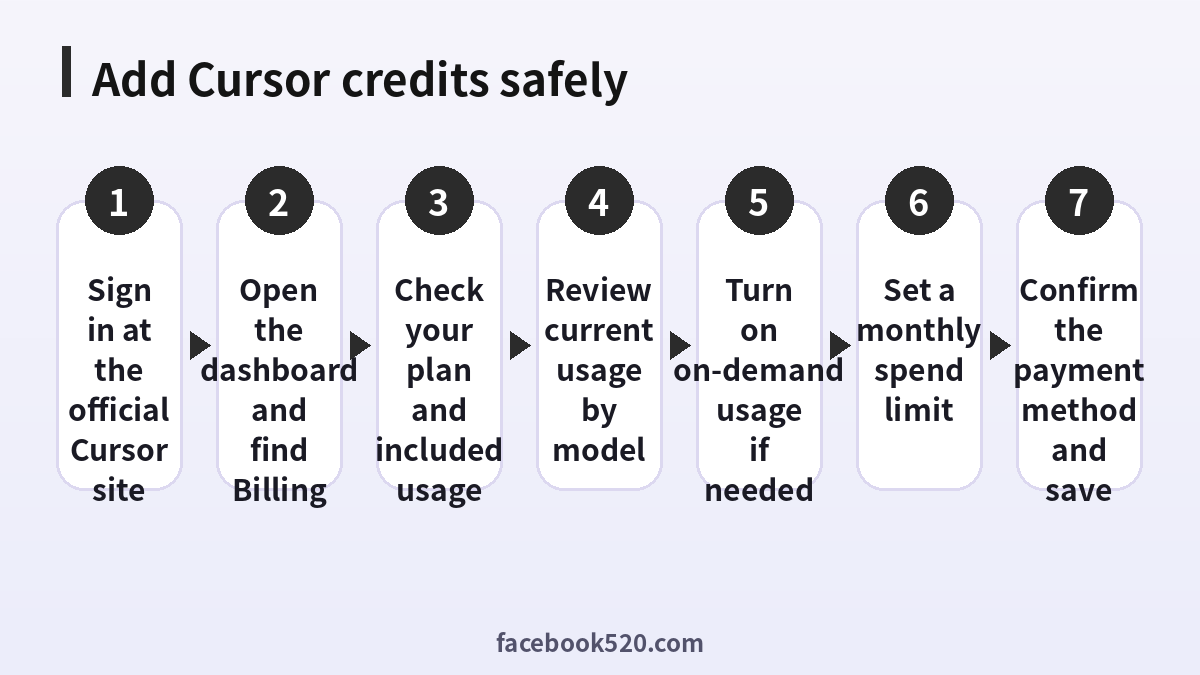
- Sign in to your account on the official Cursor website.
- Open the dashboard and go to the Billing or Usage section.
- Check your current plan and how much included usage remains.
- Review the usage breakdown by model to understand what consumes the most.
- Enable on-demand usage if you want to continue after the included amount runs out.
- Set a monthly spend limit so a long session cannot create a surprise invoice.
- Confirm the payment method and save your changes.
If you prefer predictability, upgrading to a higher plan is often easier than relying on on-demand billing. If you rarely run out, staying on your current plan with a low spend limit is the safest option.
Plans compared
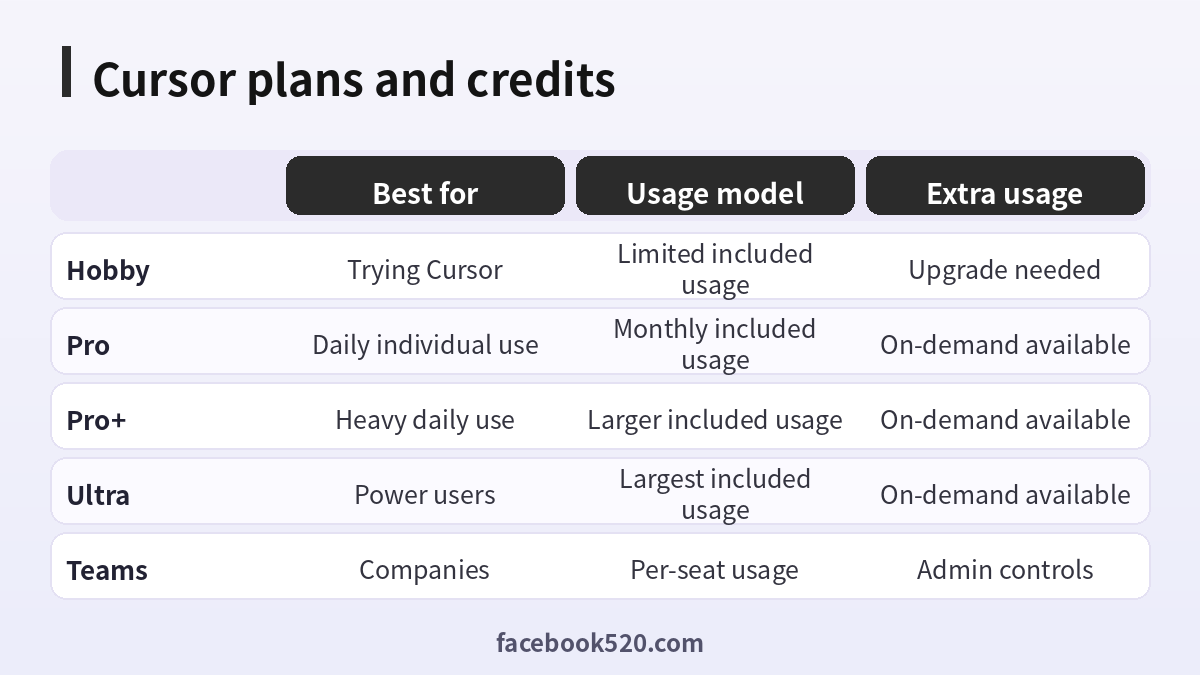
| Plan | Best for | Usage model | Extra usage |
|---|---|---|---|
| Hobby | Trying Cursor | Limited included usage | Upgrade needed |
| Pro | Daily individual use | Monthly included usage | On-demand available |
| Pro+ | Heavy daily use | Larger included usage | On-demand available |
| Ultra | Power users | Largest included usage | On-demand available |
| Teams | Companies | Per-seat usage | Admin controls |
Exact prices and included amounts are listed on the official pricing page and can change, so check it before deciding. In general, the more you rely on agent mode with premium models, the faster you consume the included amount.
Are there free Cursor credits?
Searches for cursor free credits are common, but the honest answer is limited. The free Hobby plan gives you a taste of the product with restricted usage, and Cursor has at times offered trials of paid plans, student discounts or promotions. Check the official site for current offers. Be careful with websites, videos or messages promising unlimited free credits, shared accounts or hacked keys. They are usually scams that steal your login or install malware, and using them can violate the terms of service and get your account banned.
Can you buy a Cursor gift card?
Many people ask about a cursor gift card. As of this guide there is no standard retail gift card that we can confirm, so do not trust third-party sellers claiming to offer them. If you want to pay for a teammate, the safe route is a team plan with an admin who manages billing, or a company card on the official billing page. If Cursor adds an official gift option, it will be announced on its own website.
What consumes credits fastest
Credits are consumed fastest by long agent sessions that read many files, by premium reasoning models, by very large context windows and by repeated retries after unclear prompts. Autocomplete is typically cheaper, and small questions to lightweight models cost little. A single chat that has grown for hours carries a large history that is sent again with each message, which silently increases cost. Starting a fresh chat for each task is one of the easiest ways to save.
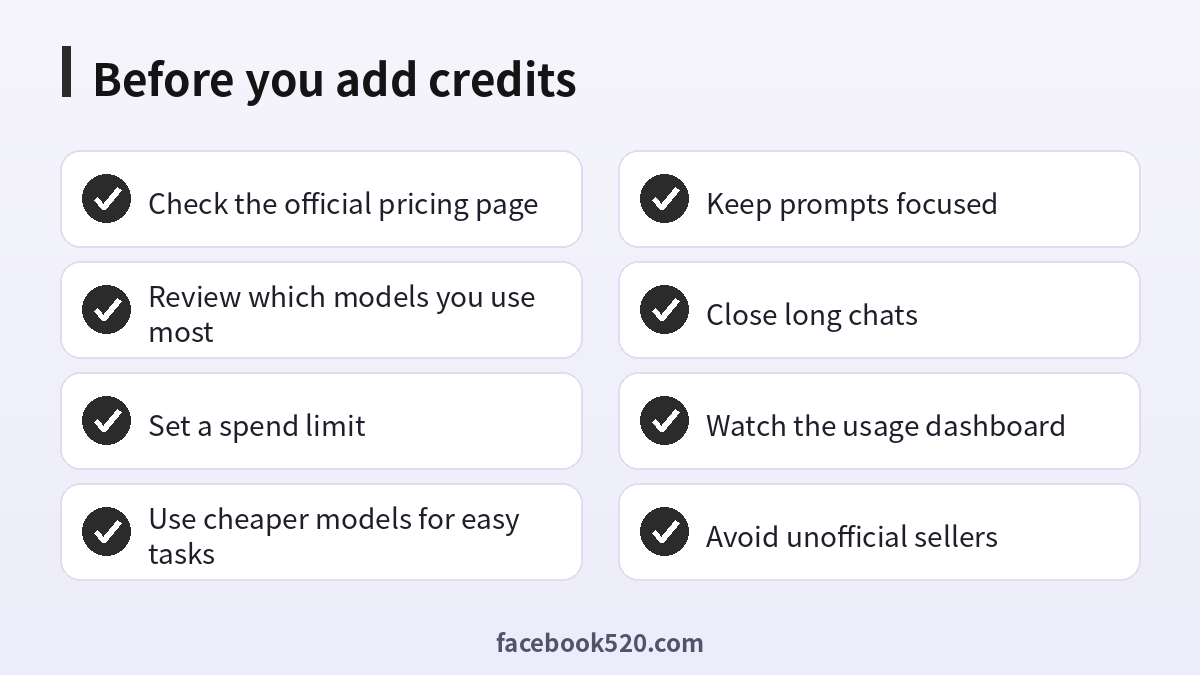
How to make your credits last longer
Pick the model to match the task: use a cheaper model for renaming, formatting or simple edits, and reserve premium models for architecture or hard debugging. Give precise prompts that list the files and the expected result. Add rules files so the agent does not need repeated instructions. Limit the files included as context. Review diffs before asking for another round. Use the usage dashboard weekly and adjust.
Common mistakes
Leaving agent mode running on a vague goal, keeping one giant chat open, enabling on-demand usage without a spend limit, and buying access from unofficial resellers are the most common mistakes. Another is forgetting that team seats each have their own usage, so a shared account is not a good idea and may violate the terms.
What to do when you hit the limit
First, check the dashboard to confirm it. Then decide: wait for the reset date, upgrade, or enable on-demand usage with a limit. In the meantime, you can switch to a cheaper model, use another editor for simple tasks, or work on documentation and tests that need less AI help.
Billing questions and refunds
If you were charged unexpectedly, review the invoice and usage details first. Then contact support through the official channels with your account email and the billing date. Policies can change, so read the current terms. Do not file chargebacks before talking to support unless there is clear fraud.
Security tips
Never share your login, API keys or session tokens. Use a unique password and two-factor authentication where available. If you bring your own API keys, set spend limits at the provider and rotate keys regularly.
Understanding the usage dashboard
The usage dashboard is the single most useful tool for controlling cost. It typically shows how much of your included amount you have consumed, a breakdown by model and by request type, and the date when your cycle resets. Open it at least once a week. Look for spikes: a day with unusually high consumption usually points to a long agent session or a large context. Compare the cost of the same kind of task across models. You may discover that a cheaper model does ninety percent of the job at a fraction of the cost.
If your team uses Cursor, the admin dashboard can show per-member usage, which helps identify who needs training or a higher plan. Treat this as a coaching tool, not a punishment tool; the goal is to help everyone prompt more efficiently.
A practical monthly budget method
Start by estimating how many hours per week you code with AI help. Multiply by your typical hourly consumption, which you can read from the dashboard after a normal week. Add a buffer of twenty percent for heavy weeks. Compare the result with the included amount of your plan. If you are consistently above it, calculate whether upgrading costs less than paying on-demand for the difference. If you are consistently below it, consider downgrading. Revisit the calculation every quarter because both pricing and your habits change.
| Usage pattern | Suggested approach | Why |
|---|---|---|
| A few hours a week | Hobby or Pro | Low consumption |
| Daily moderate use | Pro with a spend limit | Predictable cost |
| Daily heavy agent use | Pro+ or Ultra | Larger included amount |
| Team of developers | Teams with admin limits | Central control |
| Occasional spikes | Pro plus small on-demand cap | Flexibility without surprises |
Prompting habits that save usage
Good prompts reduce retries, and retries are where cost hides. State the goal, the constraints, the files involved and what done looks like. Ask the agent to propose a plan before editing, then approve the plan. Break large changes into small steps and commit after each one so you can revert cheaply. Avoid pasting entire logs; paste the relevant lines. Use rules files to store coding conventions, test commands and architecture notes so you do not repeat them.
Another good habit is to ask for explanations only when you need them. Verbose answers consume output tokens, and you pay for them. If you only need a code change, say so.
Model selection in practice
Use lightweight models for formatting, simple refactors, comments, regex and boilerplate. Use mid-tier models for most feature work and bug fixes. Use premium reasoning models for complex design, tricky concurrency problems or unfamiliar codebases. Many developers keep a default of a balanced model and switch up only when the first attempt fails. Over a month, this pattern can reduce consumption noticeably compared with using the most expensive model for everything.
Using your own API keys
Some Cursor features let you connect your own keys from model providers. In that case the model cost is billed by the provider, not by Cursor, though some features may still need a subscription. This can be useful if you already have credits with a provider, but remember to set spending caps there as well. Keys should be stored securely and rotated if exposed. Never paste a key into public repositories or shared chats.
Students, teams and companies
Students may qualify for discounts or free periods through official programs; check the official website for eligibility rules and verification steps. Companies should consider Teams or Enterprise plans for centralized billing, usage analytics, privacy controls and security reviews. Before rolling out, define which repositories the tool can access, how code is handled and who approves spend limits.
Alternatives when credits run out
If you reach your limit mid-cycle and cannot upgrade, you can use free tiers of other tools, work with smaller models, write tests by hand or schedule heavy AI-assisted work for the next cycle. Think of AI usage like a budget: planning the heavy tasks for when the balance is available gives better results than spending impulsively.
A worked example of a month of usage
Consider a developer on a Pro plan who builds a small web application over four weeks. In week one, the developer scaffolds the project with a long agent session on a premium model and consumes a large share of the included amount. In week two, features are added with a balanced model and short chats, using far less. In week three, a bug hunt triggers many retries, and the developer notices the dashboard climbing. In week four, the developer switches to a lightweight model for tests and documentation and finishes within the limit. The lesson is that the same project can cost very different amounts depending on model choice and discipline, and that checking the dashboard mid-month lets you adjust before the limit hits.
Troubleshooting billing and usage problems
If your usage looks higher than expected, first check whether background features such as autocomplete or indexing were active across many large repositories. Next, check whether a long-running agent task was left open. Look at the model breakdown and compare it with what you intended to use. If the numbers still do not add up, gather screenshots, the billing date and your account email, and contact official support. Keep the message factual and short.
If your payment fails, update the card in the billing page, verify that your bank allows recurring international payments, and retry. If the plan does not update after payment, sign out and back in, then check the dashboard again.
Privacy and code security considerations
Before sending proprietary code to any AI service, read the privacy settings and terms. Cursor offers privacy options that limit how code is stored or used; review them and ask your security team if you work for a company. Avoid including secrets, tokens or personal data in prompts. Use ignore files to exclude sensitive folders from indexing.
Checklist for the end of each month
Review total usage and cost, identify the top three most expensive tasks, decide whether a plan change is needed, update your spend limit, clean old rules and prompts, and write down one habit to improve next month. Small, regular adjustments keep costs predictable while preserving productivity.
Cursor credits versus other AI coding subscriptions
Other AI coding tools use different models of pricing: some charge a flat monthly fee with soft limits, some meter requests, and some bill purely on usage. Cursor’s approach sits in the usage-based camp, which rewards careful prompting and penalizes sprawling sessions. When comparing tools, do not look at the headline monthly price alone. Estimate your realistic monthly consumption, check the limits, and consider quality, since a more accurate tool that needs fewer retries may be cheaper in practice. Run the same task in two tools and compare both the results and the cost.
Signs you should upgrade your plan
You should consider upgrading if you reach your limit before mid-cycle every month, if you often pause work to wait for a reset, if your on-demand charges regularly exceed the price difference between plans, or if your team needs shared controls. You should consider downgrading if you routinely use less than half of the included amount. Either way, make the decision with a few weeks of data from the dashboard rather than a single unusual month.
Staying safe from scams
Scammers target developers with fake credit generators, shared accounts and cracked clients. Remember that credits are tied to your account and billed through the official system. Anyone asking for your password, session token or payment outside the official site is trying to defraud you. Report suspicious pages and protect your account with a strong, unique password.
Final tips
Keep chats short, pick the right model, set a limit, review the dashboard and rely on official channels. These simple habits turn Cursor credits from a source of anxiety into a predictable development cost, and they let you spend your balance on the work that matters most. Also check the current Cursor pricing explanation for related guidance.
Frequently asked questions
What are Cursor credits?
They are the included monthly usage and any on-demand balance measured by model cost.
How do I add more credits?
Open the billing section of the dashboard and enable on-demand usage or upgrade.
Are there free credits?
Only limited free usage and occasional official offers.
Is there a Cursor gift card?
Not one we can confirm; avoid unofficial sellers.
Why do my credits drain so fast?
Long chats, agent mode and premium models consume more.
Can I set a spending cap?
Yes, set a monthly limit in the billing settings.
Do credits roll over?
Check the current terms; included usage typically resets each cycle.
Can I share an account with a friend?
No, use team plans instead.
Can I use my own API key?
Some features allow it, with costs billed by the provider.
Where do I get support?
Through the official Cursor site and in-app support.
Conclusion
Cursor credits are easiest to manage when you understand the usage model, set a spend limit and pick models wisely. Stay with official channels, review the pricing page often and keep an eye on the dashboard.