


Cursor Pricing (2026): Plan Comparison, Subscription & How to Pay
People searching for Cursor pricing usually want three answers: what each plan includes, what it really costs per month, and how to pay without surprises. Below you will find a clear comparison of the plans, a step-by-step payment walkthrough, tips for keeping spending under control, and fixes for the most common billing problems.
What is Cursor?
Cursor is an AI-first code editor built on the VS Code foundation. It combines tab completion, an in-editor chat, an agent that edits multiple files, and background agents, with a choice of models from several providers. Cursor moved from a fixed “fast request” count towards usage-based pricing: each paid plan includes a monthly amount of model usage, and you can pay for more when you run out.
Cursor plans and pricing at a glance
Prices below are reference list prices in US dollars that have been published recently. Taxes, currency conversion, regional pricing and promotions can change what you see at checkout, so always confirm on the official page (cursor.com) before you pay.
| Plan | Reference price | What it is for |
|---|---|---|
| Hobby | free | Limited agent requests and tab completions. Good for evaluating the editor. |
| Pro | about $20/month | The main individual plan: extended agent limits, unlimited tab completion and access to frontier models up to the included usage. |
| Pro+ | about $60/month | Around three times the included usage of Pro, for people who use agent mode every day. |
| Ultra | about $200/month | Around twenty times the included usage plus priority access to new features, for power users. |
| Teams | per user, per month | Shared billing, central privacy controls, SSO options and usage analytics. |
| Enterprise | custom | Pooled usage, advanced security and procurement support. |
How Cursor billing works
- Each paid plan includes a dollar-value allowance of model usage per month. Cheaper models stretch it further; premium models drain it faster.
- When the included allowance is gone you can enable on-demand usage with a spend limit, or wait for the next billing cycle.
- Annual billing is available on individual plans and typically lowers the effective monthly cost.
- Student verification offers exist in some regions and periods; check the dashboard rather than trusting third-party coupon sites.
Understanding these points before you subscribe prevents most of the “why was I charged this?” support tickets.
Which Cursor plan should you choose?
- Evaluating the editor: Stay on Hobby for a week and see how often you reach the limit.
- Using it as your daily editor: Pro covers most people. Keep an eye on the usage page for the first month.
- Running agents all day: Pro+ or Ultra is cheaper than constantly paying on-demand overage.
- A company: Teams, so billing, privacy mode and seats are managed centrally.
A useful rule of thumb is to begin with the lowest plan that lets you do real work, track how often you hit its limit for two or three weeks, and only then move up. Most of the plans can be changed or cancelled later, so there is little reason to start on the most expensive tier “just in case”.
Payment methods you can usually use
Most users pay for Cursor with a card. Some regions add wallet options such as PayPal, Apple Pay or Google Pay, and subscribing inside an iOS or Android app routes the payment through the store account. What you can actually select depends on your billing country and device.
A few practical points about cards:
- Use a card that allows online and recurring (subscription) payments, and that is enabled for international merchants.
- Make sure the billing name and address match what your bank has on file; mismatches are a frequent reason for declines.
- If your bank uses 3-D Secure, approve the prompt in your banking app quickly; the session may time out.
- Virtual cards can work, but some issuers block subscription merchants or cap the first transaction. Test with the amount you actually need.
Step-by-step: how to pay for Cursor
- Download the editor from cursor.com and sign in with email, Google or GitHub.
- Open the dashboard on the website, then go to Billing / Plans.
- Select Pro, Pro+ or Ultra and choose monthly or annual.
- Pay by card in the Stripe checkout window; use a card that supports online recurring payments.
- Return to the editor, sign out and in again if the plan badge does not update.
- Set a spend limit for on-demand usage so a long agent run cannot create a surprise bill.
Ways to keep your Cursor spending under control
- Use a cheaper model for simple edits and keep premium models for hard problems.
- Check the usage breakdown weekly; it shows which requests consume most of your allowance.
- Turn off on-demand usage unless you want it; set a hard monthly limit if you do.
- If you switch between a work and a personal account, make sure the correct one is logged in before you subscribe.
Common payment and access problems
- Card declined at checkout: Try another card, confirm 3-D Secure with your bank and check that online international and recurring charges are allowed.
- Plan upgraded on the website but editor still shows Hobby: Sign out and back in, then restart the editor so the token is refreshed.
- Card declined: Try a second card, confirm online and international payments are enabled, and check there is no temporary hold from your bank. Waiting an hour and retrying often clears security checks.
- Charged but plan not active: Refresh the page, sign out and back in, and confirm you are on the same account that was used at checkout. If the plan still does not show, keep the receipt and contact the support team of the service you paid.
- Wrong country or currency shown: Pricing follows your billing country and sometimes your IP location. Do not try to bypass it; set the correct billing address in your account instead.
- Unexpected renewal: Subscriptions renew automatically. Check the next billing date in your account and cancel at least a day before it if you do not want another cycle.
How to cancel or change your Cursor plan
You cancel in the same place you subscribed: the website billing page for web purchases, the Apple subscriptions page for iPhone purchases, or Google Play subscriptions for Android purchases. Cancelling normally stops the next renewal but keeps access until the end of the period you already paid for. Downgrades usually take effect at the next renewal, while upgrades are normally effective immediately with a prorated charge. Keep your receipt emails; they are the quickest proof if you ever need help.
Monthly or yearly billing: how to decide
Yearly billing normally lowers the effective monthly price, but it also locks in a larger payment up front. A sensible approach for Cursor is to pay monthly for the first one or two cycles, check whether you use it every week, and only then switch to the annual option. If your work is project-based and you only need the tool for a few months, monthly billing is almost always the cheaper choice overall.
A short checklist before you subscribe
- Confirm the plan name and price on the official Cursor page the same day you buy, since promotions and limits change.
- Log in with the account you actually want to keep; changing the account tied to a subscription later can be awkward.
- Decide who pays: a personal card, a company card or a team plan with central billing.
- Note the renewal date and the cancellation route in your calendar.
- Save the receipt email in a folder; you will need it for expense claims or support requests.
Is Cursor worth paying for?
Instead of asking whether Cursor is “good”, ask whether you will use it often enough to benefit from the extra limits. Write down the tasks you want it for, try them on the free or entry plan, and upgrade only when a limit actually gets in your way. This keeps spending tied to real value.
Invoices, receipts and company cards
If you pay for Cursor as part of your work, look for the billing or invoices section in your account settings. There you can usually download receipts, update the company name and tax number for future invoices, and change the billing email. Use a dedicated company card where possible and a shared mailbox for receipts, so subscriptions do not disappear when a team member leaves. For teams with several users, a business or team plan with central billing is generally easier to audit than many individual subscriptions.
Mistakes to avoid
- Buying the most expensive plan before you know your real usage.
- Subscribing inside a mobile app and then looking for the cancel button on the website, or the reverse.
- Sharing your login with someone who offers to “activate” or “top up” the plan for you; use official checkout only.
- Forgetting a free trial and being charged on the first renewal date.
- Ignoring the usage or credit counter until it is empty in the middle of a deadline.
What if prices or limits change?
AI and software subscriptions move quickly. A plan that included a certain allowance last quarter may be reorganised, renamed or repriced this quarter, and a new tier can appear between the ones you know. When that happens, read the notice email from Anysphere instead of assuming nothing changed, compare the new allowance with what you actually used, and decide whether to stay, downgrade or switch to another tool. Existing subscribers are normally told about price changes ahead of renewal, which gives you time to cancel if the new terms no longer make sense.
Matching Cursor to Your Situation
- Solo developers: Cursor has had a free tier, a paid individual tier and higher usage tiers. Check the current pricing page for names and limits.
- Teams: Team plans add admin controls, shared settings and centralised billing. Ask about privacy and data settings that your organisation requires.
- Heavy agent users: Agent features use model requests, and usage-based pricing means heavy use can cost more than the base plan. Watch the usage dashboard.
Cursor at a Glance
- Typical use: AI-assisted code editing and refactoring.
- What you need: an email or social sign-in and a working payment method.
- Common friction: usage allowances and metered-billing rules, team seat management, and connection issues caused by the network.
- Security tools: enabling two-step verification and guarding team admin rights.
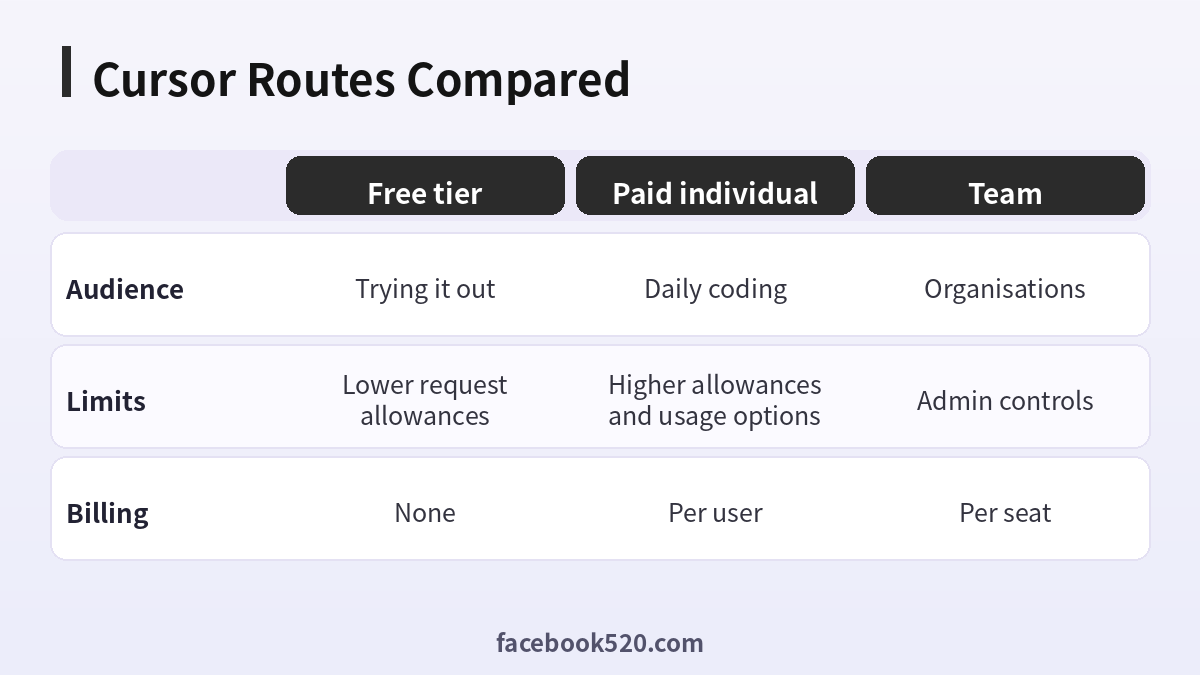
Cursor Options Compared, With a Verdict
| Factor | Free tier | Paid individual | Team |
|---|---|---|---|
| Audience | Trying it out | Daily coding | Organisations |
| Limits | Lower request allowances | Higher allowances and usage options | Admin controls |
| Billing | None | Per user | Per seat |
Verdict: Try the free tier on a real project, move to a paid plan when you hit limits, and use a team plan when you need admin controls. Confirm the numbers on the official page, since plans and limits have changed several times.
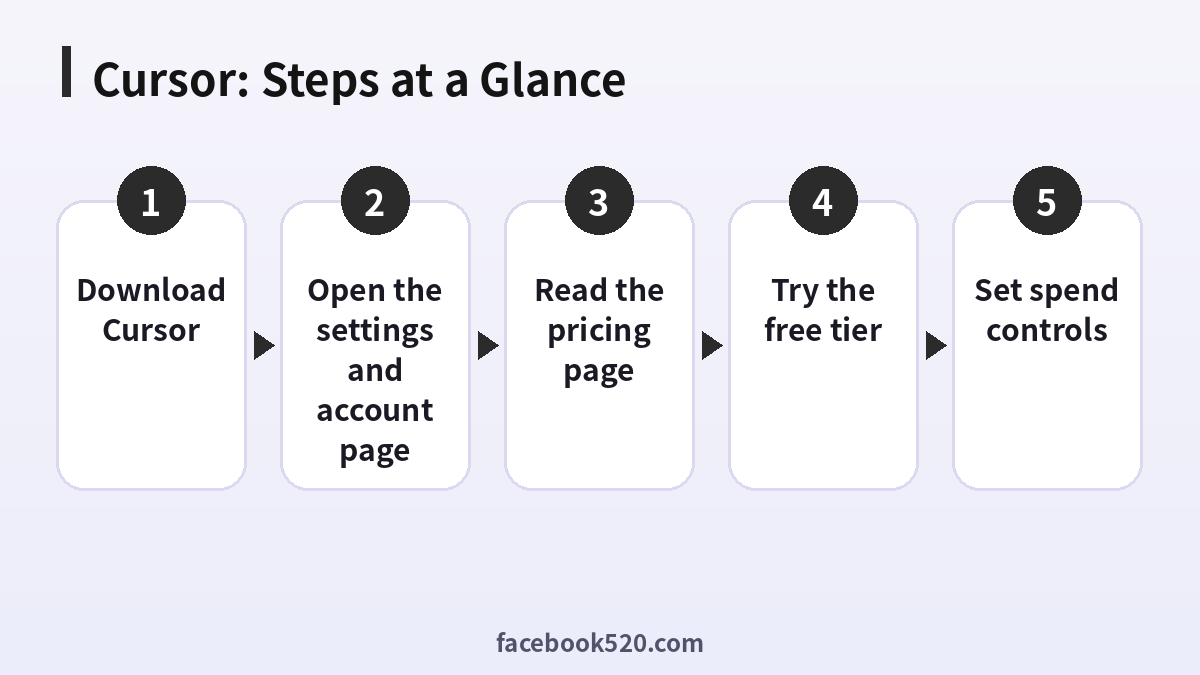
Choosing a Cursor plan
- Download Cursor: From the official site.
- Sign in: Use your own account.
- Open the settings and account page: Look at your plan and usage.
- Read the pricing page: Check names, limits and models.
- Try the free tier: Use it on a real task.
- Upgrade only if needed: Compare against your usage.
- Set spend controls: If usage-based options exist.
Cursor Troubleshooting Table
| Symptom | Likely cause | What to do |
|---|---|---|
| Rate limit message | Plan allowance reached | Wait, upgrade or enable usage-based options. |
| Model not available | Plan restrictions | Pick another model. |
| Billing mismatch | Plan changed | Check the account page. |
| Cannot join team | Invite expired | Ask the admin. |
| Sign-in loop | Browser session | Clear cookies and retry. |
Understanding request-based limits
Cursor measures use in requests or credits, and different models consume different amounts. A plan might include a number of fast requests and then slow or usage-based ones. Read how your plan counts so that you can plan your work.
Usage-based pricing
Beyond the included allowance, some options bill by usage. Set a limit in the dashboard so that a long agent session does not surprise you at the end of the month.
Choosing models
Premium models cost more of your allowance than lighter ones. Use a lighter model for routine tasks and keep stronger ones for hard problems.
Privacy mode and data
Check the privacy settings, particularly if you work with sensitive code. Team admins can enforce them. Read the official privacy page for exact data handling.
Teams and seats
For a group, use the team plan and an admin account. Do not share one login among several developers, because it breaks usage tracking and security controls.
Student and other offers
There may be discounts or offers for certain groups. Look for them on the official pages and avoid third-party sellers.
Switching plans
Plan changes usually apply from the next billing period or immediately, depending on the direction. Read the confirmation message carefully.
Alternatives and comparison
Compare with other tools by running the same task and measuring time and quality, not only price. A cheaper plan that wastes your time is not cheaper.
Hedging on specifics
Names, prices and limits change, so always verify on the official pricing page before paying.
A fair test of Cursor on your own code
Choose one real task, such as adding a small feature or fixing a bug, and do it twice, once with your usual setup and once in Cursor. Note the time, the number of corrections you needed and how you felt reviewing the changes. This simple comparison tells you more about value than any plan table, and it shows whether the free tier is already enough.
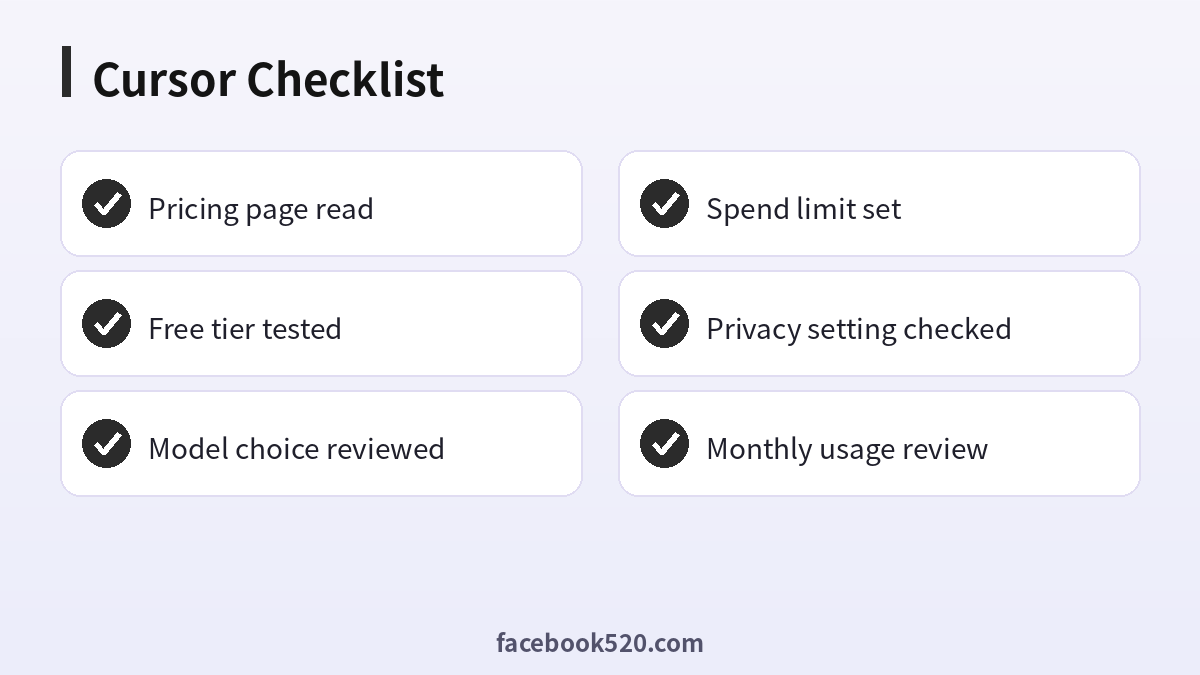
Cursor Checklist
- Pricing page read
- Free tier tested
- Model choice reviewed
- Spend limit set
- Privacy setting checked
- Monthly usage review
Cursor FAQ
Is Cursor free?
There is a free Hobby plan with limits. Heavier use needs a paid plan.
What happens when I use up the included usage?
You can switch to cheaper models, enable on-demand billing with a limit, or wait for your allowance to reset.
Is Cursor Pro worth it compared with GitHub Copilot?
They are priced similarly. Cursor is a full editor with agent features; Copilot works inside several existing editors. Try both free tiers first.
Can I pay with PayPal?
Checkout options vary by region and change over time; the payment screen shows exactly what is available to you.
Is it safe to pay for Cursor through third parties?
The only fully safe route is paying Anysphere directly on its official site or in its official app. Be cautious with anyone who asks for your login details, or sells “cheap” access without a clear, verifiable receipt.
Do Cursor prices differ by country?
Yes. Prices, taxes and available payment methods vary by country and platform. The checkout page always shows the final amount.
What are fast requests?
Requests that use premium capacity. Details depend on the plan.
Can teams share one login?
No. Use team accounts.
Does Cursor store my code?
Check the privacy mode and policy.
How do I cancel?
In the billing settings.
Related guides
- Claude pricing and plans
- ChatGPT subscription and plans
- Gemini payment guide (Chinese)
- How do I register and purchase 70+ accounts on TikTok, YouTube, Instagram, Facebook, X, Reddit, Medium, and LinkedIn?
- ChatGPT、Gemini、Perplexity、Claude、Copilot 等 AI 平台最喜欢引用的100个网站
If you are also setting up other platforms for your business, the 70+ accounts register and purchase overview gives a broader map of what is available.
