


ChatGPT Verification Code Not Received, Account Suspended Appeals and Why Answers Are Limited: A 2026 Guide
ChatGPT is used by hundreds of millions of people, so the most common support questions are also the most predictable: the verification code never arrives, the account has been suspended or deactivated, or the assistant refuses a request that seems harmless. This guide covers all three. It explains why each of them happens, what to try in what order, how to write an appeal and how to get more useful answers within the rules. The search phrase “ChatGPT like but without restricted answers” is also common, so we address it directly: we will not help you bypass safety measures, but we will explain why refusals happen and which legitimate tools and settings can give you more flexible help. Information reflects what we know in 2026. Interfaces and plan names change, so check OpenAI’s help centre for the latest details. See also our ChatGPT registration guide.
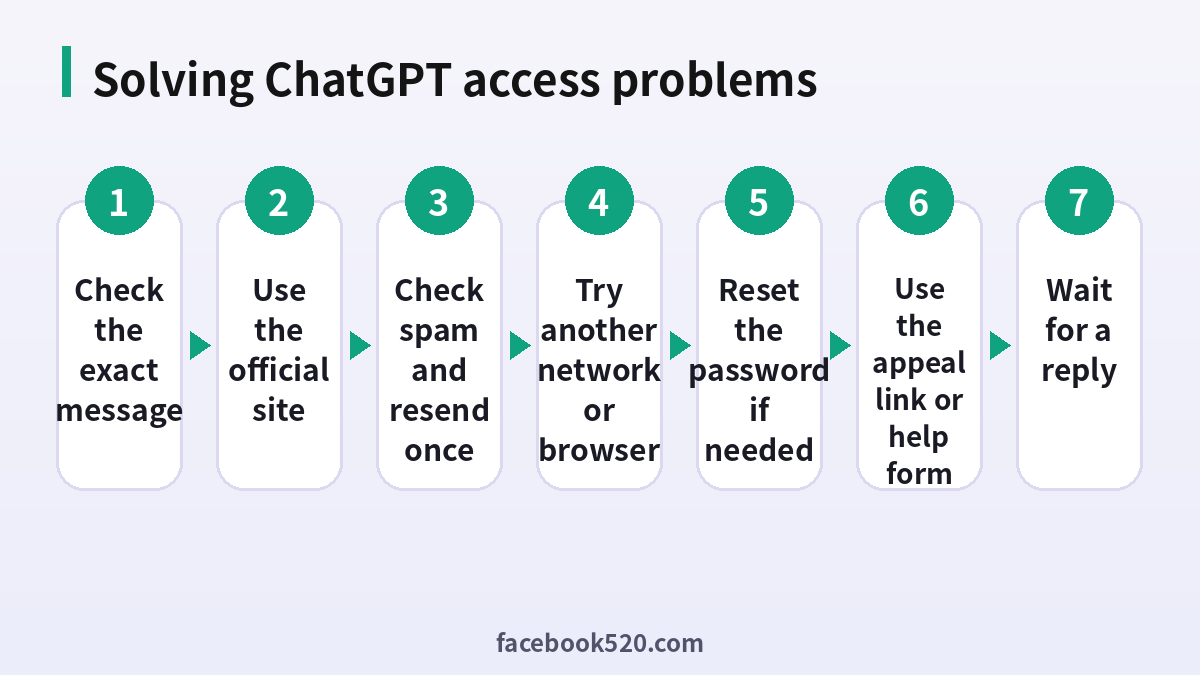
Why the verification code does not arrive
ChatGPT sends a code to your email address or phone number when you sign up or log in from a new device. The code may not arrive because of a typing error, a full mailbox, a filter that sends automated email to spam, a delay at a corporate or school mail server, or a phone number that cannot receive messages from the service. Network issues and too many requests can also delay delivery. In most cases the fix is simple and does not require support.
What to do when the code does not arrive
- Check the address or phone number that you typed.
- Look in the spam, junk, promotions and updates folders.
- Wait a few minutes. Codes can be delayed.
- Request a new code only once, as each request can cancel the previous code.
- Try another browser or a private window and turn off any VPN.
- If you use a work or school address, try a personal address instead.
- If nothing works, use the official help centre and contact support with a screenshot.
Phone number problems
Some numbers, especially virtual or temporary ones, are not accepted for verification, and some countries have limited delivery. Use a real number that belongs to you. If your carrier blocks short messages from unknown senders, ask them to unblock them, or use email verification where possible. Do not buy verification numbers from third-party sites, since these numbers are shared and often already used, and they can put your account at risk.
Login loops and password problems
If you receive the code but the page keeps returning to the login screen, clear the cookies for the site, close all tabs and try again. If you use Google, Apple or Microsoft to sign in, make sure you choose the same method that you originally used. Using a different method creates a separate account and can make it seem as if your history disappeared. If you forgot the password, use the reset link.
Why an account is suspended or deactivated
Accounts can be deactivated for violating the usage policies, for suspicious activity such as logins from many places at once, for payment problems such as chargebacks, for using the service to produce prohibited content, or for automated misuse such as scraping. Sometimes the action is a mistake of the automated system. Read the email that you received, because it normally explains the category of the problem and contains a link or instruction for appeal.
How to appeal a suspension
Use the appeal link in the email, or the intake form listed in the help centre. Provide the email address of the account, a clear and polite description of what you were doing and why you believe the action was a mistake. Avoid long arguments, and do not submit several forms at the same time. Replies can take days. While you wait, do not create a new account to avoid the suspension, because that can be treated as evading enforcement and can make the outcome worse. Export your data if you still have access, and keep copies of important work elsewhere.
| Situation | What to do | Time to expect |
|---|---|---|
| Code not received | Check spam, resend once, change network | Minutes |
| Login loop | Clear cookies, use a private window | Minutes |
| Account deactivated | Use the appeal link or form | Days |
| Payment issue | Check the card and the receipt | Hours to days |
| Suspicious activity warning | Reset the password and sign out of all devices | Minutes |
Plans and prices in 2026
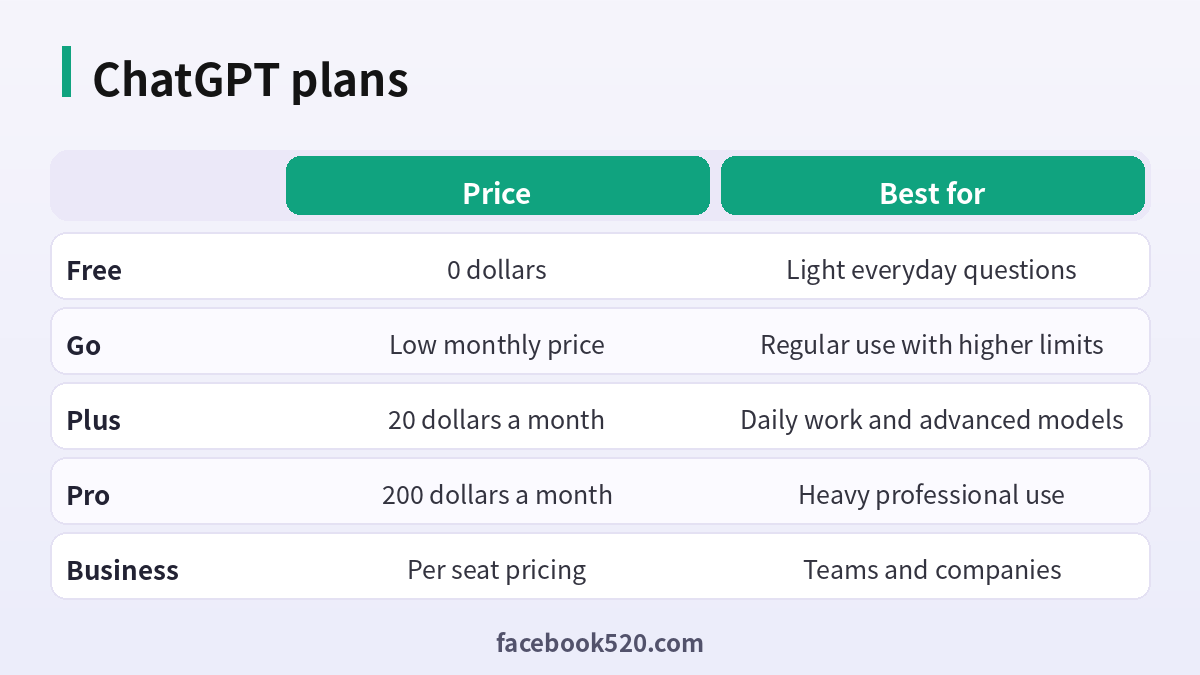
ChatGPT offers a Free plan, a low-priced Go plan, Plus at 20 dollars a month and a Pro plan at a much higher price for heavy professional use, together with plans for teams and companies. Higher plans give higher limits and more advanced models and tools. Limits and features change often, so check the pricing page before you subscribe. Paying does not remove safety rules, and it also does not resolve an account suspension.
Why ChatGPT sometimes refuses to answer
ChatGPT follows safety rules designed to prevent harm, such as help with weapons, fraud, serious abuse or malware. Some refusals are unnecessary, for example when a question about medicine, security or law is misunderstood as a request to do harm. When that happens, you can often get a good answer by adding context. Explain your purpose, for instance that you are a nurse, a student or a security professional who is testing your own system, and ask for general educational information. Be specific about what you need, and ask for the safe and legal approach.
Legitimate ways to get more flexible answers
You do not need to hack the assistant. First, use custom instructions to tell ChatGPT about your profession, your preferred tone and the level of detail you want. Second, choose an appropriate model, as some are better at long reasoning. Third, rephrase the request with a legitimate goal. Fourth, for private or sensitive projects, consider open-weight models that run locally on your computer, where you control the settings, but remember that you remain responsible for how you use them and that illegal uses are still illegal. Finally, try other mainstream assistants, since each has its own rules and strengths.
Why jailbreaks are a bad idea
Prompts that claim to unlock a hidden mode rarely work for long, they can lead to a suspension, and they often come from sources that also ask for your login or ask you to install software. Sites that advertise a “ChatGPT without limits” are sometimes fronts for scams or data collection. Do not paste your password or API keys into any such site.
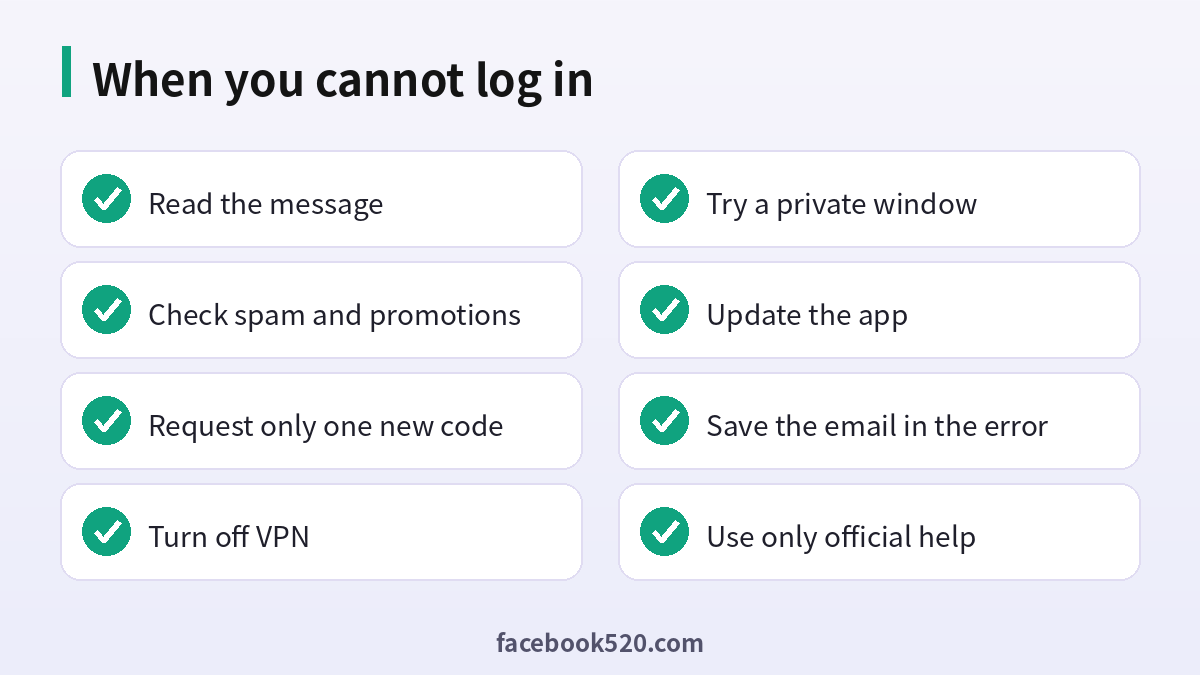
Working around outages and errors
Not every failure is about your account. If many users report the same problem, the service may be having an outage, and the best step is to wait and check the official status page. Errors such as “something went wrong” or network timeouts can also come from a weak connection, an extension that blocks requests or an outdated app. Try another device, update the app, and avoid refreshing repeatedly. If the problem occurs only on one network, such as an office or a public hotspot, switch to mobile data for the login step.
Keeping your account safe
Use a unique password, enable multi-factor authentication, review the devices that are signed in and do not share your login. Do not use accounts from resellers, because they can be taken back or banned. Keep important conversations backed up, since an account problem could make them unavailable.
A monthly review habit
Set a reminder once a month to review your ChatGPT setup. Check your security settings, payment method, connected apps and notification preferences. If you pay for anything, compare the charge with what you actually used and decide whether to keep, change or cancel. Update your recovery details if you changed phone number or email. Delete old data you no longer need. Ten minutes a month prevents most surprises and keeps your costs and risks under control.
Keeping up with changes
Features, prices and rules around ChatGPT change more often than most people expect. Follow the official blog, release notes or help center, and read the emails you receive about policy updates instead of deleting them. When a guide such as this one gives a number or a menu name, treat it as a starting point and confirm it on the official site. If a change affects you negatively, you can usually adjust your plan, settings or usage, so act early rather than waiting for a problem.
Devices, apps and browsers
Use the latest version of the official app or a modern browser when working with ChatGPT. Keep your operating system updated, install security patches and avoid rooted or modified devices, which weaken protection. Browser extensions can read pages you visit, so remove those you do not trust. On mobile, download apps only from official stores, review the permissions they ask for and turn off those that are not needed. Lock your device with a PIN or biometrics so that a lost phone does not become a lost account.
Common mistakes to avoid with ChatGPT
Most problems come from a handful of avoidable habits. People reuse the same password across several services, ignore security notices, click links in unexpected messages, install unofficial apps that promise extra features, or buy accounts and access from resellers. Others skip reading the terms, which leads to restrictions they did not expect, or forget to write down renewal dates and recovery details. Spend a few minutes reading the official help pages, keep your details up to date and treat anything that sounds too good to be true as a warning sign.
Account security basics for ChatGPT
Protect your ChatGPT account before anything else. Use a long, unique password stored in a password manager, turn on two-step verification, and make sure the recovery email and phone number are ones you control. Review the list of devices and active sessions every few months and sign out of any you do not recognize. Never share one-time codes, even with someone who claims to work for support, because genuine support teams never ask for them. If you sign in on a shared or public computer, log out afterwards and avoid saving passwords in the browser.
Recognizing scams and fake offers
Scammers often imitate well-known brands such as ChatGPT. Typical signs are urgent messages, requests for passwords or verification codes, links to look-alike websites, promises of free upgrades or guaranteed results, and payment requests through unusual channels. Always type the official address yourself or use a saved bookmark, check the sender of every email and never pay through a link sent by a stranger. If you think you were tricked, change your password, review recent activity, contact your bank if money was involved and report the message to the platform.
When to contact official support
Contact support when you have tried the basic fixes and the problem remains, when you see an unexpected charge, when you suspect your account was accessed by someone else or when you are locked out. Prepare the account email, the date and time of the problem, the exact message you saw and screenshots. Describe what you did step by step and what you expected to happen. Use only the contact methods listed on the official site and ignore anyone who offers to fix things for a fee through social media or private messages.
Privacy and personal data
Before you enter personal information anywhere, ask what is really required. Use only the details that ChatGPT needs, review the privacy settings after setup and limit who can see your profile, activity and contact information. Avoid posting documents, addresses, financial data or photos that reveal your location. Check which third-party apps are connected to your account and remove those you no longer use. If you work with client or company data, follow your organization’s policy and do not mix it with personal accounts.
Troubleshooting checklist
If something does not work as expected with ChatGPT, go through the basics in order before contacting anyone:
- Check your internet connection and try again on a different network.
- Update the app or refresh the page, then restart the device.
- Clear the cache or try a private browser window without extensions.
- Confirm that you are signed in with the correct account and email.
- Look for the exact error message and search the official help center for it.
- Wait a short time before repeating an action, since repeated attempts can trigger temporary limits.
- If nothing helps, collect screenshots and contact official support.
Helping family members and colleagues
If you are setting up ChatGPT for someone else, such as a parent, a teenager or a coworker, guide them rather than doing everything silently. Explain why strong passwords and two-step verification matter, show them how to recognize suspicious messages and agree on who to ask before they click or pay for anything. For minors, follow age requirements and use the available parental or family controls. For teams, document who owns the account, who can approve spending and what to do when someone leaves.
Official sources versus unofficial offers
When you search for help with ChatGPT, you will find both official pages and third-party offers. The comparison below shows why it pays to stay with official channels.
| Aspect | Official source | Unofficial offer |
|---|---|---|
| Price | Clearly shown at checkout | Often unclear or too low |
| Support | Documented help channels | Unreliable or none |
| Account safety | Protected by the platform | Risk of bans and data theft |
| Refunds | Governed by published terms | Rarely honored |
| Updates | Always current | Outdated or wrong |
Quick recap checklist
Before you finish, confirm the essentials for ChatGPT:
- You are using the official website or app.
- Your password is unique and two-step verification is on.
- Recovery email and phone are current.
- Privacy settings match what you are comfortable sharing.
- You know the price, renewal date and how to cancel if money is involved.
- You saved receipts, confirmation emails and backup codes in a safe place.
- You know where to find the official help center.
Frequently asked questions
Why is my ChatGPT code not arriving?
Check spam, confirm the address and wait a few minutes before requesting one more code.
Can I use a virtual phone number?
Many are not accepted. Use a real number that belongs to you.
How do I appeal a suspension?
Use the link in the email or the official help form and explain the situation.
Should I make a new account?
No. A new account to evade a suspension can worsen the outcome.
Does paying fix a suspension?
No. Payment and enforcement are separate matters.
Why does ChatGPT refuse my question?
Safety rules may have misread the request. Add context and rephrase safely.
Is there a version with no limits?
Every responsible service has rules. There are alternatives with different policies, but you must follow the law.
Are jailbreak prompts safe?
No. They are unreliable and can lead to a ban.
Can I run an AI model locally?
Yes. Open-weight models can run on suitable hardware, and you remain responsible for their use.
Where can I get official help?
Use the OpenAI help centre and its support form.
Summary
Most code problems are solved by checking spam, resending once and changing the network. A suspended account needs a calm appeal through the official channel. If answers feel too restricted, give context, adjust custom instructions or choose a suitable model, and avoid jailbreaks and account resellers.
