


TikTok Verification Code Text Not Arriving (2026): Why the SMS Does Not Come, 12 Fixes That Work, Carrier and Country Issues, Email Verification, Too Many Attempts and Scams to Avoid
You open TikTok, enter your phone number, tap send code and nothing arrives. The wait stretches from seconds to minutes, you tap resend a few times and then the app tells you that you have tried too many times. This is one of the most common sign-in problems on the platform, and the good news is that in most cases it can be fixed without special tools. This guide explains how the TikTok verification code text works, the most common reasons the SMS does not arrive, twelve practical fixes in a sensible order, how to use email or another login method instead, what to do when the app says you have made too many attempts and how to stay away from the scams that target people who are locked out. The advice follows the general behavior of the official app as of October 2026; screens and wording can change, so always follow the prompts in the current version.
How the TikTok verification code text works
When you sign up, log in from a new device or change sensitive settings, TikTok may ask you to prove that the phone number belongs to you. It generates a short numeric code and sends it by text message to the number you entered. You type the code into the app within a limited time, usually a few minutes, and the app confirms that you have access to that phone. The code is valid for a short period and for a single purpose, which is why an old code will not work after you request a new one.
The message travels through the platform’s messaging provider and then through mobile carriers. Any step can delay or block it. Understanding this helps you to decide whether the problem is on your phone, with your carrier or inside the app.
Why the verification code does not arrive
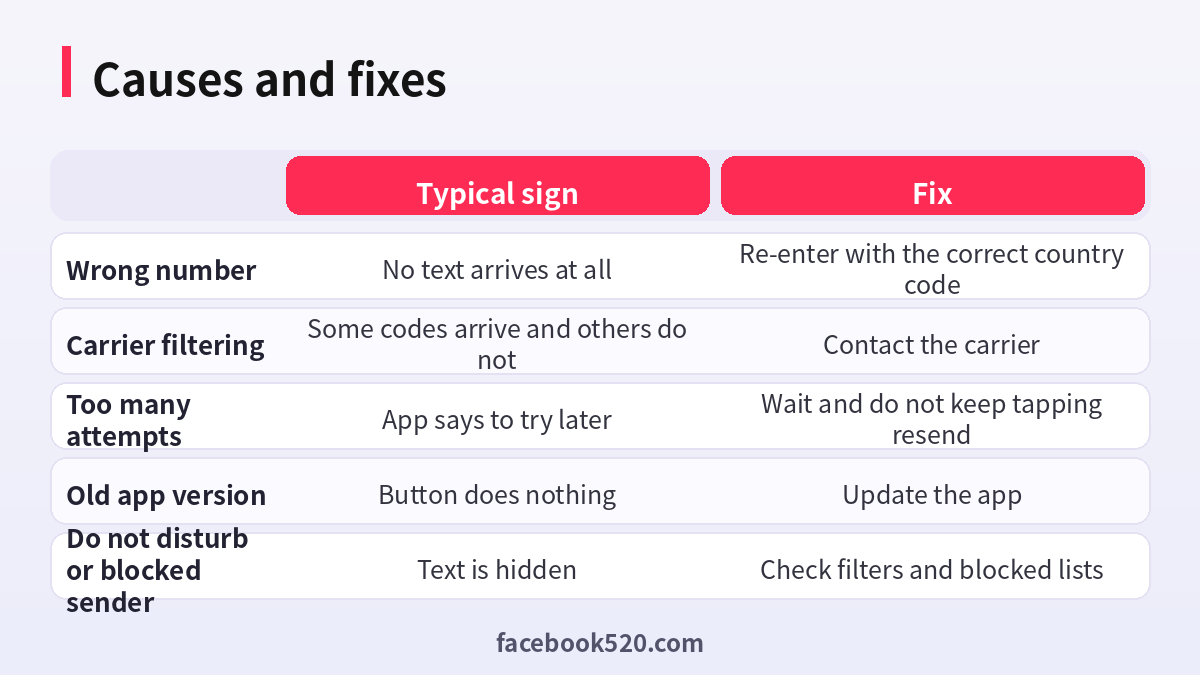
| Cause | What you will notice | Who can fix it |
|---|---|---|
| Typo in the number or wrong country code | Nothing arrives, no error | You |
| Poor signal or airplane mode | Other texts also arrive late or not at all | You |
| Full message storage | The phone cannot receive new texts | You |
| Carrier filtering of short codes | Some services arrive and others do not | Your carrier |
| Number that cannot receive texts | Landline or some internet-based numbers | You, by using a different number |
| Blocked sender or spam filter | The text lands in a hidden folder | You |
| Too many requests | The app shows a wait message | You, by waiting |
| App bug or outdated version | The send button seems to do nothing | You, by updating |
| Regional or network restrictions | Codes fail only on certain networks | Your carrier or network |
The most common causes are simple: a typo, a weak signal and requesting the code too many times. Check these first before assuming something more complicated is wrong.
Twelve fixes in order
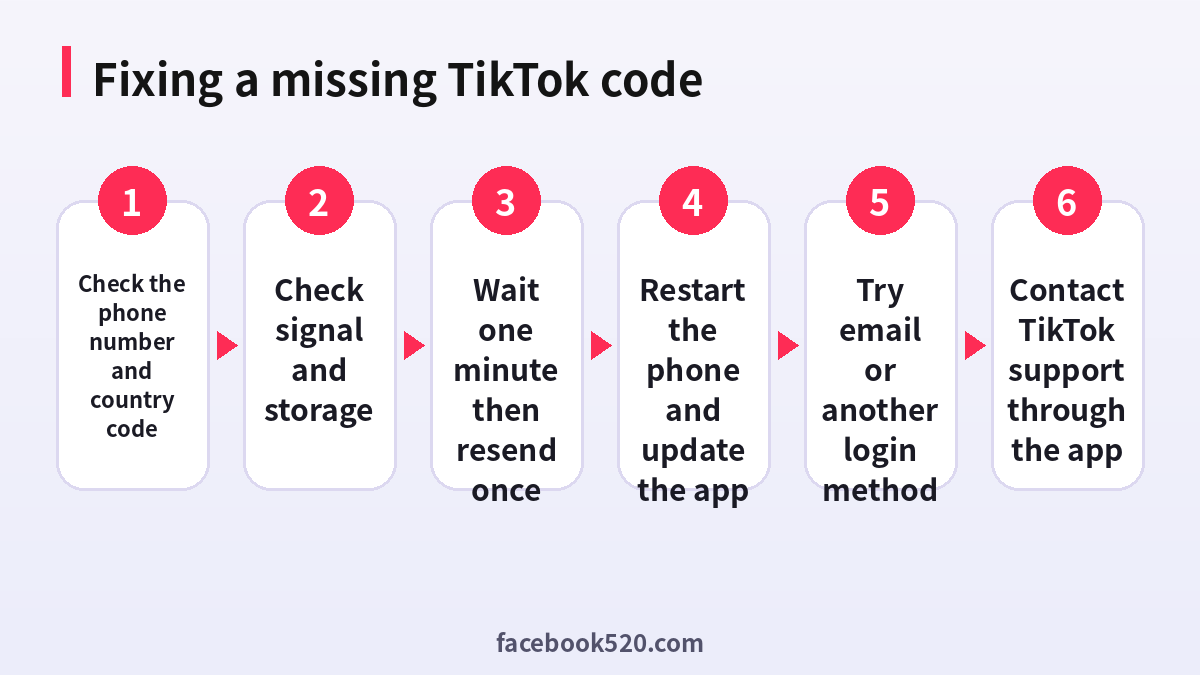
- Check the phone number. Confirm that the digits and the country code are correct. Many people include a leading zero that should be removed after the country code.
- Check the signal. Move to an area with better coverage, switch off airplane mode and turn the cellular connection off and on.
- Wait one full minute. Delivery can take a little time, and repeated taps on resend only delay things or trigger limits.
- Request the code once more. After a minute, tap resend a single time and wait again.
- Check your message folders. Look for filtered, spam, unknown sender and blocked folders in your messaging app.
- Free up storage. If the phone has no space for messages, delete old conversations or media.
- Restart the phone. A quick restart refreshes the connection to the network and often solves delays.
- Update TikTok. Install the latest version from the official app store and try again.
- Try another network. Switch between Wi-Fi and mobile data, or turn off a VPN, since some networks interfere with verification.
- Try a different login option. If you have an email, use it, or choose another sign-in method shown in the app.
- Try voice verification if offered. Some regions offer a call that reads the code.
- Contact support. Use the report a problem or help option inside the app and describe what happens.
Using email instead of a phone number
If the text message does not work, email is often the easiest alternative. On the login screen, look for the option to use email or username instead of the phone number. If you have not set an email, you may be able to add one after you log in, under account settings, so that you have a second recovery path in the future. Use an email address that you control and protect it with a strong password and two-step verification, because whoever controls your email can reset your accounts. Check the spam folder if the message does not appear in the inbox, and make sure the email provider is not blocking the sender.
What to do when the app says too many attempts
TikTok limits how often you can request codes or enter wrong codes, which protects accounts from guessing attacks. If you see a message such as try again later, stop. Do not keep tapping resend, do not switch accounts repeatedly and do not install tools that promise to bypass the limit. Wait for the time shown, or a few hours if no time is given, then try once with the correct number. Meanwhile, make sure that you are on the latest app version and that your phone’s date and time are set automatically. If the wait continues for a day or more, contact support from inside the app or through the official help center.
| Situation | Recommended action |
|---|---|
| Message says try later | Wait and try once afterwards |
| Wrong code several times | Request one fresh code and enter it carefully |
| Many resend requests | Pause for several hours |
| Using many accounts | Keep each account to its own number and email |
Carrier, country and number-type issues
Some carriers filter messages from short codes or international senders, especially on prepaid plans or when roaming. If you are traveling, your home number may not receive texts abroad unless roaming is on. In some countries, you must register your SIM before you can receive messages from certain services. Landlines and many internet-based numbers cannot receive standard text messages, and they are often rejected during verification. If you suspect your carrier, call customer service and ask whether there is a block on short code messages or international messages, and ask them to confirm that your plan can receive them.
Why you should not use code-selling or number-renting services
Search results are full of websites that offer temporary numbers, bulk verification codes and accounts with a verified phone. These services are risky for several reasons. The numbers are shared among many users, so another person may receive the same code and take over your account. Numbers can be recycled, which means that someone else can later request a reset and log in. The platform may detect and restrict accounts that use such numbers, and some of the sites are fraudulent and take payment without delivering anything. If your goal is to run several accounts for a business, create each one with a number and email that your organization controls, and follow the platform’s rules for business accounts.
Common scams aimed at people who are locked out
Scammers watch for people who complain about missing codes. Typical traps include fake support accounts that message you on social media, links that claim to unlock your account and requests for your code in exchange for help. Remember a simple rule: the code is only for you. Nobody from the platform will ever ask you to send it to them. Another trap is a message that says you have won a prize and must provide a code to claim it. In this case, the scammer is using your phone number to log in to your account or to register an account in your name. If you receive a code that you did not request, someone may be trying to access your account. Do not share it, and change your password.
| Scam | How it works | Safe response |
|---|---|---|
| Fake support | Someone offers to unlock your account | Use only in-app support |
| Prize message | Asks you to reply with a code | Ignore and block |
| Code request from a friend | A hijacked account asks you to forward a code | Call the friend directly |
| Paid unlock service | Wants payment to get you in | Never pay |
Preventing the problem in future
Add a second recovery method now, such as an email, and keep your phone number up to date in the account settings. If you change your number, update TikTok before you give up the old number. Keep the app updated, and avoid logging in and out repeatedly. Store your login information in a password manager. If you run a business account, keep a record of the email and number used for it and make sure that more than one trusted person can recover it through the company’s own channels.
Special cases: new sign-ups, new phones and travel
Each situation has its own quirks. During a new sign-up, TikTok may apply stricter checks, especially if many accounts were created from the same device or network. Use the number and email that you plan to keep, enter your real birthday and avoid creating several accounts in a short time. When you move to a new phone, install the app only from the official store, log in with the method that you used before and expect a verification request, because the device is new to the account. Back up your login details before wiping or selling the old phone. While traveling, the best option is often to log in with email, since roaming can delay or block texts. If you plan to stay abroad for a long time and use a local SIM, add the new number to your account first, and keep the old one active until the change is confirmed.
| Situation | Best approach |
|---|---|
| New sign-up | Use your own number and email, create one account at a time |
| New phone | Log in with your usual method and expect a code |
| Traveling | Prefer email login or enable roaming |
| Changed number | Add the new number before dropping the old one |
| Shared family phone | Use separate emails and do not forward codes |
A calm troubleshooting routine
Many people make the problem worse by acting quickly. A calm routine saves time. First, write down the exact message that the app shows, since the wording points to the cause. Second, check the basics in two minutes: number, signal, storage and app version. Third, try one alternative, either email or another network. Fourth, pause. If you reached a limit, a break of a few hours is the cure. Fifth, contact support with the details: your username, the device model, the app version, the time of your attempts and a screenshot of the message. A clear report is more likely to receive a useful answer than a short complaint.
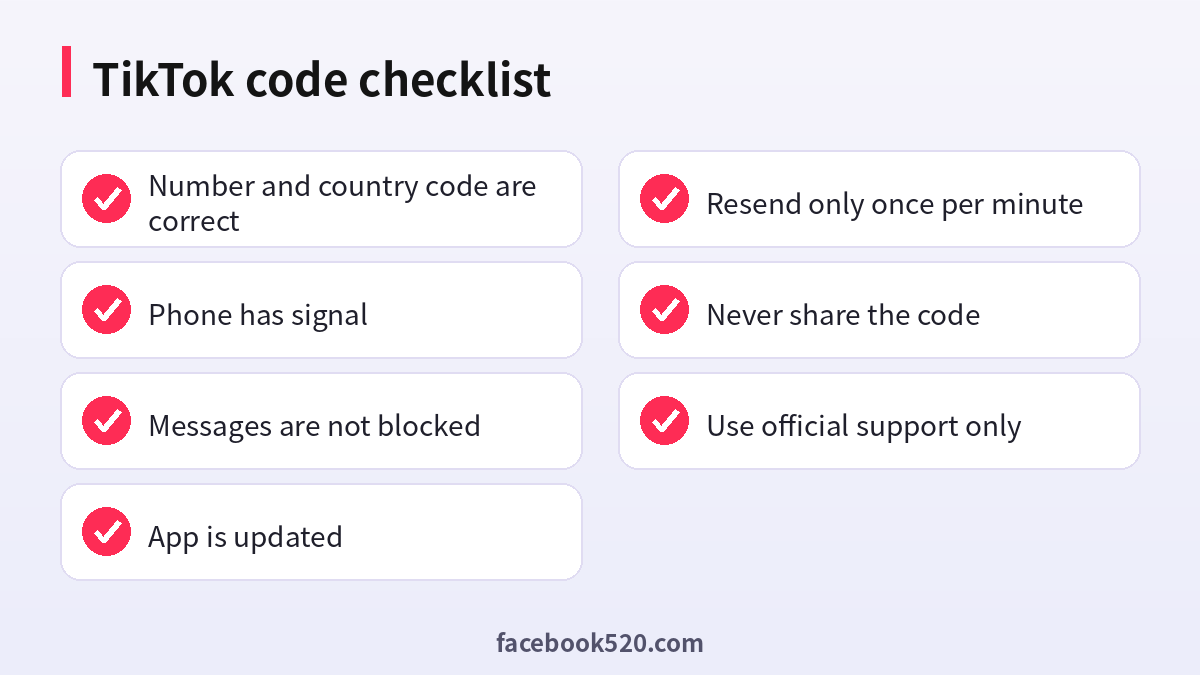
- Record the error message and take a screenshot.
- Verify the number and country code.
- Test the signal by receiving a normal text from a friend.
- Update the app and restart the phone.
- Try email or another login method.
- Wait several hours if a limit message appears.
- Contact support with your details.
Privacy points to remember
Your phone number is personal data. Share it only inside the official app. Do not post screenshots of the code, since even an expired code may reveal details about your account. When you receive an unexpected code, treat it as a warning and check your account’s login activity. Turn on two-step verification where available, and review the list of devices that are logged in. Remove those that you do not recognize. These habits protect not only your TikTok account but also the email and phone number linked to it.
When you should contact your mobile carrier
If texts from other services also fail, the issue is probably with your line rather than the app. Call or message your carrier and ask three things: whether the line is active and not suspended, whether short code and international messages are blocked and whether there are any outages in your area. Ask them to reset the network settings on their side if needed. Prepaid users should check that the balance and validity period are current, since some plans stop receiving messages when they expire. If you recently ported your number from another carrier, delays can last a day or two, so be patient and use email in the meantime.
What support needs from you
Support agents can help only if they can identify your account and understand the problem. Prepare your username or the email linked to the account, the phone number in international format, the country, the device, the app version and a short description. Mention which fixes you have already tried. Do not send passwords, codes or full card numbers. Use the official in-app report option, since messages sent to random accounts that claim to be support are almost always scams. Keep any ticket number, and wait for a reply before submitting duplicate requests, which can slow things down.
Frequently asked questions
How long should I wait for the TikTok code?
Usually it arrives within a minute. Wait about a minute before requesting another one.
Why do I get the code for other apps but not TikTok?
Your carrier may filter messages from certain senders, or TikTok may have limited requests for your number. Try again later or use another login method.
Can I get the code by email?
Yes, if you have added an email to your account or if the app offers the option on the login screen.
Does a VPN affect verification?
It can. Turn it off and try again on a normal connection.
What does too many attempts mean?
You asked for codes or entered wrong codes too many times. Wait and try once.
Can I use a virtual number?
It is not recommended. Shared and recycled numbers put your account at risk and may be rejected.
Will TikTok support ask for my code?
No. Never share the code with anyone, including people who claim to be support.
What if I changed my phone number?
Use email or another login method, then update your number in the settings. If you cannot get in, contact support from the app.
Is the code a sign that my account was hacked?
Not necessarily, but if you did not request it, change your password and review your security settings.
How can I avoid this problem next time?
Add an email, keep the app updated and avoid requesting codes repeatedly.
Summary
When a TikTok verification code text does not arrive, start with the basics: the number, the signal and a short wait. Then update the app, check filters and storage, try another network and use email or another login option. If the app tells you that you have tried too many times, wait instead of repeating the request. Never buy codes, rent numbers or share your code with anyone, and use only official support. With a little patience and a second recovery method, you can sign in safely and prevent the problem in the future.

