


KakaoTalk Sign Up in 2026: How to Create an Account With a Non Korean Phone Number, Set Your Language and Profile, Verify Your Device, Fix Verification Problems and Keep Your Account Safe
KakaoTalk is the most widely used messaging app in South Korea and a daily tool for work, school, shopping and customer service. If you plan to study, travel or do business in Korea, or if you want to talk to Korean friends and colleagues, you will almost certainly need an account. The good news is that you do not need a Korean phone number to join. This guide explains how KakaoTalk sign up works in 2026, what to prepare, step by step instructions for phones and computers, how to set up your profile and language, the verification problems people most often run into, and the security habits that keep your account safe. The information reflects the Kakao customer service pages and app behavior as of October 2026. Screens and policies can change, so check the in app prompts and the official help center if something looks different.
What KakaoTalk offers
KakaoTalk provides one to one chats, group chats, voice and video calls, a gift and payment ecosystem, and channels where businesses and public accounts publish updates. Many Korean companies use KakaoTalk as their customer support line, which is why travelers and expats often join. Because it is tied to a phone number and to a Kakao Account, you can also use it with other Kakao services such as maps, music and shopping, depending on your region.
Can I sign up without a Korean phone number
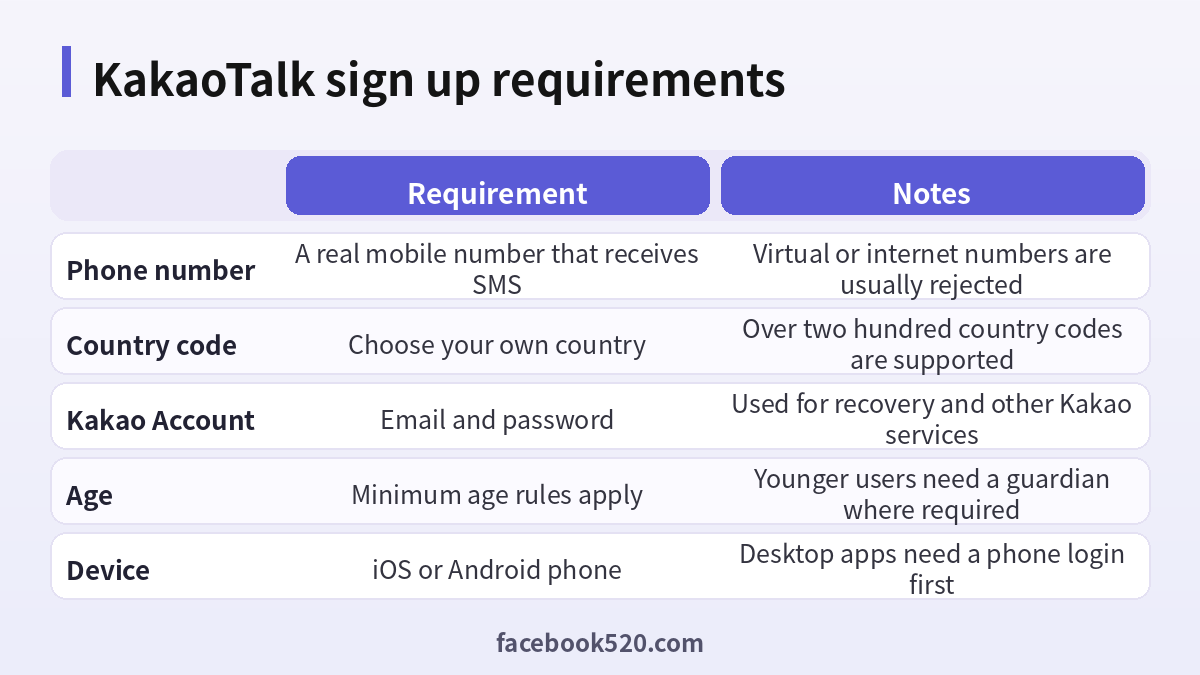
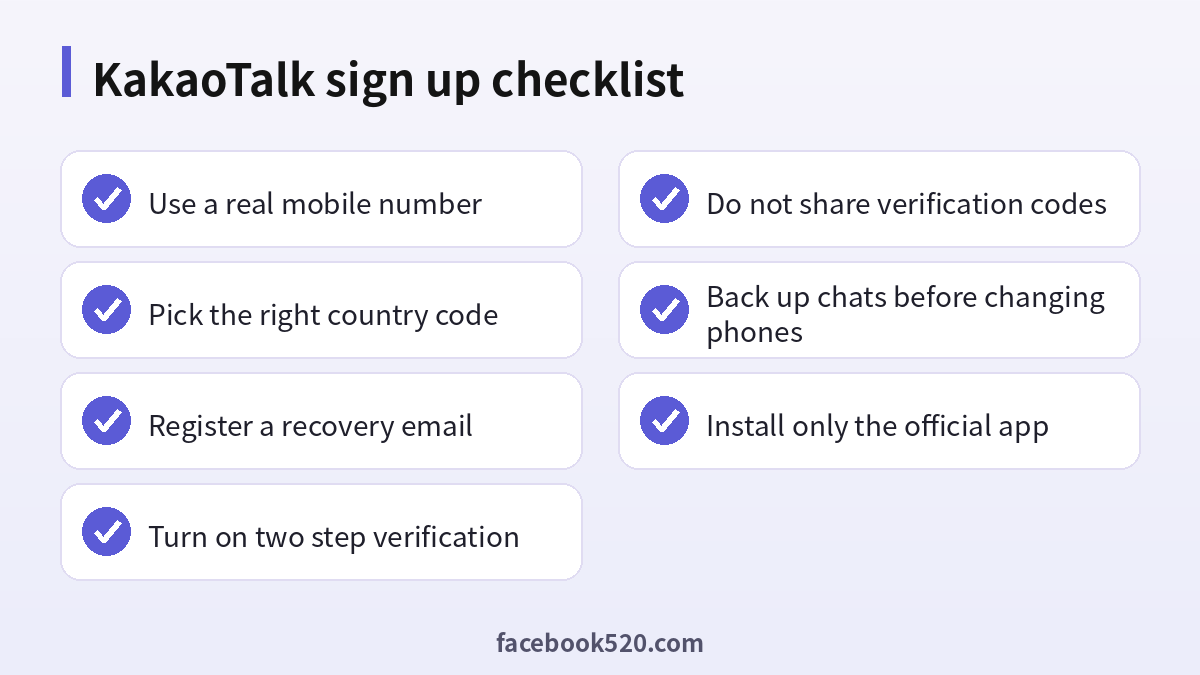
Yes. Kakao supports international phone numbers and lists more than two hundred country codes. When you register, you pick your country code and type your number without the code. KakaoTalk then sends a verification code by SMS. What you need is a real mobile number that can receive text messages in your current location, whether through roaming, a local SIM or an eSIM. Virtual numbers, internet based numbers and many online SMS services are generally not accepted, and numbers from such services are often recycled, which creates a serious security risk because the next user can request a code for your account.
| Situation | Can you sign up | What to do |
|---|---|---|
| You live abroad and have a local SIM | Yes | Choose your country code and verify by SMS |
| You are traveling and have an eSIM with a number | Often yes | Make sure the number can receive SMS |
| You only have a data only SIM | Not possible | Use a plan that includes SMS |
| You use a virtual or internet number | Usually not accepted | Use a real mobile number |
What to prepare
Before you start, install the latest version of your operating system updates and make sure you have a stable network connection. Keep your phone near you, because the verification code usually expires within a few minutes. Choose an email address that you check often and have a strong password ready, because you will use them for your Kakao Account. If you are changing from an old phone, keep the old one available until the new one is working. Decide on the name you want to show to your friends; KakaoTalk uses your profile name, and people also find you through your phone number if you allow it.
Step by step: sign up on a phone
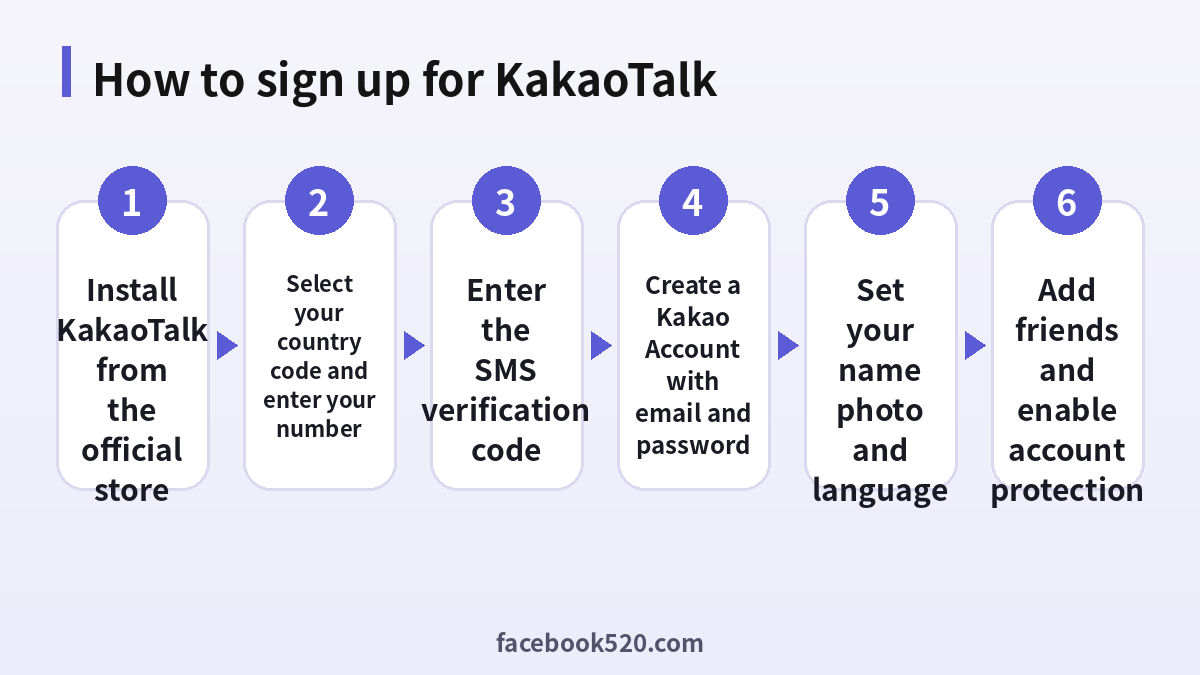
- Open the App Store or Google Play and search for KakaoTalk. Check that the publisher is Kakao Corp.
- Install the app and open it.
- Tap to start and accept the terms of service and privacy policy after reading them. You may be asked to allow notifications and contacts.
- Select your country code from the list and enter your mobile phone number without the code. Tap to continue.
- Wait for the SMS verification message and enter the code in the app. On some phones the code is filled in automatically.
- When asked, choose to create a new account. If an existing account is linked to the number, you will be offered the option to log in.
- Create a Kakao Account by entering your email address and a password. Verify the email if you are asked to.
- Enter your name, and choose a profile photo if you wish.
- Decide whether to sync your contacts so that KakaoTalk can find friends. You can change this later.
- Allow the permissions you need, such as notifications, and start chatting.
Setting the language and profile
The app follows the language of your device, but you can change it in the settings. Open the settings menu, look for the language option and select English, Korean or another supported language. Update your profile picture and your status message so that people know who you are. If you use KakaoTalk for work, a clear name and a professional photo help. You can also set who is allowed to find you by phone number or by ID, which is useful for privacy.
| Setting | Where to find it | Suggestion |
|---|---|---|
| Language | Settings, then general or language | Choose the language you read best |
| Profile photo | Profile screen | Use a clear photo or a neutral image |
| Add friends by ID | Privacy settings | Turn off if you prefer fewer requests |
| Notification sound | Notifications | Adjust to avoid disturbing others |
Using KakaoTalk on a computer
You can install KakaoTalk on Windows or macOS. The desktop app logs in with the same Kakao Account email and password, and it will ask you to confirm the login on your phone for security. The desktop app is useful for work chats, file transfers and long messages. Remember that the phone remains the primary device. If you lose the phone or change the number, you will need to follow the recovery steps before the desktop can be used.
Fixing verification problems
| Problem | Possible cause | What to try |
|---|---|---|
| No SMS arrives | Poor signal, wrong country code or number, SMS blocked | Check the number and the code, restart the phone, and wait a few minutes |
| Code is rejected | The code has expired or you used an older one | Request a new code and use only the latest |
| Number not accepted | It is a virtual or internet number | Use a real mobile number |
| Too many attempts | Repeated requests | Wait before trying again |
| Account already exists | The number is linked to another account | Log in instead, or recover the old account |
If you are traveling, check that roaming is enabled or that your eSIM can receive messages. If you changed your phone number recently, the account might still be linked to the old number. In that case, follow the number change procedure from the account settings, or contact customer service through the official help center.
Security habits
Turn on two step verification in your Kakao Account settings, and add a backup email address so that you can recover the account. Never tell anyone your verification code, even if the message appears to come from a friend or from Kakao. Scammers often pose as friends to ask for codes or money. Use a strong password that is not reused. When you change to a new phone, transfer your account using the official procedure and back up your chat history first. If you stop using a phone number, update it in KakaoTalk before the carrier recycles it.
- Add a backup email and verify it.
- Switch on two step verification.
- Review the list of devices that are logged in.
- Disable contact syncing if you prefer more privacy.
- Report suspicious messages using the in app tool.
Why you should not buy a KakaoTalk account
Some websites advertise ready made KakaoTalk accounts or services that verify accounts for you using temporary numbers. These offers are risky. A seller can recover the account because the phone number still belongs to them. Accounts created with temporary numbers can be suspended. Because KakaoTalk is often used for banking notifications and business chats, handing control to a stranger creates real exposure. Signing up yourself takes a few minutes and costs nothing.
Changing phones without losing your chats
Many problems appear when people switch devices. KakaoTalk ties your account to your number, and chat history is stored mainly on your phone, with a limited amount available on servers depending on the type of conversation. Before you change phones, open the settings and look for the chat backup and transfer options. A backup can be saved to a cloud service or moved directly to the new device, and a transfer usually requires both phones to be nearby and online. After you log in on the new phone, the old phone may be logged out automatically, which is a protective measure.
If you are changing your phone number as well as your device, do it in two steps. First change the number in your account settings while the old phone still works, then move to the new device. If the old number is already disabled, you may need to contact customer service and prove ownership of the account through your email and other details. Keep the confirmation emails that Kakao sends because they help prove the account is yours.
| Scenario | Recommended order |
|---|---|
| New phone, same number | Back up, install the app, verify by SMS, restore |
| New number, same phone | Change the number in settings, verify the new number |
| New phone and new number | Change the number first, then move the account to the new phone |
| Lost phone | Use another device to log in with email, then change the password and secure the account |
Using KakaoTalk while traveling or studying in Korea
Visitors often arrive with a foreign number and later buy a Korean SIM or eSIM. You can keep using KakaoTalk with your home number as long as you can receive SMS, or you can switch to a local number after you arrive. If you choose to switch, remember to update the number in the app and keep access to the old one until the process finishes. Tourist services such as restaurants and taxis in Korea may send notifications through KakaoTalk, so make sure notifications are on and that the app can access the network on mobile data.
Students enrolling at a Korean university usually join class groups, so learn how group chats and open chats work. In an open chat, people can join through a link and use a nickname, which is helpful for privacy. Never share personal information in an open chat with strangers, and be careful about links that ask for logins.
Business and channel basics
If you run a small business and want to be available on KakaoTalk, the relevant products are channels and official accounts. A channel lets customers add your business and receive messages, while official accounts and business messaging have additional tools and may require business registration and carry costs per message. The exact requirements depend on your country and the products you choose, so consult the official Kakao business pages. As a foreign business, you may also use partner agencies. Always verify that an agency is legitimate and avoid anyone who asks you to hand over your personal Kakao login.
Common scams to watch for
Because KakaoTalk is so popular, scammers use it widely. One typical scheme is a message from a friend’s hacked account asking you to send a verification code or to buy gift cards. Another is a fake delivery or tax notice with a link that leads to a login page that steals your credentials. A third is an investment group that invites you to an open chat with fabricated testimonials. The common signs are urgency, a request for money or codes, and a link you did not expect. Pause, contact the person through another channel, and report the account.
Etiquette and everyday features worth knowing
Once your account is ready, a few features make daily use easier. The read count shown next to messages in group chats tells you how many people have not yet seen a message, which is useful for event planning. Voice messages and emoticons are popular, and many users communicate with stickers as much as with text. The gift feature lets you send coffee vouchers and other items to friends who have a Korean account, though some gifts may require a local payment method. Notification settings let you mute noisy groups and set quiet hours so you are not disturbed at night.
In Korea, it is common to reply within the day to work messages, but people also respect after hours privacy, so you can schedule messages or simply wait to send them. If you need to translate a message, use the translation tool inside the app or a trusted translation app, and be careful not to paste sensitive information into unknown websites.
| Feature | What it does | Tip |
|---|---|---|
| Group chat | Chat with several people | Mute if it becomes noisy |
| Open chat | Join topic rooms with a nickname | Never share personal information |
| Gifts | Send items to friends | Check payment methods for your country |
| Channels | Follow businesses | Unfollow if messages are too frequent |
| Voice call | Free calls over the internet | Use Wi Fi to save mobile data |
With these basics, you can use KakaoTalk confidently for study, travel and work, and you can come back to this guide whenever you need to troubleshoot or review your security settings.
A short troubleshooting routine
If anything goes wrong during setup, work through the same short routine: restart the app, confirm the phone signal, check the date and time settings on your phone, and update the app to the latest version before you try again.
Frequently asked questions
Is KakaoTalk free?
Yes. Messaging and calls are free. Some services such as gifts, emoticons and premium features cost money.
Do I need a Korean phone number?
No. You can choose your own country code and verify by SMS, as long as the number is a real mobile number.
Can I use KakaoTalk with only an email address?
You need a phone number for the initial verification, and the Kakao Account uses an email address.
Why is my verification code not arriving?
Check the country code, the number, the signal and whether SMS is blocked, and then request one new code.
Can I use a virtual number?
Virtual and internet numbers are usually rejected and can pose security risks.
Can I change my phone number later?
Yes. Use the account settings and follow the steps to update your number, and keep the old device until you finish.
Can I use KakaoTalk on a tablet or computer?
You can install the desktop version, and tablet support depends on the device. A phone is needed for the first login.
Is there an age requirement?
Yes. Minimum age rules apply, and younger users may need a guardian’s consent depending on the law.
How do I delete my account?
Open account settings and follow the deletion steps. Back up chats and read the warning because deletion is permanent.
Can businesses use KakaoTalk?
Yes. Businesses can create channels and official accounts, which involve separate registration and, for some tools, fees.
Summary
To sign up for KakaoTalk, install the official app, select your country code, enter a real mobile number, verify the SMS code and create a Kakao Account with an email and password. Set your language and profile, protect the account with two step verification and a backup email, and avoid virtual numbers and purchased accounts. With these steps you can chat with friends, colleagues and businesses in Korea from anywhere in the world.

