


Threads Price in 2026: Is Threads Free, What the Ad Free Subscription Costs in Europe, Meta Verified Pricing Snapshots, Threads Ads Budgets, Hidden Costs and Scams That Sell Followers or Accounts
When people search for the Threads price, they often expect a subscription fee like the ones used by other social services. The simple answer is that using Threads is free. However, the picture becomes more complicated when you look at optional products around it: a paid ad free option in some regions, the Meta Verified subscription, advertising, and a large market of unofficial offers that sell followers or accounts. This guide explains what is free, what is paid, which numbers we could verify on official pages in October 2026, and how to avoid wasting money. Prices change by country and over time, so treat the figures as snapshots and check inside the app. If you plan to advertise on Meta platforms, our guide to topping up Facebook ads (https://www.facebook520.com/article/8154.html) and the overview of Meta ad accounts (https://www.facebook520.com/article/8322.html) explain the funding side.
Is Threads free
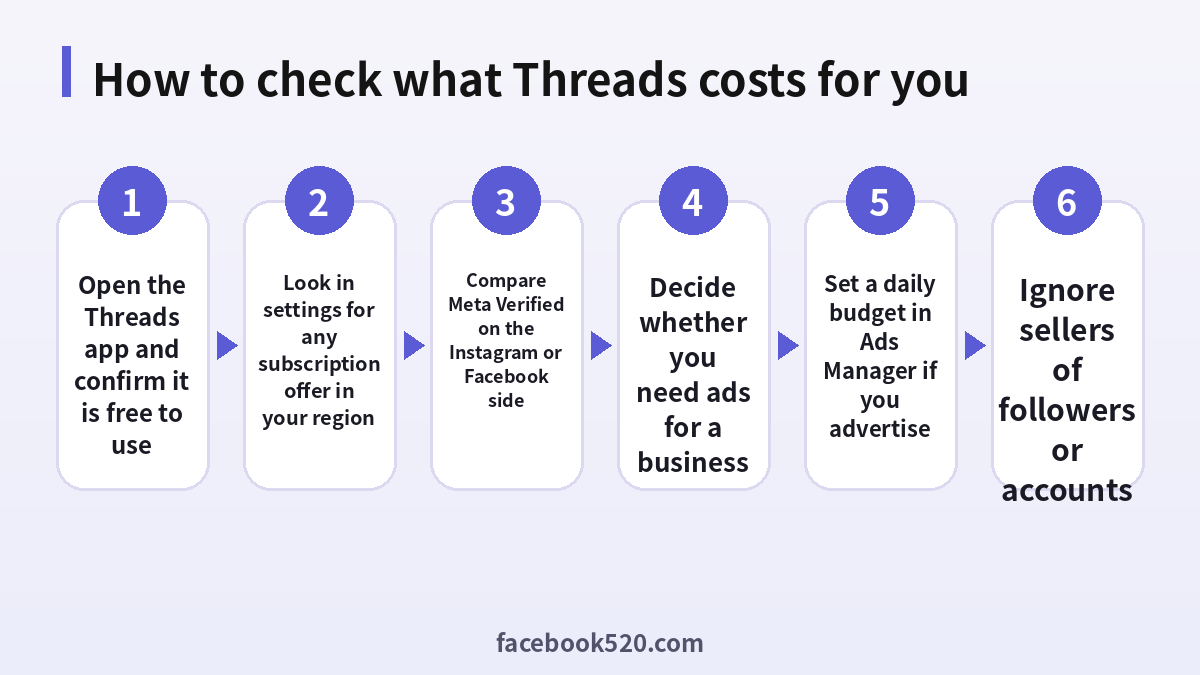
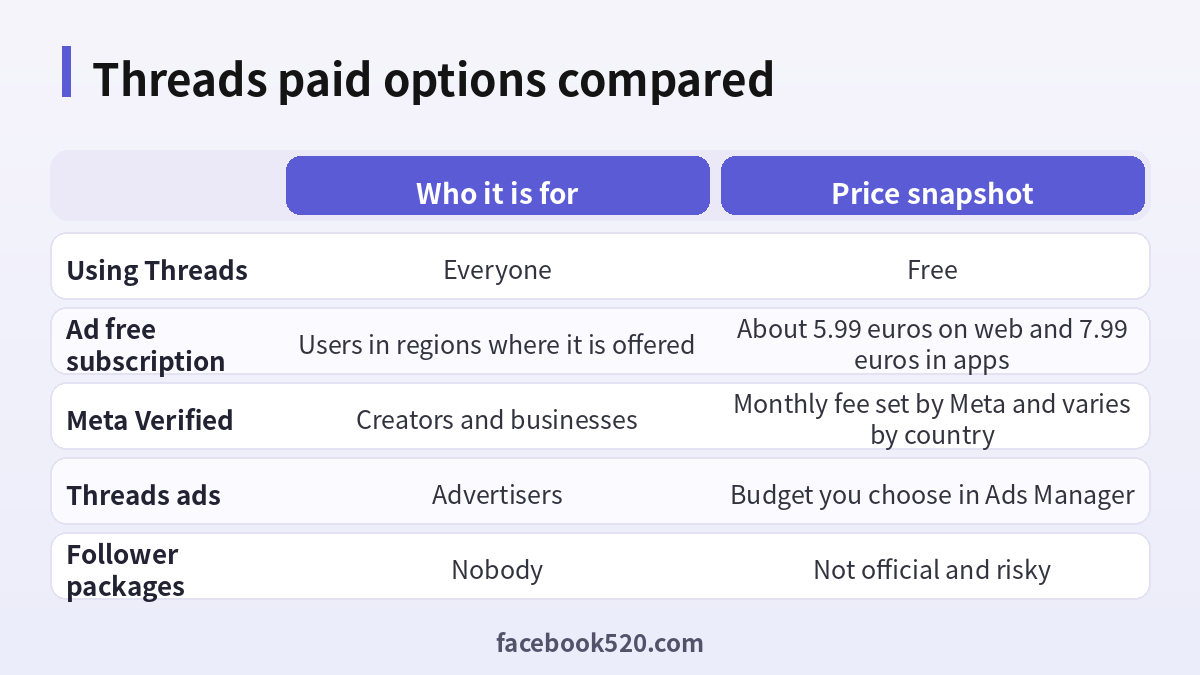
Yes. Downloading Threads, creating a profile, posting text, photos and short videos, following people and replying are all free. There is no paid tier required to read or publish. Meta earns money from advertising and from optional subscriptions. If an app store listing or a website asks for payment just to create a Threads account, it is not an official channel.
The ad free subscription
In the European Union, the European Economic Area, Switzerland and the United Kingdom, Meta introduced a paid option that removes ads from Facebook and Instagram, and the plan has also been linked to Threads in several regions. The public price in euros has been listed at about 5.99 a month when bought on the web and about 7.99 a month when bought through the iOS or Android apps, with additional accounts costing extra. The option exists because of local regulation, and it is not available everywhere. If you do not see it in your settings, it is not offered in your country.
| Region | Ad free subscription |
|---|---|
| EU, EEA and Switzerland | Offered, price in euros |
| United Kingdom | Offered, price in pounds |
| United States | Not generally offered |
| Other regions | Check your settings |
Meta Verified and Threads
Meta Verified is a subscription that gives a verified badge, additional account protection and easier access to support for eligible creators and businesses. It is sold through Instagram and Facebook, and the verified status can show on Threads when the accounts are linked. The monthly fee depends on country, platform and billing channel, and Meta has changed it several times. In the United States the web price has been about fifteen dollars a month, with higher prices in apps because of store fees. Verification requires identity documents that match your profile, and it is not a ranking boost. Do not buy it from a third party.
What businesses pay: Threads ads
Advertising is the area where real money is spent. Ads on Threads are bought through Meta Ads Manager, usually as placements alongside Instagram and Facebook campaigns. You choose a daily or lifetime budget, an objective, an audience and creatives. There is no fixed price for a post. Costs depend on competition, your audience, the quality of your creative and the season. A small test can start with a modest daily amount, but it should be large enough to produce enough impressions to learn from.
| Item | How it works |
|---|---|
| Budget | Daily or lifetime, chosen by you |
| Billing | Charged to your payment method or prepaid balance |
| Placement | Automatic or manual |
| Control | Spending limits at account level |
To avoid unexpected charges, set an account spending limit, review the billing page weekly and use a payment method with a clear statement. In some countries you can top up a prepaid balance, which makes spending easier to control.
Hidden costs of using Threads
The app itself is free, but there are indirect costs. Time is the first. Algorithmic feeds are designed to hold your attention. Content creation is the second: good photos, videos and writing take effort, and some creators pay for editing tools or scheduling software. Business users may also pay agencies or freelancers. These are choices rather than requirements, and a modest, consistent presence is more valuable than a large budget.
Offers you should avoid
Many websites sell followers, likes, verified badges or ready made accounts. These offers are against platform rules, and the followers are often fake accounts that do not engage. A profile with inflated numbers and low interaction looks suspicious to real users and to the algorithm. Buying accounts also carries a security risk, because the seller can reclaim the login. Fake sites that promise Threads Premium or a free blue check are phishing pages. Never enter your Instagram or Meta password on a website that is not official.
| Offer | Verdict |
|---|---|
| Follower packages | Do not buy |
| Ready made accounts | Do not buy |
| Blue check for a fee from a third party | Scam |
| Threads Premium unlock | Not an official product |
How to check for subscriptions you may already pay
Open the settings of Instagram or Facebook and look for the subscriptions or accounts center page. Check whether you have an ad free plan or Meta Verified. Also check your Apple or Google subscription list, because app store subscriptions are managed there. If you find a charge you do not recognize, review the date and the app store receipt, then cancel and contact the platform if needed.
- Open the accounts center on Instagram or Facebook.
- Look for subscriptions or payments.
- Open the app store subscription list on your phone.
- Cancel what you do not use.
- Save the confirmation email.
Is a paid option worth it
For most users, nothing needs to be paid. Consider the ad free plan only if you live in a region where it is available and ads bother you enough to pay each month. Consider Meta Verified if you are a creator or business that needs impersonation protection and support. Consider ads only if you have a product, a landing page and a plan to measure results. Otherwise, the free version offers everything required to take part.
A simple budget plan for a small business on Threads
If you decide to advertise, start with a plan rather than a guess. First, define one objective, such as driving visits to a landing page or collecting messages. Second, prepare two or three creatives that match the style of the platform: short, direct text, a clear image or a brief vertical video, and a plain call to action. Third, set a daily budget that you can afford to lose while you learn, and run the test for at least several days so that the delivery system can optimize. Fourth, review the results by cost per result rather than by impressions. A cheap impression that never leads to action is not valuable.
A practical way to think about the budget is to split it into three parts: testing, scaling and reserve. Use about half of the monthly amount for testing different audiences and creatives, about thirty percent to scale what works, and keep the rest in reserve for seasonal events or a new product launch. This structure prevents the common mistake of spending everything in the first week on a single untested idea.
| Budget share | Purpose |
|---|---|
| 50 percent | Testing creatives and audiences |
| 30 percent | Scaling the best performer |
| 20 percent | Reserve for events and launches |
Keep the language of your ads honest and avoid claims that you cannot prove. Ads that mislead users can be rejected, and repeated policy problems may restrict the ad account. If you need to know how to fund the account, read our guide to Meta ad top ups (https://www.facebook520.com/article/8154.html), and make sure the payment method on the account belongs to your business.
How to reduce the need for paid reach
Organic reach on Threads depends on conversation. Posts that ask a clear question, share a personal observation or offer a useful tip tend to earn replies, and replies tell the system that the post is worth showing. Reply to other accounts in your niche in a thoughtful way, because comments on larger accounts can bring new followers. Post at consistent times, and avoid posting the same link repeatedly. Link your Instagram profile, so that followers can follow you in both places, and use a short, clear bio that says who you help.
- Choose two or three topics you can talk about every week.
- Post once or twice a day at consistent times.
- Reply to at least five relevant posts a day.
- Turn good replies into standalone posts.
- Review which posts get the most replies and repeat the pattern.
These habits cost time rather than money, and they build an audience that is real. A paid campaign works better when the account already looks active and credible.
Regional differences in price and availability
Threads pricing is not the same in every country. The ad free offer is tied to regulation in Europe and the United Kingdom, so users in North America, Asia and Latin America generally do not see it. Meta Verified is available in many countries but not all, and the price is adjusted for local currency and app store rules. Ad costs vary a lot between countries: advertising to an audience in a high income market is typically more expensive than reaching a similar audience in a lower income market. When you compare prices you find online, check the date and the country, because an article from a year ago may describe a different situation.
| Factor | Why it changes the price |
|---|---|
| Country | Regulation, currency and taxes |
| Platform | App store fees raise in app prices |
| Date | Meta adjusts plans and promotions |
| Audience | Competition for ads differs by market |
Apple and Google billing versus the web
When a subscription is available on both the web and mobile apps, the web price is often lower because app stores take a fee. If you are comfortable using a browser, compare both options before you pay. On the other hand, buying through an app store has advantages: a single place to manage and cancel the subscription, and a clear refund process under the store’s rules. Choose according to your priorities, and do not mix channels, since a subscription bought on the web cannot be cancelled in the app store, and vice versa.
Taxes, invoices and business expenses
Prices shown to consumers may or may not include tax, depending on the country. If you buy for a business, check whether you can add a tax number and obtain an invoice. For advertising, Meta usually issues invoices through the billing section of Ads Manager. Keep these records for your accounting. If you work with an agency, clarify whether the agency pays Meta on your behalf and how it charges you. Transparent billing protects both sides and avoids disputes.
Signs that a price you see is not real
Be suspicious of any page that lists a Threads price in a way that looks too good to be true: a lifetime plan for a few dollars, a bulk discount for verified badges, or a limited time unlock for creator features. Official prices appear only inside Meta apps and on Meta help pages. If the page asks for your login, your recovery codes or a gift card, leave immediately. If you already paid, contact your bank, change your password and enable two factor authentication.
How Threads, Instagram and Facebook billing connect
Because Threads is tied to an Instagram profile, many billing questions are really questions about the wider Meta account setup. A subscription bought for Instagram may apply across the accounts you have linked in the accounts center, but only if the plan covers them. Extra profiles may need their own fee. If you use several accounts for work, list them in a simple table with the login method, the owner and any subscriptions, so that you know which charge belongs to which profile. This is especially important for agencies and small teams where several people manage accounts for different clients.
| Account | Owner | Subscription | Renewal date |
|---|---|---|---|
| Brand profile | Marketing lead | Meta Verified or none | Check billing page |
| Personal profile | Individual | Usually none | Not applicable |
| Client profile | Client | Paid by client | Record in contract |
What to do before the next price change
Companies adjust subscription prices and features from time to time. When you receive a notice of a change, read it in the app rather than in a forwarded message, compare the new price to your use, and decide whether to renew. If you only used a feature once, cancel and save the money. If you rely on it for work, consider an annual option when offered, but remember that refunds can be limited. Add a calendar reminder for the renewal date of any paid plan, because forgotten renewals are the most common source of unwanted charges.
Quick answers for common pricing questions
Many readers want a short rule. If you only post and read, pay nothing. If you hate ads and you live in a region that offers the ad free plan, compare the monthly cost to how much time you spend in the apps. If you are a creator who is often impersonated, the extra account protection from a verified plan may justify the fee. If you sell a product, ads can be useful, but only after you have a clear offer and a way to measure sales. If someone approaches you privately offering cheap followers, discounted verification or a bargain account, treat it as a scam, even when the person claims to work for Meta. Staff do not sell badges in direct messages.
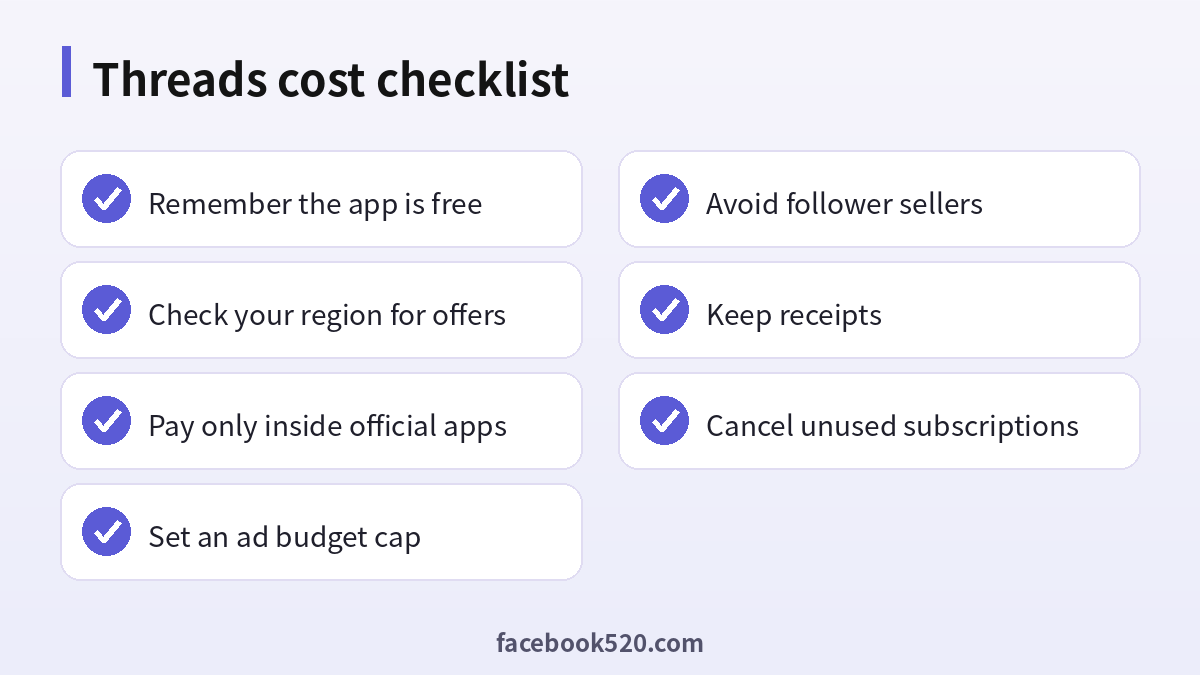
- Free use covers posting, reading and replying.
- Optional plans depend on region and platform.
- Ads are a business decision, not a requirement.
- Official prices are shown only inside Meta apps and help pages.
- Everything else should be treated with caution.
Keep screenshots of the checkout page and the confirmation email for any payment, which helps if you need support later.
Frequently asked questions
Is Threads free to use?
Yes.
Does Threads have a paid plan?
Not for basic use. Optional products exist, such as an ad free plan in some regions and Meta Verified.
How much is the ad free plan?
In Europe it has been listed at about 5.99 euros on the web and 7.99 euros in apps, but check your region.
Does Meta Verified cost money?
Yes, and the price depends on your country and platform.
How much do Threads ads cost?
You set the budget. There is no fixed price per post.
Can I buy followers safely?
No. It violates the rules and harms credibility.
Can I buy a Threads account?
Not recommended. It is risky and may violate the rules.
Is there a blue check for sale from third parties?
No. Verification comes only from the platform.
How do I cancel a subscription?
Use the accounts center or the app store where you subscribed.
Will prices change?
Yes. Check inside the app.
Summary
Threads costs nothing to use. Optional subscriptions and ads can cost money, but they are not required. Pay only inside official apps, set spending limits for advertising and ignore any offer that sells followers or accounts.

