


Facebook Account (2026): Complete Guide to Sign-Up, Setup, Top-Up & Payment
A Facebook account is the entry point to far more than a personal profile. It is the identity behind Pages, Meta Business Suite, Business Manager, ad accounts, Groups and Marketplace. Understanding how these pieces fit together saves a great deal of confusion when you set up marketing, hand over access or recover a lost login.
This guide is organised as a hub: it explains each account type in Facebook, how registration works, how advertising and payment fit in, what to think about if you want to buy a ready-made account, and how to keep everything secure. Where a topic deserves a deeper walk-through, you will find a link to a dedicated article.
Facebook account types at a glance
| Type | Best for | Notes |
|---|---|---|
| Personal profile | Everyday use, identity | Required to create or manage Pages and ad accounts |
| Facebook Page | Brand or business presence | Managed by people with roles; not a separate login |
| Meta Business Manager / Business Suite | Central place for Pages, ad accounts and people | Keeps business assets apart from personal profiles |
| Ad account | Running paid campaigns | Has its own currency, timezone and billing |
| Facebook Group | Community | Separate from Pages; managed by admins |
| Marketplace profile | Buying and selling locally | Uses your personal profile |
Most problems people have with Facebook come from mixing these layers up: using a personal login for a team, or expecting an ad account to behave like a profile. Decide which layers you really need, then build them one at a time.
How to sign up for Facebook
- Go to facebook.com and choose Create new account.
- Enter your name, birthday, email or mobile number and a password.
- Confirm the code sent to your email or phone.
- Add a profile photo and basic information.
- Add a second contact method and enable two-factor authentication.
A detailed walk-through with troubleshooting is available in the Facebook sign-up guide.
Business and advertising accounts
To advertise you need a Page, an ad account and a payment method, usually organised inside Meta Business Manager. Create the Business Manager from your personal profile, add your Page, create an ad account with the right currency and timezone, add a payment method and then launch a campaign with a small budget. The account types and bill account differences are described in this existing article: differences between Facebook bill accounts, BM accounts and business accounts.
Good practice for any advertising account:
- Create the business structure first, then the ad account, then the payment method.
- Give every person the lowest role they need.
- Start with a small budget and one clear objective.
- Keep a record of account IDs, owners and billing details.
Payments, top-ups and billing
- Ad accounts are paid by card, PayPal in some countries, or manual prepaid funds in selected regions.
- Automatic payments charge you when a spending threshold is reached or on a fixed billing date.
- A payment failure can pause campaigns, so keep a backup payment method.
- Always check the currency of the ad account; it cannot be changed after creation.
For a related, more detailed guide see the Facebook ads top-up guide.
Buying a ready-made Facebook account
Some advertisers buy ready-made Facebook profiles, Pages or ad accounts to save setup time. If you choose this route, verify the age and history, make sure you can take full administrative control and change all credentials immediately. A clean, properly documented asset is worth more than a cheap one. See the practical rules in our overview of accounts for sale.
- Ask for the creation date and proof of history.
- Confirm who controls the original email and phone.
- Test the login yourself before paying the balance.
- Change every credential and enable two-factor authentication immediately.
- Document what you bought and from whom.
Security checklist for Facebook
- Use a unique, long password and an authenticator app.
- Add at least two admins to every Page and Business Manager.
- Keep recovery email and phone updated.
- Remove people who no longer need access.
- Do not share your personal login to give someone Page access; use roles.
Which setup is right for you?
- Individuals and hobbyists: a personal Facebook account is enough.
- Creators and small shops: a creator or business profile unlocks analytics and selling tools.
- Agencies and companies: a structured business setup with several admins, a documented process and a dedicated payment method.
- Teams testing campaigns: several accounts with clear naming and separate budgets.
Planning your first month on Facebook
- Week one: create or review the account, finish profile details and secure it.
- Week two: publish a few pieces of content and learn what the analytics show.
- Week three: if you need paid reach, set up the ad account and payment method and test a small budget.
- Week four: review results, keep what works and document the process for your team.
How the pieces fit together
Think of Facebook as three layers. The first is the identity layer: the login, email and phone that prove who controls the account. The second is the presence layer: the profile, channel, page or community people actually see. The third is the commercial layer: advertising accounts, billing, catalogues and team roles. Problems appear when the layers are mixed, for example when a company’s advertising depends on one person’s personal login. Keep the identity layer secure and documented, build the presence layer for your audience, and add the commercial layer only when you are ready to spend.
Build it yourself or buy a ready-made account?
Creating a new Facebook account costs nothing but time, and it gives you a clean, documented history. Buying a ready-made one can save weeks, particularly when age or an existing audience matters, but it adds the work of verifying what you receive and securing it. A balanced approach is to build your main brand assets yourself and consider buying only for secondary or test accounts, after you have a verification routine. Whichever way you go, record who controls each credential.
What does it cost to run Facebook?
- The account itself is free; creating a profile, page or channel normally costs nothing.
- Advertising is the main variable cost, and you decide the budget.
- Optional subscriptions or purchases (premium tiers, coins, verified badges) are billed separately.
- Tools around the platform, such as scheduling software or design tools, add monthly costs.
- Time is the hidden cost: content, community management and reporting.
Because pricing in these areas changes often, always confirm current numbers on the official pages and treat any quoted figure as a snapshot.
Team access and handovers
When several people work on Facebook, give each person their own login and a role, and avoid sharing one password. Keep a short register of who has admin rights, which email recovers the account and where two-factor backup codes are stored. When someone leaves, remove their access first and then rotate any shared secrets. If you hand an account to a client or a new owner, transfer ownership formally through the platform’s tools, check that recovery details have been replaced and keep a copy of the agreement.
Glossary
- Identity: the login credentials and recovery details of an account.
- Role: a permission level such as admin, editor or analyst.
- Ad account: the object that holds campaigns, budgets and billing.
- Pixel or tag: a snippet that measures conversions from your website.
- Top-up: adding prepaid funds to an ad or service balance.
- Warm-up: the period of gradual, normal activity that helps a new account build trust.
Pre-launch checklist for campaigns
- Confirm the account owner, admin roles and recovery email.
- Check the currency, time zone and billing country.
- Add a primary and a backup payment method.
- Install tracking and test it.
- Prepare creatives, landing pages and a small test budget.
- Set spending limits and notification emails.
Measuring what matters
After the setup is done, decide in advance how you will judge results on Facebook. For organic activity that may be reach, saves and follower growth; for paid activity it is cost per result and return on spend. Review the numbers weekly instead of daily, because short-term swings are noisy, and write down what you changed each time so you can connect cause and effect. A simple spreadsheet with date, change, budget and result is usually enough to start.
Recovering access when something goes wrong
If a login stops working, begin with the official recovery page and use the email or phone that you registered. Gather evidence of ownership: the sign-up email, the approximate creation date, devices you used and any receipts from paid features. Avoid anyone who contacts you offering to restore the account for a fee, and never share your password. If a business asset depends on the account, the roles you set up earlier with a second administrator are your best insurance, because another admin can often restore access without a full recovery request.
Common mistakes
- Using one personal login for every business function.
- Changing account details repeatedly in the first days.
- Ignoring the currency and time zone of the ad account.
- Having only one administrator.
- Letting cards expire without a backup payment method.
Typical Facebook Users and What Works for Them
- Individuals who need a personal profile: A personal profile is the base for everything else on Facebook. Use your real name, an email you will keep and a phone number for recovery.
- Businesses: Create a Page for the business and manage it with roles. Use a Meta business portfolio for ad accounts and assets, so that ownership does not depend on one person.
- Advertisers: Ads Manager needs a payment method and follows advertising policies. Set a spending limit when you begin, and check your account quality page for notices.
Facebook at a Glance
- Typical use: personal networking, Page management and Meta advertising.
- What you need: a phone number or email, a real name and birth date; advertising also needs a Page and an ad account.
- Common friction: identity checks, restricted or disabled ad accounts, and recovery flows after suspicious logins.
- Security tools: two-factor authentication, trusted contacts and logged-in device management.
Facebook Options Compared, With a Verdict
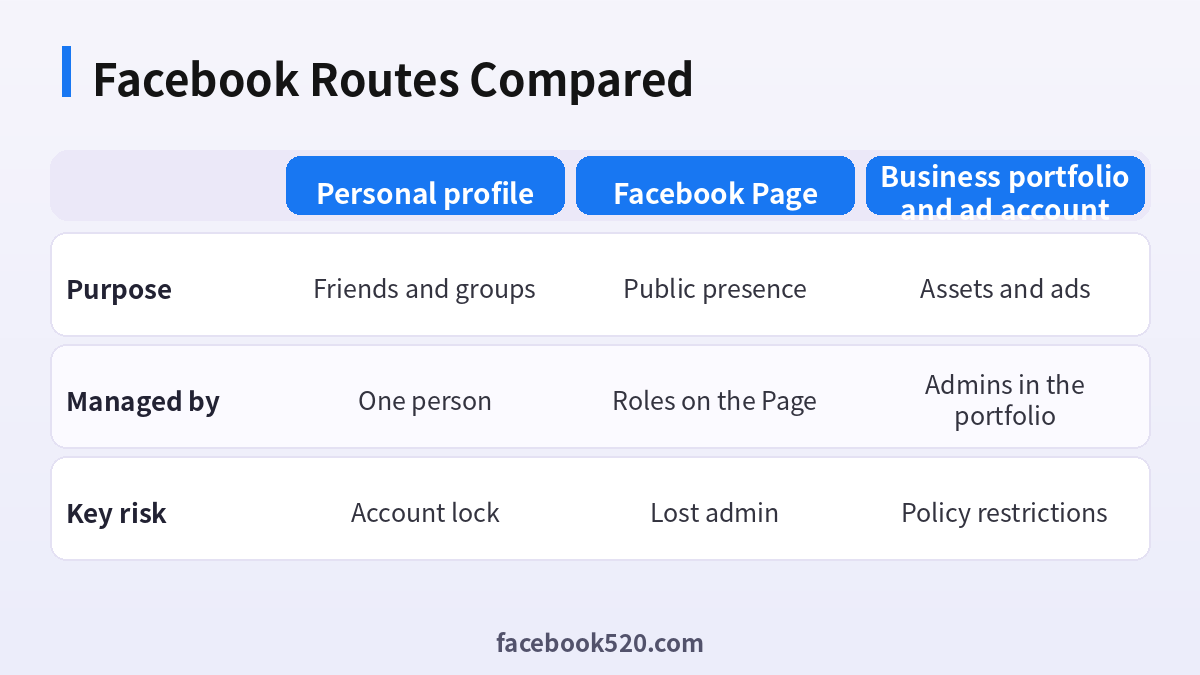
| Factor | Personal profile | Facebook Page | Business portfolio and ad account |
|---|---|---|---|
| Purpose | Friends and groups | Public presence | Assets and ads |
| Managed by | One person | Roles on the Page | Admins in the portfolio |
| Key risk | Account lock | Lost admin | Policy restrictions |
Verdict: Keep the personal profile for you, put the business on a Page with at least two admins, and use a business portfolio for ads and assets. Do not mix them up or share a login.
Setting up Facebook for a business
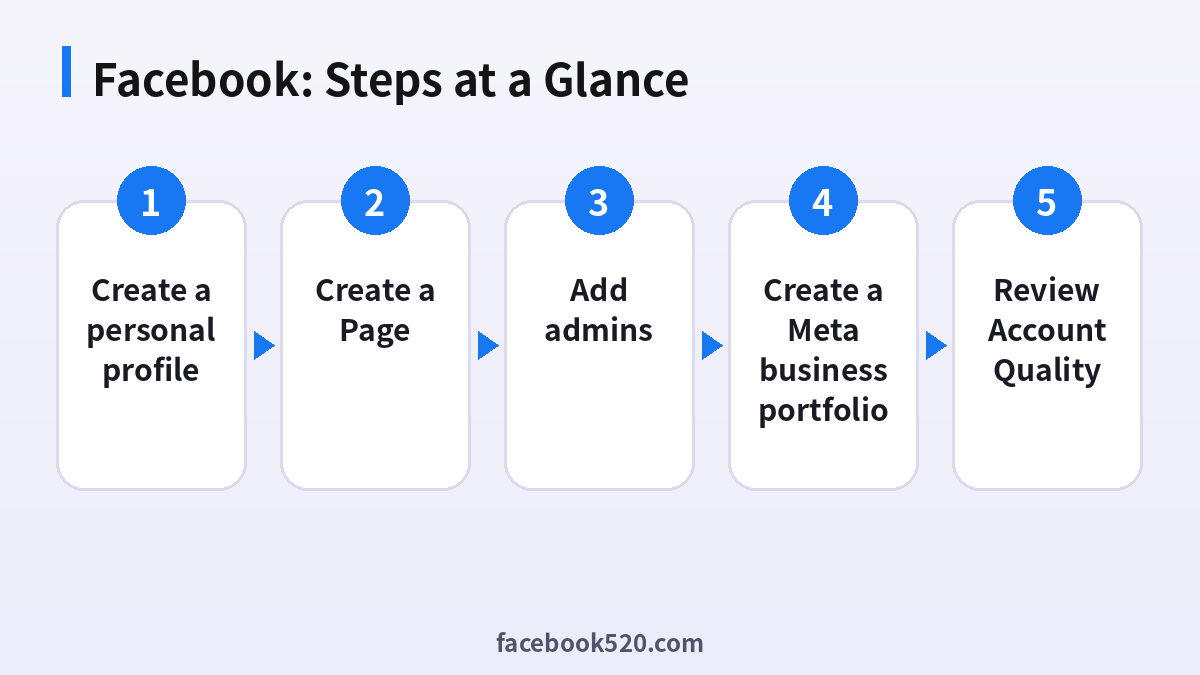
- Create a personal profile: Use a real name and verify email.
- Secure it: Turn on two-factor authentication.
- Create a Page: Choose a category and add details.
- Add admins: Give roles by need.
- Create a Meta business portfolio: Add the Page and ad account.
- Open Ads Manager: Add payment and a spending limit.
- Review Account Quality: Check notices and restrictions.
Facebook Troubleshooting Table
| Symptom | Likely cause | What to do |
|---|---|---|
| Cannot create a Page | Profile restrictions | Resolve any notice first. |
| Ad account disabled | Policy issue | Request a review. |
| Payment declined | Card or region issue | Try another method. |
| Page restricted | Content issues | Read the notice and fix the cause. |
| Admin cannot be added | Not friends or roles issue | Invite by email. |
Personal profile versus Page
Facebook treats personal profiles and Pages differently. Personal profiles are for people, and Pages are for organisations. Running a business from a personal profile can lead to restrictions, so create a Page early.
Meta business portfolio
A portfolio brings Pages, ad accounts and people into one place. It lets you give partners access without sharing logins and makes it simpler to recover access when staff change.
Roles and access
Give people the lowest role they need. Full control should go to two trusted people, and everyone else should have tasks or advertiser access only.
Ad account basics
Choose the correct currency and time zone when creating an ad account because they are hard to change later. Set a spending limit, and check the billing page for payment issues.
Account Quality
Account Quality shows policy issues on your Page and ads. Check it regularly and fix issues quickly, because repeated violations can lead to restrictions.
Pixel and conversions
Install the Meta Pixel and use the Conversions API where possible. Verify events in Events Manager before you spend. Without data, optimisation does not work.
Domain verification
Verify your domain in the business portfolio to control the links in ads and support event measurement.
Content and community standards
Read the community standards and advertising policies for your industry. Some categories need extra approval or are restricted in certain regions.
Recovery readiness
Add a second email, review trusted contacts if offered and store backup codes offline. Do it before there is a problem.
Preparing documents and details
Before you create business assets, collect the legal business name, address, phone, website and tax details you may need. Using the same details everywhere makes verification smoother, and mismatched names between your Page, website and payment method are a frequent reason for review delays and rejected ads.
First ninety days on a new Page
In the first month focus on a clear profile, a pinned post and a handful of useful posts. In the second month test Reels and groups, and reply to every message quickly. In the third month try a small ad campaign for the post that earned the most organic engagement, and compare costs.
Facebook Checklist
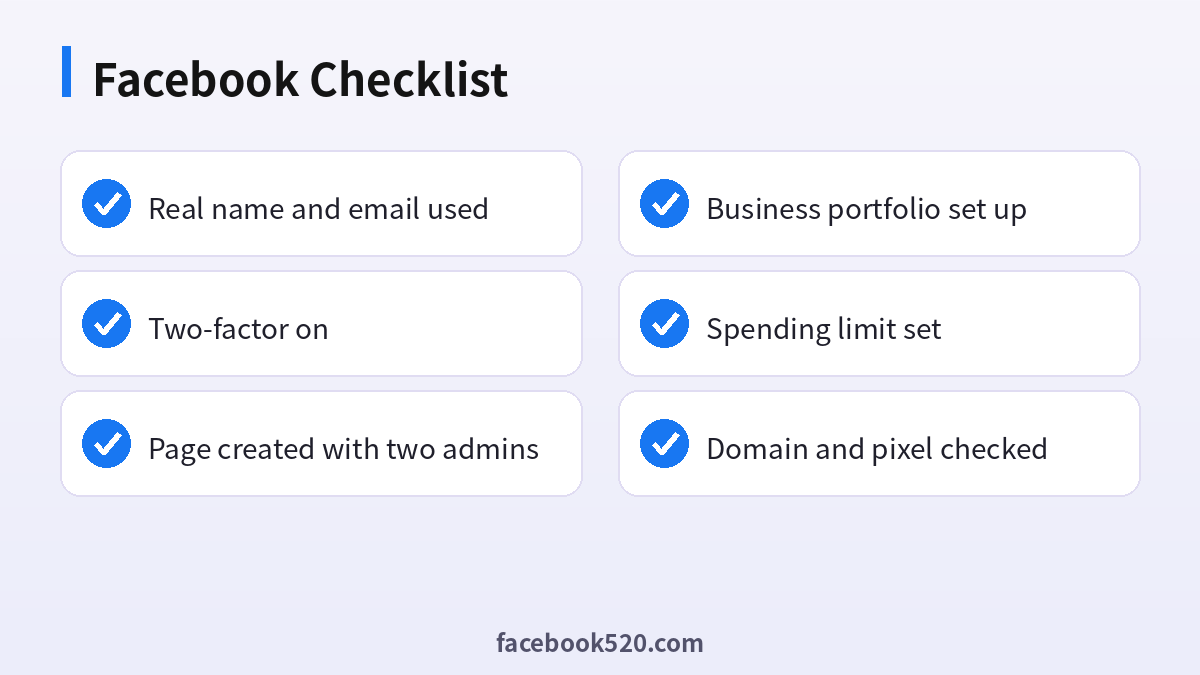
- Real name and email used
- Two-factor on
- Page created with two admins
- Business portfolio set up
- Spending limit set
- Domain and pixel checked
Facebook account FAQ
Do I need a personal profile to run ads?
Yes, in nearly all cases the Page and ad account roles are tied to personal profiles.
What is Business Manager?
A Meta tool that groups your Pages, ad accounts, pixels and people under a business.
Can I have more than one ad account?
Yes. Many businesses use separate ad accounts per brand, region or currency.
How can I recover a disabled account?
Follow the appeal flow in Account Quality or the help centre; see our recovery guide for details.
How many Facebook accounts can I have?
Policies differ, but you can usually manage several accounts as long as each has its own verified credentials and is used in line with the platform’s rules.
What should I do if I lose access?
Use the official recovery flow first. Keep recovery email and phone current, and never pay anyone who promises a guaranteed unlock.
Can I advertise from a personal profile?
You need a Page and an ad account.
What is a business portfolio?
A container for Pages, ad accounts and people.
Why was my ad account disabled?
The notice explains the reason. Request a review.
Can I change the ad account currency?
Generally no. Create a new one.
How many admins should a Page have?
At least two trusted people.

