


How to Open a Second Instagram Account in 2026: Step-by-Step Setup for Personal, Creator and Business Profiles, Switching and Safety Tips
Many people end up wanting more than one Instagram presence. You might want to keep your personal photos separate from a small business, run a hobby page without mixing audiences, manage a brand for a client, or simply have a private space for close friends. The good news is that Instagram lets you add several accounts to the same app and switch between them without logging out. This guide explains how to open a second Instagram account on iPhone, Android and the web, what you need before you start, how the limits work, how to set up a business profile and an ads account, and how to keep everything secure. Menus and policies change over time, so if a screen on your device looks different from the one described here, follow the same idea using the closest option and check Instagram’s Help Center for the latest details.
Why people create a second Instagram account
There are many legitimate reasons to run more than one profile. A freelancer may keep a creative portfolio separate from family photos. A small shop owner may want a business profile with insights and a contact button, while keeping a private personal one. A community manager may run accounts for several brands. Some people create a close-friends account for a smaller audience, and others separate a hobby, such as photography or cooking, from their day job.
Whatever the reason, the principle is the same: each account should have a clear purpose, a distinct identity and its own login details. Accounts created only to inflate numbers, impersonate someone or evade a restriction go against the rules and are likely to be removed.
What you need before you start
Prepare a few things first so the process goes smoothly.
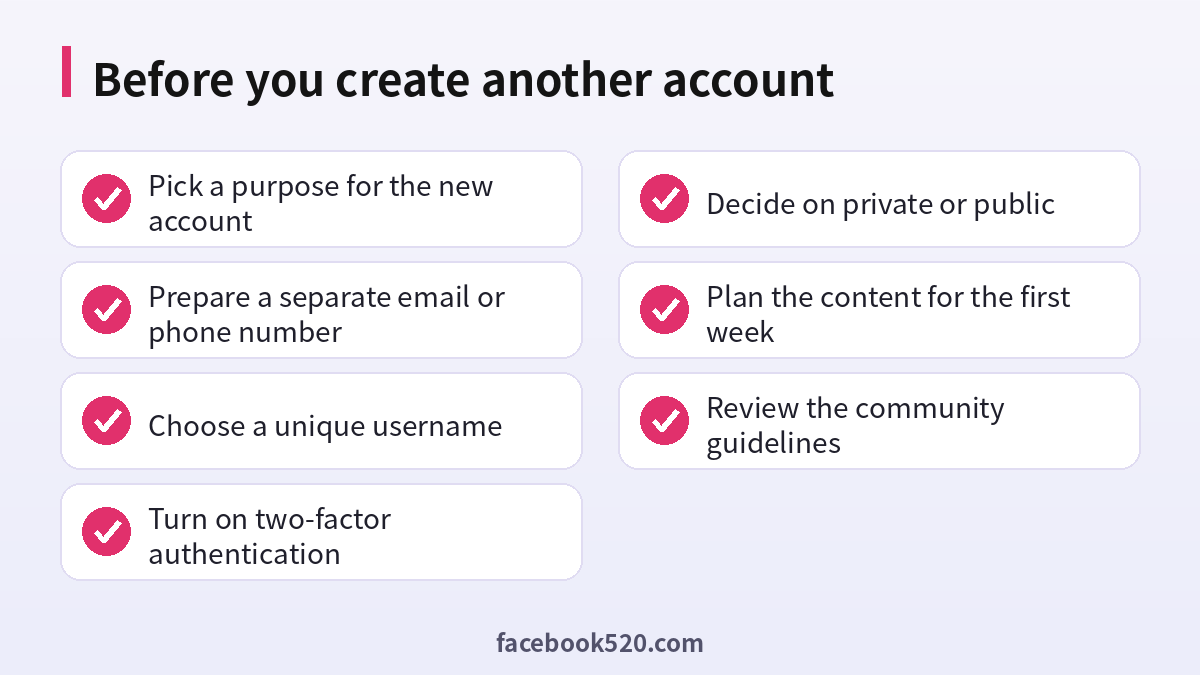
- A unique email address or phone number. Each Instagram account needs its own contact detail. Many email providers let you create a free address in minutes, and some providers support plus-addressing, which lets one inbox receive mail for several slightly different addresses. Check that Instagram accepts the format you choose.
- A username that is available. Usernames must be unique across the platform. Try a short, readable name that reflects the purpose of the account.
- A strong password. Never reuse the password from your first account.
- A device or browser you control. Install the latest version of the app to avoid missing options.
- A short plan. Decide the name, the profile photo, the bio and the first few posts so the account does not look empty.
How many accounts can you have
Instagram lets you stay logged in to a limited number of accounts on a single device at the same time. At the time of writing this is generally up to five, although the limit can change. You can create more accounts over time, but you may need to log out of one to add another on the same device. Remember that quantity is not the goal. Each additional account needs content, attention and security, so only create as many as you can manage well.
| Account type | Best for | Key features |
|---|---|---|
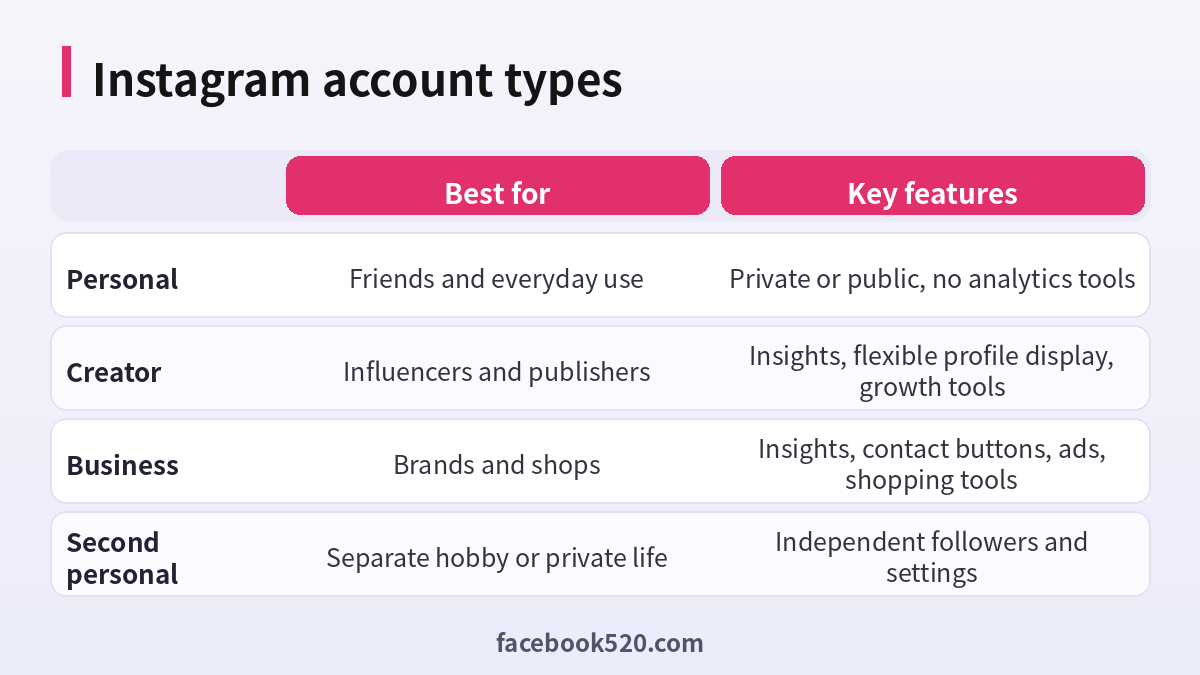
| Personal | Friends and everyday use | Private or public, no analytics tools |
| Creator | Influencers and publishers | Insights, flexible profile display, growth tools |
| Business | Brands and shops | Insights, contact buttons, ads, shopping tools |
| Second personal | Separate hobby or private life | Independent followers and settings |
How to open a second Instagram account on the mobile app
The steps are very similar on iPhone and Android.
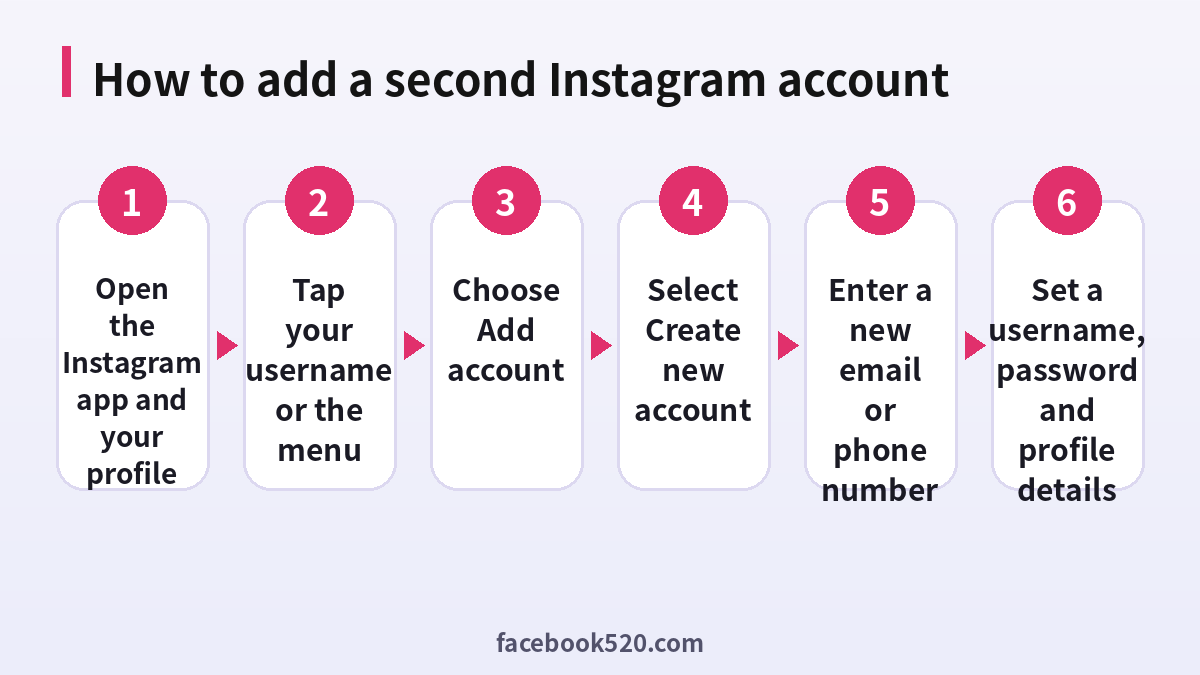
- Open the Instagram app and go to your profile by tapping your picture in the bottom corner.
- Tap your username at the top of the screen, or open the menu and look for the account switcher.
- Choose Add Instagram account, then select Create new account. If you see a login option instead, you are about to add an existing account, so make sure you pick the create option.
- Enter a new email address or phone number that is not already linked to another Instagram account.
- Confirm the code that Instagram sends to that address or number.
- Choose a username and a password, then fill in your name and birthday.
- Add a profile photo and a short bio, and decide whether to connect contacts or other social profiles.
When the setup is finished, you will be logged in to the new account, and the first account stays available in the switcher.
How to open a second account on the web
On a computer, the easiest method is to log out of your current account or use a different browser profile, then go to the Instagram sign-up page. Enter the new email or phone number, a full name, a username and a password, and complete the verification. Once you are done, you can add your original account again from the login screen. The web version is useful when you want to keep the accounts separated by browser profile, which reduces the risk of posting from the wrong account.
How to switch between accounts
After you add the account, switching is simple. Tap your username at the top of your profile to open the list and pick the account you want. Many people prefer to long-press the profile picture in the bottom bar, which opens the same list. Always glance at the username before you post or send a message, because posting from the wrong account is the most common mistake people make when they manage several profiles.
Setting up a business or creator profile
If your second account is for a brand or project, switch it to a professional account. Open Settings and privacy, find the option for account type and tools, and choose a business or creator profile. You will be asked to pick a category, add contact details such as an email or phone number, and optionally connect a Facebook Page. A professional profile unlocks insights about your audience, contact buttons, and promotion tools. It is a good idea to complete the profile with a clear logo, a concise bio explaining what you offer and a link to your website.
Ads account basics
To run paid promotions you will need a payment method and, in many cases, a connection to Meta’s advertising tools. In the app you can boost a post directly, which lets you pick a goal, audience, budget and duration, and then choose a payment method. For more advanced campaigns, businesses use Meta’s ads management tools, which require an ad account tied to a Facebook Page or business portfolio. Keep in mind that advertising policies apply, and ad accounts can be restricted if payment fails repeatedly or the content breaks the rules. Use your own legitimate payment method and keep billing information accurate.
Common errors and how to fix them
| Problem | Likely cause | What to try |
|---|---|---|
| The email or phone number is already in use | It is linked to another account | Use a different email or phone number |
| The confirmation code never arrives | Typo, spam folder or network issue | Check the address, wait a few minutes, request a new code |
| Username is taken | Another user has it | Add a word, number or underscore |
| You are asked for a security check | Unusual activity or new device | Complete the steps and avoid repeated attempts |
| Add account option is missing | Old app version | Update the app and try again |
| Too many attempts | Repeated sign-up requests | Wait before trying again |
If you hit a wall, avoid creating many accounts in a short time from the same device, because this can trigger automated checks. Wait, update the app and try again in a calm, deliberate way.
Keeping several accounts secure
Security matters more when you manage more than one login. Turn on two-factor authentication for every account, ideally with an authenticator app instead of text messages. Use a password manager so every password is unique. Keep the recovery email of each account under your control and make sure that you can still receive messages at that address. Review logged-in devices from time to time and remove those you no longer use. Be careful with third-party tools that promise to manage many accounts, because they require your password and may break the rules.
Privacy and audience management
Decide in advance who should see each account. A private personal account is a good choice if you want to control followers. A public account suits a brand that wants reach. You can also use the close friends feature to share some stories with a smaller circle on any account. Avoid linking accounts together in ways that reveal that they belong to the same person if you want to keep them separate, for example by using the same bio, profile photo or phone number.
Building the new account
A new account looks more trustworthy when it is complete and active. Add a clear profile photo, write a bio that says what the account is about, post a handful of pieces of content before you start following people, and engage genuinely with others in your niche. Be patient: organic growth takes time, and shortcuts such as buying followers can harm your reach and put the account at risk.
When a second account is not the best answer
Sometimes a different tool works better. If you only need to keep some posts private from certain people, close friends lists may be enough. If you want to separate work and personal messages, a professional account with quick replies and saved responses can help. If several people need to manage the same brand, use roles and permissions in Meta’s business tools instead of sharing a password. Choosing the right structure keeps your digital life simpler.
A simple workflow for managing multiple accounts
Create a small content calendar for each account, and set aside a regular time for each one, for example mornings for the business profile and evenings for the personal one. Draft captions in a notes app to avoid mistakes, and double check the username before publishing. If you work with a team, document who is responsible for what, and use a shared password manager or the official permission features to give access.
Setup checklist
Choosing a username and brand identity for the new account
A username is the first thing people notice, and it is hard to change often without confusing your audience. For a personal account, a short name with a simple twist works well. For a business, use the brand name, adding a word such as official, shop or studio only when the exact name is taken. Avoid long strings of numbers and underscores, which look like automated accounts. Check that the name does not copy a trademark or another person, because impersonation reports can lead to removal. Use the same name, logo and colors across your website and other social platforms so customers can recognize you immediately.
Example scenarios
A photographer with a day job. She keeps her private account for family and creates a second public account for her portfolio. She switches to a creator profile to see insights and adds a link to her booking page.
A café owner. He opens a business account with the shop name, adds the phone number and address, and posts daily menu photos. Because the account is separate from his personal one, customers see only relevant content.
A student community. A club needs an account for announcements. Rather than sharing one password, the officers use the professional tools and the permission options so that access can be passed on each year.
What to do after the first week
After the account is live, review the basics. Check that notifications are working for both accounts, so you do not miss messages. Confirm that two-factor authentication is active. Save drafts for upcoming posts and decide how often you will publish. If the account is for a business, test the contact button, verify that links work and respond to the first questions quickly. Finally, look at your insights after a couple of weeks to see which posts perform best, and use that information to plan your content.
Troubleshooting a flagged or restricted new account
New accounts are watched more closely than established ones. If your new profile is asked to verify, limited or temporarily locked, stay calm. Follow the on-screen steps, which may include confirming a code, uploading a selfie video or waiting for a review. Do not create several replacement accounts in a hurry, because repeated sign-ups from one device can make the situation worse. Avoid mass following, copy-pasted comments and automated tools during the first weeks. If you believe the restriction is a mistake, use the in-app option to request a review and keep the confirmation. Consistent, human behavior is the best way to build trust with the platform from the start.
Frequently asked questions
How do I open a second Instagram account on the same phone?
Go to your profile, tap your username to open the account list, choose Add Instagram account and then Create new account. Use a new email or phone number, and follow the prompts.
Can I use the same email for two Instagram accounts?
Generally no. Each account needs its own email address or phone number. Create a free separate email or use a supported alias.
How many Instagram accounts can I have on one device?
Instagram usually allows you to be logged in to up to five accounts at once on one device, although the limit can change.
Will my followers see that both accounts are mine?
Not unless you link them or share the same details. Accounts you add on a device are not publicly connected, but avoid reusing the same name and photo if you want to keep them separate.
Is it allowed to have more than one account?
Yes, as long as each has a legitimate purpose and follows the community guidelines and terms of use. Fake, spam or impersonation accounts are not allowed.
How do I switch between my accounts?
Tap your username at the top of your profile or long-press your profile picture, then select the account you want.
How do I create an Instagram business account?
Open Settings and privacy, find account type and tools, and switch to a professional account. Select a category, add contact details and complete your profile.
What is needed for Instagram ads account setup?
A professional profile, a payment method and, for advanced campaigns, an ad account linked to a Facebook Page or business portfolio.
What if I do not receive the confirmation code?
Check for typos and the spam folder, wait a few minutes and request a new code. Make sure the phone has a signal.
Can I delete the second account later?
Yes. In account settings you can deactivate or request deletion. Download your data first if you want to keep a copy.
Should I buy an existing account instead?
No. Buying accounts violates the rules, can lead to the account being taken back or removed, and puts your data at risk. Creating your own is simple and free.
How do I keep my accounts safe?
Use unique passwords, turn on two-factor authentication, keep recovery details current and review logged-in devices regularly.
