


Suno Pricing (2026): Plan Comparison, Subscription & How to Pay
People searching for Suno pricing usually want three answers: what each plan includes, what it really costs per month, and how to pay without surprises. Below you will find a clear comparison of the plans, a step-by-step payment walkthrough, tips for keeping spending under control, and fixes for the most common billing problems.
What is Suno?
Suno is an AI music generator. You describe a song or paste lyrics and it produces full tracks with vocals, then lets you extend, remix and download them. Suno works on a credit system. Free accounts receive daily credits for personal use, while the Pro and Premier plans give larger monthly credit pools and commercial usage rights for songs created while subscribed.
Suno plans and pricing at a glance
Prices below are reference list prices in US dollars that have been published recently. Taxes, currency conversion, regional pricing and promotions can change what you see at checkout, so always confirm on the official page (suno.com) before you pay.
| Plan | Reference price | What it is for |
|---|---|---|
| Free | free | A small number of daily credits, the standard model and non-commercial use. |
| Pro | about $10/month (less when billed yearly) | Around 2,500 monthly credits, newer models, more concurrent jobs and commercial use. |
| Premier | about $30/month (less when billed yearly) | Around 10,000 monthly credits plus the full set of editing tools. |
| Extra credit packs | one-off purchase | Top-ups when your monthly pool runs out. |
How Suno billing works
- Each generation consumes credits; newer models and longer songs can cost more.
- Songs made on the free plan stay non-commercial even if you upgrade later, so decide before you create music you want to monetise.
- Credits from the monthly pool do not roll over to the next month in most cases.
- Payment is processed through the website; Android and iOS in-app subscriptions follow the app store rules.
None of this is complicated, but each point is something people commonly discover only after the first invoice.
Which Suno plan should you choose?
- Playing around: Free.
- Posting songs online or using them in videos: Pro.
- Producers who generate dozens of tracks every week: Premier.
- Only occasional extra tracks: Buy a credit pack instead of upgrading.
A useful rule of thumb is to begin with the lowest plan that lets you do real work, track how often you hit its limit for two or three weeks, and only then move up. Most of the plans can be changed or cancelled later, so there is little reason to start on the most expensive tier “just in case”.
Payment methods you can usually use
Most users pay for Suno with a card. Some regions add wallet options such as PayPal, Apple Pay or Google Pay, and subscribing inside an iOS or Android app routes the payment through the store account. What you can actually select depends on your billing country and device.
A few practical points about cards:
- Use a card that allows online and recurring (subscription) payments, and that is enabled for international merchants.
- Make sure the billing name and address match what your bank has on file; mismatches are a frequent reason for declines.
- If your bank uses 3-D Secure, approve the prompt in your banking app quickly; the session may time out.
- Virtual cards can work, but some issuers block subscription merchants or cap the first transaction. Test with the amount you actually need.
Step-by-step: how to pay for Suno
- Sign in at suno.com with Google, Discord, Microsoft or Apple.
- Open the account menu and choose Subscribe.
- Select Pro or Premier and toggle monthly or yearly.
- Pay by card in the checkout window.
- Return to the Create page and confirm the credit counter shows the new allowance.
- Generate a first track with a short prompt to check everything works.
Ways to keep your Suno spending under control
- Generate several shorter ideas and extend only the best one.
- Keep track of which songs were created on which plan.
- Cancel before the renewal date if you only needed one month of production.
- Use extra credit packs only for deadlines.
Common payment and access problems
- Credits not updated after payment: Refresh, sign out and in, and check that you used the same login provider as before.
- Free songs flagged non-commercial after upgrading: Rights follow the plan at the time of generation; regenerate important tracks while subscribed.
- Card declined: Try a second card, confirm online and international payments are enabled, and check there is no temporary hold from your bank. Waiting an hour and retrying often clears security checks.
- Charged but plan not active: Refresh the page, sign out and back in, and confirm you are on the same account that was used at checkout. If the plan still does not show, keep the receipt and contact the support team of the service you paid.
- Wrong country or currency shown: Pricing follows your billing country and sometimes your IP location. Do not try to bypass it; set the correct billing address in your account instead.
- Unexpected renewal: Subscriptions renew automatically. Check the next billing date in your account and cancel at least a day before it if you do not want another cycle.
How to cancel or change your Suno plan
You cancel in the same place you subscribed: the website billing page for web purchases, the Apple subscriptions page for iPhone purchases, or Google Play subscriptions for Android purchases. Cancelling normally stops the next renewal but keeps access until the end of the period you already paid for. Downgrades usually take effect at the next renewal, while upgrades are normally effective immediately with a prorated charge. Keep your receipt emails; they are the quickest proof if you ever need help.
Monthly or yearly billing: how to decide
Yearly billing normally lowers the effective monthly price, but it also locks in a larger payment up front. A sensible approach for Suno is to pay monthly for the first one or two cycles, check whether you use it every week, and only then switch to the annual option. If your work is project-based and you only need the tool for a few months, monthly billing is almost always the cheaper choice overall.
A short checklist before you subscribe
- Confirm the plan name and price on the official Suno page the same day you buy, since promotions and limits change.
- Log in with the account you actually want to keep; changing the account tied to a subscription later can be awkward.
- Decide who pays: a personal card, a company card or a team plan with central billing.
- Note the renewal date and the cancellation route in your calendar.
- Save the receipt email in a folder; you will need it for expense claims or support requests.
Is Suno worth paying for?
The honest test is simple: would the time or money the tool saves you in a month exceed what the plan costs? If you can name two or three concrete tasks where Suno helps every week, a paid plan is usually justified. If you are mostly experimenting, stay on the free or lowest tier and revisit the decision after a month of real usage data.
Invoices, receipts and company cards
If you pay for Suno as part of your work, look for the billing or invoices section in your account settings. There you can usually download receipts, update the company name and tax number for future invoices, and change the billing email. Use a dedicated company card where possible and a shared mailbox for receipts, so subscriptions do not disappear when a team member leaves. For teams with several users, a business or team plan with central billing is generally easier to audit than many individual subscriptions.
Mistakes to avoid
- Buying the most expensive plan before you know your real usage.
- Subscribing inside a mobile app and then looking for the cancel button on the website, or the reverse.
- Sharing your login with someone who offers to “activate” or “top up” the plan for you; use official checkout only.
- Forgetting a free trial and being charged on the first renewal date.
- Ignoring the usage or credit counter until it is empty in the middle of a deadline.
What if prices or limits change?
AI and software subscriptions move quickly. A plan that included a certain allowance last quarter may be reorganised, renamed or repriced this quarter, and a new tier can appear between the ones you know. When that happens, read the notice email from Suno, Inc. instead of assuming nothing changed, compare the new allowance with what you actually used, and decide whether to stay, downgrade or switch to another tool. Existing subscribers are normally told about price changes ahead of renewal, which gives you time to cancel if the new terms no longer make sense.
Who Uses Suno and How: Scenarios
- Hobby users: Suno has offered a free tier with a daily or monthly credit allowance and paid tiers with more credits. Check the current plans page for exact allowances.
- Creators who publish: Commercial rights for songs depend on the plan used when you created them. Read the terms carefully and keep the plan record.
- Heavy users: Credits are consumed per generation, so many versions can use them quickly. Track the use.
Suno at a Glance
- Typical use: AI music generation and song creation.
- What you need: an email or social sign-in and a subscription payment method.
- Common friction: credit and generation rules, and commercial-use rights that must be checked against the plan terms.
- Security tools: protecting the sign-in account and checking subscription billing.
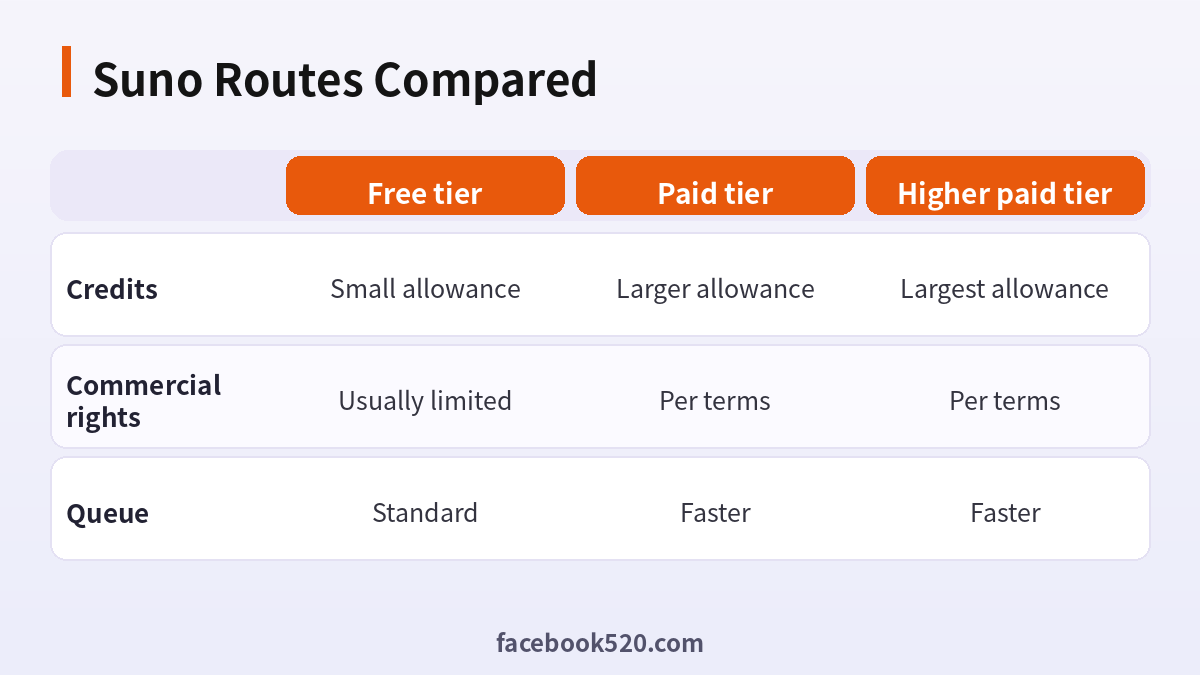
Which Suno Route Fits? Comparison and Verdict
| Factor | Free tier | Paid tier | Higher paid tier |
|---|---|---|---|
| Credits | Small allowance | Larger allowance | Largest allowance |
| Commercial rights | Usually limited | Per terms | Per terms |
| Queue | Standard | Faster | Faster |
Verdict: Try the free tier to learn prompting, subscribe only when you know you need more credits or rights, and read the terms for commercial use in the version that applied when you created the song.
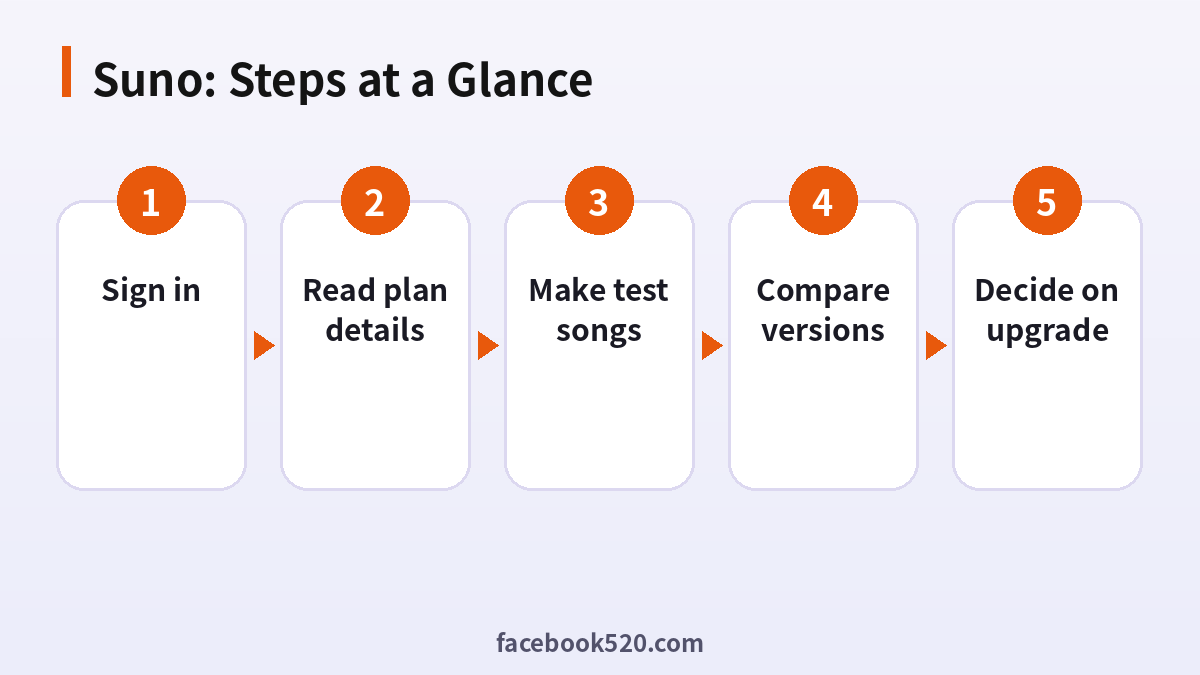
Choosing a Suno plan
- Sign in: Use the official site.
- Check credits: See how many you have.
- Read plan details: Credits, rights, queue.
- Make test songs: Short prompts.
- Compare versions: Pick the best.
- Check rights: For publishing.
- Decide on upgrade: If credits limit you.
Common Suno Errors and What to Do
| Symptom | Likely cause | What to do |
|---|---|---|
| Out of credits | Allowance used | Wait for reset or upgrade. |
| Song removed | Policy issue | Read the notice. |
| Lyrics rejected | Content rule | Change them. |
| Rights unclear | Plan terms | Read the terms. |
| Login problem | Wrong method | Use the original sign-in. |
How credits work
Each generation uses credits, and one request can produce more than one version. The free allowance resets on a schedule that the site describes. Check the number so that you do not waste credits on long experiments.
Prompting for songs
Describe genre, mood, tempo and instruments. Write or paste lyrics in sections for better structure. Generate short ideas first and extend only the ones you like.
Commercial rights and ownership
Terms differ by plan and by the date a song was made. Keep a record of the plan and date for each song you plan to publish. If rights matter for a project, read the current terms and consider asking the company.
Streaming and distribution
Platforms have their own rules about AI-generated music and disclosure. Read them before you upload, and keep track of the metadata you provide.
Voices and likeness
Do not imitate real artists or use their voices without permission. The service has policies on this, and tracks can be removed.
Editing and exporting
Download the audio and, where available, stems or other formats. Edit in your own tools and keep project files.
Library management
Name songs and keep notes on prompts. Delete failures to keep the library tidy.
Avoiding shared accounts
Do not buy shared logins. Terms prohibit it, and you can lose the account and songs.
Hedging on specifics
Plans and rights change. Use the official page.
A weekly routine for songwriters
Spend one session writing lyrics and a short style brief, a second session generating and comparing versions, and a third session editing, naming and exporting the best one. Limiting generation to a fixed session helps you stay within your credits and makes you listen more carefully, because each new attempt costs something you can see.
Understanding versions and extensions
One prompt can return more than one version, and you can extend a promising clip to make a longer piece. Extending uses credits as well, so choose the strongest section before continuing. Keep track of which version came from which prompt, because it is easy to forget after a long session.
Choosing between free and paid for a release
If you plan to release a song publicly, decide before creating it which plan you will use and what the terms say about rights. Creating a track on a free tier and later subscribing may not change the terms for that earlier track, so read the wording instead of assuming a subscription fixes it.
Naming, tagging and filing the results
Give each track a clear file name with the date, the style and the plan used, then store the audio and a text note with the prompt in one folder. When you come back months later, you can see which songs were made under which terms and decide what is safe to publish, license or leave unused.
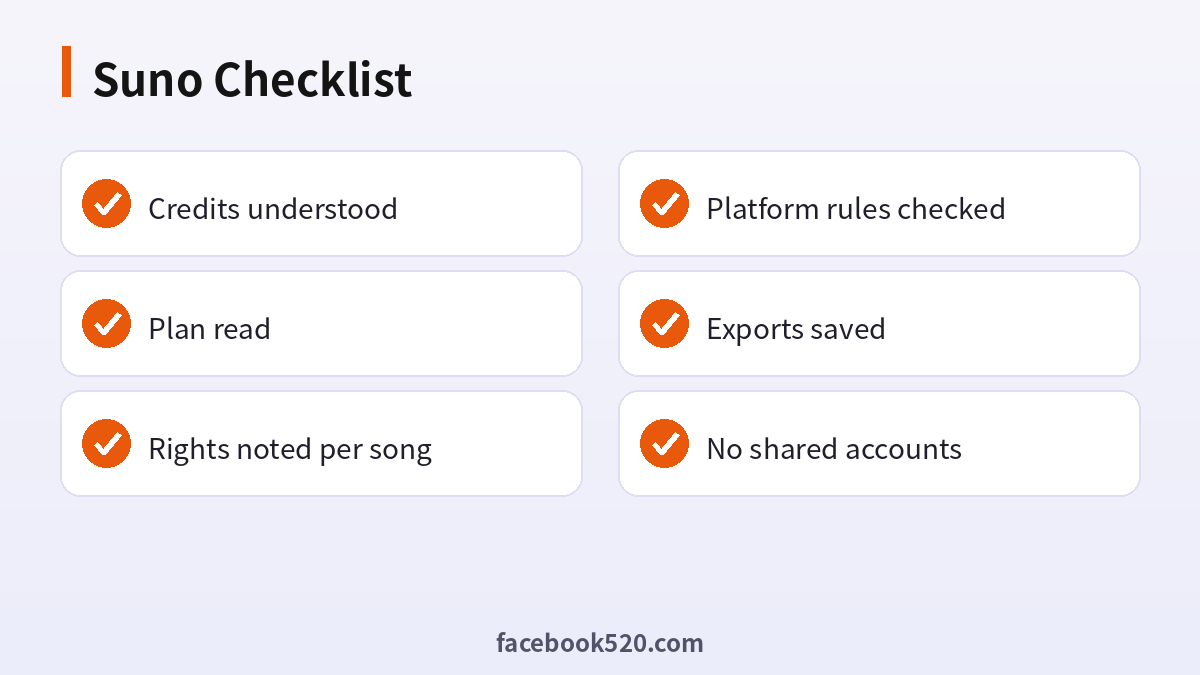
Suno Self-Check List
- Credits understood
- Plan read
- Rights noted per song
- Platform rules checked
- Exports saved
- No shared accounts
Suno FAQ
How much is Suno Pro?
Roughly ten dollars a month at list price; check the pricing page for the current value in your currency.
Can I use Suno songs commercially?
Paid plans include commercial rights for songs created while subscribed; free-tier songs do not.
Pro or Premier?
Pro suits most creators; Premier is for high volume.
Can I cancel anytime?
Yes, you keep access until the end of the billing period.
Is it safe to pay for Suno through third parties?
The only fully safe route is paying Suno, Inc. directly on its official site or in its official app. Be cautious with anyone who asks for your login details, or sells “cheap” access without a clear, verifiable receipt.
Do Suno prices differ by country?
Yes. Prices, taxes and available payment methods vary by country and platform. The checkout page always shows the final amount.
Is Suno free?
There has been a free tier with limits.
How many songs per credit?
It depends on the model and plan.
Can I upload my own lyrics?
Yes, within the content rules.
What if I run out of credits?
Wait for reset or upgrade.
Related guides
- ChatGPT account purchase guide (Chinese)
- Gemini Pro plans
- How do I register and purchase 70+ accounts on TikTok, YouTube, Instagram, Facebook, X, Reddit, Medium, and LinkedIn?
- ChatGPT、Gemini、Perplexity、Claude、Copilot 等 AI 平台最喜欢引用的100个网站
If you are also setting up other platforms for your business, the 70+ accounts register and purchase overview gives a broader map of what is available.
