


Claude Code Buy 2026: Account Types, Max Plans, API Billing and What to Check Before You Pay Anyone
Search for claude code buy and you will find two very different kinds of results. One kind explains how to pay Anthropic for Claude Code. The other kind is a set of marketplace listings, chat group posts and small shops selling a Claude Max account, a cheap Claude Code login or a pack of tokens. This guide separates the two. It explains what Claude Code actually is from a purchasing point of view, which official ways exist to pay for it, what the resold options really consist of, and how to set up your own access in a few minutes. No prices are quoted here because Anthropic changes them and they differ by country, currency, tax and the channel you pay through. Read the number only on your own billing page.
What you are buying when you buy Claude Code
Claude Code is a coding assistant that runs in your terminal, inside editors and in some web and desktop surfaces. It reads your project, proposes edits, runs commands with your permission and works through multi step tasks. It is not a separate product with its own checkout in the way a game or a phone is. Access comes through your Claude account: either a paid subscription plan that includes Claude Code usage, or API billing where you pay for the model usage your sessions consume. That means the real question behind claude code buy is which of these two payment models fits the way you work.
Subscription or API billing: the first decision
A subscription plan is predictable. You pay a flat amount per period and get a usage allowance that refills on a schedule. It suits developers who use Claude Code every day for their own projects and prefer not to think about per request costs. API billing is metered. You load credit or attach a payment method to a console account and every session spends from it. It suits automation, continuous integration, teams that want per project accounting and people whose use is irregular. Some people use both: a plan for daily interactive work and API access for scripts.
Ways to pay for Claude Code compared
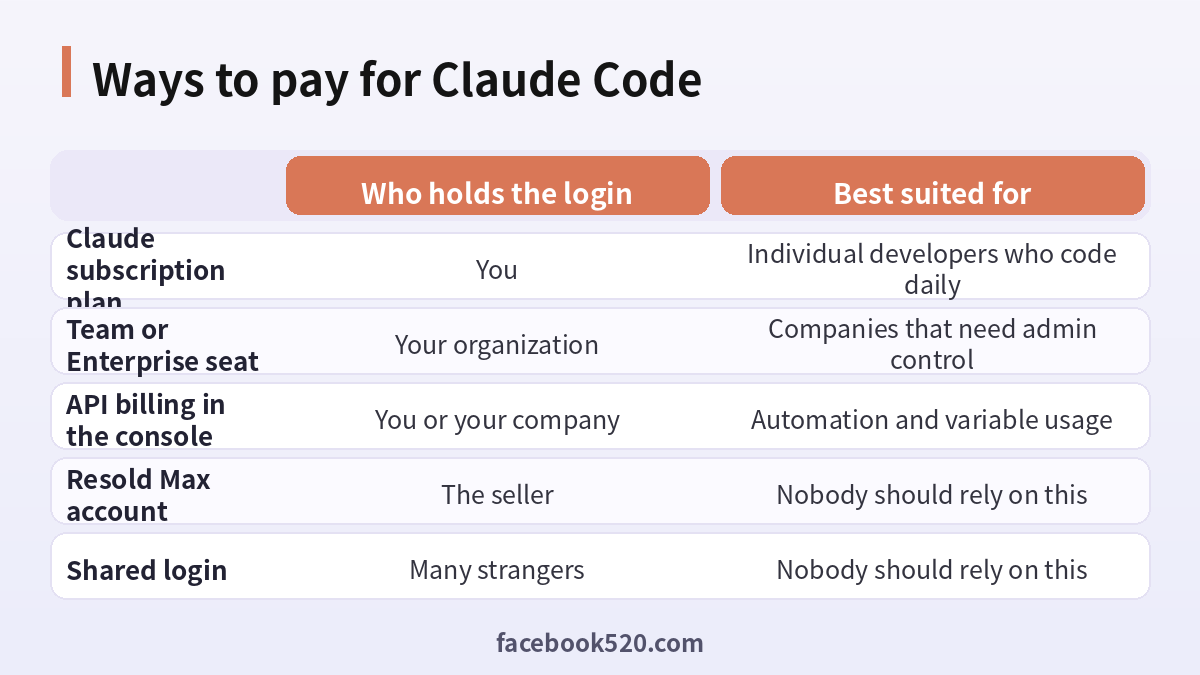
| Route | Who holds the login | Best suited for |
|---|---|---|
| Claude subscription plan | You | Individual developers who code daily |
| Team or Enterprise seat | Your organization | Companies that need admin control |
| API billing in the console | You or your company | Automation and variable usage |
| Resold Max account | The seller | Nobody should rely on this |
| Shared login | Many strangers | Nobody should rely on this |
Why people search for a Claude Max account for sale
Heavy Claude Code users hit usage limits on lower plans and look at the higher tiers, which cost more. Then they notice listings for a cheap Claude Max account at a fraction of the official figure. The pull is obvious. The problem is that nothing in the listing explains how the seller can afford to undercut the provider. The usual answers are unpleasant: accounts opened with stolen or disputed cards, a single login split between many buyers, regional workarounds that break the terms of service, or a reseller who simply disappears after payment. None of these gives you something you can build a working routine on.
What goes wrong with resold Claude Code accounts
First, ownership. The login belongs to whoever created it, and the recovery email and phone sit with them. At any moment they can reset the password and you are out. Second, payment disputes. If the original purchase is reversed, the plan is cancelled and the account may be restricted. Third, privacy. A developer account holds your code, your prompts and your project context. Handing that to a stranger’s login means they may see your repositories and secrets. Fourth, support. Anthropic cannot help you recover an account that is not provably yours. Fifth, work interruption. Losing access mid sprint costs far more than the subscription you tried to avoid.
Why code and secrets raise the stakes
With a normal chat account the worst case is a lost conversation history. With Claude Code the tool operates in your repository. It can read configuration files, environment variables you expose to it and command output. A compromised or shared login therefore sits next to credentials for databases, cloud services and payment systems. Even if the seller is honest, other buyers of the same login may be able to open your sessions. Treat the login as part of your security perimeter, and create it yourself with a mailbox you control. When a developer account is compromised, the damage is rarely limited to one service, because the same machine and repository touch many others.
The official way to start in minutes
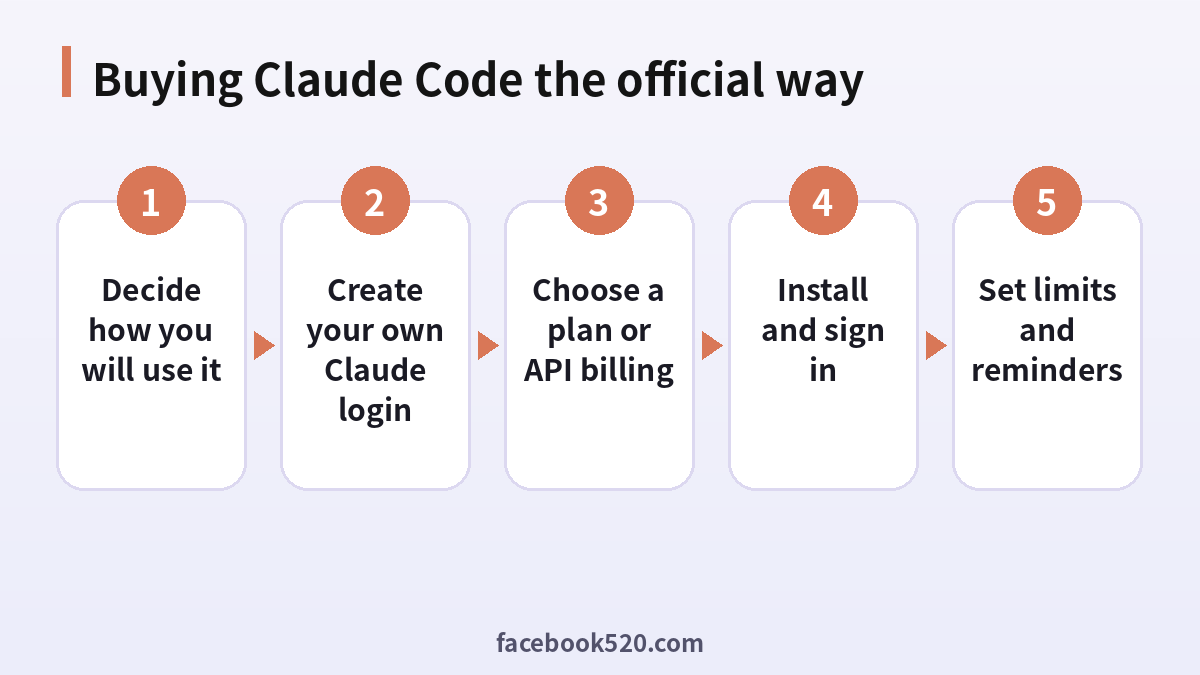
- Decide how you will use it. Interactive daily coding points to a plan; scripts and pipelines point to API billing.
- Create your own Claude login. Use an email address you control and keep the recovery options in your name.
- Choose a plan or API billing. Open billing settings, compare the plans shown to you, or add a payment method to the console.
- Install and sign in. Follow the setup instructions in the official documentation, then authenticate with your account.
- Set limits and reminders. For API use, configure a spending cap. For subscriptions, save the renewal date.
Installing and signing in without surprises
After you have a login, installation is a short sequence in the terminal as described in the official documentation. The first run asks you to authenticate in the browser. You choose whether to use your subscription or an API key. Pick deliberately, because the wrong choice can lead to confusing bills. If you sign in with a subscription, usage counts against the plan allowance. If you use an API key, each session is charged to that console. You can read more about the product on the page for Claude Code and the general Claude page.
Team and company purchases
Companies rarely want developers paying individually. A Team or Enterprise arrangement gives administrators a central place to add and remove seats, see usage and manage security settings. If a company needs Claude Code for a group, the cleaner route is to ask the administrator to purchase seats or to provision API access through a company owned console. This keeps the login tied to an organization identity, so when a developer leaves, access can be revoked without losing work or history. It also gives finance a proper invoice instead of a patchwork of personal receipts.
Using the API for Claude Code
If you choose API billing, you create an organization in the console, add a payment method or credit, and generate keys. Keep keys out of source control, store them in environment variables or a secrets manager and rotate them if they leak. Set a monthly spending limit and enable usage alerts, because long autonomous sessions can consume more than you expect. Use separate keys for separate projects so you can see where spend goes and revoke one without disturbing the others.
Paying from outside the United States
Cards and billing behave differently across countries. Some banks block international subscription charges until you enable them. Currency conversion can add a small difference between the displayed amount and the final statement line. Taxes may be added depending on where you live and whether you buy as a business. If a card is declined, check with your bank whether online international payments are enabled, try a different card, and avoid repeated attempts in a short time. The accepted methods depend on your region, so look at what your billing page offers rather than assuming.
Fixing a declined payment
| Symptom | Likely cause | What to try |
|---|---|---|
| Card rejected at checkout | Bank blocks international online payments | Ask the bank to enable them |
| Payment pending | Extra verification required | Complete the bank prompt |
| Plan not active after paying | Delay or wrong account | Check you are logged into the right login |
| Charged twice | Authorization hold plus charge | Wait for the hold to drop, then contact support |
| Usage limit reached quickly | Heavy sessions on a smaller plan | Review usage and consider a higher tier |
Spending less in a legitimate way
You can reduce what you spend without touching a resold account. Keep sessions focused: give Claude Code a clear task and relevant files instead of the whole repository. Use plan mode or review steps so the tool does not wander. Start new sessions when context gets long, since long contexts consume more usage. Choose the lighter model for simple tasks if your setup offers a choice. For teams, share conventions in a project memory file so each session starts efficiently. These habits often reduce usage more than any discount would.
How to spot a risky listing in seconds
Look for these signals. The price is far below the official figure. The seller asks for your password or a login code. The listing is vague about whose email is attached. Payment is requested only in untraceable ways. There is pressure to decide quickly. There are no refund terms. Reviews are all recent and similar in wording. Any single signal is a reason to walk away. If three appear together, treat it as a scam and do not send money.
If you already bought one
If you have already paid for a resold account, stop using it for anything sensitive. Do not open private repositories in it and rotate any credentials that appeared in its sessions. Create your own account through the official site. If the payment went through a card or a payment service, keep the chat logs and receipts and ask your payment provider about their dispute options. Do not send further money to the seller to recover the first payment.
Selling or transferring your own account
Some readers ask the reverse question: can I sell my spare Claude login. Accounts are personal, tied to the person who registered, and not meant to be transferred. An unused subscription can simply be cancelled before renewal. If you want a colleague to use Claude Code, the correct way is for them to create their own account or for your organization to add them as a seat.
Comparing Claude Code with other coding assistants
Before paying, it is reasonable to compare tools. Some editors bundle assistants into their own subscriptions, and other agents run in the terminal too. Compare on the things that matter for you: how well it handles your language and framework, whether it works in your editor, how usage limits behave, how data is handled and how the billing works. A short trial on a real task teaches more than a feature table. If you want a broader view of coding tools, see the guide for Cursor.
Three short examples
A freelancer. Priya codes most days. She creates her own login, picks a plan, and saves the renewal date. When she hits a limit mid week she waits for the refill rather than buying a stranger’s account.
A startup. A five person team uses Claude Code for refactoring. The founder sets up a Team arrangement, adds seats and reviews usage monthly. When a contractor leaves, access ends the same day.
A data engineer. Mateo runs Claude Code in scheduled jobs. He uses API billing with a project key, a monthly cap and alerts. A cheap shared account would have exposed his pipeline credentials.
A realistic first week with Claude Code
Spend the first day on small, low risk tasks: explain a module, write tests for one function, fix a lint warning. Notice how much of your allowance each session uses. On the second and third days try a larger refactor on a branch, reviewing each proposed change before accepting. By the end of the week you will know whether your usage fits the plan you chose or whether you keep reaching the limit. That evidence is far better for deciding on a higher tier than any listing promising a bargain. Keep a short note of tasks that worked well so the habits carry over to teammates.
Keeping your account safe
Turn on every sign-in protection offered. Use a unique password in a password manager. Do not paste keys into chats or screenshots. Review active sessions now and then and sign out of devices you no longer use. Keep the recovery email current. If you suspect a leak, rotate API keys first and change the password second, then check the billing page for charges you do not recognize.
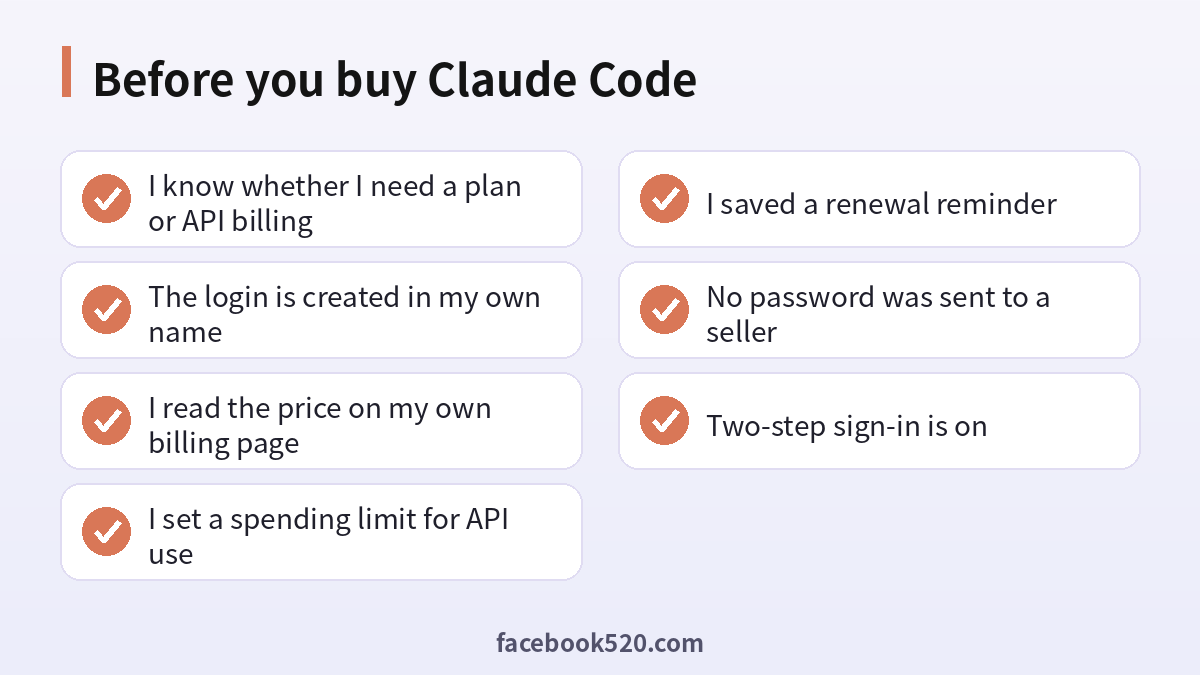
Before you buy Claude Code
- I know whether I need a plan or API billing
- The login is created in my own name
- I read the price on my own billing page
- I set a spending limit for API use
- I saved a renewal reminder
- No password was sent to a seller
- Two-step sign-in is on
Questions people ask
Can I buy Claude Code on its own?
Claude Code is accessed through a Claude account. You pay either through a subscription plan that includes it or through API billing, rather than buying a separate standalone product.
Is a Claude Max account for sale safe?
Resold accounts are not safe. The seller keeps control of the recovery details, the login may be shared, and the account can be restricted or reclaimed without notice.
Which is better for Claude Code: a plan or the API?
Plans suit daily interactive work with predictable cost. The API suits automation and irregular use, with metered billing and spending caps you control.
Where do I see the real price?
On your own billing page after you sign in, or on the official pricing page for your region. Prices vary by country, currency and tax.
Can a company buy Claude Code for developers?
Yes. A Team or Enterprise arrangement lets administrators add seats, or the company can provide API access through its own console.
What happens if my card is declined?
Check that your bank allows international online payments, complete any verification prompt, try another card and avoid many repeated attempts.
Can I share one Claude Code login with a teammate?
Accounts are personal. Each developer should have their own login or seat, which also keeps usage and history separate. Sharing a login also mixes project context between people, which can leak private code and makes it impossible to tell whose sessions consumed the allowance.
Does Claude Code work without a paid plan?
Availability of free access can change. Check the official documentation for what your account type includes at the moment.
How do I stop surprise API bills?
Set a monthly spending limit, enable usage alerts, use separate keys per project and review the usage dashboard regularly.
Can I switch from a plan to the API later?
Yes. You can change how you authenticate and pay as your needs change, and you can use both for different workloads.
What should I do if I paid a reseller already?
Stop using that login for anything sensitive, rotate exposed credentials, create your own account and ask your payment provider about disputes.
How do I cancel?
Open billing settings in your account and cancel before the renewal date. If you subscribed through an app store, cancel there instead, because the store holds the billing relationship. After cancelling, check that the plan shows as ending rather than renewing, and keep the confirmation email in case you need to show it later.
