


Claude Code Pricing (2026): Plan Comparison, Subscription & How to Pay
Claude Code is easy to try and surprisingly easy to overpay for. Plan names, allowances and prices shift from time to time, so this article focuses on how the pricing works, which plan fits which kind of user, and the practical steps to subscribe and pay safely in 2026.
What is Claude Code?
Claude Code is Anthropic’s agentic coding tool. It runs in your terminal (and inside editors such as VS Code and JetBrains IDEs), reads your repository, edits files, runs commands and works through multi-step tasks with you. There is no separate “Claude Code plan” to buy. You get access through a Claude subscription (Pro, Max, or a Team/Enterprise premium seat) or you pay per token through the Anthropic API.
Claude Code plans and pricing at a glance
Prices below are reference list prices in US dollars that have been published recently. Taxes, currency conversion, regional pricing and promotions can change what you see at checkout, so always confirm on the official page (claude.com/product/claude-code) before you pay.
| Plan | Reference price | What it is for |
|---|---|---|
| Claude Pro | about $20/month (cheaper when billed yearly) | Entry point. Includes Claude Code with a limited usage allowance that resets in rolling windows. Suits light or part-time coding. |
| Claude Max 5x | about $100/month | Roughly five times Pro usage. For people who use Claude Code most days on real projects. |
| Claude Max 20x | about $200/month | Roughly twenty times Pro usage and priority access to new features. For all-day, heavy agentic use. |
| Team / Enterprise premium seats | per seat, per month; minimum seats apply | Shared billing, admin controls and central usage visibility for engineering teams. |
| Anthropic API (Console) | pay per million tokens | No monthly cap. You top up credits and pay for exactly what you use; best for automation, CI and variable workloads. |
How Claude Code billing works
- Subscription usage is metered in rolling time windows plus weekly caps rather than as a fixed number of messages, so a long agentic session can consume far more than a short chat.
- Which model you pick matters: the larger models burn through your allowance faster than the smaller, quicker ones.
- API usage is billed in tokens (input, output and cached input are priced differently) against prepaid credits in the Console.
- You can log in to Claude Code with either a Claude subscription or a Console API key, but the two bill separately, so check which one the terminal is actually using.
None of this is complicated, but each point is something people commonly discover only after the first invoice.
Which Claude Code plan should you choose?
- Trying it out: Start on Pro. If you hit the usage limit within a couple of working sessions, that is your signal to move up, not before.
- Daily professional use: Max 5x is the usual sweet spot; Max 20x only makes sense if you regularly run several long sessions or parallel agents.
- Automation, scripts and CI: Use the API. Pay-as-you-go is easier to budget and has no weekly cap to trip over.
- A team of developers: Premium seats on a Team plan give one invoice, seat management and consistent policies.
A useful rule of thumb is to begin with the lowest plan that lets you do real work, track how often you hit its limit for two or three weeks, and only then move up. Most of the plans can be changed or cancelled later, so there is little reason to start on the most expensive tier “just in case”.
Payment methods you can usually use
Most users pay for Claude Code with a card. Some regions add wallet options such as PayPal, Apple Pay or Google Pay, and subscribing inside an iOS or Android app routes the payment through the store account. What you can actually select depends on your billing country and device.
A few practical points about cards:
- Use a card that allows online and recurring (subscription) payments, and that is enabled for international merchants.
- Make sure the billing name and address match what your bank has on file; mismatches are a frequent reason for declines.
- If your bank uses 3-D Secure, approve the prompt in your banking app quickly; the session may time out.
- Virtual cards can work, but some issuers block subscription merchants or cap the first transaction. Test with the amount you actually need.
Step-by-step: how to pay for Claude Code
- Create or sign in to your account at claude.ai (or the Anthropic Console if you plan to use the API).
- Open Settings and go to Billing, then choose the plan you want (Pro or Max) and pick monthly or yearly billing.
- Enter a card or choose an available wallet option. Use a card that allows online recurring (subscription) charges.
- Confirm the billing country and any tax details; invoices follow this information.
- Install Claude Code (the native installer or npm, as shown in the official docs) and run the login command in your terminal.
- Choose “Claude account” login for subscription usage, or paste a Console key for API billing, and check the status line shows the one you expect.
Ways to keep your Claude Code spending under control
- Use /usage-style checks (or the usage page) before a long run so you are not cut off halfway through a refactor.
- Keep prompts focused and clear context between unrelated tasks; huge context windows use up allowance quickly.
- Start on monthly billing for the first month, then switch to yearly only once your usage is predictable.
- If you only need Claude Code for a short project, you can upgrade for a month and drop back to Pro afterwards.
Common payment and access problems
- Login works but Claude Code says you have no access: You are probably logged into a free account or an API key with no credit. Log out, sign in again with the paid account and confirm the plan in Billing.
- You are billed twice: A Claude subscription and Console API credits are separate products. Check both Billing pages and cancel the one you do not need.
- Card declined: Try a second card, confirm online and international payments are enabled, and check there is no temporary hold from your bank. Waiting an hour and retrying often clears security checks.
- Charged but plan not active: Refresh the page, sign out and back in, and confirm you are on the same account that was used at checkout. If the plan still does not show, keep the receipt and contact the support team of the service you paid.
- Wrong country or currency shown: Pricing follows your billing country and sometimes your IP location. Do not try to bypass it; set the correct billing address in your account instead.
- Unexpected renewal: Subscriptions renew automatically. Check the next billing date in your account and cancel at least a day before it if you do not want another cycle.
How to cancel or change your Claude Code plan
You cancel in the same place you subscribed: the website billing page for web purchases, the Apple subscriptions page for iPhone purchases, or Google Play subscriptions for Android purchases. Cancelling normally stops the next renewal but keeps access until the end of the period you already paid for. Downgrades usually take effect at the next renewal, while upgrades are normally effective immediately with a prorated charge. Keep your receipt emails; they are the quickest proof if you ever need help.
Monthly or yearly billing: how to decide
The annual option for Claude Code can look attractive because the per-month figure is lower. The catch is commitment: if you stop using the service after three months you have still paid for twelve. Treat yearly billing as a reward for habits you have already proven, not as a way to start.
A short checklist before you subscribe
- Confirm the plan name and price on the official Claude Code page the same day you buy, since promotions and limits change.
- Log in with the account you actually want to keep; changing the account tied to a subscription later can be awkward.
- Decide who pays: a personal card, a company card or a team plan with central billing.
- Note the renewal date and the cancellation route in your calendar.
- Save the receipt email in a folder; you will need it for expense claims or support requests.
Is Claude Code worth paying for?
Instead of asking whether Claude Code is “good”, ask whether you will use it often enough to benefit from the extra limits. Write down the tasks you want it for, try them on the free or entry plan, and upgrade only when a limit actually gets in your way. This keeps spending tied to real value.
Invoices, receipts and company cards
If you pay for Claude Code as part of your work, look for the billing or invoices section in your account settings. There you can usually download receipts, update the company name and tax number for future invoices, and change the billing email. Use a dedicated company card where possible and a shared mailbox for receipts, so subscriptions do not disappear when a team member leaves. For teams with several users, a business or team plan with central billing is generally easier to audit than many individual subscriptions.
Mistakes to avoid
- Buying the most expensive plan before you know your real usage.
- Subscribing inside a mobile app and then looking for the cancel button on the website, or the reverse.
- Sharing your login with someone who offers to “activate” or “top up” the plan for you; use official checkout only.
- Forgetting a free trial and being charged on the first renewal date.
- Ignoring the usage or credit counter until it is empty in the middle of a deadline.
What if prices or limits change?
AI and software subscriptions move quickly. A plan that included a certain allowance last quarter may be reorganised, renamed or repriced this quarter, and a new tier can appear between the ones you know. When that happens, read the notice email from Anthropic instead of assuming nothing changed, compare the new allowance with what you actually used, and decide whether to stay, downgrade or switch to another tool. Existing subscribers are normally told about price changes ahead of renewal, which gives you time to cancel if the new terms no longer make sense.
Claude Code by Use Case
- Individual developers: Claude Code can be used with a Claude subscription login or an Anthropic API key. Pick the method that fits how you want to pay and how often you will use it.
- Teams and companies: Team and enterprise options exist with admin controls. Check the current plans page for what is offered and how seats are managed.
- Heavy automation users: API billing is based on usage, so long autonomous sessions can add up. Set spending limits in the console and watch the usage page.
Claude Code at a Glance
- Typical use: agentic coding help in the terminal and your codebase.
- What you need: a Claude subscription or API Console account and a working dev environment.
- Common friction: usage limits, the difference between plan and API billing, and network or region limits.
- Security tools: keeping API keys safe and out of code repositories.
Claude Code Options Compared, With a Verdict
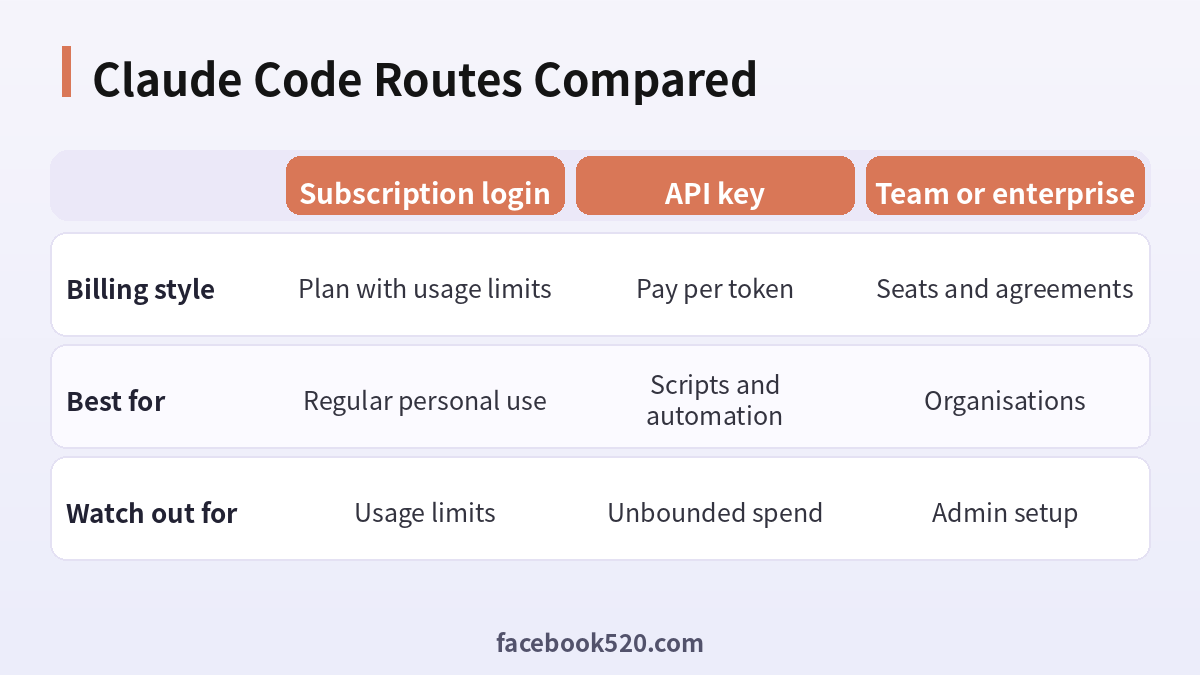
| Factor | Subscription login | API key | Team or enterprise |
|---|---|---|---|
| Billing style | Plan with usage limits | Pay per token | Seats and agreements |
| Best for | Regular personal use | Scripts and automation | Organisations |
| Watch out for | Usage limits | Unbounded spend | Admin setup |
Verdict: Use a subscription login for steady personal coding, an API key when you need pay-as-you-go and automation, and a team plan when several people share. Never quote a price from a third party, because plans and limits change.
Choosing how to pay for Claude Code
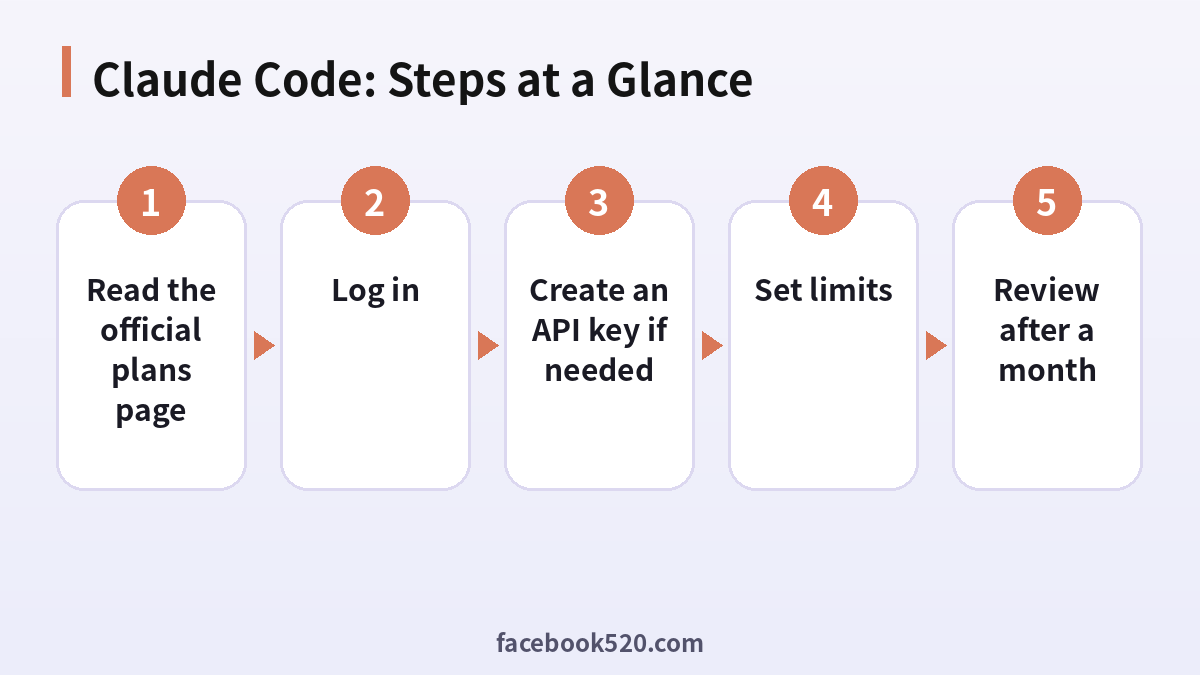
- Read the official plans page: Note the current plans and what each says about Claude Code.
- Install Claude Code: Follow the official install steps.
- Log in: Choose the subscription or the Console account.
- Create an API key if needed: Do it in the Anthropic Console.
- Set limits: Add a monthly spend limit for API use.
- Watch usage: Open the usage page weekly.
- Review after a month: Switch methods if limits get in the way.
Claude Code Troubleshooting Table
| Symptom | Likely cause | What to do |
|---|---|---|
| Login fails | Wrong account or method | Log out and choose the right option. |
| Hit a usage limit | Plan limits reached | Wait for reset or change plan. |
| API key rejected | Wrong or revoked | Create a new key. |
| Unexpected bill | Long sessions | Set limits and review logs. |
| Cannot see team features | Plan does not include them | Check plan details. |
Subscription login versus API key
With a subscription login, Claude Code usage is tied to your plan and its limits. With an API key, you pay for tokens used. The right choice depends on how predictable your usage is and whether you need to control cost per project.
Understanding limits
Plans have usage limits that reset over time, and limits can differ by plan and by model. If you often reach them, check the plan descriptions or use an API key for overflow work.
Models and cost
Different models cost different amounts and have different strengths. Use a lighter model for routine edits and a stronger one for design or debugging, and see what the official page says about model availability for your plan.
Controlling spend
For API use, set budgets in the console, give each project its own key and rotate keys regularly. For long autonomous sessions, check what the tool is doing instead of leaving it unattended.
Team setups
For a team, use organisation accounts with roles instead of sharing a login. This gives you usage visibility by member and lets you remove access when someone leaves.
Security of keys
Never commit an API key to a repository. Store it in an environment variable or a secret manager, and revoke it if exposed.
Working with permissions
Claude Code asks permission before running commands or editing files, depending on your settings. Start with stricter settings and loosen them only for repos you trust.
Hedging on prices
Plans, limits and prices change. Use the official pricing page as the source and treat any third-party number as out of date.
Cancelling and switching
You can change plans in the billing settings. Check when the change takes effect and what happens to usage already consumed.
Claude Code Checklist
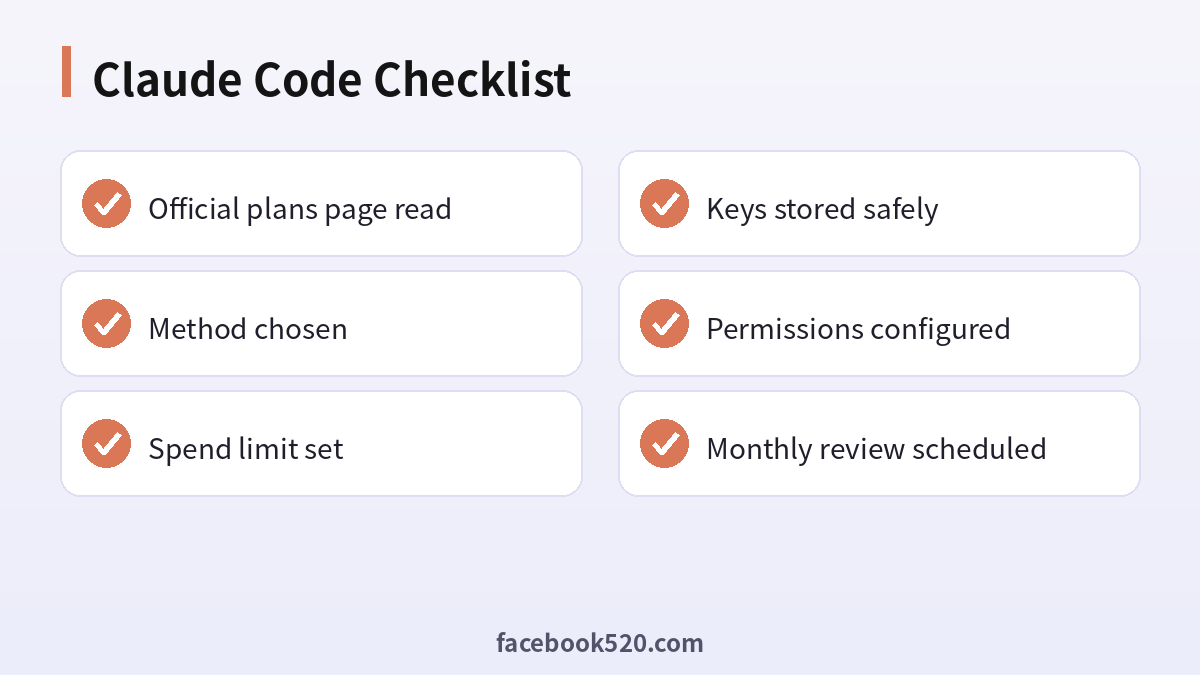
- Official plans page read
- Method chosen
- Spend limit set
- Keys stored safely
- Permissions configured
- Monthly review scheduled
Claude Code FAQ
Is Claude Code free?
The tool itself can be installed free of charge, but using it needs a paid Claude plan or API credits. Check the official pricing page for any promotion running right now.
Pro or Max for Claude Code?
Try Pro first. Move to Max when you regularly reach the usage limit during normal working hours.
Can I use my API key instead of a subscription?
Yes. Many people do so for automation. You pay per token and there is no monthly allowance to run out of.
Does the Claude subscription also include Claude Code on the web and desktop?
Availability of each surface changes over time, so check the product page; the terminal version is the reference implementation.
Is it safe to pay for Claude Code through third parties?
The only fully safe route is paying Anthropic directly on its official site or in its official app. Be cautious with anyone who asks for your login details, or sells “cheap” access without a clear, verifiable receipt.
Do Claude Code prices differ by country?
Yes. Prices, taxes and available payment methods vary by country and platform. The checkout page always shows the final amount.
Does Claude Code need an API key?
Not always. You can log in with a subscription.
Which is cheaper?
It depends on your usage. Compare with your real use.
Can I use both?
Yes, but track each separately.
How do I limit spending?
Set budgets in the Console.
Where do I see usage?
In the account or Console usage pages.
Related guides
- Claude pricing and plans
- how to pay for Claude (Chinese guide)
- ChatGPT subscription and plans
- How do I register and purchase 70+ accounts on TikTok, YouTube, Instagram, Facebook, X, Reddit, Medium, and LinkedIn?
- ChatGPT、Gemini、Perplexity、Claude、Copilot 等 AI 平台最喜欢引用的100个网站
If you are also setting up other platforms for your business, the 70+ accounts register and purchase overview gives a broader map of what is available.
