


Snapchat Account Guide for 2026: Account Types, Username and Display Name Rules, Privacy and Safety Settings, Multiple Accounts, Recovery, Deletion and What to Know Before You Pay for Snapchat Plus
A Snapchat account is more than a username and a password. It holds your friends, your Memories, your privacy choices and, for many people, a small audience of followers. If you are searching for “snapchat account”, you might want to create one, switch to a public profile, understand how usernames work, recover access, delete the account or decide whether to pay for Snapchat Plus. This guide gathers those answers in one place, based on Snapchat’s public support pages and app behavior as of October 2026. Because the app updates often, menu names can change, so use the steps as a guide and follow the on screen prompts if they differ. If you only need the sign up steps, see our Create Snapchat Account guide (https://www.facebook520.com/article/8408.html). If your account is locked, read our recovery article (https://www.facebook520.com/article/8445.html).
What a Snapchat account contains
Your account is built around four things. First, your login details, which are your username, password, email address and phone number. Second, your profile, which includes your display name, avatar and Bitmoji. Third, your content, such as Snaps, Stories, Spotlight posts and Memories. Fourth, your settings for privacy, notifications and security. Understanding these layers helps you protect them separately. For example, a strong password and two step verification protect login details, while the privacy settings control who can see your content.
Account types explained
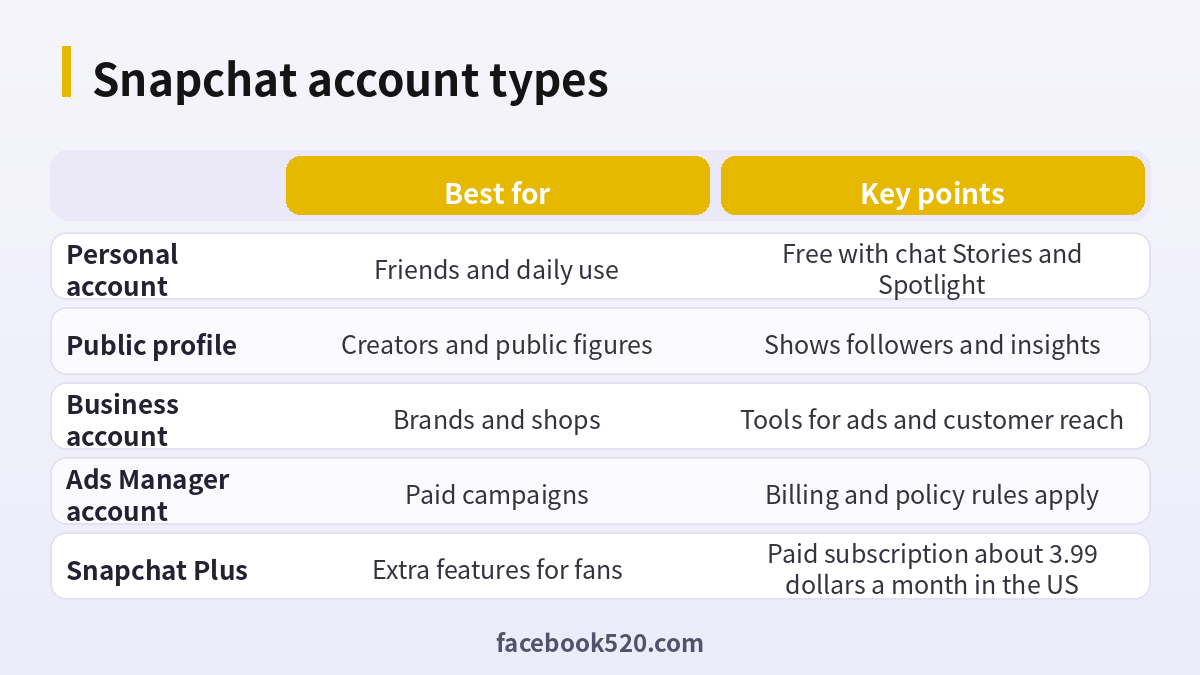
Most people use a personal account, but Snapchat supports other ways to present yourself.
| Type | Who it is for | What you get |
|---|---|---|
| Personal account | Anyone who wants to chat with friends | Chat, Stories, Spotlight, Memories |
| Public profile | Creators and public figures | A public page with followers, saved Stories and insights |
| Business account | Brands and shops | Tools to promote and manage a presence |
| Ads Manager account | Advertisers | Campaign creation, targeting and billing |
A public profile does not replace your personal account. It is an additional layer that lets people follow you without being friends. If you are only chatting with friends, there is no reason to create one. If you plan to build an audience, switching on a public profile and posting consistently on Spotlight is a more sustainable path than buying followers or an old account.
Username versus display name
Your username is the unique identifier that people use to add you. It can contain letters, numbers, hyphens, underscores and periods, and it must be unique. Snapchat limits how often a username can be changed, and in some cases it cannot be changed at all, so read the prompt in your settings before you decide. Your display name is the name that appears in your friends list and chat, and you can change it whenever you like.
| Item | Changeable | Tip |
|---|---|---|
| Username | Limited by Snapchat | Choose something simple and avoid personal details |
| Display name | Yes | Use a name your friends recognize |
| Bitmoji | Yes | Update it to match your style |
Avoid including your birth year, phone number or school in your username. These details can be used for social engineering, and they cannot easily be removed from places where others have already saved your name.
Privacy settings that matter most
After you create an account, spend ten minutes on privacy settings. Open your profile and tap the settings icon. Look for options that control who can contact you, who can view your Story, who can see your location and whether you appear in Quick Add suggestions. For personal accounts, setting contact to friends only and turning off Quick Add reduces the number of strangers who can reach you. Use ghost mode on the map if you do not want to share your location. Review the list of friends from time to time and remove those you no longer know.
- Open settings from your profile page.
- Set who can contact you to friends only.
- Set who can view your Story to friends or a custom list.
- Turn off Quick Add visibility if you do not want strangers to find you.
- Check your location settings and use ghost mode if you prefer.
- Review blocked users and notification preferences.
Security: two step verification and linked devices
Account takeovers often start with stolen passwords. Enable two step verification in the security section of your settings, preferably using an authenticator app. Save the recovery code in a safe place. Check the list of logged in devices and log out of any that you do not recognize. Do not log in to Snapchat through a third party website or an unofficial app, and do not share verification codes with friends who ask for them, because their accounts may have been compromised. If you receive an email about a login you did not make, change your password right away.
Using more than one account
Many people keep separate accounts for personal life and for a project or a business. Snapchat lets you add additional accounts on the same device and switch between them, within the limits of the app. Use different email addresses for each account, enable two step verification on all of them and keep the passwords unique. Do not create new accounts to escape a ban or restriction, because evasion is a violation and leads to stronger enforcement.
Recovering a locked or hacked account
If you cannot log in, begin with the official login problems page in the app or on the support site. Reset your password with your email or phone number. If the account is locked for a security reason, follow the instructions to verify your identity and submit an appeal once. If you suspect a hack, change the password, log out of all devices, check the email and phone number linked to the account and enable two step verification. Beware of people who offer to unlock your account for a fee or who ask for your password. These are scams.
| Problem | First step |
|---|---|
| Forgot password | Use the reset link sent to your email or phone |
| Locked account | Follow the unlock instructions and appeal once |
| Hacked account | Change the password, log out everywhere, enable two step verification |
| Lost phone number | Use your email to log in and update the number |
| Recovered account is missing data | Check Memories backup and contact support |
Deleting or deactivating your account
If you decide to leave Snapchat, you can delete your account through the official accounts portal. After you confirm, the account is deactivated for a period, commonly thirty days, during which you can log back in to cancel the deletion. After that period, the data is removed according to Snapchat’s policies. Before you delete, download your data and Memories if you want to keep them, and cancel any active subscription such as Snapchat Plus in the store where you bought it, because deleting the account does not necessarily stop billing.
Snapchat Plus and other paid options
Snapchat Plus is a subscription that gives you extra customization and early access to new features. In the United States the price is about 3.99 dollars a month, and prices vary by country and platform. Higher tiers with extra benefits exist, and their names and prices change over time. Subscribing is optional, and nothing about the core service requires payment. Be careful with websites that offer free Snapchat Plus. They typically ask for your password or push you to install an unofficial app, which can lead to account loss.
| Option | Cost snapshot | Note |
|---|---|---|
| Basic account | Free | Includes chat, Stories and Spotlight |
| Snapchat Plus | About 3.99 dollars a month in the US | Pay and cancel through the store or official site |
| Ads | Based on your budget | Managed in Ads Manager |
For a detailed overview of plans and payment, read our Snapchat subscription guide (https://www.facebook520.com/article/8424.html).
Why you should not buy or sell accounts
Offers for aged accounts, high score accounts or accounts with many friends appear regularly. They are risky. The seller can retrieve the account through the original email or phone number. Snapchat can restrict accounts that show unusual activity after an ownership change. The friends and photos in the account belong to other people, and using them raises privacy concerns. Selling your own account is also unwise because you remain responsible for what happens with it. If you want a business presence, create it yourself and grow it with real content. Our detailed warning on this topic is in the guide to buying Snapchat accounts (https://www.facebook520.com/article/9526.html).
Memories, backups and My Eyes Only
Memories is the place where Snapchat stores the photos and videos you choose to save. Many users lose content because they never checked whether it was backed up. Open Memories settings and confirm that your saved Snaps are being backed up to your account, and consider exporting important items to your own cloud storage once in a while. My Eyes Only is a protected area inside Memories that requires a separate passcode. Use it for private content, and write the passcode down somewhere safe, because losing it can make the content unrecoverable. Storage limits and rules for Memories can change, so check the current rules before you rely on it as your only archive.
| Feature | What it does | Tip |
|---|---|---|
| Memories | Saves your Snaps and Stories | Check backup status in settings |
| My Eyes Only | Protects selected items with a passcode | Store the passcode safely |
| Export | Downloads your data | Do it before account deletion |
Safety tools for teens and parents
Snapchat provides additional protections for younger users, including stricter default privacy and limited discoverability. A feature called Family Center lets parents see who their teen is friends with and who they have messaged recently, without showing the content of conversations. It also allows parents to report concerns. Parents and teens should talk openly about the app. Agree that the teen will only accept friends they know, that they will not share their location with strangers and that they will tell a trusted adult if someone pressures them. If an account receives threats or requests for private images, do not respond, take screenshots, report the account in the app and contact local authorities if necessary.
- Set up Family Center together with your teen.
- Review friends and privacy settings every few months.
- Teach teens never to share verification codes or passwords.
- Make sure they know how to block and report users.
- Keep communication open so they feel safe asking for help.
Troubleshooting common account problems
| Symptom | Likely cause | What to try |
|---|---|---|
| Cannot log in after an update | Outdated app or temporary issue | Update the app, restart the phone and try again |
| Verification code not arriving | Network or number problem | Check the number, wait and request one new code |
| Friends missing | Account change or restoration | Check if you are logged into the correct account |
| Snaps not sending | Poor connection or restrictions | Check the network and review any warnings |
| Unexpected charges | Subscription purchased through a store | Review subscriptions in the App Store or Google Play |
If a problem continues after these steps, contact support through the in app help option, and include your username, the device model and a description of what happened. Keep screenshots of error messages to speed up the investigation.
Growing a Snapchat presence the right way
If you want an audience, treat Snapchat as a platform for short, authentic content. Post Stories regularly to keep your followers connected. Use Spotlight to reach people beyond your friends, with clear vertical video, a strong first second and simple captions. Reply to comments and messages, and look at the insights available on a public profile to learn which videos hold attention. Avoid buying followers or views, because inflated numbers do not translate into real engagement and can lead to enforcement. If you represent a business, link your public profile to your website and consider testing a small ad budget through Ads Manager after you have a few organic posts that perform well.
| Step | Goal |
|---|---|
| Post Stories several times a week | Keep followers engaged |
| Publish Spotlight videos | Reach new viewers |
| Check insights weekly | Learn what works |
| Test a small ad budget | Scale proven content |
Notifications, storage and battery
Snapchat can be demanding on your phone. Review notification settings to turn off alerts that you do not need, such as every Story update from a long friend list. Clear the app cache from time to time to free storage, and make sure your Memories are backed up before you do it. Lowering the camera quality or turning off autosave to the camera roll reduces storage use. These simple changes keep the app fast and your device comfortable to use.
When to ask for help
If you are unsure whether a message or link is safe, do not click. Go directly to the official app and check your notifications there. If you think someone is impersonating you, report the account in the app and tell your friends to ignore it. The sooner you act, the lower the damage, and the support team can only help if you give them clear information.
A short monthly routine
Once a month, open your settings and run through a simple routine: check logged in devices, confirm your email and phone number, review privacy options, clear unwanted friends and make sure your latest Memories are backed up. It takes five minutes and prevents most account problems.
Final advice
Do not rush decisions about your account. If something seems urgent or too good to be true, step back and verify it in the official app. Your account is a long term asset, and patience protects it better than any shortcut.
Frequently asked questions
Is a Snapchat account free?
Yes. A basic account is free. Snapchat Plus and ads are optional paid services.
Can I change my Snapchat username?
Snapchat limits username changes. Check the prompt in your settings to see whether you can change it now.
What is the difference between a username and a display name?
The username is unique and used to add you, while the display name can be changed freely and appears in chats.
How do I make my account private?
Set contact and Story visibility to friends only and turn off Quick Add visibility.
Can I have two Snapchat accounts?
Yes, you can add multiple accounts on one device, but use separate emails and follow the rules.
How do I recover a hacked account?
Reset the password, log out of devices, verify your email and phone, enable two step verification and contact support.
How long does deletion take?
The account is deactivated for a period, commonly thirty days, before final deletion.
Does deleting my account cancel Snapchat Plus?
Not necessarily. Cancel the subscription in the store where you bought it.
Is it safe to buy a Snapchat account?
No. The risks include recovery by the seller, restrictions and privacy problems.
Can I use Snapchat on a computer?
Some features are available on the web, but most are in the mobile app.
Summary
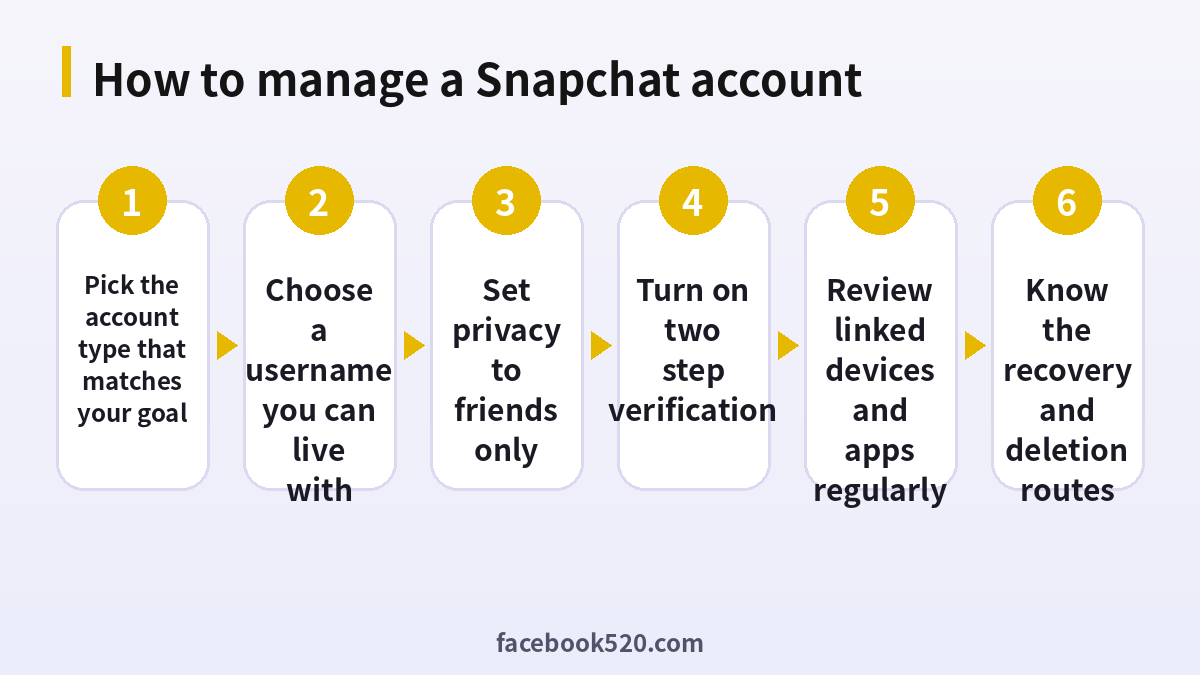
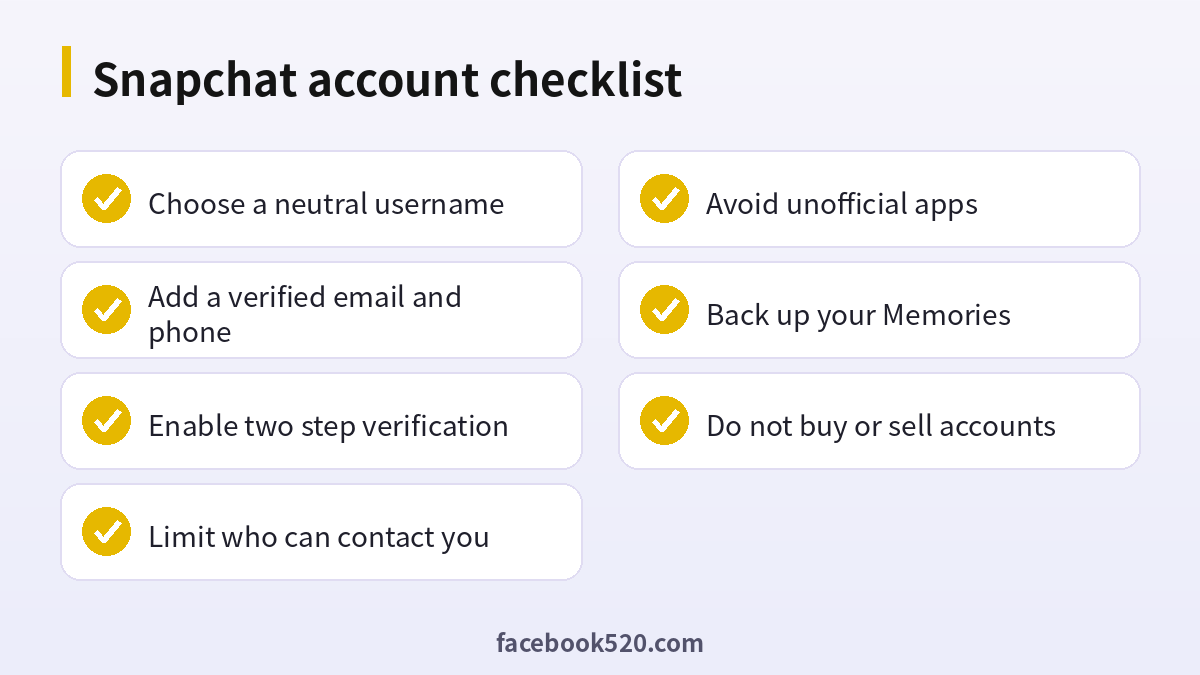
A well managed Snapchat account starts with the right type, a neutral username, friends only privacy settings and two step verification. Know how recovery and deletion work before you need them, treat Snapchat Plus as an optional extra and avoid buying or selling accounts. With these habits your account stays safe and useful.

