


Buy Instagram Account (2026): Account Types, Pricing & What to Check Before You Buy
Instagram accounts are bought for very different reasons: a brand that wants a profile with some history, an agency that manages several clients, or a business that needs a ready-to-use account to connect to a Meta ad account. The right choice depends on what you want to do with it, not on the cheapest listing.
This guide covers the main Instagram account types, what affects the price, how the buying process normally works, and a practical checklist you can use before and after the handover. It deliberately avoids quoting fixed prices, because they change quickly and depend heavily on the quality of what you buy.
Why people buy a ready-made Instagram account
- An aged account with consistent activity tends to look more natural to Instagram’s systems than a brand-new profile that immediately posts and follows many accounts.
- Agencies often need several accounts for different clients or regions, and buying ready-made profiles saves setup time.
- Some businesses need a professional (Business or Creator) account already linked to a Facebook Page so ads and shop features can be switched on quickly.
- A niche handle or an account with existing, relevant followers can shorten the early growth phase.
- Teams that test creative on several profiles want a clean, documented starting point.
Buying is not automatically better than creating your own. If you have time, a freshly created account that you grow yourself gives you full control and a clear history. Our sign-up guides explain how to do that properly. Buying makes sense when the age, existing history or time saved is worth more than the extra cost and the extra checking.
Instagram account types compared
| Type | Best for | Watch out for |
|---|---|---|
| New personal account | Basic testing and small projects | Needs time and activity before it behaves like an established profile |
| Aged personal account (1+ year) | Brand pages, community building | Verify real creation date, language and past activity |
| Business or Creator account | Shops, ads, insights | Check that it can be linked to a Facebook Page and ad account |
| Account with followers | Niche authority, quicker reach | Follower quality and country matter more than the raw number |
| Verified or high-authority account | Large brands | Rare; ownership documentation is essential |
What affects the price of a Instagram account?
The market for these items is not standardised, so two listings with the same title can be very different in quality. These are the main factors that move prices up or down:
- Account age: Older accounts with a continuous history are normally priced higher than fresh ones.
- Account type: Business and Creator accounts that are already configured usually cost more than plain personal accounts.
- Audience size and quality: Real, relevant followers from the right country carry more value than a large anonymous number.
- Included assets: Recovery email, phone verification, a linked Facebook Page or a clean posting history all add value.
- Delivery and warranty: Sellers that offer a replacement or support window price this in.
As a rule, be suspicious of prices that are far below the rest of the market. A very cheap listing is usually a very new, low-quality or previously used account. Equally, a high price is not proof of quality, so ask for evidence either way.
How buying a Instagram account usually works
- Define what you need: type, age, country, language, and what you plan to do with it.
- Contact the seller or marketplace and ask for details and evidence of the creation date, contact details and history.
- Agree in writing on what is delivered, the delivery format and the warranty or replacement period.
- Pay through a method that leaves a record; avoid sharing more personal information than necessary.
- Receive the login details and test them straight away on a clean browser or device.
- Secure the account immediately: change credentials, enable two-factor authentication and review active sessions.
- Run it with normal, gradual activity for the first weeks instead of changing everything at once.
Instagram account inspection checklist
Before you confirm that the delivery is acceptable, work through these checks:
- Ask for the creation date and screenshot the Accounts Center page for proof.
- Confirm the email and phone that can be handed over, and who controls them after delivery.
- Open the profile: bio, posts, tagged photos and follower list should look consistent.
- Check whether the account is in the language and country you need.
- Look for restrictions or warnings in Settings and Account Status.
- Test login on a clean browser profile before payment is released.
- Change the password, email and two-factor method immediately after receiving it.
- Keep a written record of the agreement and the delivery.
After the purchase: keep the account healthy
The first two weeks decide whether a purchased account stays in good standing. Log in from a consistent device and location, avoid sudden bulk actions, fill in the profile naturally and let activity build gradually. If the platform asks you to verify yourself, use details that you control. Keep notes on what you changed and when, which makes it much easier to diagnose any problem that appears later.
Common mistakes when buying a Instagram account
- Choosing only by price.
- Not asking for the creation date or any proof of age.
- Skipping the login test before releasing payment.
- Leaving the seller’s recovery email or phone attached after delivery.
- Using the account heavily on day one.
- Buying a bigger “package” than the use case needs.
Where to buy: marketplaces, brokers and direct sellers
There are three common routes. Marketplaces list many sellers and often provide dispute handling, but quality is mixed and listings can be copied. Brokers curate sources and may test accounts before delivery, which costs more but saves time. Direct sellers can offer the best fit for repeat orders, but you depend entirely on their reputation. Whichever route you pick, ask the same questions: where does the account come from, how old is it genuinely, and what happens if it stops working within the first days? Written answers are worth more than any promise made in chat.
Payment and delivery tips
- Pay in stages for larger orders: a deposit first, the balance after you have tested the login.
- Use payment methods that give you a receipt or transaction ID.
- Never send your own social or email passwords as part of a purchase.
- Ask for delivery in a clear format (credentials plus the recovery details) and confirm in writing what is included.
- Take screenshots of the account at the moment of delivery for your records.
Warranty and replacement: what to ask before you pay
A short warranty period is common. Before you agree, ask how long it lasts, what exactly counts as a fault (for example, the account being unusable on first login versus restrictions appearing later), how a replacement request must be made, and whether you will need to return or abandon the original. A seller who answers these questions clearly is generally a better choice than one who simply promises “full support”.
Your first hour with the new account
- Log in from a clean browser profile and a stable network connection.
- Change the password and set a strong, unique one in your password manager.
- Replace the recovery email and phone with ones that you control.
- Enable app-based two-factor authentication and save backup codes offline.
- Review and sign out of any other active sessions or devices.
- Check profile information, privacy and notification settings.
- Write down the date and exactly what you changed.
Buy or build yourself: a quick timeline
Creating a Instagram account takes minutes, but building history, trust and reach takes weeks to months. Buying compresses part of that timeline, yet you still need to invest time in verifying, securing and warming up what you receive. A mixed approach works well for many teams: buy one carefully verified account for work where history helps, and create fresh ones for tests and lower-stakes uses.
Red flags in Instagram account listings
- Screenshots that are cropped so that the creation date or settings cannot be seen.
- Pressure to pay immediately or to move the conversation to an unfamiliar channel.
- Prices far below every comparable listing, with no explanation.
- Refusal to let you log in and test before the deal is closed.
- The same photos and descriptions repeated across many different sellers.
- Vague answers about who keeps the original email or phone after delivery.
Instagram by Use Case
- Buyers who want a ready Instagram profile: Check whether it is a personal or professional account, whether it is tied to a Facebook Page, and whether Accounts Center links it to other profiles. Those links decide how clean the handover is.
- Brands that want a niche following: Followers only help if they match your audience. Look at which accounts engage, what languages the comments use and whether recent posts fit your offer.
- Resellers and agencies: If you manage accounts for clients, ask them to add you through Meta Business Suite rather than handing over passwords, and keep a log of who owns what.
Instagram at a Glance
- Typical use: photo and Reels content, brand presence and social commerce.
- What you need: an email or phone number, a username and a password.
- Common friction: verification codes that do not arrive, extra checks after linking to a Meta account, or temporary limits after unusual activity.
- Security tools: authenticator-app two-factor authentication and login-activity checks.
Instagram Options Compared, With a Verdict
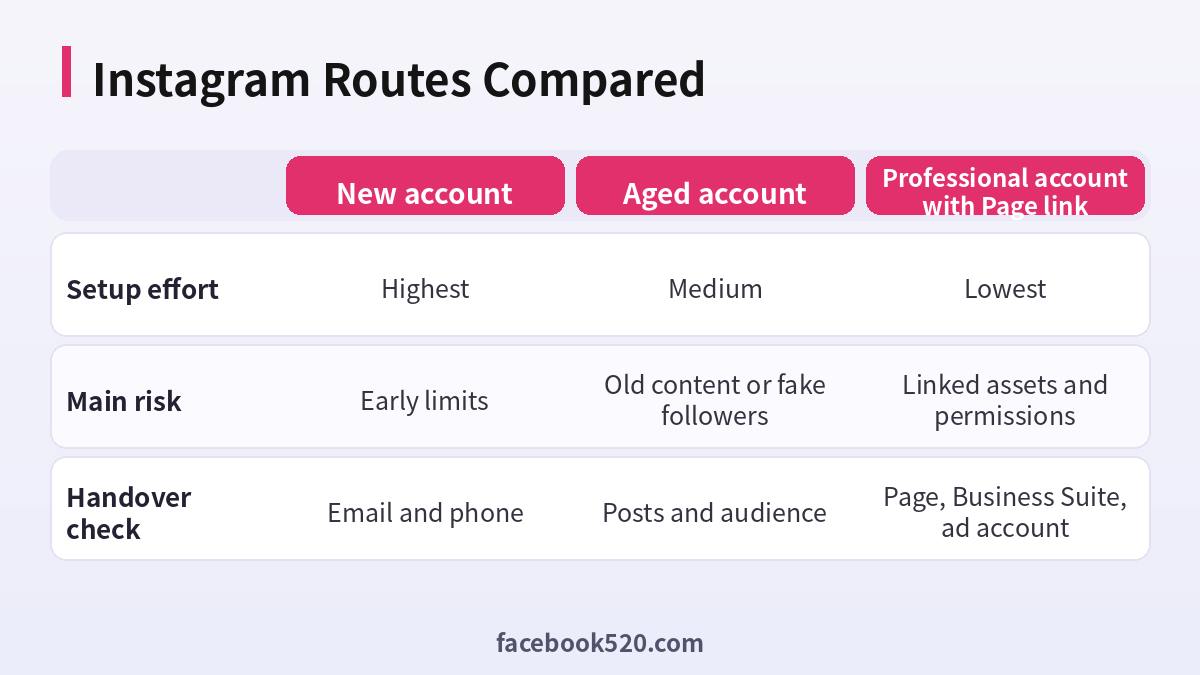
| Factor | New account | Aged account | Professional account with Page link |
|---|---|---|---|
| Setup effort | Highest | Medium | Lowest |
| Main risk | Early limits | Old content or fake followers | Linked assets and permissions |
| Handover check | Email and phone | Posts and audience | Page, Business Suite, ad account |
Verdict: Pick a new account if you want control, an aged account only after auditing the content and audience, and a linked professional account only when you can see exactly which Page and ad assets move with it. Pay the balance after email, phone and security are yours.
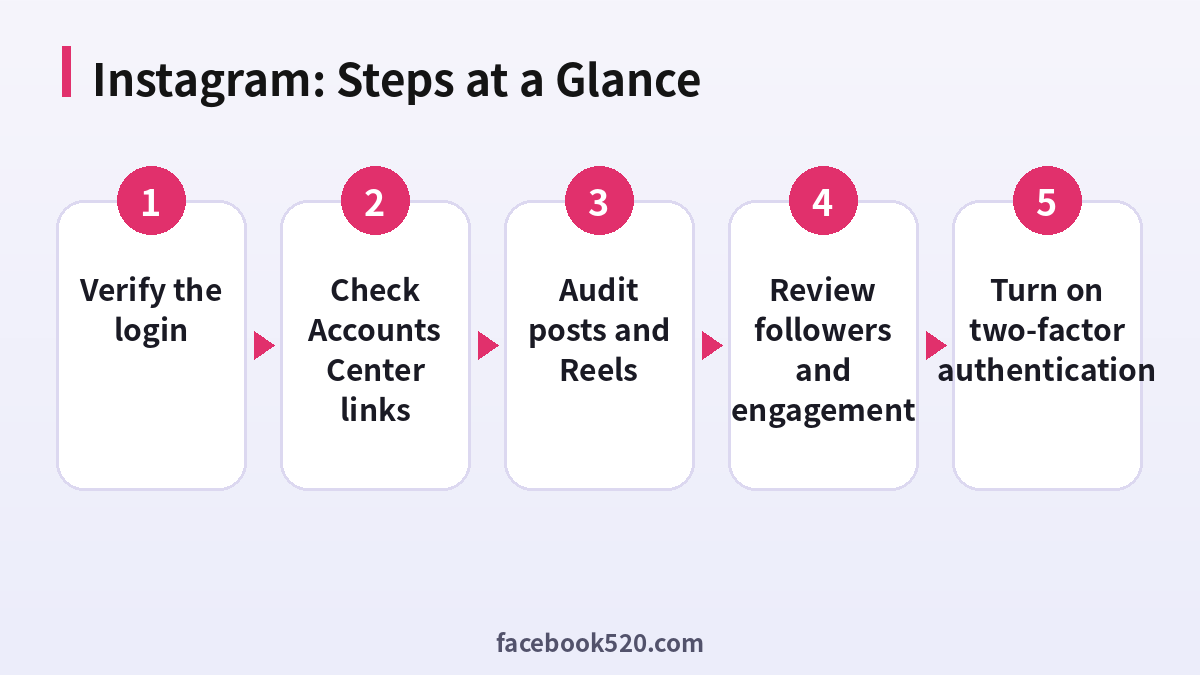
A handover checklist for Instagram
- Verify the login: Sign in on your own device and note any extra checks.
- Change the email and phone: Update both in Accounts Center or settings and confirm each code.
- Check Accounts Center links: Remove connections to profiles that are not yours.
- Audit posts and Reels: Archive or delete content that conflicts with your brand.
- Review followers and engagement: Open insights if the account is professional and compare reach with follower count.
- Check Page and Business Suite access: Confirm you are an admin of anything linked.
- Turn on two-factor authentication: Use an authenticator app and save the codes.
Instagram Troubleshooting Table
| Symptom | Likely cause | What to do |
|---|---|---|
| Login challenge on a new device | Security review | Complete it once and wait before retrying. |
| Cannot unlink old Facebook Page | You lack admin rights on the Page | Ask the Page admin to remove the link. |
| Action blocked | Too many changes in a short time | Pause for a day and change one setting at a time. |
| Followers drop sharply | Inactive or fake accounts are removed | Expect some loss and judge value by engagement. |
| Professional features missing | Account type changed | Check the account type in settings. |
Engagement beats follower count
A smaller audience that comments and saves posts is worth more than a large silent one. Compare average likes and comments against follower count, and look at whether comments are generic emojis from the same few accounts.
Business Suite and Page links
A professional account is often connected to a Facebook Page and managed through Meta Business Suite. If the seller keeps admin rights on the Page, they can still affect the Instagram account, so confirm every linked asset and permission.
Do not rename on day one
Wait a few days of normal use before changing the username, name and bio. A flurry of changes right after a handover is a pattern that systems read as suspicious.
Content rights
Check that the photos and Reels on the account are original or properly licensed, because claims against old content can affect your reach after you take over.
Regional notes
Shopping, subscriptions and ad options differ by country. If your target market is elsewhere, check what is available there before deciding the account is useful.
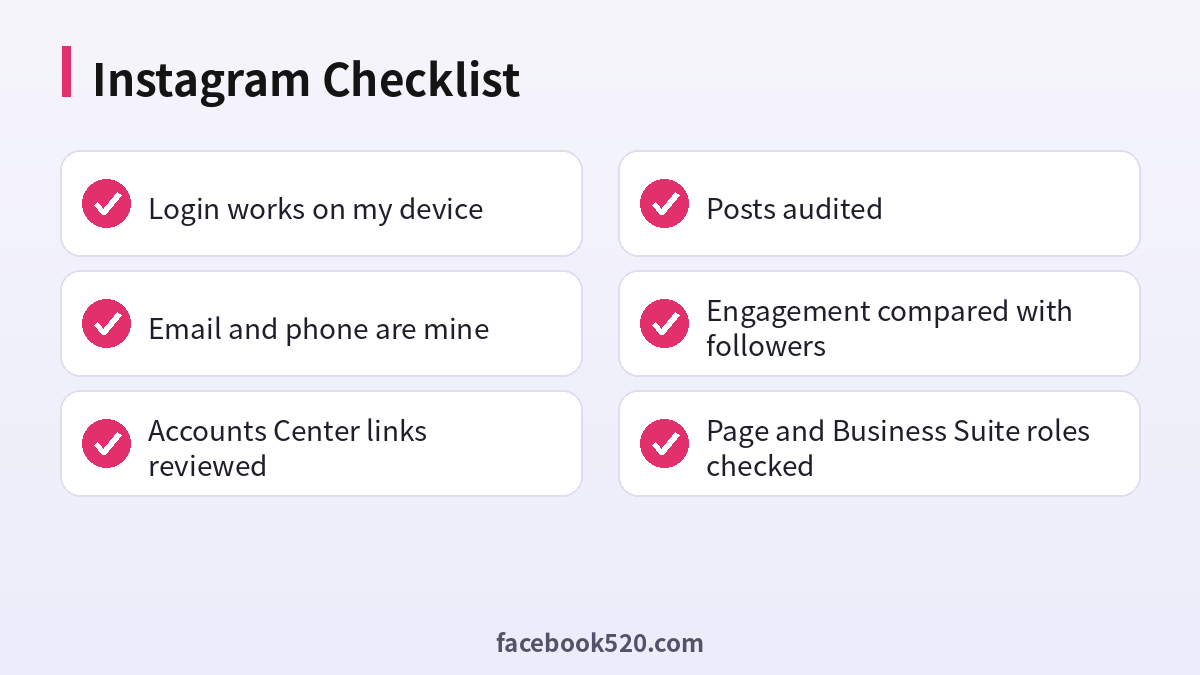
Instagram Checklist
- Login works on my device
- Email and phone are mine
- Accounts Center links reviewed
- Posts audited
- Engagement compared with followers
- Page and Business Suite roles checked
- Two-factor authentication enabled
Questions worth asking the seller
- How old is this account and how can you prove it?
- Which email address and phone number are tied to it, and will they be handed over?
- Has it ever been restricted, locked or recovered?
- What exactly does the replacement policy cover, and for how many days?
- Which country and language is it set to, and from where was it last used?
- Can I log in and check settings before I release the payment?
Can I change the Instagram username after purchase?
Yes, but wait a few days and change one thing at a time.
Why do followers drop after a handover?
Platforms remove inactive or fake accounts over time, so some loss is normal.
Does Accounts Center matter when buying?
Yes. It can link profiles, so remove connections you do not control.
Can I convert a professional account back to personal?
Yes in settings, though some insights data may not carry over.
Is it safe to pay in full first?
Staged payment tied to verified email and phone transfer is safer.
Keep good records
Create a simple spreadsheet for every account you buy: the date, the source, what was promised, what was delivered, the recovery details you control, the date you changed each credential and any problems you noticed. If you manage several Instagram accounts, this record is what lets a colleague take over, lets you prove what you paid for, and helps you decide which sources deserve a repeat order. It takes ten minutes to set up and saves hours of confusion later.
Instagram account buying FAQ
Is it better to buy or create an Instagram account?
Create one yourself if you can wait and plan to build the audience organically; buy only if time matters more than cost and you can verify what you are getting.
What should I look for in an aged Instagram account?
A real creation date, steady history, a normal follower profile and clean account status.
Can I run ads with a purchased account?
Ads run from a Meta ad account connected to the profile or Page. The ad account matters as much as the profile.
How should I secure the account after buying?
Change every credential, enable app-based two-factor authentication and remove any unknown logged-in devices.
Are prices fixed?
No. They vary by seller, quality and demand. Treat any single quoted number as a snapshot, not a rule.
Do I need to verify the seller?
Yes. Ask for specifics, test before final payment and prefer sellers with a clear support or replacement period.
Related guides
- Instagram buying guide in Chinese
- how to create an Instagram account
- Facebook sign-up guide
- How do I register and purchase 70+ accounts on TikTok, YouTube, Instagram, Facebook, X, Reddit, Medium, and LinkedIn?
- Facebook, Twitter, Instagram, Pinterest, Snapchat, LinkedIn, YouTube accounts for sale and sell
- Facebook Twitter LinkedIn Youtube WhatsApp Snapchat Messenger Pinterest Instagram Selling accounts from various countries
