


Twitter Blue Cost 2026: X Premium Plans, Web Versus App Store Pricing, Payment Methods, Cancelling and Ads Billing
Twitter Blue was the name of a paid subscription on Twitter. After the service was renamed X, the subscription became X Premium, with several tiers that the company has changed more than once. People still search for twitter blue cost, twitter premium subscription and how to cancel twitter premium because the old name stuck and the figures differ from place to place. This guide explains how pricing works in general, why the price shown on the web may not match the price in a phone app, how to pay and cancel, what to do when payment fails and how billing for X Ads is different. No figures appear here, since they vary by country, currency, tier and channel and are updated often. Read the amount only on your own subscription screen.
What the subscription is
X Premium is an optional bundle of features layered on top of the free account. Depending on the tier, it can include a verification checkmark after review, edit options, longer posts, more reach for replies, fewer ads, access to certain tools such as the Grok assistant and creator features. Tiers and contents change, so read the comparison on the subscription page inside your account. Nothing in the free account stops working if you do not subscribe. You can still read, post and follow as usual.
Why there is no single price
The cost depends on several factors: the tier you choose, whether you pay monthly or annually, your country and currency, taxes and the billing channel. App store purchases often include the store’s own fee in the price, so the web checkout and the app can show different numbers for the same tier. Discounts for annual plans, promotions and regional pricing also move the figure. Because of this, any price quoted in an article or a video may already be out of date. Check your own screen.
Where you can buy X Premium
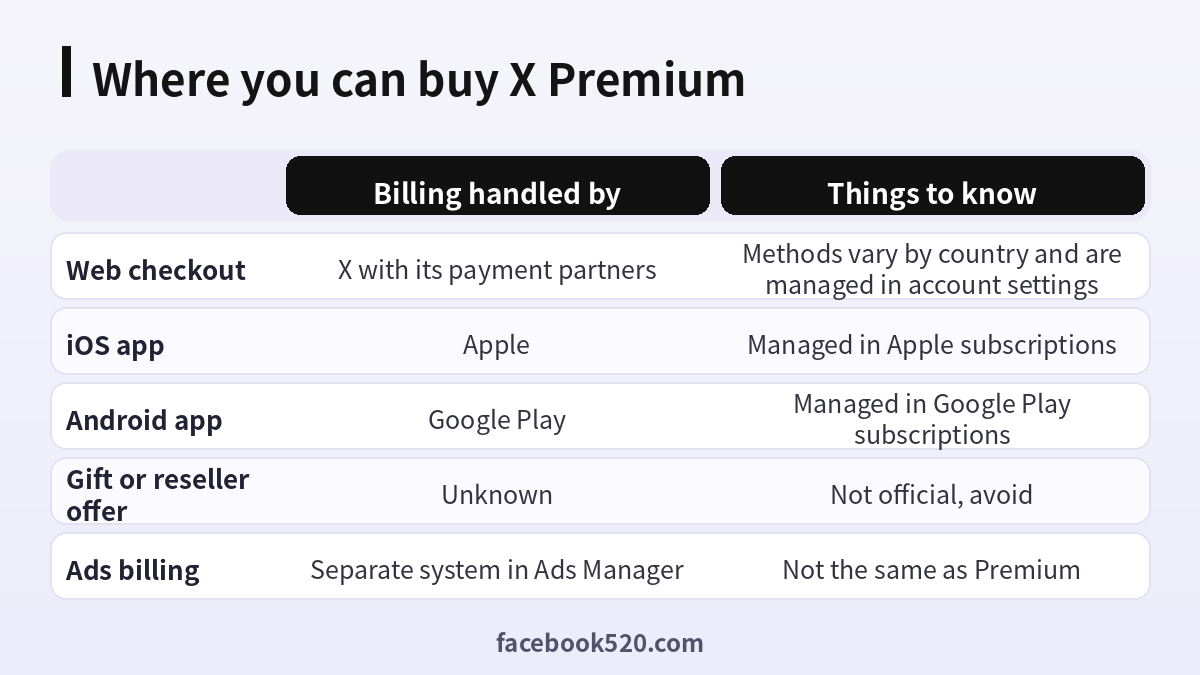
| Channel | Billing handled by | Things to know |
|---|---|---|
| Web checkout | X with its payment partners | Methods vary by country; managed in account settings |
| iOS app | Apple | Managed in Apple subscriptions |
| Android app | Google Play | Managed in Google Play subscriptions |
| Gift or reseller offer | Unknown | Not official, avoid |
| Ads billing | Separate system in Ads Manager | Not the same as Premium |
Step by step: subscribe to X Premium
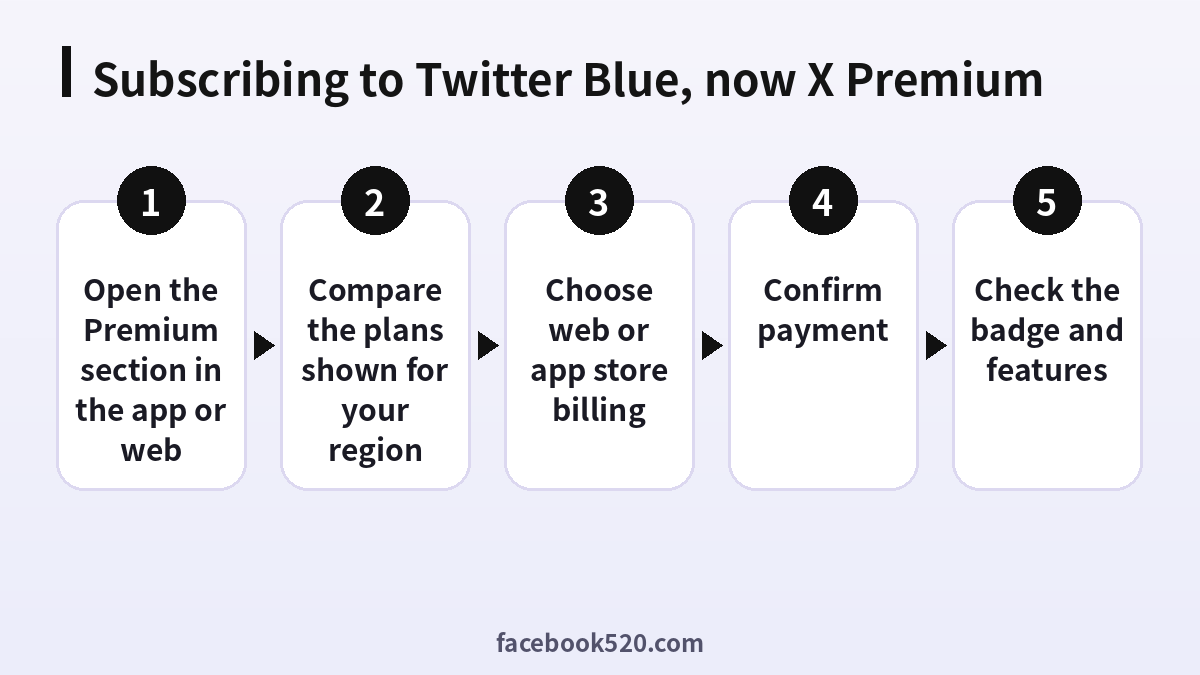
- Open the Premium section. In the app or on the web, find the Premium option in the navigation menu or in settings.
- Compare the plans shown for your region. Read what each tier includes and what the amount is before you tap anything.
- Choose web or app store billing. Decide where you want the subscription to live, because that is where you will manage and cancel it.
- Confirm payment. Authenticate with your store account or enter your payment method on the web checkout.
- Check the badge and features. Features may take a few minutes to appear. Verification may require a review step.
Web or app store: which is better
Many people subscribe through the app because it is convenient. The web checkout can show a different amount and may support payment methods the store does not. The key difference is where you manage the subscription. If you buy in the app, you cancel in the store. If you buy on the web, you cancel in your account settings. Do not buy the same tier in both places by mistake, because that creates two subscriptions. Whatever you choose, make a note of it in your calendar along with the renewal date.
The verification badge
A blue checkmark is part of some Premium tiers, but it is not instant. The account is reviewed against criteria such as having a profile photo, a display name, a confirmed phone number and a record of normal activity. Paying alone does not guarantee approval. Nobody else can issue a badge for you, so offers that sell badges outside the official subscription are scams. If your badge is not showing, check that your profile is complete and wait for the review to finish. More information about the network is at Twitter.
How to cancel X Premium
Cancel in the same place you paid. For an app store subscription, open your Apple or Google subscription list, choose X or Twitter and cancel. For web billing, open the Premium section in your settings and select the option to manage or cancel the subscription. Premium normally continues until the end of the paid period. Deleting the app does not cancel. Save the confirmation and check a day later that the status says the subscription will end rather than renew.
What you lose when you cancel
After the paid period ends, the badge and Premium features disappear, and the account returns to the free tier. Your posts remain, but limits tied to Premium, such as post length or editing options, no longer apply to new posts. If you have been using Premium creator tools, review which ones depend on the subscription before you cancel, particularly if you rely on them for income or analytics.
Payment errors and fixes
| Problem | Likely cause | What to try |
|---|---|---|
| Payment declined | Card does not allow online international use | Check with your bank or change card |
| Premium not active after paying | Delay or wrong account | Wait a few minutes, refresh, check the account |
| Charged twice | Two purchase routes | Cancel one and contact the relevant support |
| Cannot find manage option | Paid via the other route | Check store settings and web settings |
| Verification pending | Review step | Complete your profile and wait |
X Ads billing is different
Premium is for individuals who want features. Advertising on X is a separate system. To run ads, you set up an Ads account, add a payment method in the billing section of the ads manager and set budgets for campaigns. Payment methods and credit terms depend on the country and the account. A Premium subscription does not pay for ads, and an ad budget does not give you Premium. Companies should keep these two separate, with different owners and invoices. Do not hand over ad account access to anyone offering cheap ad credit.
Setting up payment for X Ads
Open the ads manager, find the billing or payments section and add a card or another method offered for your region. Enter your business name and address as they appear on invoices. Set daily and total budgets to limit spending. Keep track of billing emails and invoices. If a payment fails, ads can pause until you resolve it. Check the status in the billing page and update the method if needed.
How X Premium differs from the old Twitter Blue
When Twitter Blue launched, it was a small bundle with a few conveniences such as undoing a post or customizing the app icon. After the rename to X, the subscription was reorganized into tiers, new features were added, some were removed and the checkmark meaning changed. This history matters because many videos and articles describe the old version. If a guide mentions features you cannot find, or prices that do not match your screen, it is probably describing an earlier phase. Always compare what you read with the current subscription page in your account.
Reading the subscription screen carefully
On the Premium page, look for four things. The tier name, which tells you which bundle you are buying. The billing period, because monthly and annual options often sit side by side. The total including any tax, which appears on the final confirmation step. And the line explaining that the subscription renews automatically. Take a screenshot of the screen before you pay, because it becomes a useful record if you later need to dispute a charge or confirm what you agreed to.
Budgeting for a subscription
Treat Premium like any recurring cost. Decide in advance how much you are willing to pay per year for the features you use, and compare that with the value you receive. If you earn from the platform through creator programs, estimate whether the extra features help your income. If you only use it for fun, set a time limit and review it. Put the renewal date in your calendar with a reminder a few days before so that cancelling is easy if you decide to stop.
Business and brand accounts
Companies sometimes consider Premium for the brand account to get a badge or extra reach. Organizations may also have separate verified options that are handled through different programs. Do not use a personal card for a brand subscription without telling finance, and make sure the account owner is recorded. If several people manage the account, use proper team access instead of sharing a password. Keep a record of who purchased the subscription so that billing is not lost when someone leaves the company.
Student, family and group questions
People often ask whether there are family plans or student discounts. Offers of that kind change and differ by region, so look at the Premium page for anything that applies to you instead of relying on rumor. Sharing one subscription between several accounts is not how the service works: the subscription belongs to the account that bought it. If a relative wants the features, they need to subscribe on their own account.
Privacy and data considerations
Subscribing does not change who owns your data, but some Premium features, such as AI tools, have their own privacy settings. Read them before you start using them and decide whether you are comfortable with the way prompts and posts may be used. Your payment details are handled by the store or the payment partner, and X does not display your full card number. Keep your email and phone verified so that you can receive billing notices.
How to spot offers that are not official
Be skeptical of sellers offering X Premium accounts at a big discount, gift codes from random marketplaces or promises of a free badge. The seller may use stolen cards, share a login among many people or simply take your money. Anyone asking for your password or a login code is trying to take over your account. The only reliable approach is to pay inside the official Premium screen using a payment method you control and an account you own.
A quick comparison before you commit
Before paying, compare Premium with what you already get for free and with alternatives. The free account lets you post, follow and use lists, bookmarks and muted words at no cost. Premium adds convenience and reach options. Alternatives include simply scheduling your posts with a free tool, using muted words to cut noise, or using a different platform for long form writing. If a single feature, such as longer posts, is what you want, check whether you really need it every week. Many people find that a modest, free routine serves them just as well.
Is Premium worth it
That depends on how you use the service. Creators, professionals and people who post long or edit often may value the extras. Casual readers may not. Look at which features you would use each week. Try a short period if available, then review whether you actually used the features. If not, cancel. Many people are happy on the free tier, and the free account remains fully usable. If you worry about harassment or impersonation, a badge is not the only protection, and settings like muted words and filters are free.
Keeping your account safe while subscribed
Subscribers can attract scam attempts, because a badge suggests the account has value. Use a strong unique password, turn on two step sign-in with an authenticator app, review connected apps, and never share codes. Watch for emails that claim your subscription failed and ask you to click a link; open the app or website directly instead. If your account is limited or suspended, the guide on a suspended Twitter account covers the appeal process.
Three short examples
A creator. Sofia subscribes on the web to try the longer post format. She records the renewal date, uses the features for a month and keeps the plan because it helps her workflow.
A casual user. Peter subscribes on impulse through the app, notices he rarely uses the features and cancels in his store subscription settings before renewal.
A small shop. The owner wants to advertise and learns that Premium is not an ad budget. She sets up an ads account with a company card and a monthly cap.
Before you pay for Twitter Blue or X Premium
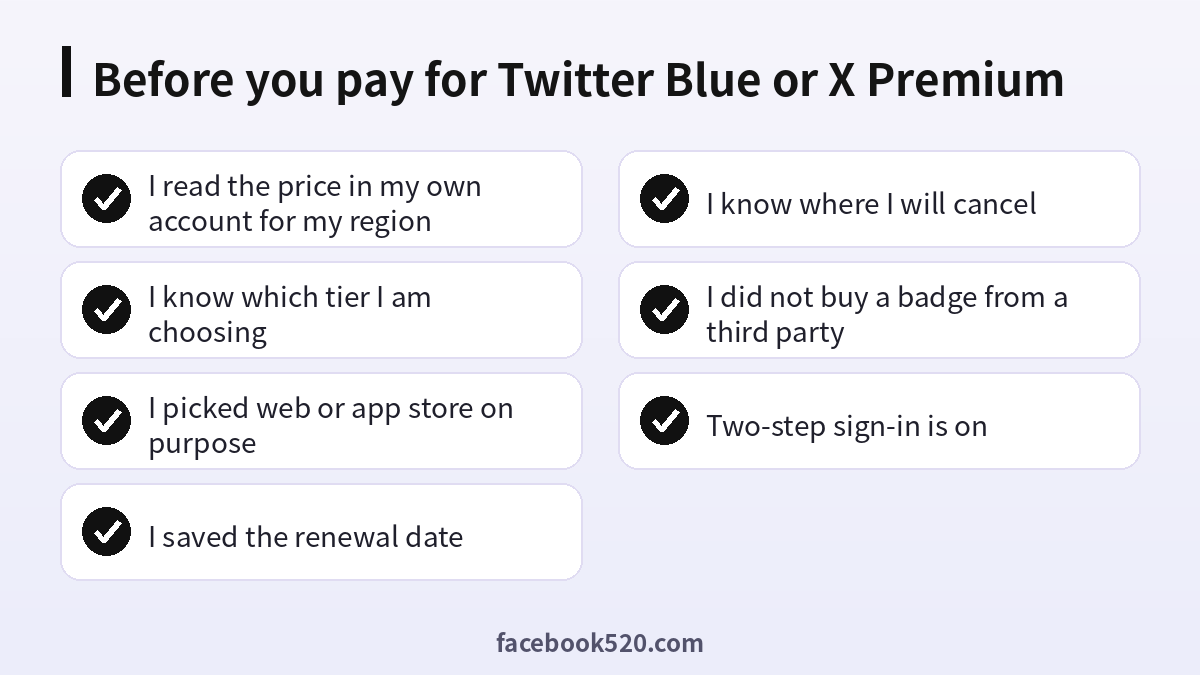
- I read the price in my own account for my region
- I know which tier I am choosing
- I picked web or app store on purpose
- I saved the renewal date
- I know where I will cancel
- I did not buy a badge from a third party
- Two-step sign-in is on
Questions people ask
How much does Twitter Blue cost?
The amount depends on tier, country, currency, billing channel and taxes. Check the subscription screen in your own account.
Is Twitter Blue the same as X Premium?
Yes. Twitter Blue was renamed and expanded into X Premium, which now has several tiers.
Why is the app price different from the web price?
App stores add their own fees and use local pricing, so the same tier can display a different amount. The difference is normal, and it is the reason a price quoted by a friend or an article may not match what you see.
How do I cancel Twitter Premium?
Cancel in the place you paid: your Apple or Google subscriptions, or the Premium section in your account settings for web billing.
Do I get the blue check instantly?
No. A review is part of the process, and paying does not guarantee approval.
Do I need Premium to use X?
No. The free account allows posting, reading and following, and most people use the service without ever paying. Premium only adds convenience features and extra reach options.
Can I buy Premium with a gift card or from a reseller?
Official purchase is through the app or the web checkout. Resellers are not official and can leave you without a working subscription.
What happens to my posts if I cancel?
Your posts stay. Premium features and the badge end after the paid period.
Does Premium pay for ads?
No. Ads use a separate billing setup in the ads manager.
What payment methods does X accept?
Methods depend on the channel and country. The checkout screen lists what is available to you, and app store purchases use whatever the store account supports, such as cards, store balance or carrier billing where offered. Do not enter card details on any page that you reached through a message or an advertisement.
Why was my card declined?
Your bank may block international online payments, or the card may have insufficient funds. Contact the bank or try another card, and wait a little between attempts so that repeated failures do not trigger more fraud checks on the card.
Can I get a refund?
Refunds depend on the channel. App store purchases follow the store’s policy and are requested through the store, while web purchases follow the platform’s terms and go through its support. Refunds are never guaranteed, so avoid paying for a long period before you know whether the features suit you, and keep your receipt and the date of purchase handy.
