


Twitter Account Suspended (2026): Verification, Recovery & Fixes
If your X (Twitter) account has been suspended, you will see a banner explaining that the account is suspended or limited. The reason determines how you can respond, and responding properly makes a difference. This guide explains the types of restriction, how the appeal works and what to prepare before you submit it.
Common Twitter (X) account problems and what they mean
| Situation | What you see | What to do |
|---|---|---|
| Temporary lock | You are asked to verify with a phone number or to delete certain posts. | Complete the verification, remove the flagged content and wait for the lock to end. |
| Read-only mode | You can read but not post or like. | Wait for the period to end, or follow the unlock steps in the notice. |
| Permanent suspension | The account shows “Account suspended”. | Submit an appeal from the notice page and explain clearly what happened. |
| Limited visibility | Your posts reach fewer people or do not appear in search. | Review recent behaviour, remove spam-like patterns and wait for the restriction to ease. |
| Locked after unusual login | X noticed a login from a new location. | Reset the password, confirm your email or phone and check your active sessions. |
| Suspended by mistake | You believe the action was an error. | File an appeal with a concise, factual explanation. |
Identify which row matches you before you click anything. Using the wrong flow, such as filing an appeal for a simple forgotten password, only wastes time.
Step-by-step recovery process
- Open x.com and read the exact message shown on your account.
- Tap the link to appeal or “Submit an appeal”.
- Enter your username, email or phone, and a clear description of what you think happened.
- Be polite, short and specific; avoid pasting the same text several times.
- Check your email, including spam, for a reply from X.
- If asked, delete the posts X points to and confirm.
- Wait for the outcome before filing another appeal.
What to prepare before you submit a request
- The account name and the email or phone linked to it.
- The date and text of the notice.
- Screenshots of the posts X mentions.
- An explanation of normal usage and any changes in your behaviour.
- Contact details you can reply from.
Requests that contain accurate, consistent information are processed faster than vague ones. Use the same name, email and device information you normally use.
Tips for a successful appeal or review
- Write a short, polite and factual message; avoid long stories and emotional language.
- Submit one request and wait; repeated submissions can restart the queue.
- Reply from the email address linked to the account whenever possible.
- Answer any follow-up questions exactly as asked.
- Do not use unofficial “recovery services” that ask for money or your password.
How to protect your Twitter (X) account in future
- Avoid sending identical posts or links in bulk.
- Do not follow or unfollow large numbers of accounts quickly.
- Use only trusted third-party apps.
- Add a verified email and phone.
- Keep two-factor authentication on.
- Avoid sudden changes in login location.
Why Twitter (X) accounts get restricted in the first place
- Sign-ins from new countries, devices or networks in a short time.
- Bulk actions such as mass following, messaging or posting identical links.
- Reports from other users who consider the content unwanted.
- Use of unofficial apps, plug-ins or automation tools.
- Changes to email, phone or password right before an unusual login.
- Content or behaviour that conflicts with the platform’s community rules.
Knowing the likely cause helps you write a better appeal and avoid repeating it.
How long does it take?
You should expect minutes for a password reset, hours for a verification-based unlock, and several days for a manual review or appeal. Peak periods are slower. If nothing has happened after a week, check your spam folder for a response, make sure the request was actually submitted and, if the platform allows, send a short follow-up in the same thread rather than opening a new ticket.
What not to do
- Do not create many new accounts in a row while waiting; this can look suspicious.
- Do not give your password or codes to anyone claiming to be support.
- Do not click links in unexpected emails or messages about your account; open the official site manually.
- Do not use VPN-hopping or constantly changing devices during the process.
- Do not delete the account unless you are sure; deletion can be permanent.
A simple message template
When a form asks you to describe the problem, a short and clear message works best:
Hello, my Twitter (X) account (username: your-username, email: your-registered-email) was restricted on the date shown in the notice. I use the account normally, from my usual device and location, and I follow the community rules. I believe the restriction was triggered by an automatic check. I have secured my account and removed any unofficial apps. Please review the account and let me know if you need any further information. Thank you.
Replace the placeholders with your own details and keep the tone calm and factual.
Secure your email first
Almost every account recovery goes through email. If the email account has a weak password or no two-factor authentication, an attacker who controls it can reset everything else. Before you work on Twitter (X), check that your mailbox has a strong password and two-factor protection, that its recovery options are current, and that no unknown forwarding rules or connected apps exist.
Recovery routes compared
| Route | Typical speed | What you need |
|---|---|---|
| Password reset by email | Minutes | Access to the registered mailbox |
| Reset by SMS or call | Minutes | Access to the registered phone number |
| Trusted contacts or backup codes | Minutes to hours | Contacts or codes set up in advance |
| Identity or selfie review | Hours to days | Matching ID or a clear selfie |
| Support form or appeal | Days to weeks | Account details and a clear explanation |
The quickest route is almost always the one you prepared before anything went wrong, which is why backup codes and a second contact method are worth five minutes of your time today.
Common myths about Twitter (X) recovery
- Myth: a paid “hacker” can unlock any account. Reality: only the platform can restore access.
- Myth: more appeals mean faster results. Reality: duplicates can slow the queue.
- Myth: a new SIM or new phone will always solve it. Reality: the platform checks the details registered on the account.
- Myth: deleting and reinstalling the app resets the lock. Reality: restrictions are tied to the account, not the app.
- Myth: every lock is permanent. Reality: many are temporary and clear automatically.
When to stop trying and start fresh
Some accounts cannot be restored, for example after the retention period for a deleted account has passed or after a final decision. In that situation, create a new account carefully, with a verified email, a phone number you control and two-factor authentication from the first day. Export what you can from other platforms, tell your audience where to find you, and avoid repeating the behaviour that led to the restriction.
If the account is used for business
Business accounts need a backup plan. Keep at least two administrators, store recovery details in a company password manager, document which email recovers which account and keep copies of invoices or receipts linked to paid features. If an ad or commerce account is restricted, use the official business support channel for that product instead of the general user flow, and keep campaigns paused until the issue is resolved.
Understanding security prompts
Platforms trigger extra checks when they see signals such as a new device, a new country, changes of email or phone, or unusual speed of actions. These prompts are protective and not necessarily a sign of a ban. Complete them calmly, from the same network and device if possible, and avoid refreshing or retrying repeatedly. If a code does not arrive, wait a few minutes, check spam and use the alternative delivery method rather than requesting many codes in a row.
Checklist after you regain access
- Change the password to a new, unique one.
- Review and sign out of all sessions and devices.
- Remove unknown apps and integrations.
- Check email and phone numbers listed on the account.
- Turn on two-factor authentication and save the backup codes.
- Review recent posts, messages and settings for changes you did not make.
- Tell colleagues or customers if the account was misused.
Matching X (Twitter) to Your Situation
- Locked out after a password problem: Start with the official password reset using the email or phone on the account. If the code never arrives, check spam and the number on file before opening a support case.
- Hit by a lock or suspension notice: X shows an appeal option inside the notice. Use that route once, state the facts briefly and wait for a reply instead of filing repeated requests.
- Suspect the account was hacked: Treat unknown logins, posts you did not write or changed contact details as a compromise: secure the email first, then reset the X password and sign out other sessions.
X (Twitter) at a Glance
- Typical use: real-time news, brand voice and advertising.
- What you need: an email or phone number, a handle and a birth date.
- Common friction: automation or bulk interactions can lead to restrictions, and appeals need a clear explanation.
- Security tools: authenticator-app two-factor authentication and connected-app review.
X (Twitter) Options Compared, With a Verdict
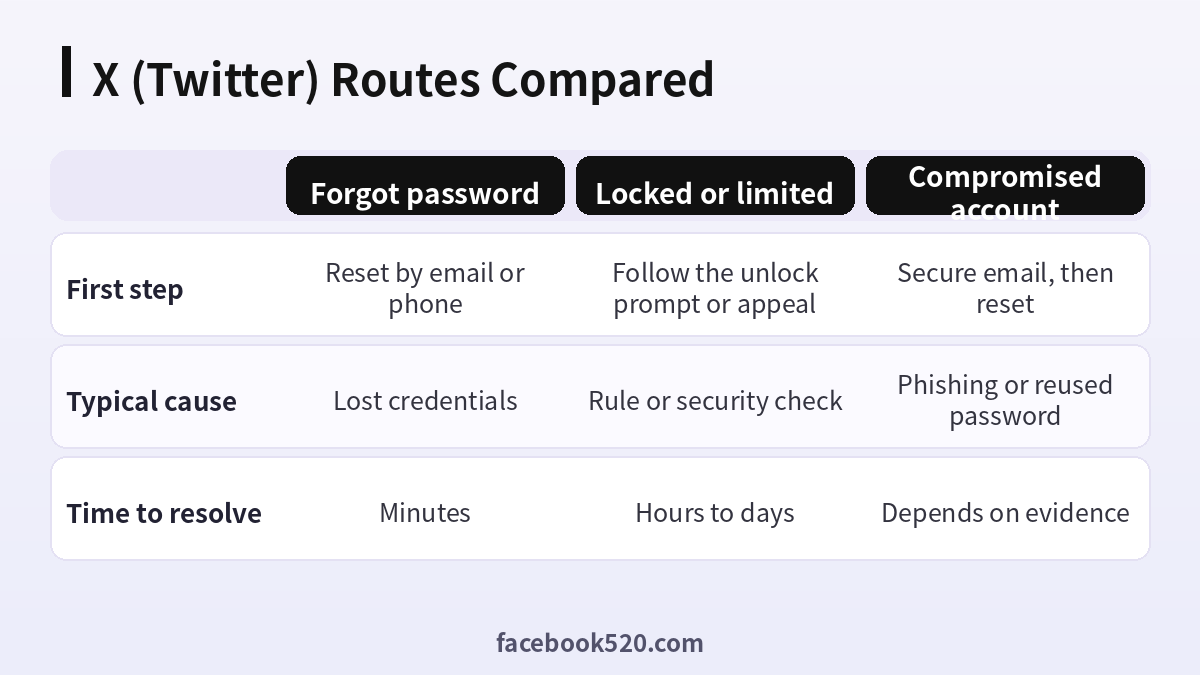
| Factor | Forgot password | Locked or limited | Compromised account |
|---|---|---|---|
| First step | Reset by email or phone | Follow the unlock prompt or appeal | Secure email, then reset |
| Typical cause | Lost credentials | Rule or security check | Phishing or reused password |
| Time to resolve | Minutes | Hours to days | Depends on evidence |
Verdict: Match the route to the symptom. Passwords are fixed by reset, locks by completing the prompt or filing one clear appeal, and hacked accounts by regaining the email first. Never open a new account to bypass a block, since that can make the original case harder.
Recovering access step by step
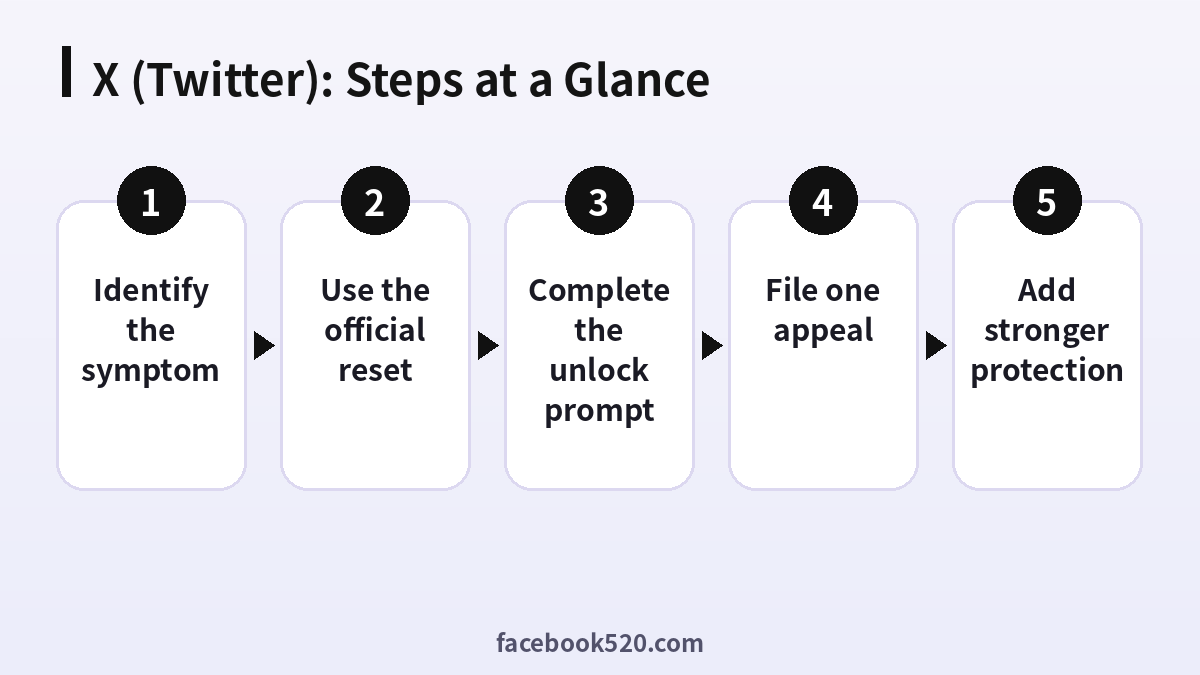
- Identify the symptom: Is it a forgotten password, a lock, a suspension or a suspected hack?
- Check the email and phone on file: Make sure you can still open the inbox and receive texts.
- Use the official reset: Start from the login screen and follow the prompts.
- Complete the unlock prompt: If asked to confirm identity or a phone number, finish it promptly.
- File one appeal: Use the in-app appeal and write a short, factual explanation.
- Secure the account: Change the password, sign out other sessions and review connected apps.
- Add stronger protection: Enable an authenticator app and store the backup code offline.
X (Twitter) Troubleshooting Table
| Symptom | Likely cause | What to do |
|---|---|---|
| Reset email never arrives | Wrong address or spam filtering | Check spam, try the other contact method and confirm the address. |
| Unlock loop | Repeated verification failures | Stop retrying, wait and try on your usual device. |
| Appeal gets no reply | Review queue | Wait several days, do not duplicate appeals. |
| Locked after unusual login | Security check triggered | Verify from a familiar device and network. |
| Cannot remember the email | Old contact details | Search your inboxes for X messages to find it. |
Why one clear appeal beats many
Repeated submissions can bury your case or look like spam. Write once, include your username and what happened, and attach nothing that is not requested.
Securing the email first
If the email account is compromised, any reset can be intercepted. Recover and secure the inbox before touching X, then change its password and enable two-factor authentication there too.
What not to do
Do not pay anyone who promises to unlock an account, share your login code or hand over your password. Do not create a replacement account to dodge a suspension, because evasion can extend the problem.
After you get back in
Review sessions, remove apps you do not recognise, check that posts and DMs were not changed, and update the backup email. Then save a note of how you recovered for next time.
Prevention
Keep a current email and number, use an authenticator app and store the backup code offline. Accounts with current recovery details are restored much faster than those without.
Writing an appeal that gets read
Keep the message under a short paragraph: your username, the date the problem started, what you were doing and what you want fixed. Avoid anger, long stories and screenshots of unrelated things. Reviewers go through many cases a day, and a calm, factual note is simpler to act on than a long complaint.
Documenting evidence while you wait
Save screenshots of the notice, the dates of any emails from the platform and the devices you normally use. If you later need to explain unusual activity, a short record of what happened and when helps you answer consistently and quickly.
When the reset works but you are asked to prove it is you
After a reset, X may ask you to confirm a recent device, a phone number or a security code. Use your normal phone and home network, answer calmly and give the system time to finish. Hopping between networks and devices during recovery makes the checks harder to pass.
X (Twitter) Checklist
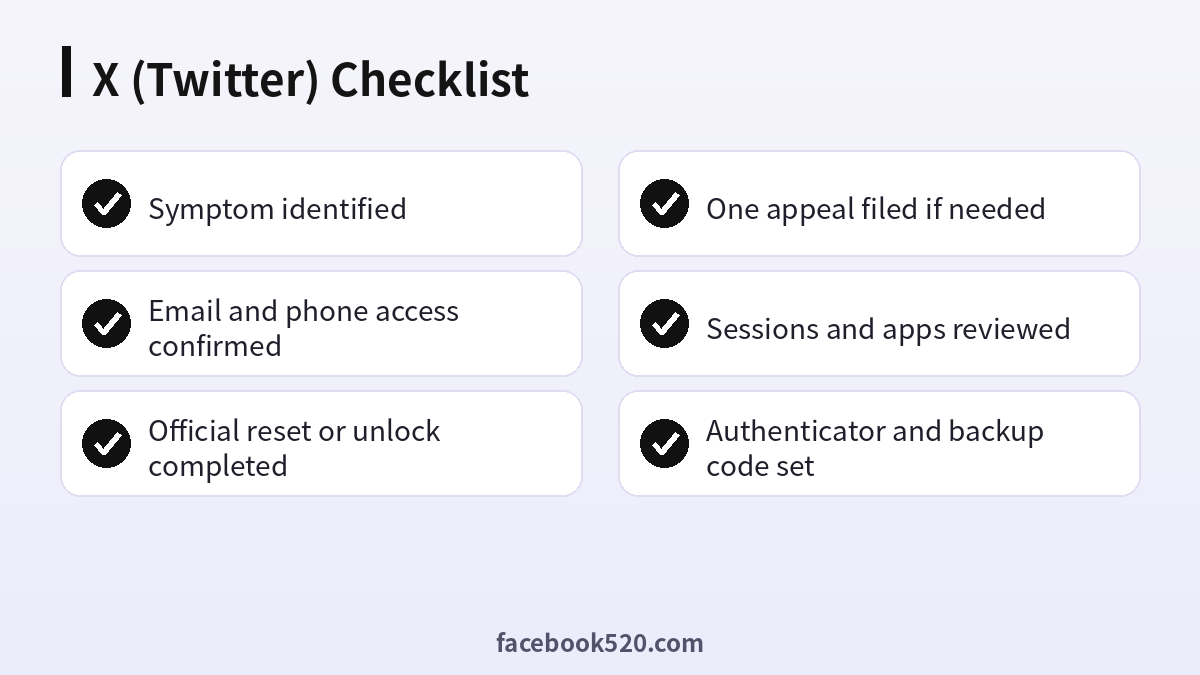
- Symptom identified
- Email and phone access confirmed
- Official reset or unlock completed
- One appeal filed if needed
- Sessions and apps reviewed
- Authenticator and backup code set
Twitter (X) recovery FAQ
How long does an X appeal take?
It varies from a few days to several weeks.
Can I submit more than one appeal?
Repeated appeals can slow things down. Submit one clear appeal and wait for the answer.
Will deleting posts help?
If the notice mentions specific content, removing it is often part of the unlock process.
What if the account stays suspended?
You can create a new account and follow the platform’s rules from the start.
Does paying someone speed up recovery?
No legitimate service can bypass the platform’s own checks, and many “recovery” offers are scams. Use official channels only.
Can a friend or colleague help me recover?
They can confirm your identity if you set them up as a trusted contact, or restore admin access to shared assets, but they cannot log in as you.
Should I contact support through social media?
Public posts rarely help and can expose your details. Use the official help centre forms instead.
What information do I need to remember?
The email or phone you signed up with, approximate creation date, and details of devices you used.
Can I recover a deleted account?
Deactivated accounts can be restored within the waiting period. After permanent deletion, restoration is generally not possible.
Will paying someone help unlock my account?
No. Such offers are commonly scams and can put your account at risk.
What if I lost both my email and phone?
Try finding old messages from X to recall the email, then use the official support form and describe what you remember.
Does enabling two-factor protect me from lockouts?
It protects against takeovers but can cause lockouts if you lose the second factor, so keep backup codes offline.
Can recovery fail if I changed phone numbers?
It can. Old numbers may not receive codes, so try email or a trusted device and update contact details once you are back in.
