


Claude API Credits 2026: How to Buy, Check and Manage Credits in the Console, Auto-Reload, Limits and Safe Alternatives to Resold Keys
If you build software with Claude, you pay for usage through the API rather than through the chat subscription. That usage is drawn from credit in your Anthropic console account or billed to a payment method you attach. People search for claude api credits, claude credits or claude usage credits when a request fails with a billing message, when they wonder how far their balance will go, or when they see offers for cheap keys. This guide explains how credits work in practice, how to add and check them, how to keep spending under control and why free or discounted credit offers from strangers deserve suspicion. Exact prices are not listed because they depend on the model, change over time and can vary by region; read them on the official pricing and billing pages.
What API credits are
API credit is prepaid balance attached to your console organization. When your application sends requests, each call consumes tokens, which are small chunks of text, and the cost of those tokens is deducted from the balance according to the model’s rates. If the balance runs out and no other billing is configured, requests stop with an error. Credits are separate from a Claude subscription: a subscription pays for using the Claude apps and, depending on the plan, some tools such as Claude Code, whereas API credit pays for programmatic usage in your own applications.
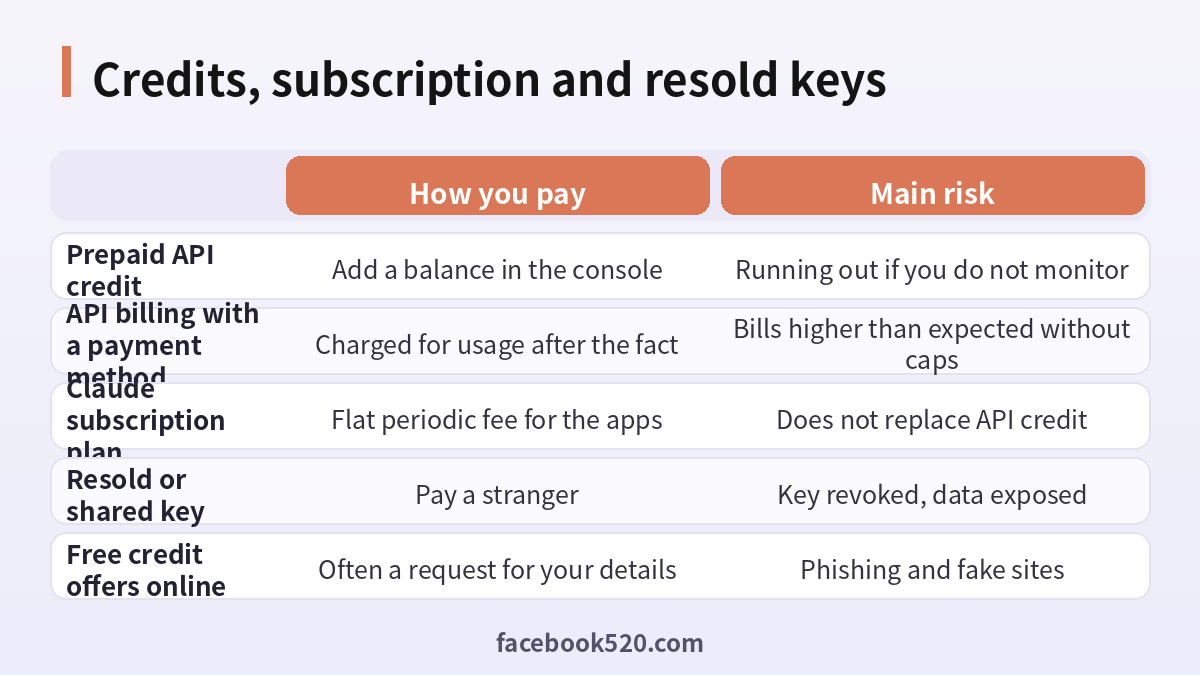
Credits, plans and resold keys compared
| Option | How you pay | Main risk |
|---|---|---|
| Prepaid API credit | Add a balance in the console | Running out if you do not monitor |
| API billing with a payment method | Charged for usage after the fact | Bills higher than expected without caps |
| Claude subscription plan | Flat periodic fee for the apps | Does not replace API credit |
| Resold or shared key | Pay a stranger | Key revoked, data exposed |
| Free credit offers online | Often a request for your details | Phishing and fake sites |
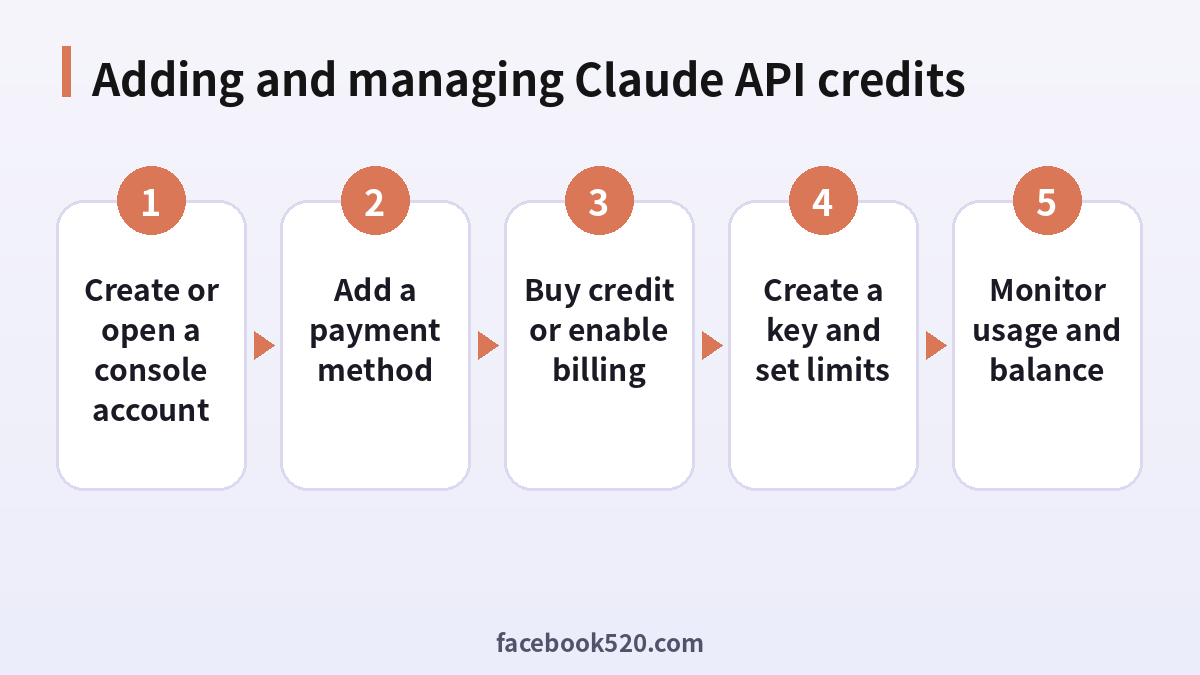
Step by step: add and manage Claude API credits
- Create or open a console account. Sign in to the Anthropic console with your own email. This is separate from the chat app, though it can use the same login.
- Add a payment method. Open the billing section and add a card or other method offered for your region.
- Buy credit or enable billing. Choose the amount of prepaid credit you want to add, or configure the billing style the console offers.
- Create a key and set limits. Generate an API key for your project and configure spending limits for the organization.
- Monitor usage and balance. Check the usage and billing pages regularly, and enable alerts for a low balance.
How to check your Claude credits
Sign in to the console and open the billing or plans page, where your current credit balance is shown. The usage page breaks consumption down by date, model and, where available, by key or workspace. If a request fails with a message about credit balance, the billing page will tell you whether you simply ran out or whether a payment failed. Check at least weekly while a project is in development and daily for anything running in production. You can read about the product itself on the Claude page.
How usage turns into cost
Cost depends on the number of input tokens you send and output tokens you receive, multiplied by the rates for the model you picked. Long prompts, large documents and long conversations increase input tokens. Detailed answers increase output tokens. Features such as caching prompts or batch processing can change costs, so read the documentation for the options you use. A good habit is to log token counts per request in your application so you can compare estimated spend with the console figures and detect surprises early.
Prepaid credit versus billing after use
Prepaid credit gives a hard ceiling: you cannot spend more than you loaded, which makes it comfortable for experiments and for personal projects. Billing after use is smoother for production because your application does not stop when a balance hits zero, but it needs spending limits to prevent a bug or a traffic spike from creating an unexpected bill. Many teams start with prepaid credit, learn their typical usage and then move to a billing arrangement with caps and alerts.
Auto reload and low balance protection
Where the console offers automatic top-ups, you can set a threshold and an amount so that the balance refills when it falls below a certain level. This prevents outages, but it also means money leaves your account without a manual action. Set a sensible upper limit for the month, and make sure the notification emails go to someone who reads them. If you prefer control, leave automatic reload off and rely on low balance alerts instead.
Spending limits and workspaces
Organizations can set monthly spend limits so that a runaway job cannot cost more than planned. Workspaces let you separate projects or environments, each with its own key and, in some setups, its own limit. Use one workspace for development and another for production. When a developer leaves, delete their keys and check that no unknown keys remain. Rate limits and usage tiers also apply and can grow as your history with the service grows, so you may notice higher limits over time.
Typical errors about credits
| Error or symptom | Likely cause | What to do |
|---|---|---|
| Request rejected for low balance | Credit ran out | Add credit or enable billing |
| Payment failed | Card declined | Update payment method with your bank’s help |
| Usage higher than expected | Long prompts or loops | Add logging, review prompts, set caps |
| Key suddenly stops working | Key revoked or workspace changed | Create a new key and update your app |
| Cannot see balance | Wrong organization selected | Switch organizations in the console |
Are there free Claude credits
Anthropic has at times offered small amounts of starter credit or programs for researchers, startups and students. Whether any is available to you changes over time, so check the console and the official announcements rather than trusting a website promising free credits. Offers that ask for your password, your API key or a payment to claim a bonus are scams. A legitimate credit appears in your own console after an official process, never through a stranger’s message.
What about a Claude AI gift card
People sometimes look for a Claude gift card to pay for the subscription or the API. Availability of gift products depends on region and may change. If you need someone else to pay for you, the safer approach is that they add credit or a subscription to an account you control through the official checkout, rather than sending codes to a reseller. Be wary of any marketplace selling codes at a discount, because codes can be fraudulent or already used.
Why resold keys are a bad deal
Listings offer API keys or large token bundles at a fraction of normal rates. The keys may come from stolen cards, trial abuse or shared accounts, and they can be revoked at any time. Worse, requests you send travel through someone else’s key, so the owner can read your prompts, your documents and the answers. For a business application that processes customer information, that is a serious breach. If something stops working you also have no support channel and no refund right.
Paying from outside the United States
Billing options depend on your country. Banks sometimes block international online charges until you enable them. Expect a possible currency conversion fee on your statement and possible taxes depending on where you operate and whether you buy as a business. If a payment is declined, try another card, ask the bank to allow the merchant, and avoid repeated attempts. Companies should request an invoice from the console for bookkeeping and check whether tax identifiers can be added.
Keeping keys safe
Treat an API key as a password with a price tag. Never commit it to a repository, never place it in front end code and never paste it into a chat. Load it from an environment variable or a secrets manager. Rotate keys on a schedule and immediately after any suspected leak. Use separate keys for separate services so that you can revoke one without taking everything down. Turn on repository secret scanning so that accidental commits are detected quickly.
Estimating your monthly budget before you load credit
Before adding a large balance, estimate what you will actually need. Take a typical request, count its input and output tokens using the documentation’s token counting tools or your own logs, and multiply by the number of requests you expect per day. Add a margin for retries and growth. Then compare scenarios: what if traffic doubles, what if prompts get longer, what if you switch models. A simple spreadsheet with these assumptions turns a vague worry into a number you can monitor, and it makes it easier to explain the expense to a manager or client.
Tracking spend inside your own application
The console shows totals, but your own code knows why a request was made. Log the model, token counts, feature name and user or tenant identifier for each call. With that, you can calculate cost per feature and per customer, spot expensive outliers and decide where to optimize. If you resell a product built on Claude, this data is also the basis for your own pricing. Keep the logs free of sensitive content, storing only metadata unless you have a clear reason and consent to do more.
Handling billing for a team or client project
When you build for a client, decide who owns the console account. The cleaner arrangement is for the client to own the organization and pay the bills, with you invited as a member, because credits and keys then stay with the party that owns the data. If you pay and rebill, keep a separate workspace for each client, record usage per workspace and share a monthly summary. Agree in writing how overages are handled so that nobody is surprised by a large charge after a busy month.
What to do when a payment is declined
First read the exact message in the console. Then check with your bank that international online payments are allowed and that the card has enough available limit. Try a different card if you have one. Avoid several attempts in a few minutes, because repeated failures can trigger additional checks. If your company uses a virtual card with a fixed limit, make sure the limit covers the amount plus any tax. When nothing works, contact support through the official help center with the organization name and the time of the failed attempt.
Moving from experiments to production safely
A prototype can run on a small prepaid balance, but production needs more discipline. Put the key in a secrets manager, add alerting for abnormal token usage, set a hard monthly limit, define a fallback behavior when the API is unavailable and write down who is responsible for billing emails. Test what happens when credit runs out so the application fails gracefully with a clear message instead of an unexplained error for your users.
Cutting costs sensibly
Start with the smallest model that does the job well. Trim prompts to what the model actually needs. Cache repeated context where supported. Limit the maximum output length. Batch tasks that are not urgent. Test with small samples before running large jobs, and add a dry run mode to your code. Review the usage report monthly and look for requests that cost much more than average. These practices lower cost without touching any questionable offers.
Using credits with Claude Code and other tools
Some tools let you authenticate with an API key instead of a subscription. In that case sessions are billed to your console organization and consume your credit. This can be useful for automation, but long autonomous sessions can use a lot, so set limits first. The page about Claude Code explains how the tool fits into plans and API billing.
Three short examples
A solo developer. Inès adds a small prepaid balance, builds a prototype and sets a low balance alert. When the balance drops she tops up deliberately rather than turning on automatic reload.
A startup. A team uses separate workspaces for staging and production, sets a monthly limit and sends billing emails to the finance mailbox so nothing is missed.
A student. Omar sees a site offering free Claude credits for a login. He closes it, checks the official console and finds nothing, and learns to use a small prepaid amount instead.
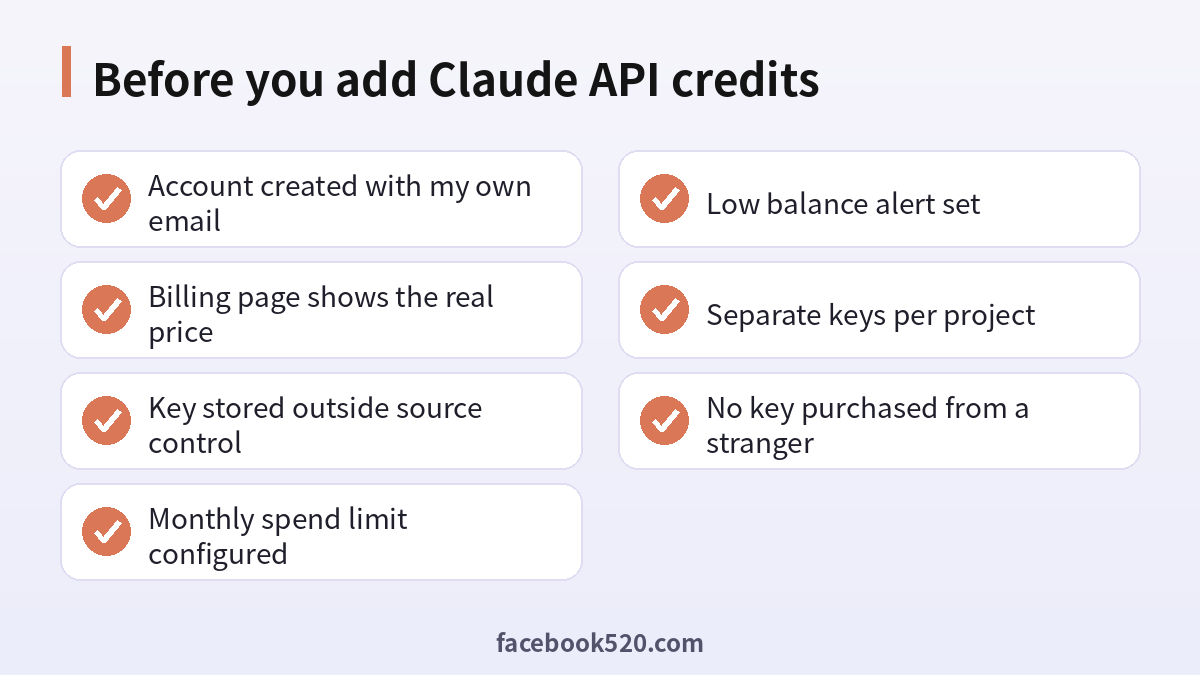
Before you add Claude API credits
- Account created with my own email
- Billing page shows the real price
- Key stored outside source control
- Monthly spend limit configured
- Low balance alert set
- Separate keys per project
- No key purchased from a stranger
Questions people ask
What are Claude API credits?
They are prepaid balance in your Anthropic console that pays for tokens used by API requests from your own applications.
How do I buy Claude credits?
Sign in to the console, add a payment method in billing and choose the amount of credit to add, following the options shown for your region.
How do I check my Claude credits?
Open the billing or plans page in the console for your balance, and the usage page for a breakdown by date and model.
Does a Claude Pro subscription include API credit?
No. The subscription covers the Claude apps and certain tools, while API usage is billed separately through the console.
Are there free Claude credits?
Occasionally there are official programs, but offers vary. Do not trust sites that ask for your login or key in exchange for free credit.
Do credits expire?
Terms can include an expiry period for prepaid credit. Check the terms shown at purchase and in your console, and avoid loading far more than you expect to use within that period.
What happens when credits run out?
Requests fail with a billing error until you add credit or enable another billing method.
Can I set a spending limit?
Yes. The console allows organization spend limits, and workspaces help separate projects.
Is it safe to buy a cheap API key?
No. Resold keys can be revoked, may be stolen and let the seller read your prompts and data.
Can I get an invoice?
The console provides receipts and invoices for your purchases that you can use for bookkeeping. Companies should check that the billing name, address and any tax identifier are correct before the first purchase, because they may be hard to amend afterwards.
Can someone else pay for my credits?
They can add credit to your organization through the official checkout, as long as you control the account.
Why did usage jump suddenly?
Common causes are a loop in your code, very long prompts, a leaked key or a new feature sending more requests. Check your logs and the usage page by date and model, pause the job if needed and rotate the key if you suspect a leak, then set a lower spend limit while you investigate.
