


Buy Old Gmail Accounts (2026): What Sellers Offer, Why Aged and PVA Accounts Get Locked, and Safer Ways to Get a Reliable Google Account
People type “buy old Gmail accounts” into a search engine for many reasons: a marketer wants a Google account that looks established, a developer needs several logins for testing, a small agency wants to open a YouTube channel or a Google Ads profile quickly, or someone simply lost access to their own address and hopes a bought one will fix the problem. The offers are everywhere, from marketplaces to chat groups, and the pitch is always the same: aged accounts are “more trusted” and “less likely to be banned”. This guide explains what sellers actually hand over, how Google treats these accounts, which risks matter most, how to avoid the common scams, and what to do instead. We do not list prices from sellers because they change daily and cannot be verified; what you can rely on is how Google’s own rules and security systems work.
What people mean by old, aged, fresh and PVA Gmail accounts
The vocabulary in these listings is confusing, so it helps to translate it.
- Old or aged accounts were created months or years ago. Sellers claim the age protects the account from restrictions.
- Fresh or new accounts were created recently, usually in bulk.
- PVA accounts (“phone verified accounts”) passed phone verification, normally with a virtual or rented number rather than a real person’s phone.
- Bulk or USA accounts are packs of logins sold by quantity and by the country shown on the listing.
- Verified accounts is a vague word. It can mean phone verified, recovery email added, or simply that the login worked at the moment of sale.
None of these terms tells you who really controls the account after the sale. That is the real question.
Why sellers say aged accounts are better
The argument has a kernel of truth. Google’s systems look at many signals, and an account with a long history of normal use looks different from one created five minutes ago that immediately signs up for dozens of services. A real person who has used their address for years has a trusted pattern: consistent devices, a familiar location, a working recovery phone, and ordinary activity.
The problem is that a bought account does not transfer that pattern. The history belongs to the original owner, their devices and their location. When you sign in from a different country, a new browser and a new IP address, Google sees a sudden change of owner and may ask for verification you cannot complete. The age that the seller advertises is exactly what makes a sudden change look suspicious.
What you actually receive when you buy
Typically you receive an email address, a password and sometimes a recovery email or phone number listed in the offer. Several things can be true at the same time:
- The seller keeps the original recovery phone or email, so they can reset the password later.
- The account was registered automatically with scripts and rented numbers, and Google can detect and disable such groups together.
- The account was taken from a real person by phishing or a data breach, which exposes you to serious legal and ethical problems.
- The account is simply recycled to many buyers, so several people know the password.
In all of these cases you hold a login, not ownership. If the original recovery data stays in place, the true owner can regain access and lock you out.
Google rules and why accounts get locked
Google’s terms require accurate information and prohibit using accounts in ways that circumvent its systems. Automated or bulk account creation, selling accounts and using accounts for spam or deceptive activity are covered by policy, and Google uses automated checks to find them. What typically happens to bought accounts:
- A new sign-in from an unfamiliar place triggers a verification challenge.
- The challenge asks for a phone number, recovery email or past password that you do not have.
- The account is locked or temporarily restricted.
- If the account is linked to a group of similar accounts, the whole group can be disabled.
- Anything connected to the account, such as a YouTube channel, a Google Ads profile or documents, goes with it.
The risks that matter most
Loss of work. If you build a channel, an ad account, a Google Business Profile or a shared drive on a bought account, the loss of the account means the loss of everything attached to it. Our guide to creating a Google business account explains why those assets should always sit on an account you own.
Advertising restrictions. Ad platforms are strict about account integrity. If you plan to run ads from an account that was not created and verified by you, expect problems; see why accounts get blocked in Google Ads suspensions.
Fraud. Many “sellers” take the payment and disappear, deliver passwords that do not work, or take the account back minutes after delivery.
Legal exposure. Accounts obtained from breaches or phishing can make the buyer part of a bigger problem. Even when the account was created legitimately, selling it breaks the terms the original owner accepted.
Privacy. A previous owner may still have access to the mailbox, contacts and files, which is a risk for anything you send or store.
How to recognize scam offers
Be suspicious when you see any of these patterns:
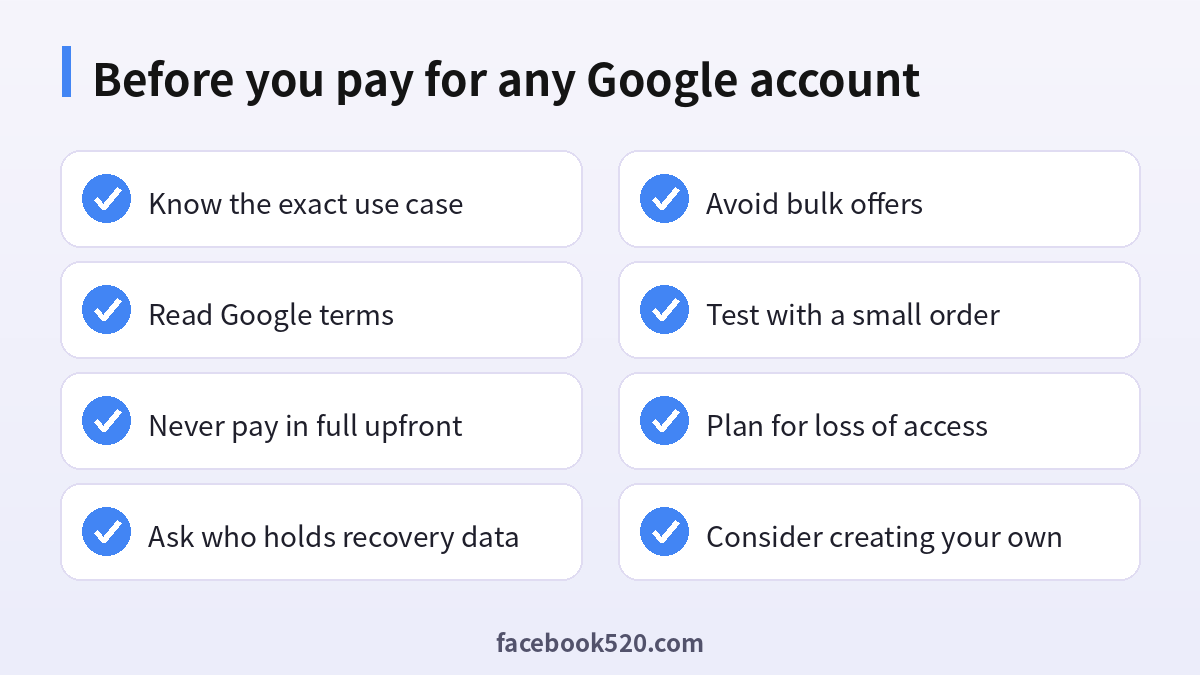
- Prices far below what a real aged account could be worth, combined with pressure to buy quickly.
- Payment requested only in cryptocurrency or by a transfer to a personal account with no dispute option.
- Sellers who refuse to answer how the accounts were created or who keeps the recovery data.
- Screenshots that show an inbox but cannot be verified live.
- A promise of “lifetime warranty” without a name, company or address behind it.
- Requests to share your own passwords or to log in to your own account to “verify” payment.
If you have already paid and the login does not work, report the seller to the marketplace and your payment provider and do not send any further money for “unlocking fees”.
| Warning sign | What it often means | What to do |
|---|---|---|
| Unrealistically cheap bulk packs | Auto-created accounts | Do not buy |
| No recovery details provided | Seller keeps control | Walk away |
| Crypto only | No chargeback possible | Refuse |
| Instant “verified” claim | Phone from a virtual number | Treat as high risk |
| Guarantee with no identity | Nobody to hold responsible | Ignore |
Safer ways to get a reliable Google account
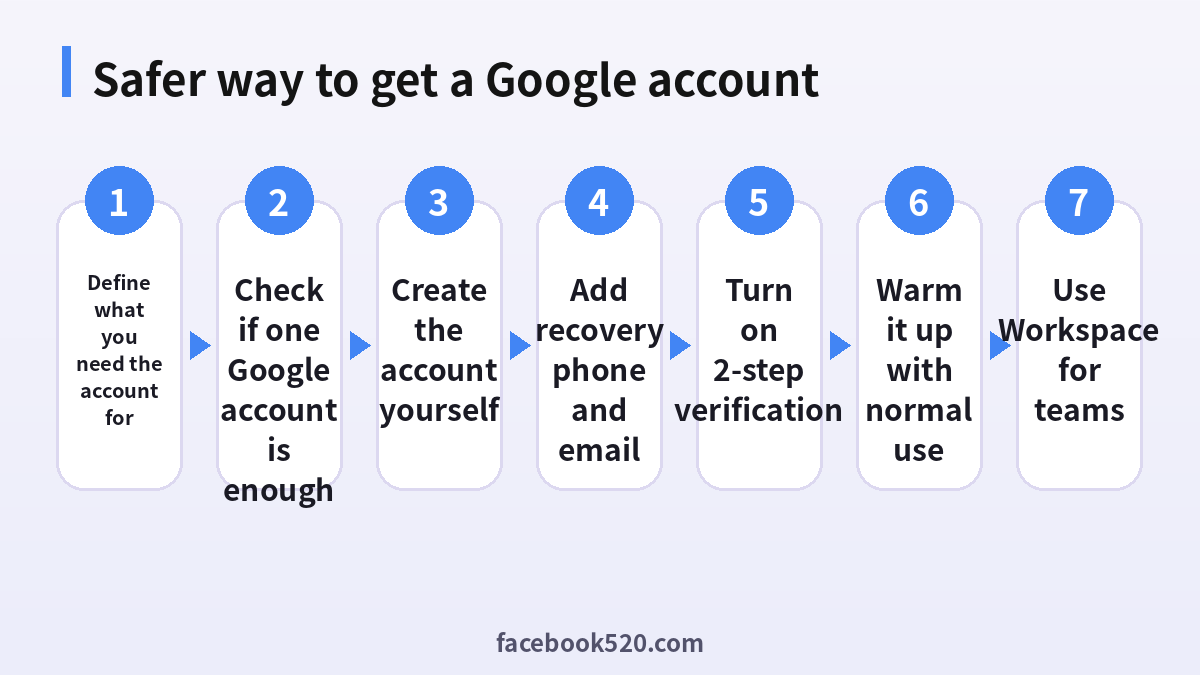
The safest Gmail account is one you create and secure yourself. It takes only a few minutes and gives you full control.
- Decide what the account is for: personal mail, a project, a YouTube channel, testing, or a company.
- Check whether you really need a new address. A single Google account can host several YouTube channels and Brand Accounts, and it can have different profiles in the browser.
- Create the account on the official Google sign-up page using your real details and your own phone number.
- Add a recovery email and a recovery phone that you control.
- Turn on 2-Step Verification and save backup codes in a safe place.
- Use the account normally for a while: send some email, set up a calendar, install the app on your phone. Do not register dozens of services on day one.
- For teams, use a managed Google Workspace account so the company owns the identities and can reset access when staff change.
If you need several mailboxes for one project, you can use aliases or plus-addressing on a single account, or create a few accounts honestly, each with its own phone number and recovery information.
Testing and development: legitimate options
Developers sometimes buy bulk accounts for testing sign-in flows. Better options exist. Use test accounts created in your own Workspace domain, use the test users feature in the Google Cloud console for OAuth apps, or use emulators. These keep test identities under your control and do not violate anyone’s terms.
If you want an established channel or ad account
Some buyers do not really want Gmail; they want a YouTube channel with subscribers or a Google Ads account with history. The honest picture is the same: the platform ties channels and ad accounts to a verified owner, and transfers should happen through the official tools, not by handing over a password. Our overview of buying a YouTube channel shows what to check and why many listings fail. For social accounts in general, the same logic applies to buying Instagram accounts and buying Telegram accounts.
How to build account trust the legitimate way
Account trust is built by consistent, ordinary behavior. A few habits help a new Google account look and behave like a real one:
- Sign in from the same device and network most of the time.
- Add a profile photo and a name that matches the real owner or business.
- Keep the recovery phone current.
- Avoid sending large volumes of email in the first days.
- Respond to security prompts promptly instead of ignoring them.
- Use official apps and avoid third-party tools that ask for your password.
None of this is a secret trick. It is simply the pattern that automated systems expect from a genuine user.
Recovering a Google account you lost
Sometimes the search for an old Gmail account begins with your own lost one. Google has an official recovery flow: start from the sign-in page, choose forgot password, answer the questions about the last password you remember and the devices you used, and try the recovery from a device and location you normally use. Success depends on matching your previous behavior, which is exactly why recovering your own account is far easier than breaking into someone else’s. Do not pay anyone who promises to “recover” an account for a fee; they are usually scammers or sellers of stolen accounts.
A short comparison for decision makers
If you are deciding for a company, think about continuity. A bought account has no clear owner and no documentation. A company account created under your Workspace has an administrator, audit logs, password rules and a plan for when an employee leaves. The cost difference is small compared with the cost of losing a client channel or ad history. Treat the account as an asset and register it in your own name.
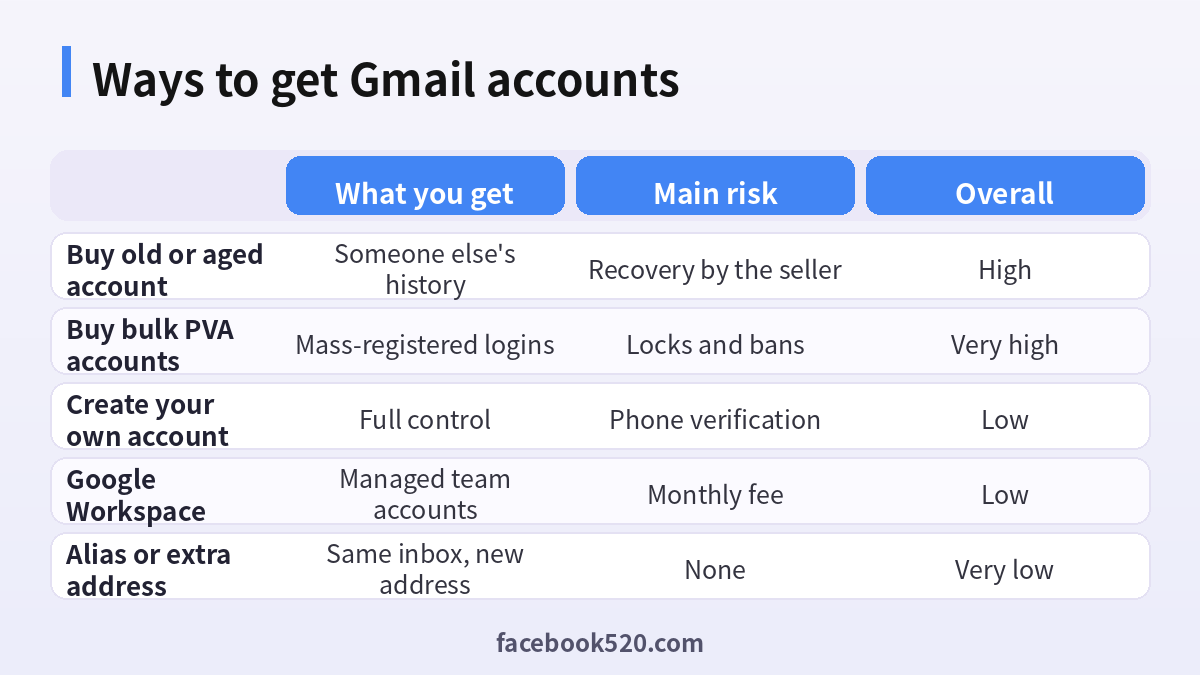
| Criteria | Bought old account | Account you create | Workspace account |
|---|---|---|---|
| Ownership | Unclear | You | Your company |
| Recovery | Seller or original owner | You | Administrator |
| Policy compliance | Often violated | Compliant | Compliant |
| Cost | Seller price plus risk | Free | Monthly per user |
| Stability | Low | High | Very high |
How to check whether a Google account is really yours
Whether you created the account or inherited it from a colleague, run a Security Checkup in your Google Account settings before you rely on it. The checkup lists the devices that are signed in, the third-party apps that have access, the recovery phone and recovery email, and any saved passwords. Look for four things in particular:
- A recovery email or phone number you do not recognize. If someone else controls it, they can reset the password at any time.
- Devices you have never used. Sign out of all of them and sign in again on your own.
- Third-party apps with access to mail or Drive. Remove anything you did not install on purpose.
- Forwarding rules and filters in Gmail settings. A hidden forwarding address copies every message to someone else.
If any of these show up on an account you were handed rather than created, you do not have exclusive control, and that is exactly the situation that makes bought accounts unreliable.
Plus addressing and aliases: one inbox, many addresses
Many people look for a pile of Gmail accounts only because they need several addresses. Gmail already covers part of that need. Any address can receive mail sent to name+shop@gmail.com or name+newsletter@gmail.com, and dots in the local part are ignored, so the messages arrive in the same inbox and can be sorted with filters. This is useful for tracking which service leaks or sells your address and for separating newsletters from important mail. It does not work as a separate identity, and some sites refuse plus signs, but for sign-ups and testing it removes the need for extra accounts in many cases.
If you already bought an account: damage control
If you have already paid for an account, treat it as untrusted and avoid putting anything valuable into it. A calm sequence is better than panic:
- Change the password and, if the account lets you, replace the recovery phone and email with your own. If you cannot, assume the seller still has a way back in.
- Turn on 2-Step Verification and sign out of all other sessions.
- Do not link it to a payment method, a business profile, an ad account or a YouTube channel you care about.
- Do not use it for bulk mailing or automation, which is the quickest way to get it suspended.
- Keep screenshots of the listing, the chat and the payment, because you will need them if you dispute the charge with your payment provider.
Plan to move to an account you created yourself as soon as possible, and copy over only the data you actually need.
Which option fits which situation
Not everyone who searches for old Gmail accounts has the same goal, so the better alternative depends on the goal. For a personal second inbox, create a new account and use it normally for a few weeks. For testing an app or a sign-up flow, use plus addresses or the test-account tools of the platform you are building for. For a team that needs several mailboxes, a Workspace plan gives managed accounts that you can reset and recover as the administrator. For a brand or channel that needs an audience, build it with consistent posts instead of buying someone else’s history. None of these requires handing money to an anonymous seller.
Frequently asked questions
Is it legal to buy a Gmail account?
Buying one is not a crime in itself in many places, but it violates Google’s terms, and accounts obtained through hacking, phishing or breaches can make you part of illegal activity. The safest choice is to create your own.
Does an old Gmail account help with SEO or advertising?
No. Search engines and ad platforms do not give a ranking bonus to an email address because it is old. Account age is one weak signal inside a much larger system.
What does PVA mean?
It stands for phone verified account. In bulk listings it usually means the account was verified with a temporary or virtual number, not the phone of a real user.
Why was my purchased account locked after a day?
Because the sign-in came from a new device and location, and the account could not pass verification. Bulk-registered groups are also removed together.
Can I buy Gmail accounts in bulk for testing?
Use test accounts in your own Workspace or the test user options of your development console instead. They are free of the risks described above.
What if the seller already took my money?
Report the seller to the marketplace, contact your payment provider about a dispute, change any passwords you reused and never pay extra fees to unlock the account.
Can a seller take the account back?
Yes. If the seller keeps the original recovery email or phone, they can reset the password at any time.
How many Google accounts can one person have?
Google does not publish a single fixed limit, but creating many accounts quickly from one device or network can trigger verification. Create only what you need.
Is a Workspace account better than a free Gmail address?
For business use, yes. It gives your company control over users, recovery and security, and it works with your own domain.
How do I make my own new Gmail account safer?
Use a long unique password, a recovery phone and email you control, 2-Step Verification, and review your signed-in devices regularly.
Can I convert an old account I bought into my own?
Not reliably. Without the original recovery information you cannot prove ownership, and Google can still restrict the account at any time.
What is the best alternative if I just need a second address?
Use an alias, plus addressing, or a second account that you create honestly with its own recovery details.
Conclusion
Buying old or aged Gmail accounts promises shortcuts that rarely materialize. You receive a login without ownership, the seller can keep control, Google can lock accounts that change hands or come from bulk registration, and everything you build on top can disappear. Create your own account, secure it with a recovery phone and 2-Step Verification, use Workspace for team needs, and grow its reputation through normal use. That path costs little, keeps you inside Google’s rules and gives you an account you can still access next year.

