


Genspark Pricing (2026): Free Plan vs Plus vs Pro, Credits, Billing and How to Pay Without Surprises
Genspark started as an AI search engine that builds “Sparkpages” instead of a list of blue links, and it has since grown into a broader “super agent” workspace that can write slides, build spreadsheets, make phone calls, generate images and video, and run multi-step research. That growth changed the way it charges. Instead of a single flat subscription with unlimited use, Genspark now runs on credits: every agent task draws from a pool, and the size of that pool is what separates the Free, Plus and Pro plans. If you search for “genspark pricing” or “genspark plus”, what you usually want to know is simple: how far does the free plan go, what does a paid plan really buy, and how do you pay without being surprised by an empty balance halfway through a project. This guide answers those questions from a user’s point of view.
Because prices for AI tools move quickly and vary by region and currency, treat every number below as a reference point and confirm the current figure on Genspark’s own pricing page before you pay. If you are comparing several assistants, our ChatGPT subscription guide and Kling AI pricing breakdown use the same method, so you can line the tools up side by side.
What Genspark actually charges for
The most important thing to understand is that Genspark does not price “a chatbot”. It prices work done by agents. A quick question to the AI search box costs very little. A request such as “research the European e-bike market and build a ten-slide deck with charts” triggers many model calls, web fetches and rendering steps, and that burns far more credits.
In practice, credit consumption falls into four bands:
- Light tasks: simple search answers, short summaries, rewriting a paragraph. These barely dent a daily allowance.
- Medium tasks: a Sparkpage on a niche topic, a one-page document, a small data table.
- Heavy tasks: AI Slides, AI Sheets with many rows, deep research that visits dozens of sources.
- Media tasks: image generation, video generation and AI phone calls, which can be the most expensive per run because they call premium third-party models.
That is why two people on the same plan can have completely different experiences. A student who mostly asks questions may never run out, while a marketer who builds three decks a day may finish a monthly pool in a week.
Genspark free plan: what you really get
The free plan exists so you can test the agents, not so you can run a business on them. It gives a modest daily credit refill rather than a big monthly pool. When the daily credits are gone, heavy agents stop and you wait for the next refill or upgrade.
What the free plan is good for:
- Trying the AI search and Sparkpages to see whether the answers fit your field.
- Running one or two slide or sheet jobs to judge output quality.
- Learning which agents you actually use, before paying for a pool you may not need.
What it is not good for: long research sessions, repeated video generation, or anything with a deadline. Free users also tend to get lower priority on premium models when demand is high, so the same prompt can feel slower.
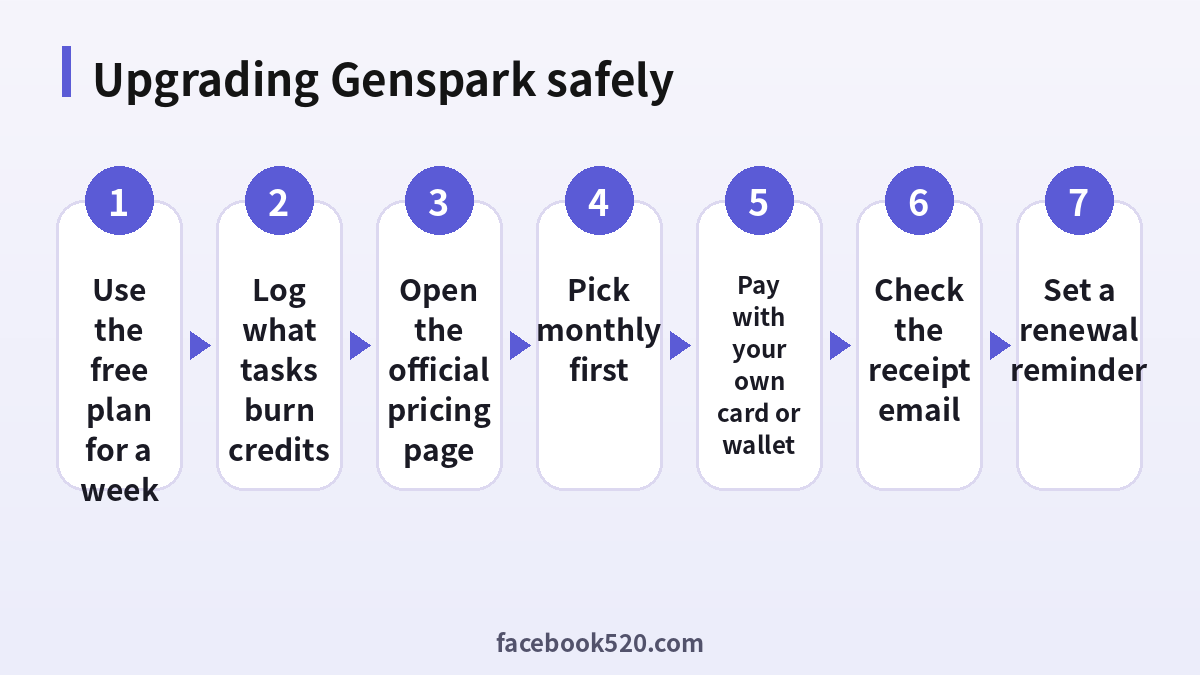
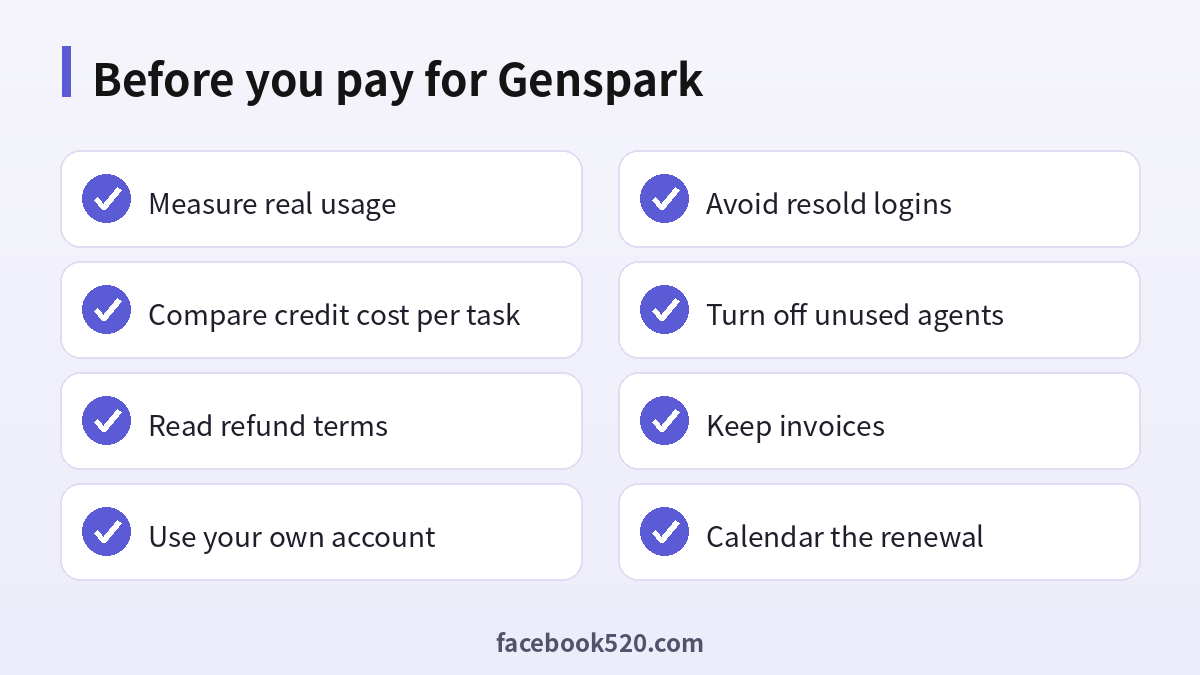
A practical tip: spend your first free week writing down each task and roughly how many credits it consumed. Genspark shows usage in the account area. That small log is the single best input for choosing a plan.
Genspark Plus: the plan most people mean
When people search “genspark plus” they usually want the middle tier. Plus replaces the small daily refill with a large monthly credit pool, unlocks the full set of agents, and generally gives access to stronger models for slides, sheets, images and video.
Plus is usually the right plan if you:
- use Genspark several times a week for real work,
- build decks or research reports regularly,
- want predictable monthly cost rather than daily limits.
Plus is usually the wrong plan if you only open Genspark once a week. In that case the free plan, plus occasional patience, is the cheaper option.
Monthly vs annual billing
Like most AI subscriptions, Genspark offers a lower effective monthly rate on annual billing. The trade-off is commitment. Annual billing makes sense only after you have used the monthly plan for at least one full cycle and know that your usage is steady. AI tools change fast; a feature you rely on today may be bundled differently next year, and annual plans are rarely refunded mid-term.
Genspark Pro and team options
Pro sits above Plus with a much bigger credit pool and is aimed at power users and small teams who run heavy agents every day. The question is never “is Pro better?” but “do I burn through Plus before the month ends?” If your log shows you exhausting Plus by the third week, Pro (or buying extra credits, where offered) can be cheaper than pausing work. If you finish the month with credits left, Pro is wasted money.
For companies, check whether Genspark offers a team or business arrangement in your region with central billing and invoices. Sharing one personal login among colleagues is a bad substitute: it mixes histories, breaks security, and can trigger account reviews.
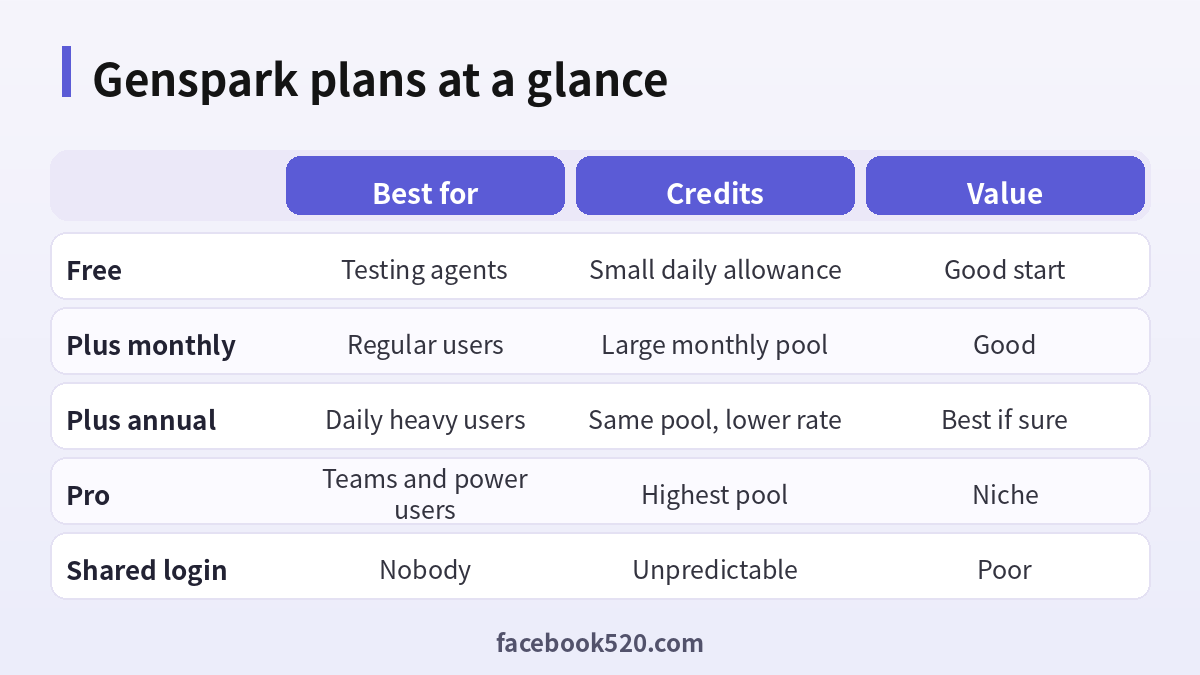
Plan comparison table
| Plan | Who it suits | Credit model | Main limits | Typical decision |
|---|---|---|---|---|
| Free | First-time users, students | Small daily refill | Heavy agents stop quickly; lower priority | Start here |
| Plus (monthly) | Regular individual users | Large monthly pool | Pool can run out with media tasks | Default paid choice |
| Plus (annual) | Proven steady users | Same pool, lower effective rate | Commitment, limited refunds | After one month of data |
| Pro | Power users, small teams | Highest pool | Expensive if under-used | Only if Plus runs out |
| Extra credits (if offered) | Occasional spikes | One-off top-up | Usually higher per-credit cost | For deadline weeks |
How to estimate your real cost per task
Monthly price alone hides the real cost. A better metric is cost per finished deliverable. Do the following once:
- Pick three tasks you really do: for example a research brief, a slide deck and a product image.
- Run each on the free plan or first paid week and record credits used.
- Divide the plan price by the credit pool to get a cost per credit.
- Multiply to get cost per deck, per brief, per image.
You will usually find that slides and video dominate. If your work is mostly text research, a cheaper general assistant might cover it; if it is mostly decks, Genspark’s slides agent may be the cheapest way to get a decent first draft.
Genspark vs other AI tools on price
| Tool | Pricing style | Strong point | Weak point for heavy users |
|---|---|---|---|
| Genspark | Credits across many agents | All-in-one agents (slides, sheets, calls) | Media tasks drain credits fast |
| ChatGPT Plus | Flat monthly with usage caps | Broad general assistant | Slide output needs extra tools |
| Perplexity Pro | Flat monthly | Search with citations | Fewer production agents |
| Kling / video tools | Credits per generation | Video quality | Single purpose |
The honest takeaway: Genspark is good value when you use several of its agents. If you only need search answers, a flat-rate tool may be simpler. For a deeper look at how flat subscriptions compare, see our ChatGPT account guide.
How to pay for Genspark
Genspark sells subscriptions on its own website and through its mobile apps. The payment path matters because it decides where you manage and cancel the plan.
- Web checkout: usually card payments (Visa, Mastercard, sometimes American Express) and wallets such as Apple Pay or Google Pay through the payment processor. You manage the plan inside Genspark’s account settings.
- iOS App Store / Google Play: billed by Apple or Google in local currency, often with a small markup. Cancel and request refunds through Apple or Google, not Genspark.
Common payment problems
- Card declined: many banks block foreign AI merchants by default. Enable online and international payments in your bank app and retry.
- 3-D Secure loop: finish the bank confirmation in the same browser session; ad blockers sometimes break the pop-up.
- Charged but still on Free: log out and in, then check the receipt email. If the receipt exists, contact support with the transaction ID.
- Currency surprise: app store prices can differ from web prices. Compare before subscribing.
If you are paying from a country where your card is often refused, the safe options are a bank card that supports international online purchases, or the app store route. Avoid “cheap Genspark” resellers who offer to log in for you; you are handing your work history and payment details to a stranger, and these accounts are frequently cancelled when the original card charges back. The same risk applies to shared ChatGPT logins, covered in our ChatGPT sale guide.
Refunds and cancellation
Read the refund policy at checkout. AI subscriptions generally do not pro-rate refunds once credits have been used, and annual plans are the hardest to unwind. Cancel at least a day before the renewal date; cancellation normally stops the next charge but keeps your current period active.
A quick rule: if you are unsure, stay monthly, cancel the renewal right after subscribing, and re-enable it only if you still want the plan near the end of the month.
Getting more out of every credit
- Write precise prompts: ask for “8 slides, 3 bullet points each, one chart” instead of “make a deck”.
- Draft structure in the cheap search mode, then send only the final brief to the heavy agent.
- Reuse and edit an existing Sparkpage rather than generating from scratch.
- Avoid regenerating images repeatedly; refine the prompt instead.
- Turn off scheduled or automated agent runs you no longer need.
Who should pick which plan
- Students and casual users: free plan, upgrade only for exam or project weeks.
- Freelancers writing proposals and decks: Plus monthly; switch to annual after two steady months.
- Agencies and small teams: Pro or a team plan with invoices, one seat per person.
- People mainly wanting search: compare with flat-rate assistants first.
A worked example: three users, three bills
Numbers make the decision clearer than adjectives, so here are three realistic usage patterns.
Maya, university student. She uses Genspark for literature scans before essays: about ten search questions a day and one Sparkpage a week. Her log shows she rarely touches more than half of the free daily allowance. Paying would buy her almost nothing. Her best move is to stay on Free and, in the two weeks before a thesis deadline, buy a single month of Plus and cancel the renewal the same day.
Daniel, freelance consultant. He builds two client decks a week and runs a deep research task before each one. On Free he hits the daily cap by mid-morning on deck days. On Plus monthly, his log shows he finishes each month with roughly a fifth of the pool left. That is the sweet spot: enough headroom for an unexpected rush, without paying for capacity he never uses. After two stable months he can move to annual billing.
A four-person marketing team. They share product research, generate social images and produce short videos. When they tried a single shared Plus login, the pool was empty by day ten, histories were mixed together and the account was flagged for unusual activity from several cities. Separate seats on a team or Pro arrangement cost more on paper, but each person has their own history, the invoices go to the company, and nobody is locked out the day before a campaign.
The lesson is that the headline price matters less than matching the pool to the work. Write down your own pattern the same way before choosing.
Watching your credit balance
Genspark shows the remaining balance and a usage history in the account area. Make it a habit to look at it once a week, especially in the first month after upgrading. Three signals tell you to act:
- The balance is falling faster than one quarter per week: you will run out before renewal. Reduce media tasks or plan for a top-up.
- One agent dominates the history: check whether a cheaper workflow (outline first, render once) would do.
- Credits are left over every month: downgrade or switch to monthly so you are not paying for idle capacity.
Small adjustments like these usually save more money than hunting for discount codes, and they keep you away from risky “cheap account” offers entirely.
FAQ
Is Genspark free?
Yes, there is a free plan with a daily credit allowance. It is enough to test search and a few agent tasks, but heavy work such as slides, video or long research will hit the limit quickly.
What does Genspark Plus include?
Plus gives a large monthly credit pool, access to the full agent set and stronger models. The exact credit number and price depend on region and can change, so check the official pricing page.
Is Genspark Pro worth it?
Only if you regularly run out of Plus credits before the month ends. Otherwise Plus is the better value.
Do unused credits roll over?
Generally subscription credits reset each billing cycle. Do not plan on banking them; confirm the current rule in your account.
Why did one task use so many credits?
Agents that call many tools (web fetches, image or video models, multi-slide rendering) cost more. Check usage history to see which step was expensive.
Can I pay with PayPal?
Payment methods depend on region and processor. Card and wallets are most common on the web; app store billing is another option.
Is the annual plan cheaper?
Yes per month, but it is a commitment with limited refunds. Use monthly first.
Can I share a Genspark account with my team?
Sharing a personal login is against normal terms of service and mixes data. Use separate accounts or a team plan.
How do I cancel Genspark?
Cancel in account settings for web subscriptions, or in Apple/Google subscription settings if you subscribed in the app.
Is buying a cheap Genspark account safe?
No. Resold accounts can be revoked at any time, may be paid with disputed cards, and expose your prompts and files to the seller.
Does Genspark offer student discounts?
Promotions appear from time to time. Check the official site and announcements rather than third-party coupon pages.
Is Genspark better than ChatGPT for slides?
For quick first drafts of decks, Genspark’s slides agent is often faster. For general writing and reasoning, many users prefer a general assistant. Many people use both. See our ChatGPT sign-up guide if you want to compare.
Bottom line
Genspark pricing is credit-based, so the right plan depends on which agents you use, not on the headline monthly price. Start free, log your usage for a week, upgrade to Plus monthly if you hit limits, and consider Pro or annual billing only when your numbers prove you need it. Pay through your own account, keep invoices, and skip resold logins.
