


Create Snapchat Account (2026): Step-by-Step Sign-Up Guide
Creating a Snapchat account takes a couple of minutes on a phone. The most important choices are your username, which cannot be changed freely, and the privacy settings that decide who can contact you.
The steps are written from a practical point of view: what to prepare, what to click, what to expect, and what to do when something goes wrong. Interface labels may differ slightly from your screen as Snapchat updates its design.
What you need before you start
- A smartphone with the Snapchat app installed.
- A phone number or email address.
- Your date of birth.
- A good username that you will be happy to keep.
Snapchat sign-up: step by step
- Install Snapchat from the App Store or Google Play and open it.
- Tap Sign Up.
- Enter your first name, last name, birthday, username and password.
- Enter your phone number or email and verify the code you receive.
- Allow or skip contact syncing.
- Take a Bitmoji or profile picture.
- Add friends and adjust privacy settings.
Take your time on the first screens. Details such as your username, country and date of birth are often difficult or impossible to change later, so enter them carefully.
Verification tips for Snapchat
- Use a real phone number to receive the code.
- If you do not receive a code, try the call option or the email option.
- Avoid repeated sign-up attempts from the same device in a short time.
- Confirm your email in Settings to simplify recovery.
First-day setup checklist
- Enable two-factor authentication.
- Review who can contact you and who can view your story.
- Set up Ghost Mode on Snap Map if you do not want to share your location.
- Add a recovery email and phone number.
- Customise notifications.
- Create a public profile if you are a creator or business.
Keep the account secure from day one
- Use a long, unique password stored in a password manager.
- Turn on two-factor authentication with an authenticator app instead of SMS where possible.
- Add a recovery email and phone number that you control.
- Do not reuse the email address of a closed or lost account.
- Review logged-in devices from time to time and sign out of those you do not recognise.
Common sign-up problems and fixes
- Username cannot be changed: Snapchat usernames are fixed; create a new account if you need a different one.
- Sign-up blocked on this device: Wait before retrying, switch networks, or use another device.
- Verification code not received: Request the call option, or try an email.
- Account locked right after creation: Follow the unlock steps and verify your phone number.
- Age not accepted: Snapchat enforces a minimum age; enter your real birthday.
- Too many attempts: If you repeat the sign-up several times quickly, the platform may temporarily block you. Wait a few hours, switch to a stable network and try again carefully.
- Using a VPN or unusual network: Sign-ups from changing locations can trigger extra checks. A normal, stable connection in your own country usually works best.
Using Snapchat for business
For brand use, a Snapchat Business Manager and a public profile give you ad access and Story tools that a personal account does not offer. Create these after the personal account is stable.
Whatever platform you are on, a business setup is easier when it is documented: who owns the account, which email recovers it, who has admin access, and where credentials are stored. Write this down on the first day, before the account is used for anything important.
Getting started on the right foot
A fresh Snapchat account is a blank slate. Complete the profile, follow a handful of relevant accounts, and use the product the way a normal person would for the first week. That quiet start makes later changes, such as connecting a business tool or payment method, much less likely to trigger extra checks.
Choosing the right login method
Most services let you register with an email and password or with a Google, Apple or Microsoft login. A social login is faster and often safer because it inherits that account’s two-factor protection, but it ties Snapchat to a provider you must keep access to. An email-based account is more portable, as long as the email address is one you will keep for years. Whichever you pick, write down which method you used, because logging in later with the wrong one is the most common reason people think their account has disappeared.
Personal use or business use?
Decide this before you register. Personal accounts are simplest, but they may lack analytics, team access and advertising tools. Business or professional accounts add those tools and are easier to share with colleagues. If you are unsure, start with the personal or standard setup, use it for a short time, and convert to the business option when you know what you need. Converting is usually easy; merging two separate accounts afterwards usually is not.
Your first 30 days on Snapchat
- Week one: complete the profile, set security and privacy, and explore the main features without rushing.
- Week two: start regular but moderate activity that matches your purpose.
- Week three: connect external tools (analytics, payment, team members) one at a time.
- Week four: review what worked, remove unused settings and document how the account is managed.
Privacy settings worth reviewing
- Who can find you by email address or phone number.
- Who can message or contact you.
- Whether your activity or location is visible.
- Which apps and websites have access to your account.
- How your data is used for personalisation and advertising.
If you ever lose access
Keep the recovery email and phone current, save backup codes in a safe place, and note the date and device you used to register. When something goes wrong, start with the official password-reset or account-recovery page, answer security questions honestly and avoid anyone who offers to “unlock” the account for a fee. Recovery requests that include accurate account details, such as the registered email, approximate creation date and device, are processed much more smoothly.
Quick troubleshooting checklist
- Check that the email or phone number was typed correctly.
- Look in spam, promotions and blocked-sender folders for verification messages.
- Try a different browser or the official mobile app.
- Disable extensions that block scripts or captchas.
- Switch from mobile data to Wi-Fi or the other way round.
- Wait a few hours if you have made many attempts.
- Contact the platform’s help centre with screenshots of the exact error message.
Staying in good standing
A new Snapchat account is judged on behaviour. Be consistent about where you log in from, avoid mass actions in the first days, respect the community or advertising rules, and answer verification prompts quickly. If a warning appears, read it carefully and follow the instructions rather than creating another account to get around it. Accounts with a clear, gradual history are far more resilient than those that look as if they were created only to push volume.
Web, desktop or mobile app: which should you use?
You can usually register on any of them, but the experience differs. The mobile app is the best choice for phone-number verification and camera features, while the website is easier for pasting long text, managing business tools and keeping several windows open. If one route gives an error, try the other before assuming something is wrong with your details. Keeping both installed also gives you a backup way in if one login prompt misbehaves.
Frequently misunderstood points
- A Snapchat account is not the same thing as a business or advertising account; those are extra layers on top.
- Verification is not the same as a verified badge. The first confirms you control an email or phone; the second is a separate programme or paid feature.
- Deleting the app does not delete the account.
- Signing up with a social login does not create a separate password; recovery goes through that provider.
- Usernames, countries and birth dates are often permanent, so decide once and carefully.
Mistakes to avoid when signing up for Snapchat
- Using a temporary or shared email address.
- Entering a false date of birth or country that does not match your later activity.
- Skipping two-factor authentication.
- Creating several accounts on the same device in a short time.
- Handing over your login details to a third party “to speed things up”.
Snapchat by Use Case
- Everyday users: Download the app, tap Sign Up, enter your name, birthday, username and either an email or phone number, then verify the code. Choose a username carefully, because it cannot be changed freely later.
- Creators: Public Profile is the creator route: it lets you show stories and Spotlight videos to a wider audience. You need an active account before you apply for creator tools.
- Businesses: Snapchat Business tools and Ads Manager use a separate sign-up. Create the personal account first and then use a business email for Ads Manager.
Snapchat at a Glance
- Typical use: ephemeral photo and video sharing, stories and brand ads.
- What you need: an email or phone number, a username and a birth date.
- Common friction: locked logins, code problems and security locks triggered by third-party plugins.
- Security tools: two-factor authentication and login-verification settings.
Comparing Your Snapchat Routes: Table and Verdict
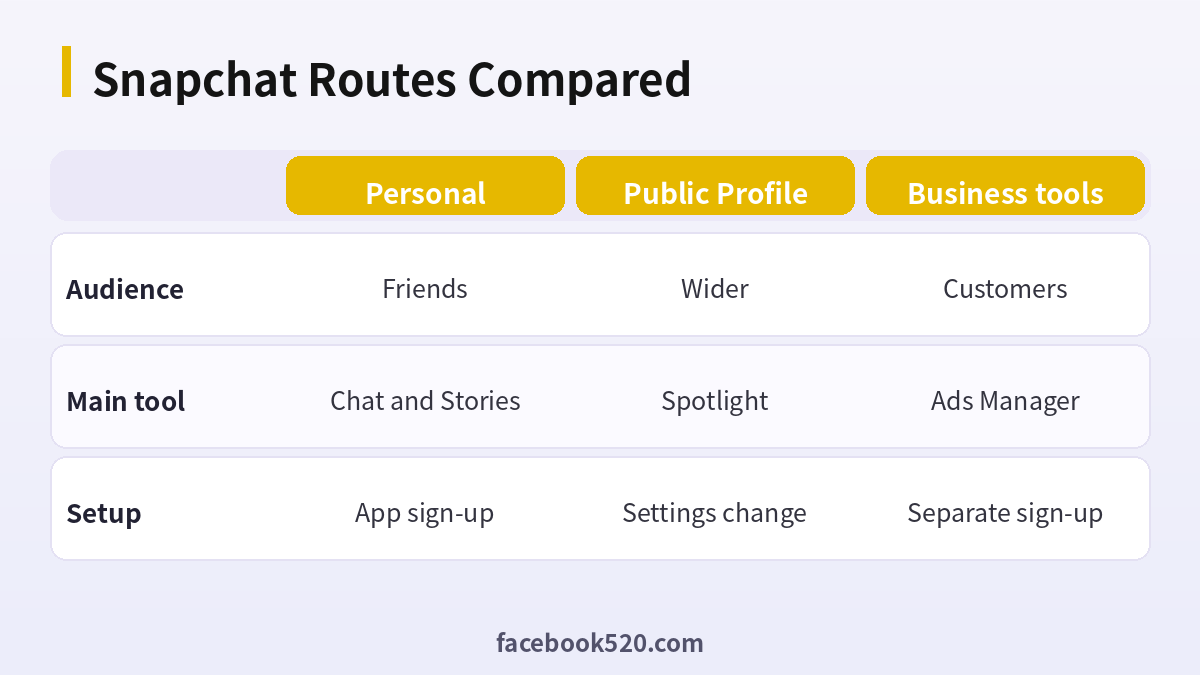
| Factor | Personal | Public Profile | Business tools |
|---|---|---|---|
| Audience | Friends | Wider | Customers |
| Main tool | Chat and Stories | Spotlight | Ads Manager |
| Setup | App sign-up | Settings change | Separate sign-up |
Verdict: Start with a personal account and a verified email and phone, move to Public Profile when you publish for strangers, and use Ads Manager only for paid campaigns. Keep one identity per purpose.
Creating a Snapchat account
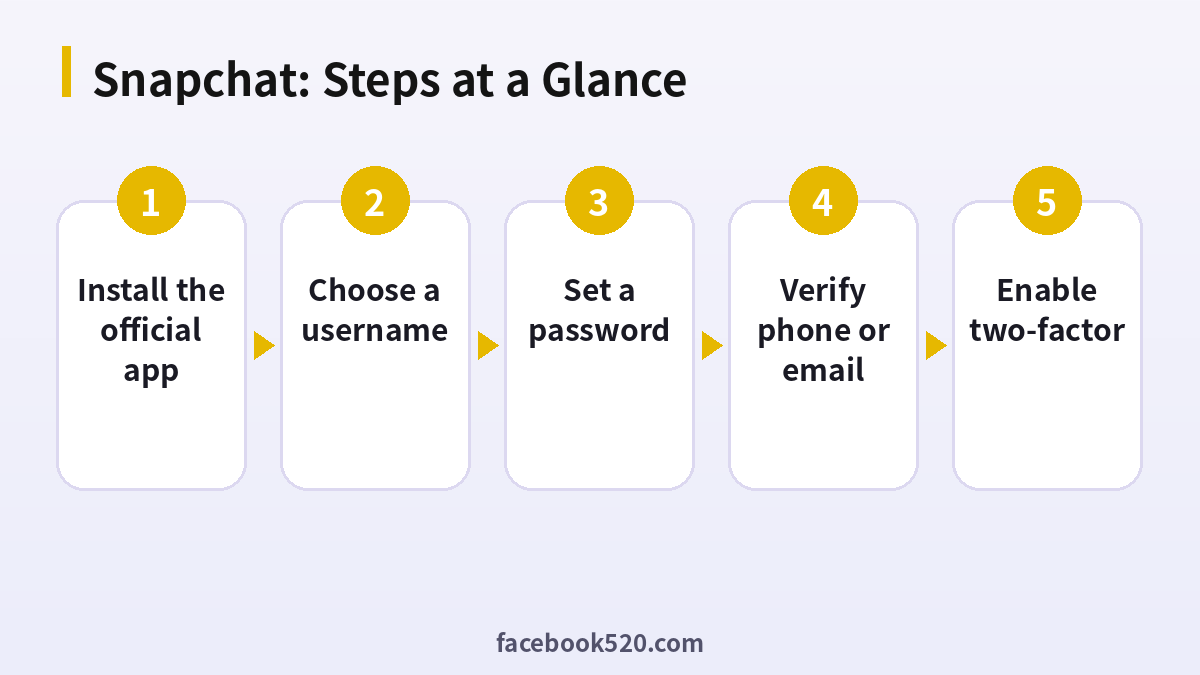
- Install the official app: Use the store listing from the company.
- Tap Sign Up: Enter your name and birthday.
- Choose a username: It is part of your Snapcode and link.
- Set a password: Make it unique.
- Verify phone or email: Enter the code.
- Add friends: Use contacts or search.
- Enable two-factor: In Settings, find Two-Factor Authentication.
Snapchat Problems and Fixes
| Symptom | Likely cause | What to do |
|---|---|---|
| Username taken | Already used | Add numbers or a word. |
| Code never arrives | Carrier or typo | Check the number or use email. |
| Account created but locked | Unusual signup | Wait and use the unlock steps. |
| Birthday cannot be changed | Age rules apply | Contact support if wrong. |
| Cannot add friends | Privacy or limits | Check settings. |
Understanding Snapcodes and usernames
Your Snapcode is a scannable image tied to your username. Share it on other platforms to let people add you. Choose a username that you will be happy to share publicly for years.
Privacy settings to review
Check who can contact you, view your story and see your location on Snap Map. The defaults are usually safe, but review each one and set your preferences before adding many friends.
Ghost Mode and Snap Map
Snap Map shows friends where you are if you allow it. Use Ghost Mode if you prefer not to share your location, and review the setting after app updates.
Memories and backups
Memories stores saved snaps. Turn on backup and keep your email verified so that the content is tied to a recoverable account.
Stories and Spotlight
Stories are visible to friends or the public according to your settings, and Spotlight is a feed of short public videos. Decide which one fits your goals before you post.
Safety and scams
Do not give out your login code, and avoid third-party apps that ask for your password. Be careful with messages that promise followers or premium features for free.
Business sign-up
If you plan to advertise, create an Ads Manager account with a business email and read the policies. Keep personal and business activity clearly separate.
Regional features
Some features differ by country. Check what is offered where you live before planning around them.
Quick maintenance
Update the app regularly, review friends occasionally and remove people you do not know.
Building trust with your first friends
Add people you know in real life first, and let them find you through your Snapcode or username. A small circle of real contacts gives the app a good start and makes the early experience better, because chats and stories are far more engaging when you actually know the audience.
Notifications, sounds and data use
Review the notification settings and decide which alerts you want. Turn off the ones you do not need, and use data saver options if your connection is slow. Small adjustments in the first days stop the app from becoming noisy and make it easier to stay in control of your time.
Choosing between Stories and Spotlight
Stories are a daily log that your friends see, while Spotlight is a public feed where strangers can discover you. If you only want to share with friends, keep to Stories. If you want reach, test short, vertical videos with a clear first second and see how viewers respond over a week.
Contact sync and discoverability
When you allow the app to read your contacts, it can suggest people you know, and it can also make you easier to find. Decide on purpose whether you want that. In the privacy options you can turn contact syncing off later and control who can look you up by phone number or by username.
Snapchat: Before-and-After Checklist
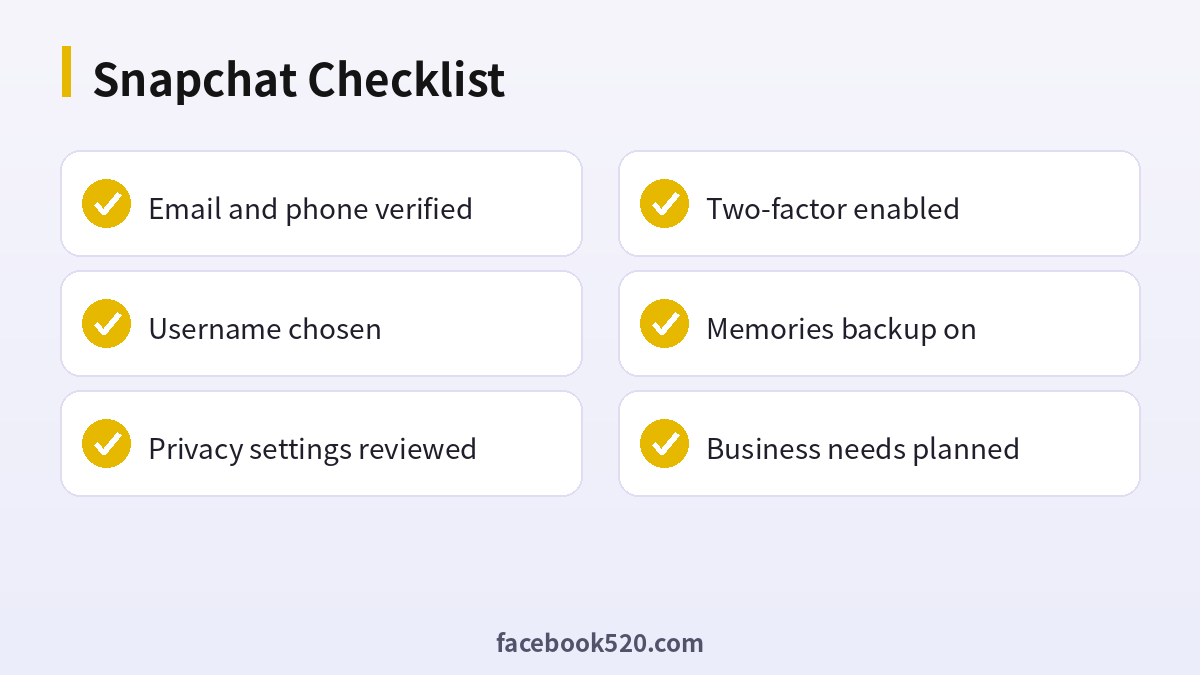
- Email and phone verified
- Username chosen
- Privacy settings reviewed
- Two-factor enabled
- Memories backup on
- Business needs planned
Snapchat sign-up FAQ
Is Snapchat free?
Yes. Snapchat+ is optional.
Can I create Snapchat on a computer?
Sign-up is designed for the mobile app, although a web version exists in some regions.
Can I change my username?
Not freely. Create a new account.
How many accounts can I make?
You can have several, each with unique credentials.
How long does it take to set up Snapchat?
The sign-up itself usually takes about five minutes. Completing the profile and security settings takes a little longer.
What if I already have an account?
Log in instead of creating a second one. Use the password reset option if you have forgotten the details.
Is it safe to let someone else register for me?
It is better not to. Anyone who creates the account first also holds the first recovery details, so do the registration yourself and add colleagues as members afterwards.
Can I change my email address later?
In most cases yes, through the account or security settings, but you will need access to both the old and new address, so update it before the old one is closed.
Do I need a phone number?
Email can work, but a phone number helps recovery.
What is Public Profile?
A profile type for creators who share with a wider audience.
Is Snapchat safe for teens?
Privacy and Family Center settings help. Review them together.
How do I delete my account?
Use the account portal. There is a waiting period before permanent deletion.

