


Plaud Pro Plan 2026: Price, 1,200 Transcription Minutes, Pro vs Unlimited vs Starter, Extra Minutes Packs and How to Subscribe or Cancel
If you own a Plaud recorder, the hardware is only half of the product. The transcripts, speaker labels, summaries and the “Ask Plaud” chat all run through Plaud Intelligence, and how much of that you can use each month depends on your plan. Most people searching for plaud pro want one of three answers: how much the Pro Plan costs, how many minutes it includes, and whether they should pick Pro or Unlimited instead.
This guide answers all three with the prices shown on Plaud’s official pricing page as checked on 20 November 2026, then goes further: what the free Starter plan really covers, when an Extra Minutes pack is cheaper than upgrading, how monthly and annual billing compare, and how to subscribe, switch or cancel without losing recordings. Prices and plan names can change, so always confirm on the official Plaud pricing page before you pay.
If you are comparing several AI subscriptions at once, our AI pricing hub collects plan guides for other tools, including Microsoft Copilot plans, ChatGPT subscription tiers and Claude pricing.
Plaud Pro vs the Plaud Note Pro device
The first source of confusion is the name. Plaud Note Pro is a physical recorder: a card-shaped device you buy once from Plaud’s store or a retailer. The Plaud Pro Plan is a software subscription for Plaud Intelligence. Buying the Note Pro device does not automatically give you the Pro Plan; every Plaud device comes with the free Starter plan, and you upgrade separately if you need more transcription time.
The good news is that one subscription covers all Plaud devices on your account. If you own a Note, a NotePin and a Note Pro, you do not pay three times. Your minutes are pooled at the account level, and recordings from any device count against the same monthly allowance.
So when someone asks “is Plaud Pro worth it”, first check which one they mean. This article is about the subscription. For device prices, check Plaud’s own store on the day you buy, because bundles and regional offers change often.
Plaud Pro Plan price in 2026
On Plaud’s pricing page the Pro Plan is listed at:
- $99.99 per year when billed annually, which works out to about $8.33 per month;
- $17.99 per month when billed monthly.
Both options include 1,200 transcription minutes per month, or 20 hours. The annual price is roughly 54% cheaper than paying month by month for a full year ($17.99 × 12 = $215.88). Prices on the official page are shown in US dollars; local taxes, currency conversion and app store pricing can make the amount you actually pay slightly different.
The Pro Plan includes the full Plaud Intelligence feature set: multimodal input, support for 112 languages, speaker labels, multidimensional summaries, the library of more than 10,000 summary templates, access to the latest AI models Plaud offers, Ask Plaud, AutoFlow, the Plaud App, Plaud Web and Plaud Desktop, plus export, sharing and integrations. Plaud also lists compliance certifications such as ISO 27001, SOC 2 Type II and HIPAA on the plan page.
Every Plaud plan compared
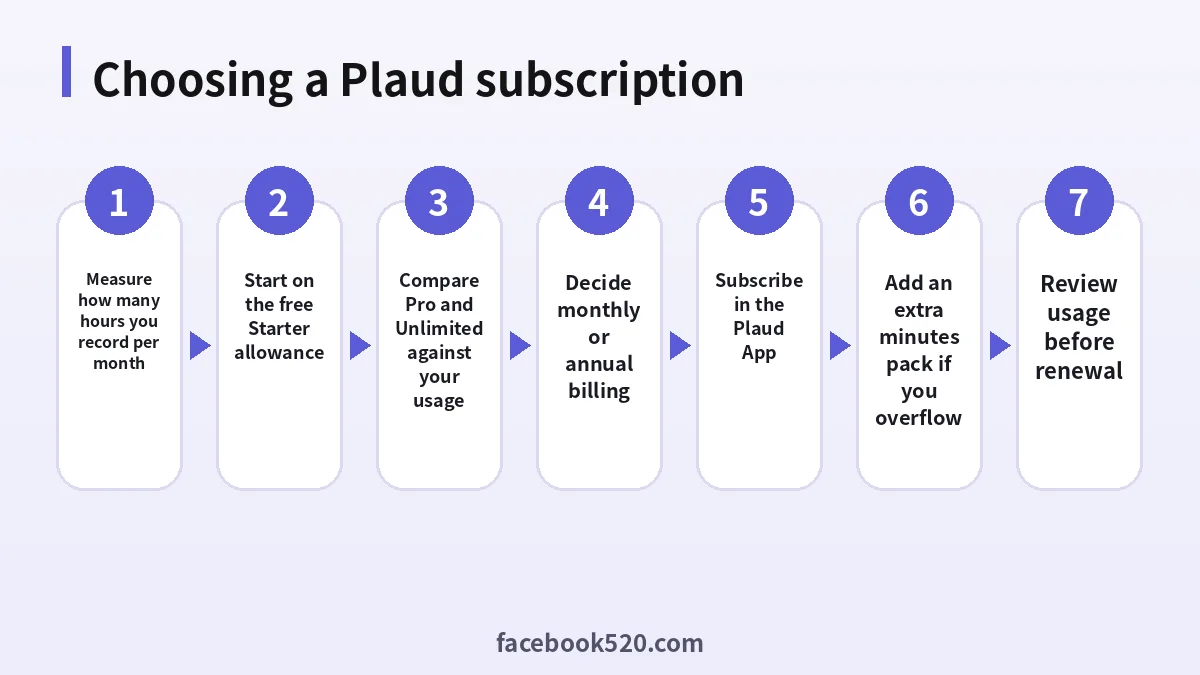
Here is the full line-up as shown on the official page on the date above.
| Plan | Annual billing | Monthly billing | Transcription minutes | Features |
|---|---|---|---|---|
| Starter | Free | Free | 300 per month | Core features |
| Pro | $99.99 per year ($8.33/month) | $17.99 per month | 1,200 per month | Full Plaud Intelligence |
| Unlimited | $239.99 per year ($20.00/month) | $29.99 per month | Unlimited, up to 24 hours per day | Full Plaud Intelligence |
| Team | $20 per user per month (launch offer) | $28 per user per month (launch offer) | Unlimited per user | Full features plus team workspace |
Two points stand out. First, Pro and Unlimited have the same features; the only difference is transcription capacity. Second, the Team plan prices above are a launch offer that Plaud says runs until 30 November 2026, after which the listed price becomes $25 per user per month on annual billing or $35 on monthly billing. If you are planning a team purchase in December, budget with the later price.
How many minutes do you actually need?
The 1,200-minute limit sounds large until you translate it into your week. Twenty hours a month is roughly one hour of recording per working day. A few practical examples:
- A freelancer recording two 30-minute client calls per day, five days a week, uses about 1,300 minutes a month. That is just over the Pro allowance.
- A manager recording three one-hour meetings a week uses about 780 minutes a month. Pro is comfortable.
- A doctor, lawyer or journalist recording four to six hours a day will burn through 1,200 minutes in less than a week. Unlimited is the obvious choice.
- A student recording two 90-minute lectures per week uses roughly 780 minutes a month during term. Pro fits; in holidays the Starter plan might be enough.
Plaud’s own rule of thumb is simple: if your monthly recording volume is regularly above 20 hours, Unlimited is the more cost-effective plan. Below that, Pro usually wins.
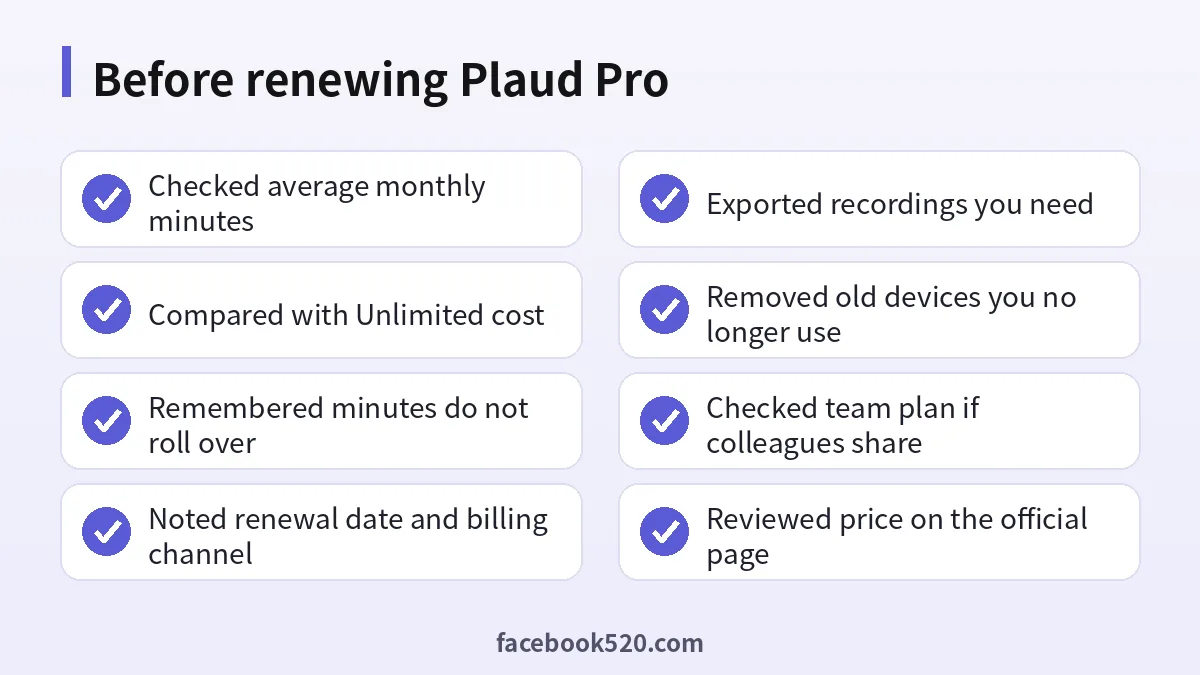
Keep in mind that unused minutes do not roll over. Minutes reset at the start of each billing month on every plan, so a quiet month does not bank time for a busy one.
Extra Minutes packs: cheaper than upgrading?
If you only go over the Pro allowance occasionally, Plaud sells one-time Extra Minutes top-ups. According to Plaud’s published comparison, packs come in three sizes:
| Pack | Price | Validity |
|---|---|---|
| 600 minutes | $12.99 | 24 months after activation |
| 3,000 minutes | $59.99 | 24 months after activation |
| 6,000 minutes | $99.99 | 24 months after activation |
Your Pro minutes are used first each month, and add-on minutes are used automatically only after the monthly allowance runs out. Because packs last 24 months once activated, they work well for seasonal peaks such as a conference season or end-of-quarter interviews.
The break-even is easy to calculate on annual billing. Unlimited costs $140 more per year than Pro ($239.99 minus $99.99). If your overflow in a year is under roughly 6,000 minutes, Pro plus packs is usually cheaper; if you overflow every month by many hours, Unlimited wins and also removes the need to watch your balance before an important meeting. Plaud’s own example: three busy months that each go 10 hours over cost $99.99 plus three 600-minute packs ($38.97), or $138.96 in total, versus $239.99 for Unlimited.
Monthly or annual billing?
Annual billing is clearly cheaper: $8.33 a month instead of $17.99 for Pro, and $20.00 instead of $29.99 for Unlimited. Monthly billing makes sense in only a few situations:
- you just bought your first Plaud device and want to test whether you will really use it;
- you only need heavy transcription for a short project, such as a two-month research study;
- your employer may provide a Team plan soon and you do not want to lock in a personal annual plan.
Plaud says you can move from monthly to annual later in the Plaud App for individual plans, and on web.plaud.ai for the Team plan. A sensible approach is to run one or two months on monthly billing, check your real usage in the app, then switch to annual on the plan that matches.
How to subscribe to Plaud Pro
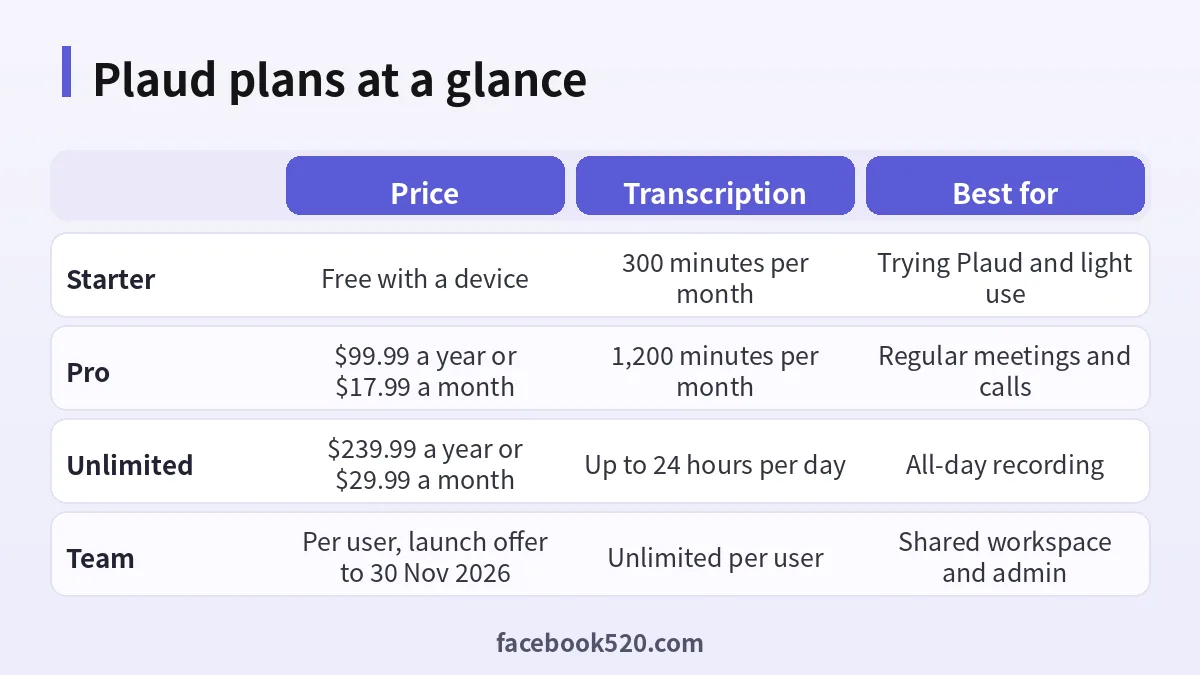
The subscription is managed from your Plaud account. The usual path looks like this:
- Install the Plaud App on your phone and sign in with the account linked to your device.
- Record for a week or two on the free Starter allowance to see how many minutes you use.
- Open the membership or plan section in the app and compare Pro and Unlimited.
- Choose monthly or annual billing and confirm the price shown for your region.
- Pay with the payment methods offered in the checkout; app store purchases follow Apple or Google billing rules.
- Check that the new minute allowance appears in your account.
- Set a calendar reminder a week before the renewal date to review your usage.
If you buy through an app store, renewals, refunds and cancellations follow that store’s rules, and the price may differ slightly from Plaud’s website. If you buy on Plaud’s site, manage the subscription from your Plaud account instead. Mixing channels is a common reason people end up paying twice, so pick one.
How to switch plans or cancel
Switching from Pro to Unlimited is usually immediate: you pay the difference according to the checkout shown and get the larger allowance. Moving down from Unlimited to Pro, or cancelling, normally takes effect at the end of the current billing period, so you keep what you paid for until then.
Before you cancel, export anything you need. Transcripts, summaries and audio files are easier to keep as local exports than to rely on a free plan with limited features. Also check whether you have active Extra Minutes packs; they keep their 24-month validity, but you will want a plan that lets you use them.
If you subscribed through Apple or Google, cancel in that store’s subscription settings, not only in the Plaud App. Deleting the app does not stop the renewal.
Which plan fits common roles
Usage patterns differ a lot by job, so it helps to translate the plans into typical weeks rather than abstract minutes.
Sales representatives who record discovery calls and demos tend to sit right on the boundary. Ten 45-minute calls a week is about 1,950 minutes a month, which is well above Pro. If those calls drive revenue, Unlimited is usually easier than juggling packs.
Consultants and agency staff often record a handful of client workshops each week plus internal stand-ups. Many stay under 20 hours, and the summary templates for meeting minutes and action items are the main value. Pro on annual billing is the typical choice.
Researchers and journalists have bursty usage: weeks of interviews followed by weeks of writing. Pro plus a 3,000-minute pack, used across a 24-month window, often costs less than a year of Unlimited.
Students recording lectures should look at term length. Four 90-minute lectures a week is about 1,560 minutes a month during term, so Pro alone is slightly short; a small pack or selective recording keeps costs down, and the Starter plan may cover holidays.
Healthcare and legal professionals who document consultations all day are the users Unlimited was designed for, and they should also review compliance requirements with their organisation before uploading anything.
Is Plaud Pro worth it?
Whether Plaud Pro pays off depends on how much you record and what you would otherwise do with those recordings. If you currently spend an hour after each meeting writing notes, even a few meetings a week can make the Pro Plan feel inexpensive. If you only record a lecture now and then, the free 300-minute Starter allowance may be all you need.
Compared with general AI assistants, Plaud’s value is the pipeline: the device captures the audio, the app transcribes and labels speakers, and the summary templates turn it into meeting notes, interview summaries or lecture outlines. General chatbots can summarise text, but you would still need a separate recorder and transcription step. If you already pay for a general assistant, see our guides to Perplexity pricing or Claude pricing to compare what overlaps.
A few situations where Pro is usually not the best fit:
- You record more than 20 hours almost every month: go straight to Unlimited.
- Several colleagues need the same workspace and admin control: look at the Team plan.
- You almost never exceed 300 minutes: stay on Starter and buy a small pack for busy weeks.
Privacy and data considerations
Plaud recordings often contain sensitive conversations: client calls, medical consultations, interviews. Before you subscribe, read Plaud’s privacy policy and check the data region and retention options available in your account. Tell participants when you record, follow the consent rules in your country, and avoid uploading recordings you are not allowed to share. Strong account security matters too: use a unique password and turn on any extra sign-in protection Plaud offers.
Avoid “cheap Plaud Pro” offers
As with most AI subscriptions, you will find marketplace listings offering shared or “lifetime” Plaud memberships for a fraction of the official price. These usually mean logging into someone else’s account or a gift subscription bought with an unknown payment method. The risks are the same as with other shared AI accounts: your recordings sit in a stranger’s account, the subscription can be revoked at any time, and you have no support if something goes wrong. Our platform hub has more guides on why shared accounts are a poor fit for anything containing private data.
If price is the main concern, the legitimate savings are annual billing, Extra Minutes packs instead of a permanent upgrade, and official promotions that Plaud announces on its own site.
Frequently asked questions
How much is Plaud Pro per month?
The Pro Plan is $17.99 per month on monthly billing, or $99.99 per year on annual billing, which is about $8.33 per month. Check the official page for your region before paying.
How many minutes does Plaud Pro include?
1,200 transcription minutes per month, which equals 20 hours. Minutes reset each billing month and do not roll over.
What is the difference between Plaud Pro and Plaud Unlimited?
The features are the same. Pro includes 1,200 minutes per month; Unlimited allows transcription of up to 24 hours per day. Unlimited costs $239.99 per year or $29.99 per month.
Is there a free Plaud plan?
Yes. Every Plaud device includes the Starter plan with 300 transcription minutes per month and core features.
Do I need a separate subscription for each Plaud device?
No. One plan covers all Plaud devices linked to your account, and minutes are shared across them.
Can I buy extra minutes without upgrading?
Yes. Extra Minutes packs of 600, 3,000 and 6,000 minutes cost $12.99, $59.99 and $99.99, and stay valid for 24 months after activation. They are used after your monthly plan minutes run out.
Does Plaud Pro work without the device?
The subscription is designed around Plaud devices, but the app, web and desktop apps let you work with your recordings and supported imports. Check the current feature list in the app for which file types can be uploaded.
How much does the Plaud Team plan cost?
At the launch price, $20 per user per month on annual billing or $28 on monthly billing, valid until 30 November 2026. After that Plaud lists $25 and $35 per user per month respectively.
Can I switch from monthly to annual later?
Yes. Plaud says individual plans can be switched to annual billing in the Plaud App, and Team plans on web.plaud.ai.
How do I cancel Plaud Pro?
Cancel in the same place you subscribed: your Plaud account for direct purchases, or the Apple or Google subscription settings for app store purchases. Export recordings you want to keep before the period ends.
Is the Plaud Note Pro the same as Plaud Pro?
No. Plaud Note Pro is a recorder device; Plaud Pro is a subscription plan. The device includes the free Starter plan, and Pro is an optional upgrade.
Bottom line
For most professionals who record an hour or so of meetings a day, the Plaud Pro Plan on annual billing at $99.99 is the sweet spot: full features, 20 hours a month, and Extra Minutes packs for the occasional busy month. If you record for several hours most days, Unlimited is cheaper in practice and removes the anxiety of running out. Start on Starter, measure your real usage for a couple of weeks, and then commit to the plan that matches what you actually record.

