


Luma Dream Machine Pricing 2026: Plus, Pro and Ultra Plans, Legacy Lite and Unlimited in the App, Credits per Video, Top-Ups and How to Pay
Luma’s Dream Machine became famous for turning a text prompt or a single photo into a cinematic clip with believable camera motion. In 2026 it is a full creative platform: Luma’s own Ray video models and Photon image models sit next to third-party engines such as Kling, Seedance, Veo, Nano Banana and GPT Image, plus the Luma Agents that plan and assemble whole sequences. All of it is paid for with credits, and that is why luma dream machine pricing confuses so many people. The monthly price is easy to see. What a credit buys depends entirely on the model, resolution and length you choose.
This guide walks through the current web plans, the older Lite, Plus and Unlimited plans still sold in the iOS app, real credit costs per video and image, top-ups, API billing, payment and cancellation. If you are comparing video tools, our guides to Runway pricing, Kling AI pricing and Krea AI pricing follow the same structure so you can compare like for like.
Pricing note: figures come from lumalabs.ai/pricing and Luma’s Learning Hub as displayed in November 2026, plus the App Store listing for the iOS app. Luma changes models and credit rates often, and sales tax or VAT may be added at checkout. Treat every number as a snapshot and confirm the total before paying.
Luma Dream Machine pricing at a glance
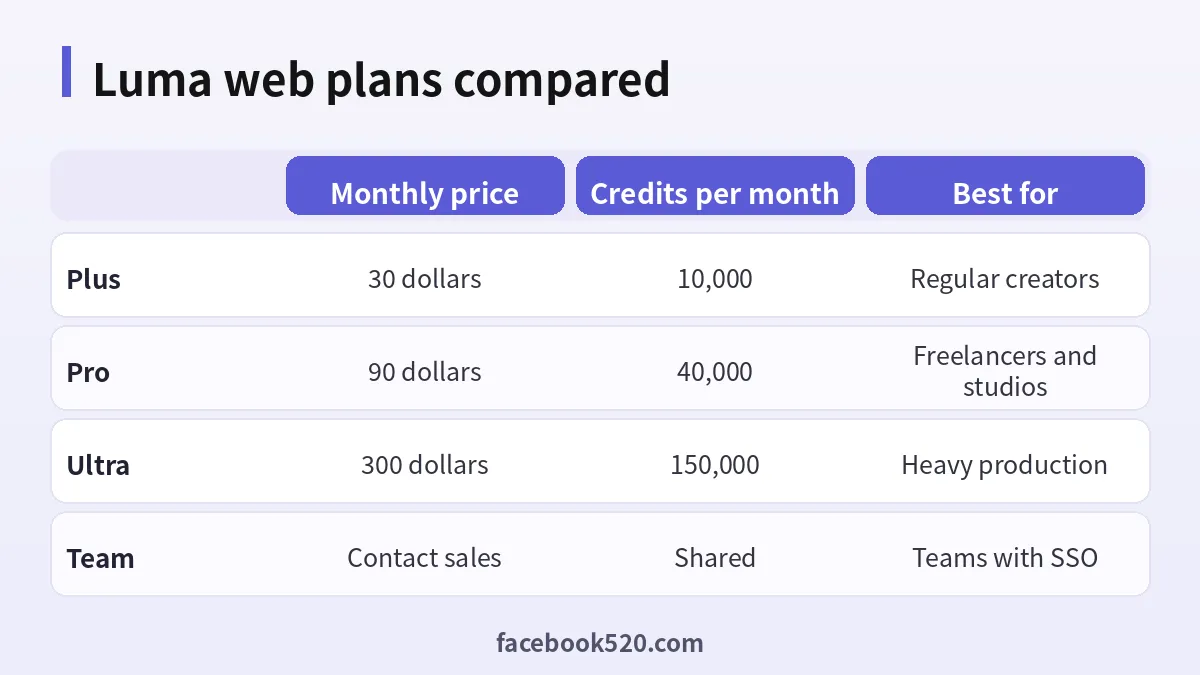
The web pricing page lists three individual plans and two business plans.
| Plan | Monthly billing | Yearly billing | Credits per month | Key inclusions |
|---|---|---|---|---|
| Plus | $30 | $25 a month ($300 a year) | 10,000 | Luma and third-party image and video models, edit access for guest collaborators, commercial use |
| Pro | $90 | $75 a month ($900 a year) | 40,000 | Everything in Plus, 4x usage with Luma Agents |
| Ultra | $300 | $250 a month ($3,000 a year) | 150,000 | Everything in Pro, 15x usage with Luma Agents |
| Team | Contact sales | Contact sales | Shared team credits | Member management, projects, team-wide sharing, usage analytics, SSO |
| Enterprise | Contact sales | Contact sales | Custom | Everything in Team plus enterprise commitments, training, custom fine-tuning |
Luma advertises “Save up to 20% with yearly”, which matches the numbers: yearly billing costs the equivalent of ten months.
Web plans vs the iOS app: why you see different prices
Many readers report seeing “Lite for $9.99” or “Unlimited for $94.99” and wonder whether the website is wrong. It is not. The iOS app still lists the older plan family as in-app purchases:
| App Store item (US) | Monthly | Annual |
|---|---|---|
| Lite | $9.99 | $95.99 |
| Plus | $29.99 | $289.99 |
| Unlimited | $94.99 | $919.99 |
| Dream Machine Credits (one-time) | $4.00 | not applicable |
Luma’s Learning Hub, updated in January 2026, describes those plans as follows: Lite gives 3,200 credits a month with 1080p images but watermarks and non-commercial use only; Plus gives 10,000 credits, no watermarks and full commercial rights; Unlimited keeps 10,000 fast credits and adds unlimited relaxed generations. The same page notes that the iOS prices for these plans were higher than the web versions at the time, for example Plus at $37.99 on iOS versus $29.99 on the web, so the price you see depends on where and when you subscribe.
In practice:
- If you subscribe on lumalabs.ai, you get the current Plus, Pro and Ultra lineup.
- If you subscribe inside the iOS app, you may be offered the legacy Lite, Plus and Unlimited tiers at App Store prices, billed and cancelled through Apple.
- If you already pay for a legacy plan, check your account page before switching, because a legacy feature such as relaxed generation may not exist in the new tier you move to.
Is there a Luma Dream Machine free plan?
Luma has offered a free tier for exploration. According to the Learning Hub, the free tier was limited to image creation with Photon and draft-resolution video, with 720p watermarked output for personal use only. Whether a free tier is shown, and exactly what it includes, depends on your account and region at sign-up, so check the plan options after you log in. Treat free access as a way to learn the interface and test prompts, not as a production tool: watermarks and personal-use limits rule it out for client work.
What a credit actually buys
Credits are charged per generation, and rates vary enormously between models. Here are representative rates from the pricing page in November 2026:
- Ray3.2 or Ray3.14 video (SDR): 20 credits for 5 seconds at 360p, 50 at 540p, 100 at 720p and 400 at 1080p. HDR doubles the cost and HDR plus EXR triples it.
- Kling 4.0: 53 credits per second at 720p and 79 per second at 1080p, with audio.
- Seedance 2.5: 78 credits per second at 720p and 191 per second at 1080p.
- Veo 3.1: 140 credits per second at 720p or 1080p.
- Nano Banana Pro images: 23 credits at 1K, 35 at 2K and 53 at 4K.
- GPT Image 2: from 3 credits at low quality 1K up to 255 at high quality 4K.
- Upscaling video with Luma: 10 credits per second to 1080p, 15 to 2K and 25 to 4K.
Turning that into monthly output on the Plus plan’s 10,000 credits gives a feel for the numbers:
| What you generate | Credits each | Roughly how many on Plus (10,000 credits) |
|---|---|---|
| Ray3.2 clip, 5 s, 720p SDR | 100 | about 100 clips |
| Ray3.2 clip, 5 s, 1080p SDR | 400 | about 25 clips |
| Ray3.2 clip, 5 s, 720p HDR | 200 | about 50 clips |
| Kling 4.0 clip, 5 s, 720p | about 265 | about 37 clips |
| Veo 3.1 clip, 5 s | 700 | about 14 clips |
| Nano Banana Pro image, 1K | 23 | about 430 images |
These are best-case figures without retries. Real projects need several attempts per shot, so a sensible budget assumes that only a third to a half of your generations end up in the final edit.
Plus, Pro or Ultra: which plan fits you
Plus at $30 a month is the entry point for anyone who needs commercial rights. Ten thousand credits are enough for a steady flow of social clips at 720p, storyboards, product shots and experiments with third-party models. Most solo creators and marketers start here.
Pro at $90 a month quadruples the credits to 40,000 and gives four times the Luma Agents usage. It suits freelancers producing client videos every week, small studios and anyone who regularly works at 1080p or with premium third-party models such as Veo, where credits disappear quickly.
Ultra at $300 a month gives 150,000 credits and fifteen times the agent usage. It is designed for production teams that generate all day, agencies running several campaigns at once and filmmakers using HDR and EXR output for grading. If you are buying top-ups on Pro every month, compare the cost with Ultra.
Team and Enterprise add shared credits, member management, analytics and SSO, and Enterprise adds commitments, training and custom fine-tuning. Pricing is by quote.
A quick way to decide
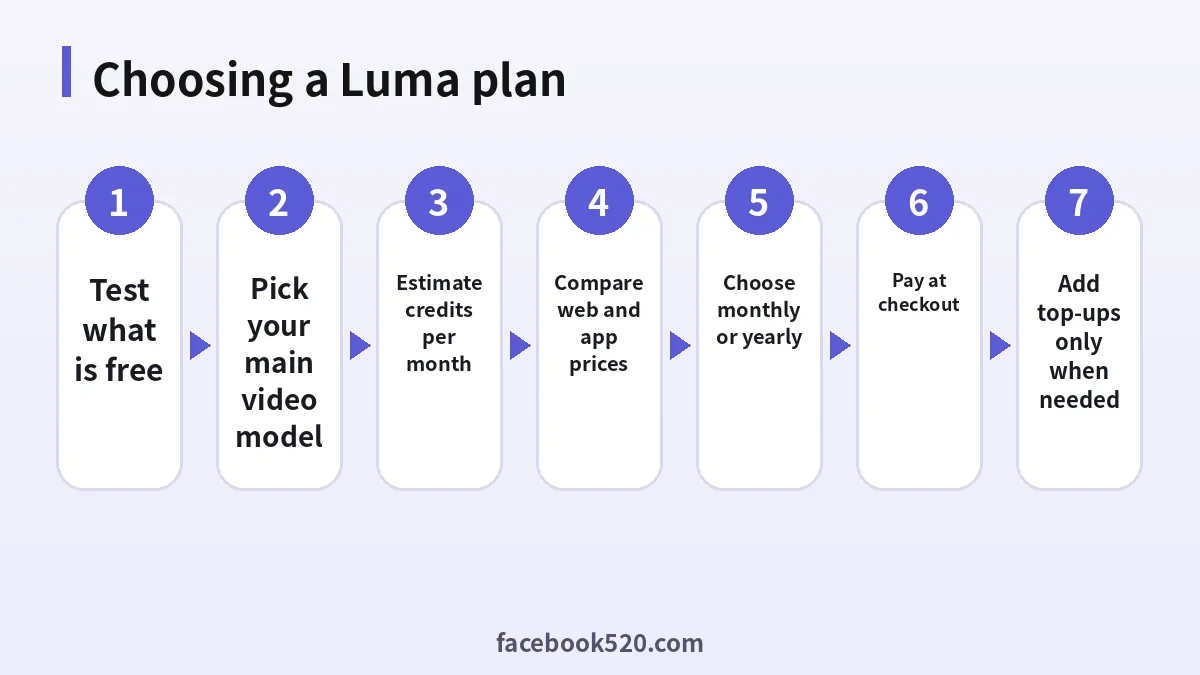
- Generate a week of typical work on your current plan and note the credits used.
- Multiply by four and add 30 percent for retries.
- If the total is under 10,000, Plus is enough; under 40,000, choose Pro; above that, compare Pro plus top-ups with Ultra.
- Choose yearly billing only once your usage is stable for two months.
Three example monthly budgets
Abstract credit tables only help so much. Here is how three typical users might budget on Luma, using the November 2026 rates and assuming roughly two retries per final shot. These are illustrations, not guarantees.
The social media manager. She needs twelve short vertical clips a week for Instagram and TikTok, mostly Ray3.2 at 720p, 5 seconds each, plus a handful of Nano Banana Pro images for thumbnails. Forty-eight final clips a month with retries means about 144 generations at 100 credits, or 14,400 credits, plus perhaps 1,000 credits of images. That is more than Plus offers. She can either drop some clips to 540p drafts before the final render, which keeps her within 10,000 credits, or buy a few top-ups. Pro would be overkill unless volume grows.
The freelance video editor. He delivers two client spots a month, each built from around fifteen 1080p shots, and he likes to test Kling 4.0 and Veo 3.1 for specific scenes. Thirty final 1080p Ray shots with retries come to about 90 generations at 400 credits, or 36,000 credits, before any third-party models. Pro’s 40,000 credits fit, with a small buffer for Veo tests.
The small production studio. Three artists work daily, render in HDR for grading and use the agents to assemble rough cuts. Their consumption easily passes 100,000 credits a month. Ultra, or a Team plan with shared credits and usage analytics, is the realistic choice, and they should ask sales about Enterprise once commitments and training become relevant.
The pattern is consistent: resolution and model choice matter more than the plan name. Moving final renders from HDR to SDR, or from Veo to Ray, can change your required plan by a whole tier.
Top-up credits and what happens when you run out
When monthly credits run out, Luma lets paid subscribers buy top-up credits. According to the Learning Hub:
- Top-ups start at $4 for 1,200 credits and can be bought several times or in bulk.
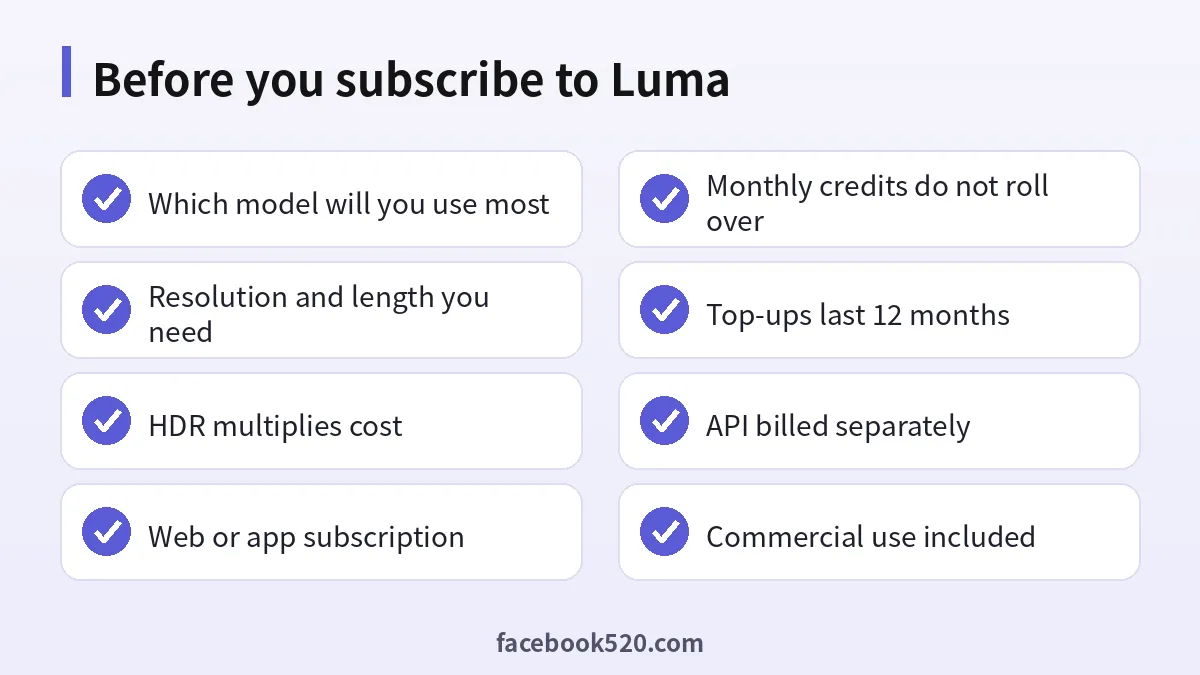
- They are valid for 12 months, roll over and are used automatically after your monthly credits.
- They are only available on an active paid plan.
- If you cancel or drop to Free, unused top-ups are hidden but stay valid and reactivate when you return to a paid plan.
- You buy them from Your Account > Your Subscription > Buy Credits.
Monthly plan credits, by contrast, do not roll over. They refresh on the same day each month based on your original subscription date, even if you change plans. That makes top-ups the right tool for occasional spikes, and an upgrade the right tool when you run short every month.
Luma API pricing is separate
Developers often assume a subscription covers the API. It does not. Luma states that Dream Machine subscriptions and the Dream Machine API are separate, and credits do not transfer between them. API usage is bought separately through Luma’s developer documentation and billed per generation. Budget for it on its own if you are integrating Luma into an app or pipeline.
How to pay for Luma and manage your plan
- Sign in at lumalabs.ai with Google, Apple or email and open Pricing.
- Toggle monthly or yearly, then choose Plus, Pro or Ultra.
- Pay with a credit or debit card at checkout. Depending on your country, other wallet options may appear.
- Check the total including any sales tax or VAT, and confirm. Your bank may request 3-D Secure verification.
- Credits appear on your account immediately; invoices are available under Manage Your Subscription > Invoice Information, or from support.
If you subscribed in the iOS app, Apple handles billing, so payment method changes, refunds and cancellation all go through your Apple ID subscriptions.
Upgrading mid-cycle is prorated: you pay the difference for the time remaining in the current cycle. Cancelling stops renewal; you keep access until the end of the paid period. Because monthly credits do not roll over, use them before the period ends.
If a card is declined, the usual causes are online or international payments being disabled, a low online limit or a billing address mismatch. Virtual cards often work if the issuer allows recurring merchant charges.
Luma compared with other AI video tools
| Tool | Entry paid plan | Pricing model | Strength | Watch out for |
|---|---|---|---|---|
| Luma Dream Machine | $30 a month (web Plus) | Credits across Luma and third-party models | Ray models, HDR and EXR output, agents | 1080p and HDR consume credits fast |
| Runway | about $12 to $15 a month | Credits per second | Editing tools, own Gen models | Small credit pool on Standard |
| Kling AI | low-cost entry plans | Credits per video | Strong motion, long clips | Mostly a single model family |
| Krea | $9 a month | Compute units across many models | Real-time canvas, upscaling | Premium video drains units |
If you mostly use one third-party model, compare its native service directly; it may be cheaper. Luma’s advantage is having its own Ray models plus several third-party engines and agents under one balance. For still images, Midjourney pricing remains a useful benchmark.
Ways to keep your Luma bill down
- Draft first. Use draft or 360p and 540p generations to find the composition, then render the final shot at 1080p.
- Avoid HDR until the final pass. HDR doubles and HDR plus EXR triples the cost.
- Keep clips short. Generate 5-second shots and extend only the ones that work.
- Pick the right model. Ray at 720p is far cheaper per second than Veo 3.1.
- Use top-ups for spikes, upgrades for patterns. Top-ups last 12 months; monthly credits do not.
- Never buy shared accounts. Cheap “Luma Unlimited” logins sold online break the terms, can be revoked at any time and give no commercial rights.
Frequently asked questions about Luma Dream Machine pricing
How much does Luma Dream Machine cost per month?
On the web, Plus costs $30, Pro $90 and Ultra $300 a month, or $25, $75 and $250 a month on yearly billing, as listed in November 2026.
Is Luma Dream Machine free?
Luma has offered a limited free tier for exploration with watermarked, personal-use output. Check the plan options on your account, as availability can change.
Why does the iOS app show Lite and Unlimited?
The App Store still sells the legacy Lite, Plus and Unlimited plans as in-app purchases, at App Store prices. The website shows the current Plus, Pro and Ultra lineup.
Do Luma credits roll over?
Monthly plan credits do not roll over. Top-up credits are valid for 12 months and do roll over.
How much is a Luma top-up?
Top-ups start at $4 for 1,200 credits and are only available on an active paid plan.
How many videos do I get on Plus?
About 100 Ray3.2 clips of 5 seconds at 720p, or about 25 at 1080p, before retries. Premium third-party models such as Veo 3.1 give far fewer.
Can I use Luma videos commercially?
Yes on the current Plus, Pro and Ultra web plans. On the legacy app plans, Lite was non-commercial and Plus and Unlimited included commercial rights.
Does my subscription include the Luma API?
No. Subscriptions and the API are separate and credits do not transfer between them.
Is yearly billing worth it?
It saves up to 20 percent, but only lock in once your monthly usage has been stable for a couple of months.
Can I upgrade in the middle of a billing cycle?
Yes. Upgrades are prorated and your credit refresh date stays the same.
How do I cancel?
Cancel from your Luma account if you subscribed on the web, or from Apple ID subscriptions if you subscribed in the iOS app. Access continues until the period ends.
What happens to top-ups if I cancel?
They are hidden but remain valid for their 12-month life and reactivate if you subscribe again.
Final verdict on Luma Dream Machine pricing
Luma Dream Machine pricing in 2026 is straightforward at the plan level and complex at the credit level. Plus at $30 is the right start for most creators who need commercial rights. Pro at $90 makes sense once you work at 1080p or with premium third-party models every week, and Ultra at $300 is for production teams. Be aware that the iOS app may show different, legacy plans at App Store prices, that monthly credits expire while top-ups last a year, and that the API is billed separately.
Estimate your credits per month before you subscribe, draft cheaply, render the final shots in high quality, and pay only on Luma’s official site or app. For side-by-side comparisons, see our guides to Runway pricing, Kling AI pricing, Krea AI pricing and the index of all platform hubs.

