


Kwai Account in 2026: How to Create One, Sign-In Methods, Age Rules and Parental Control, Kwai ID Rules, Linking a Phone Number, Security, Privacy, Rewards and Balance, Restrictions and Deleting Your Account
Kwai is the international short-video app from Kuaishou, one of China’s largest video platforms. Outside China it is especially popular in Brazil and other parts of Latin America, and it has users across the Middle East, Southeast Asia and beyond. If you have seen Kwai videos shared on WhatsApp or been invited by a friend with a referral link, you have probably wondered how a Kwai account works, whether it is different from TikTok, and what happens to your videos and rewards balance if you leave.
This guide covers the whole life of a Kwai account in 2026: how to create one and which sign-in methods exist, the age rules and parental control, the Kwai ID and nickname, linking a phone number, security, privacy, the rewards and balance side of the app, restrictions and bans, and how account deletion works. Facts were checked on 26 November 2026 against the Kwai Help Center and the Kwai Terms of Service (last modified September 2026). Portuguese readers can also use our Conta Kwai guide, written for the Brazilian market.
What a Kwai account is
Your Kwai account is the identity behind everything you do in the app. It holds:
- Your Kwai ID, a unique handle people can use to find you.
- Your nickname and profile: photo, bio and links.
- Your sign-in method: a phone number, an email address, or a Google or Facebook connection.
- Your videos, likes, comments, follows and messages.
- Your privacy and notification settings.
- Your balance: rewards earned through app activities or creator programmes, where available in your country.
Creating a Kwai account is free. You can watch videos without an account, but posting, commenting, following and taking part in reward activities all require one.
Kwai is operated outside China by Joyo Technology Pte Ltd and affiliates (for example Joyo Tecnologia Brasil Ltda in Brazil), according to its Terms of Service. There is also a lighter app, Kwai Lite, with its own terms; the instructions below apply to the main Kwai app unless noted.
Age rules and parental control
Kwai’s Terms of Service (September 2026) set clear age rules:
- You must be at least 14 years old, or older if the law in your country sets a higher minimum.
- If you are at least 14 but under 16, you may only register and use an account through your parent or legal guardian, who accepts the terms on your behalf.
- Parental Control is mandatory for users identified as under 16.
- Kwai recommends the app for people aged 16 and above.
- Some features, such as hosting live streams, reward programmes, top-ups and tipping, may be limited or unavailable to minors without a parent or guardian.
Kwai Lite’s terms use a minimum age of 13, with parental representation below the local age of majority. If you are a parent, set up the account with your teenager rather than letting them pick a false birth year: a wrong age switches off the protective defaults and can lead to the account being removed when Kwai verifies it.
| Age | Main Kwai app | What applies |
|---|---|---|
| Under 14 | Not allowed | Account removed if detected |
| 14 to 15 | Allowed via parent or guardian | Parental Control mandatory |
| 16 to local age of majority | Allowed | Some money features may need a guardian |
| Adult | Allowed | Full features where available |
How to create a Kwai account
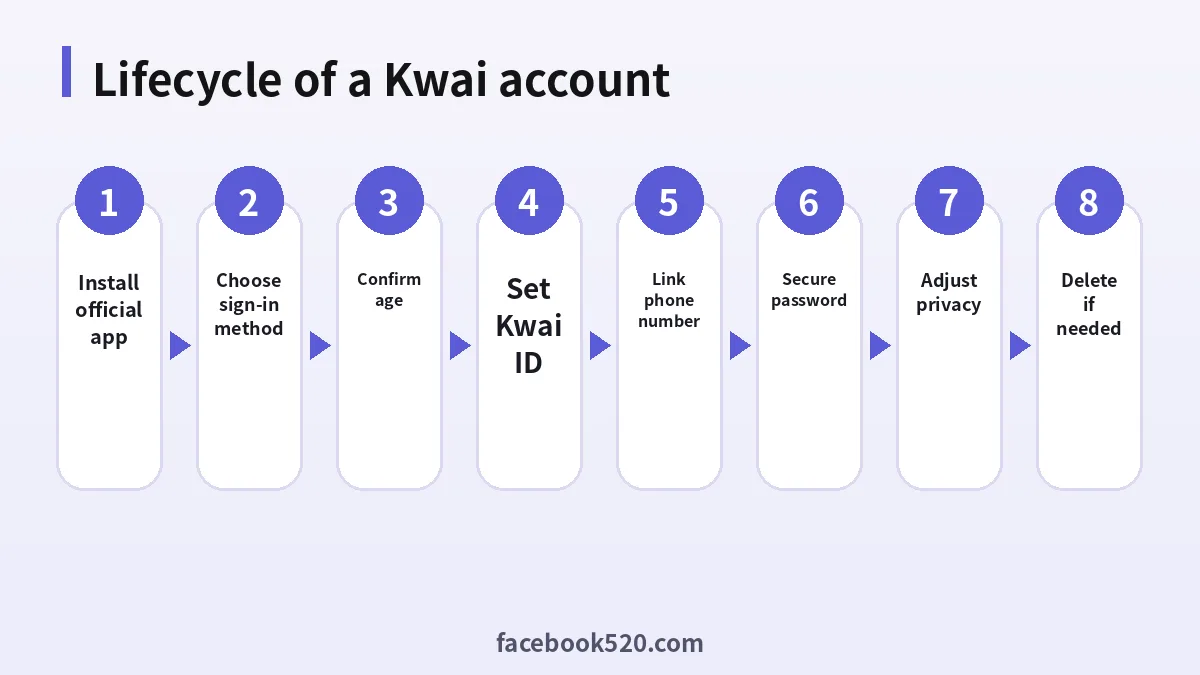
Kwai’s official materials describe three ways to register: a valid email address or mobile phone number, Facebook, or Google. The app is available from Google Play and the Apple App Store.
- Install Kwai from Google Play or the App Store. Avoid APK files from other sites.
- Open the app and tap the profile icon in the bottom-right corner.
- Choose a sign-up method: phone number, Google or Facebook (email may appear depending on your version and region).
- With a phone number, enter it with your country code and type in the verification code sent by SMS.
- Set a username and a password when prompted.
- Confirm your birthday honestly.
- Open Edit Profile to add a photo, bio and your Kwai ID.
- Review privacy settings before posting your first video.
Signing up with Google or Facebook is quick, but your access then depends on that external account. If you later lose your Google or Facebook login, Kwai access becomes harder to recover, so link a phone number as a backup.
Kwai ID and nickname
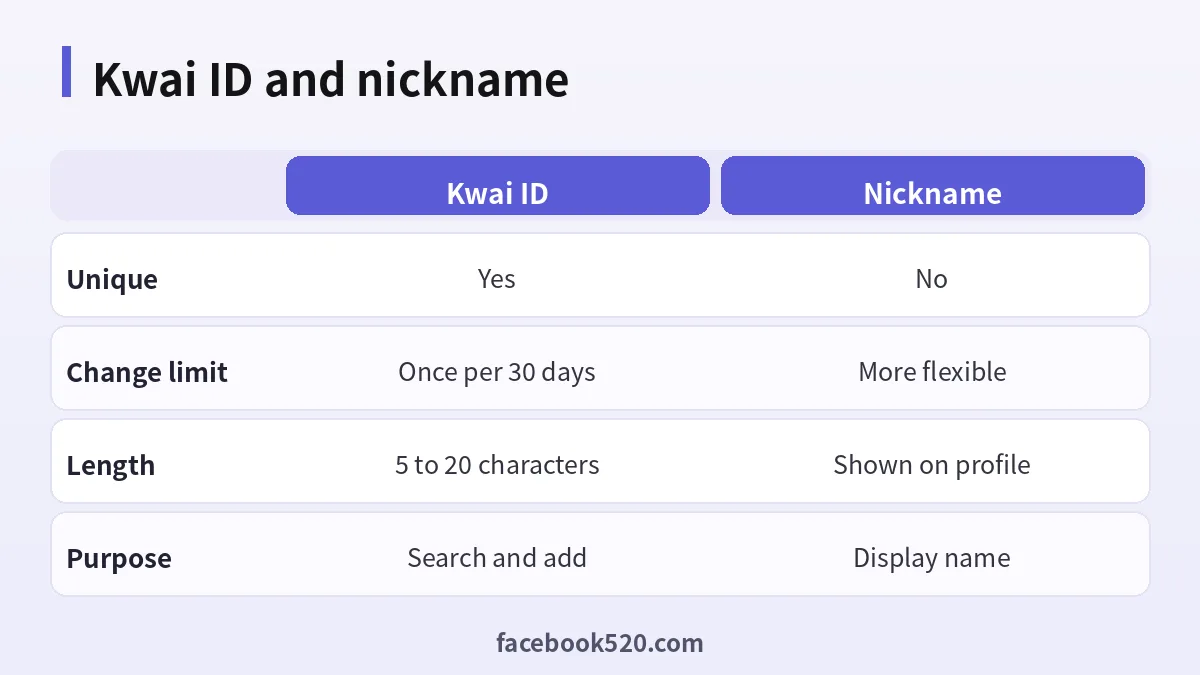
The Kwai ID is your unique identifier; friends can search it to find you. The Help Center lists these rules:
- It can only be changed once every 30 days.
- It must be 5 to 20 characters long.
- Allowed characters are upper- and lowercase letters, numbers and the symbols hyphen, underscore and full stop.
- It must contain at least one letter.
- Some words are considered sensitive and are not allowed.
To change it, go to your profile, tap Edit Profile, then Update next to Kwai ID, enter the new ID and confirm. Your nickname is the display name shown on your profile and videos; it does not need to be unique. Contracted creators who need an ID or username change outside these rules are told to go through their agency or the creator support channel in Creator Central.
| Item | Kwai ID | Nickname |
|---|---|---|
| Must be unique | Yes | No |
| How often you can change it | Once every 30 days | More flexible |
| Length | 5 to 20 characters | Shown on profile |
| Characters | Letters, numbers, – _ . (at least one letter) | Wider range |
| Used for | Being found and added | Display name on videos |
Pick a Kwai ID that you are happy to keep for at least a month, and avoid putting your phone number or full birth date in it.
Linking a phone number
If you registered with a phone number, it is already linked. If you used Google or Facebook, link one now:
- Go to Profile, tap the menu in the top-right corner and open Settings.
- Tap the phone number field.
- Enter the number you want to link and set a password of 6 to 16 characters.
- Enter the verification code to finish.
Kwai currently supports only one phone number per account. Use a number you will keep; if you change SIM cards or carriers, update the number while you can still log in. A recycled number from a previous owner can cause problems at sign-up, because it may already be tied to another account.
Changing phones and logging in again
Your videos, follows and Kwai ID live on Kwai’s servers, so a new phone does not mean a new account. Install the official app on the new device and log in with the same method you used before: the linked phone number and verification code, or the same Google or Facebook account. If you signed up with Google or Facebook and never linked a phone number, make sure that external account still works before you reset the old phone.
A few practical tips:
- Log out of Kwai on the old device before you sell or give it away.
- If you are changing your phone number as well, log in on the new device first and then update the linked number in Settings while you still receive SMS on the old one.
- Drafts that were never posted may only exist on the old phone; post or export them first.
- If you get a message that the number is already linked to another account, it may be a recycled number. Contact support through the app rather than creating a second account.
Securing your Kwai account
Kwai accounts attract scammers because they can hold a rewards balance and reach an audience. Protect yours with these habits:
- Use a unique password. Do not reuse your email, Facebook or banking password.
- Never share SMS codes. A code sent by Kwai is the key to your account. Anyone asking for it, including someone claiming to be Kwai support, is trying to take over the account.
- Only use the official app. Modified versions that promise extra rewards or downloads without watermarks can steal your login.
- Check linked accounts. If you signed in with Google or Facebook, secure those accounts with two-step verification too; our TikTok account guide explains why this matters for short-video apps in general.
- Log out of shared phones. Many people in the same household share a device; log out when you hand it over.
Common Kwai scams
| Scam | How it looks | What to do |
|---|---|---|
| Fake reward payout | Message saying you won and must “confirm” with a code | Ignore; Kwai rewards appear inside the app |
| Paid followers or views | Offers to boost your account for a fee | Avoid; fake engagement breaks the rules |
| Account sellers | “Aged” or monetised Kwai accounts for sale | Do not buy; accounts are not transferable |
| Fake support | Chat or call asking for password or code | Contact support only through the app |
| Referral code abuse | Paying to receive many invites | Can lead to rewards being cancelled |
If you are tempted by offers to buy ready-made accounts on any platform, read our buying hub first: it explains why bought accounts tend to end up locked or reclaimed by the seller.
Privacy settings that matter
Open Settings and look for the privacy section. Menu names vary a little between app versions and regions, but you will usually find options like these:
- Private account: decide whether anyone can see your videos or only approved followers.
- Who can comment on your videos and who can send you messages.
- Duets and downloads: whether others can download or reuse your videos.
- Find me by phone or contacts: whether people who have your number can find your profile.
- Blocked users: manage people you have blocked.
Teenagers’ accounts under Parental Control come with stricter defaults. Even for adults, it is wise to keep your location and school or workplace out of your videos.
Rewards, balance and creator programmes
Kwai is known for reward activities, such as campaigns for new users or for inviting friends, and for creator programmes in some countries. A few account-related rules matter here:
- Campaigns have their own regulations; for example, some Brazilian campaigns require participants to be 18 or older, resident in Brazil with a valid CPF, and to use a new device with a Brazilian SIM for “new user” status.
- Rewards and any balance belong to the account that earned them; they cannot be moved to another account.
- Withdraw any available balance before deleting your account. Kwai’s help pages state that an undrawn balance cannot be restored after deletion.
- In Brazil, Kwai has also offered ways to use rewards, for example as mobile credit; see our Portuguese Kwai crédito guide for how that works.
Kwai for Business, the advertising side, is managed separately from your personal viewer account. If you plan to advertise, keep business and personal access apart.
Restrictions, bans and appeals
Kwai can restrict features or ban an account for breaking its Community Guidelines or Terms of Service. Common causes include:
- Re-uploading other people’s content without rights.
- Spam behaviour such as mass following, mass comments or repeated links.
- Fake engagement, bought followers or automated tools.
- Abuse of reward or referral campaigns.
- Accounts created for children under the minimum age.
If your account is restricted, read the notice in the app carefully; it usually names the rule involved. Use the feedback or customer service option inside the app to ask for a review. Do not create new accounts to get around a ban: Kwai can link accounts to the same device or phone and remove all of them.
How deleting a Kwai account works
The path in the app is: Profile → Settings (gear icon) → Account Protection → Delete My Account, then follow the prompts and confirm.
There is one thing to watch out for. Kwai’s help pages describe the waiting period differently depending on the language version:
- The English help page says that all information is completely deleted 72 hours after you submit the request, and that logging in again during that time restores the account.
- The Brazilian Portuguese help page describes a 30-day reflection period during which logging in lets you reactivate the account, plus a way to ask customer service for immediate deletion if you need to change your phone number.
Treat the window shown on your own screen as the one that applies, and do not log in during it unless you want to cancel. After deletion succeeds:
| What happens | Details |
|---|---|
| Login | You can no longer log in |
| Videos | All videos posted by the account are lost |
| Follows and comments | All your subscriptions and comments are deleted |
| Balance | Any balance you have not withdrawn cannot be restored |
| Kwai ID | Do not expect to reclaim it later |
Before deleting, withdraw your balance, save any videos you want to keep to your gallery, and make sure you are not under a contract with an agency that requires notice.
Kwai compared with other short-video and social apps
| App | Sign-up methods | Minimum age | Deletion window |
|---|---|---|---|
| Kwai | Phone or email, Google, Facebook | 14 (parent needed under 16) | 72 hours or 30 days, depending on page |
| TikTok | Phone, email, Google, Apple and others | 13 | About 30 days deactivation |
| Snapchat | Phone or email | 13 | 30 days deactivated, then deletion |
For the Snapchat side, see our Snapchat account guide, and browse every platform in our platform hubs.
Frequently asked questions
Is a Kwai account free?
Yes. Creating an account, watching, posting and commenting are free.
How old do you have to be to create a Kwai account?
At least 14 in the main Kwai app, or older where local law requires. Users under 16 need a parent or guardian and Parental Control is mandatory.
Can I sign up for Kwai without a phone number?
Yes, you can use Google or Facebook, and in some versions email. Linking a phone number later is still recommended for recovery.
How often can I change my Kwai ID?
Once every 30 days. It must be 5 to 20 characters and contain at least one letter.
Can I link two phone numbers to one Kwai account?
No. Kwai currently supports only one linked phone number per account.
What password length does Kwai accept when linking a phone?
The Help Center asks for a password of 6 to 16 characters.
How long does Kwai take to delete an account?
The English help page says 72 hours and the Brazilian Portuguese page describes a 30-day reflection period. Follow what your app shows.
Can I recover a deleted Kwai account?
Only during the waiting period, by logging in again. After that, the account and its videos are gone.
What happens to my Kwai balance if I delete my account?
Any balance you have not withdrawn cannot be restored, so withdraw it first.
Is it safe to buy a Kwai account with followers?
No. Accounts and licences are personal and non-transferable under the Terms, and bought accounts are often reclaimed or banned.
Why was my Kwai account banned?
Usually for re-uploaded content, spam, fake engagement or abuse of reward campaigns. Read the notice and ask for a review through the app.
Is Kwai Lite a different account?
Kwai Lite is a lighter app with its own terms. Check which app you are using before following settings paths.
Conclusion
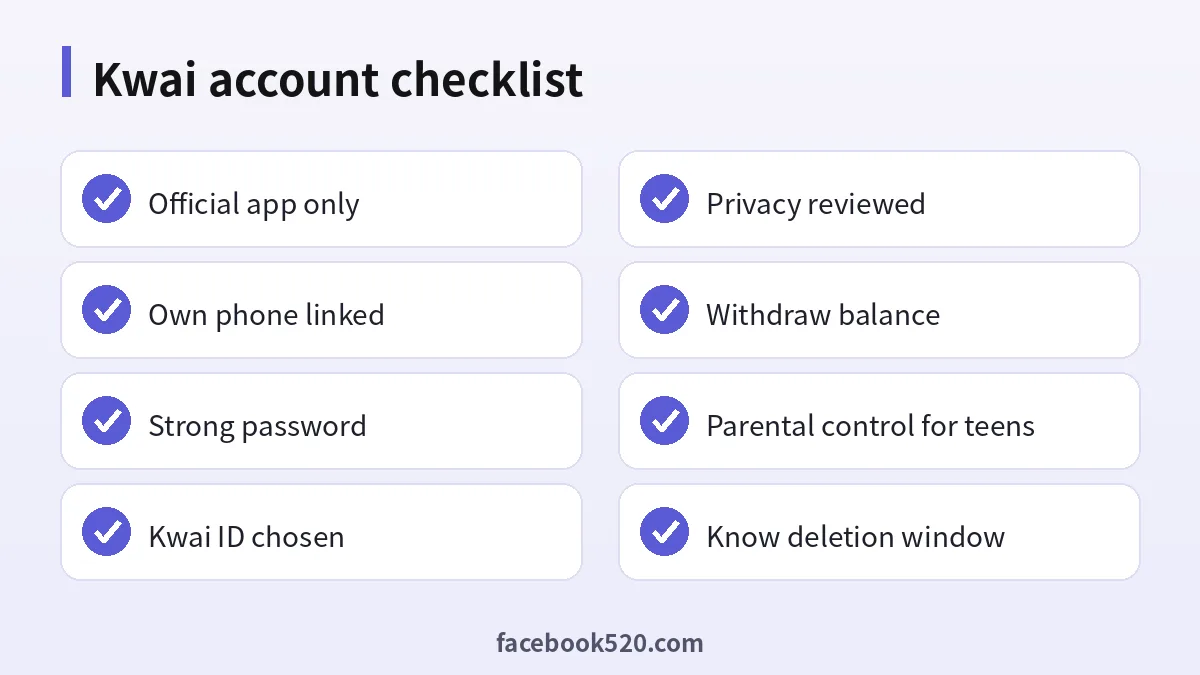
A Kwai account takes a minute to create, but a few rules are worth knowing from day one: the minimum age is 14 with mandatory parental control under 16, the Kwai ID can only change once every 30 days, only one phone number can be linked, and deletion wipes your videos and any undrawn balance. Sign up through the official app, link your own phone number, use a unique password, never share SMS codes, and withdraw rewards before you leave. For other platforms, start from our platform hubs page.

